58 slides extracted.
Slide 1 — 0:36 (watch)
 | Hello everyone, can you hear me? Thumbs up if everything is good? I hope you are having a fantastic day at Code with Claude London. My name is Will, and I am part of the engineering team at Anthropic, specifically in the Applied AI group. My role involves balancing internal engineering tasks with developing agents for customers. Imagine you built and deployed an agent to address a specific problem, and it performed exceptionally well. However, a few weeks after its release, you were asked to add new capabilities to the agent. |
Slide 2 — 1:46 (watch)
 | A few weeks later, you received additional business requirements and added new capabilities. This pattern continued until your system prompt grew to several hundred lines, and you had dozens of tools and sub-agents associated with your agent. Due to this complexity, you started to notice regressions in areas where your agent previously excelled. If this sounds familiar, you're not alone; we often see this scenario with customers and ourselves. In this workshop, we will simulate an agent that has become so complex that its performance degrades. We will discuss the decisions engineers and architects make to improve the design of our agent and restore expected performance with the added capabilities. Specifically, we will focus on decisions regarding tools, skills, and sub-agents. As we modernize our agents' stack, it's essential to use the right agentic primitives at the right time. We will explore when to use a tool, a skill, or a sub-agent. This session will be hands-on, so let's get started. First, I want to walk you through our problem statement for the agent. For this session, we will focus on an agent called StockPilot. |
Slide 3 — 3:04 (watch)
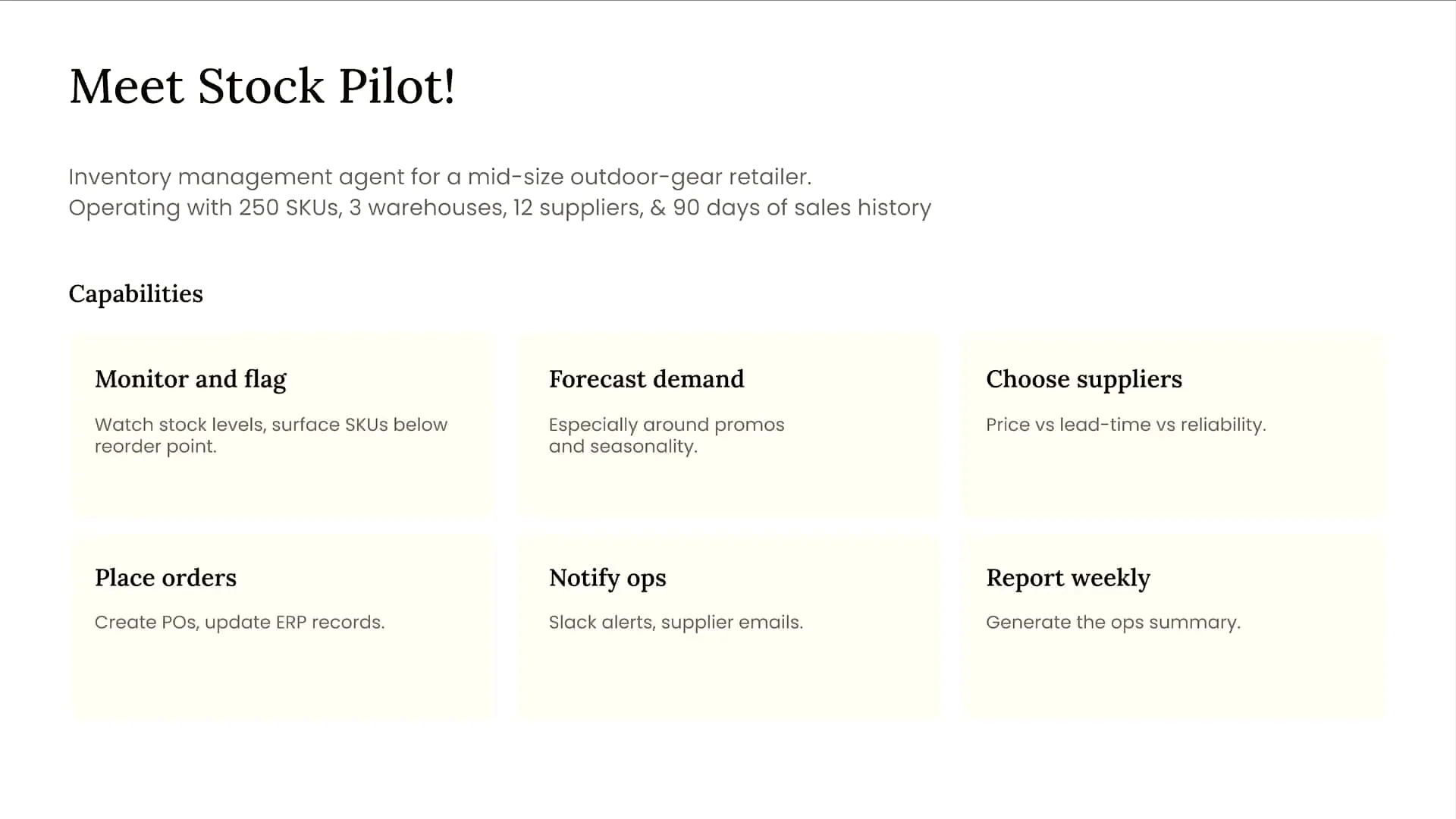 | StockPilot is an inventory management agent designed specifically for a mid-sized retailer. |
Slide 4 — 3:56 (watch)
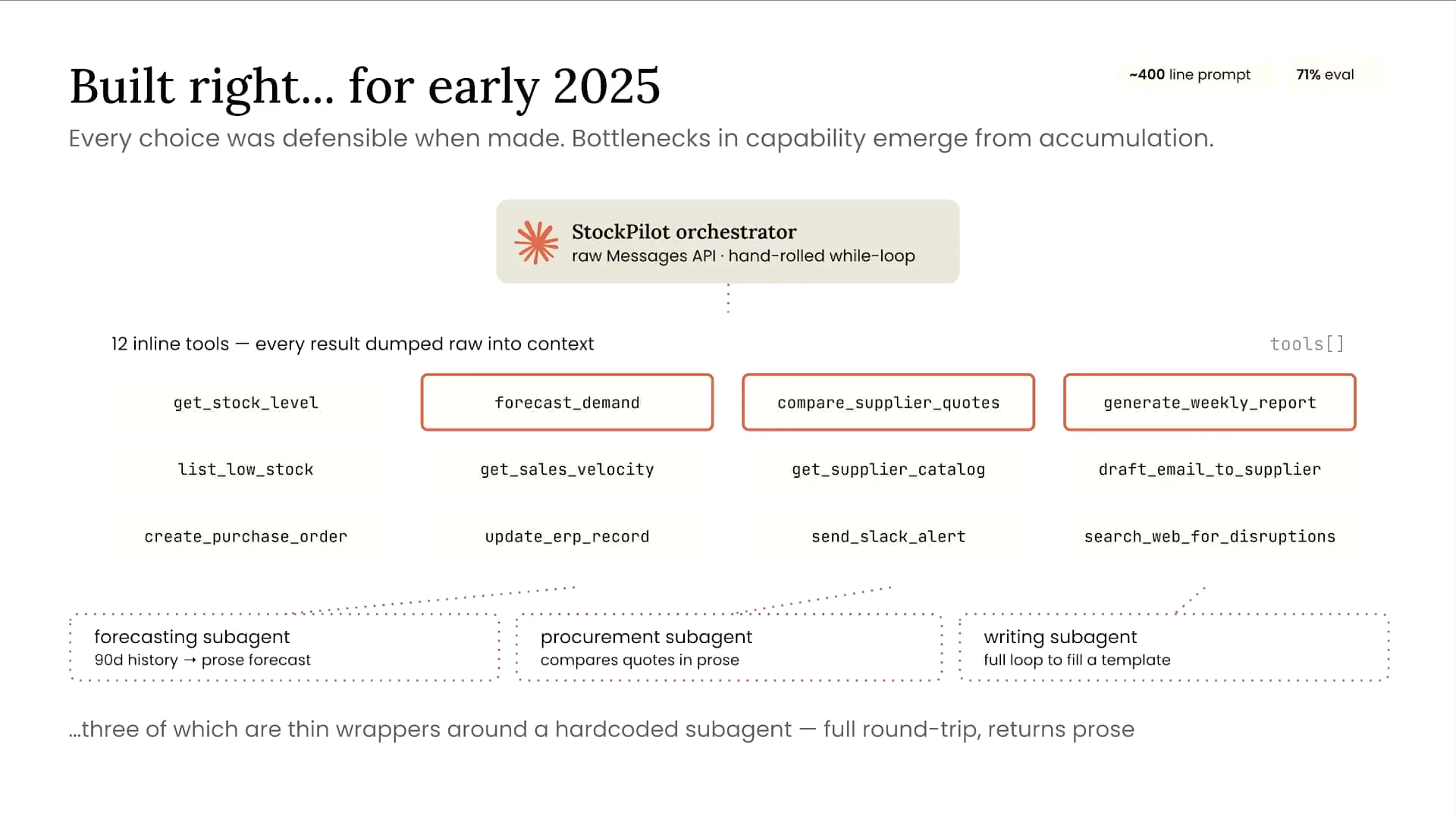 | The agent displayed on the screen has several capabilities. It can flag low stock levels, forecast demand, select suppliers, file purchase orders, and generate weekly reports for the retailer's employees. While these functionalities are not particularly complex individually, the challenge arises from the accumulation of these capabilities over time without modernizing the architecture. This has led to increasing complexity and associated problems. Currently, the agent is managed by a single orchestrator, the StockPilot, which you can see at the top of the screen. The system prompt has expanded to about 400 lines and includes 12 different tools, three of which are wrappers around sub-agents with completely isolated context windows. If you access the repository, which we will discuss in more detail shortly, you’ll find an agent in a folder labeled “before” that illustrates this setup. As a result of this architecture—comprising an orchestrator, a lengthy system prompt, and numerous tools and sub-agents—our evaluation metrics have begun to decline. Initially, we developed the agent to address a specific problem. When we received business requirements to add forecasting capabilities, we created a forecaster as a sub-agent. Later, we added another sub-agent for report writing based on further requirements. This incremental approach has contributed to the decline in our evaluation metrics due to the increasing complexity. Now, let’s focus on evaluations specifically. For this agent, we have 12 different evaluation tasks across five types of graders. My colleague presented on evaluations shortly before this, and while evaluations will be a component of this workshop, they won’t be the main focus. I will provide a brief overview of the tactical evaluations we are using for this agent. |
Slide 5 — 5:50 (watch)
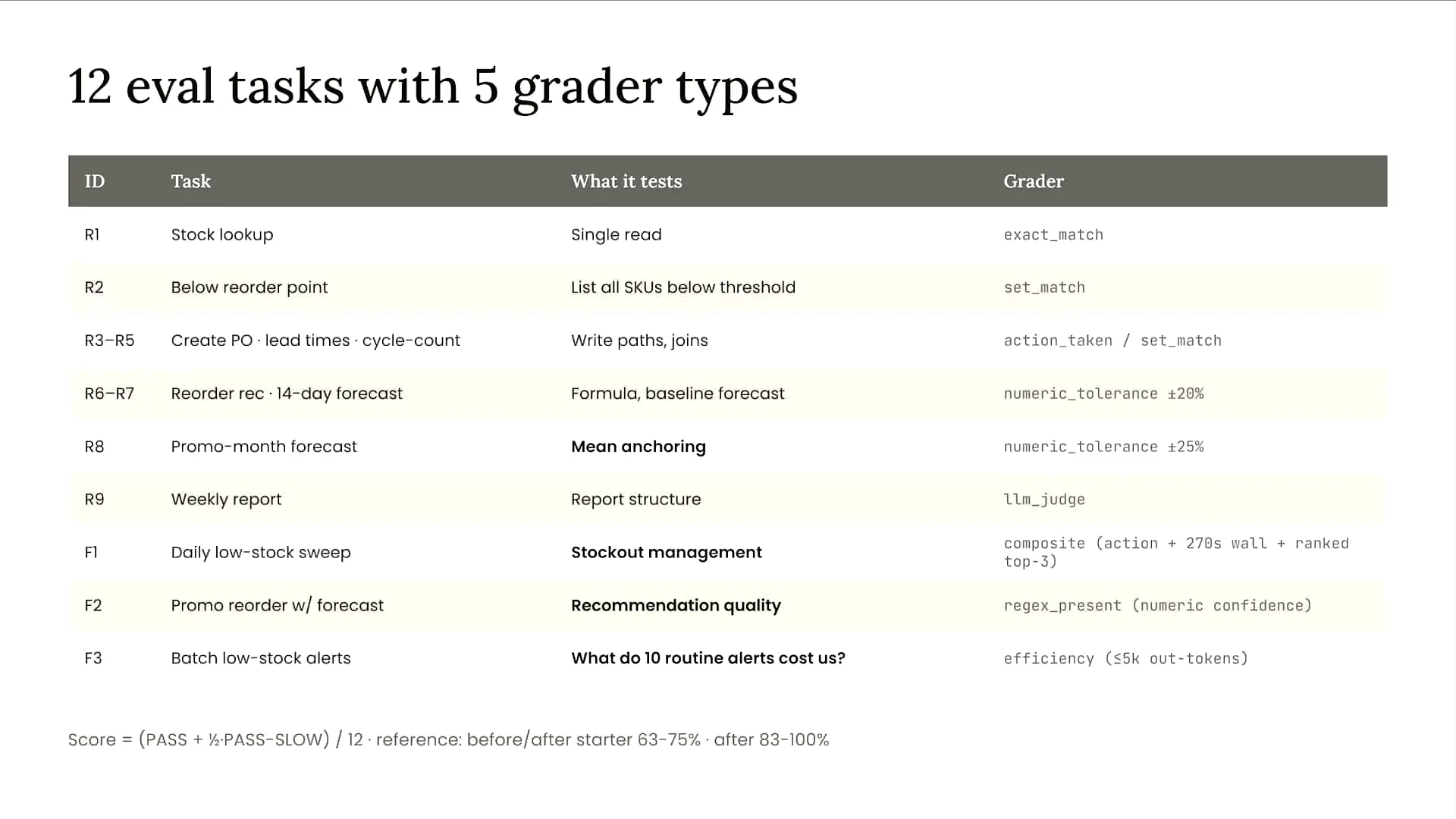 | On the left side of the screen, you see several IDs. The ones starting with the letter R represent regression evals, which are realistic single-turn tasks used to assess the model's capabilities. In these tasks, the model comprehends the input, calls relevant tools within the agent, and provides a response. We evaluate the quality of that response. The IDs starting with F represent failure mode evals, which assess the model's performance on more complex multi-turn tasks. We have various types of graders, both deterministic and non-deterministic. Deterministic evals track metrics such as turn count, latency, and the number of tokens used as the agent completes a task, and we monitor these metrics over time. For non-deterministic characteristics, such as personality, tone, style, and output quality, we use an LLM as a judge to evaluate the agent's performance. |
Slide 6 — 8:00 (watch)
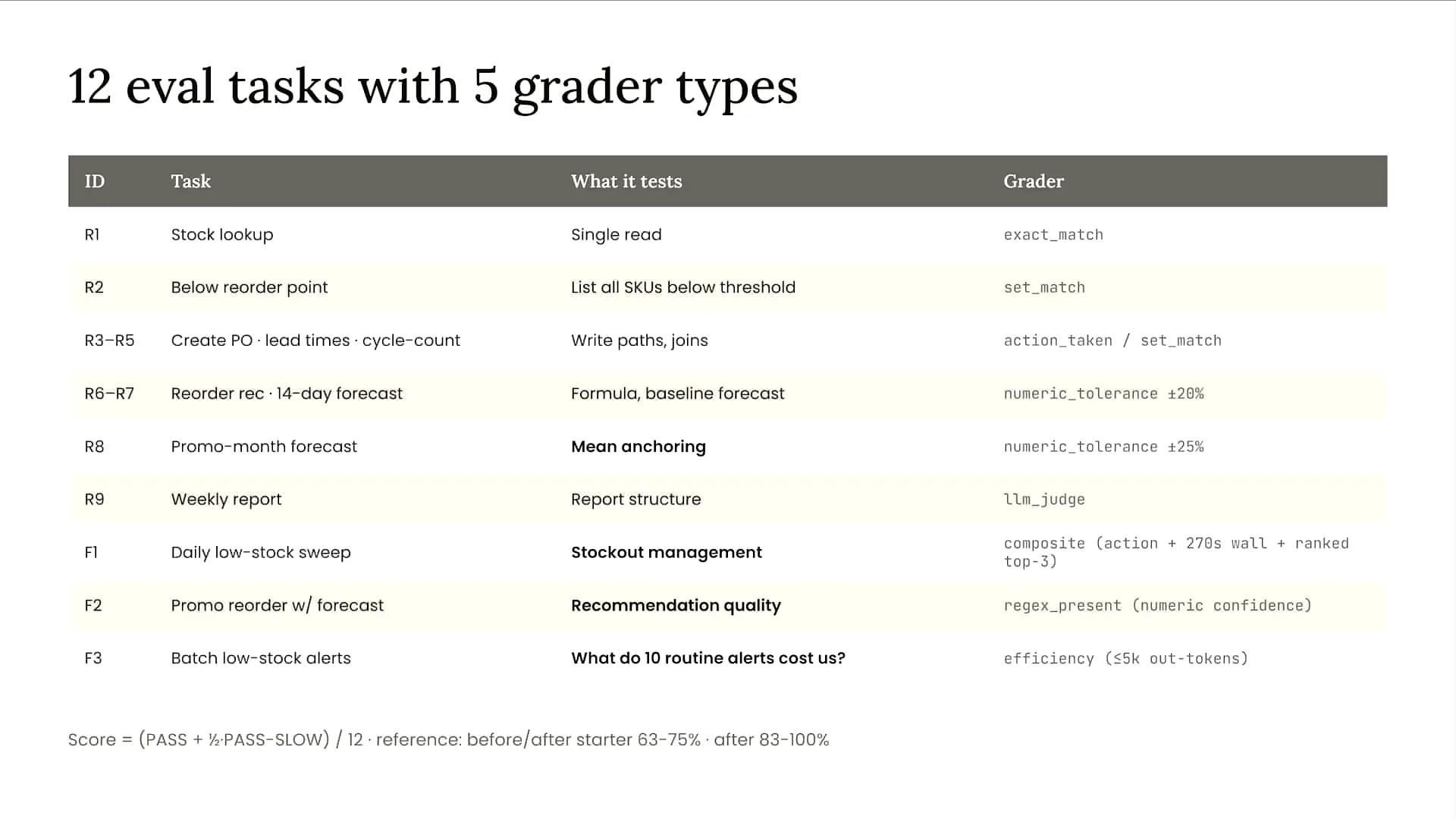 | We will run the evaluations for our agent shortly, but you may notice that the agent struggles in some areas. I will discuss these evaluations in more detail. The F1 evaluation, shown third from the bottom, simulates a daily low stock sweep for our inventory agent. While the agent ultimately identifies low stock levels, it takes an inefficient, winding path to reach the correct conclusion. As a result, it fails the evaluation due to its lack of efficiency. The F2 evaluation assesses the ordering process under a specific promotion package. This evaluation will also fail because we are using a sub-agent for this task. Although the sub-agent performs correctly, there is a communication breakdown between it and our orchestrator. This is a common failure point in complex systems with multiple sub-agents, highlighting the importance of effective communication between sub-agents and the orchestrator. In the case of F2, the evaluation fails due to this communication issue. Lastly, the R8 evaluation checks forecasting during a promotional month. This evaluation will fail because two different policies exist in separate parts of our system prompt and contradict each other. |
Slide 7 — 9:04 (watch)
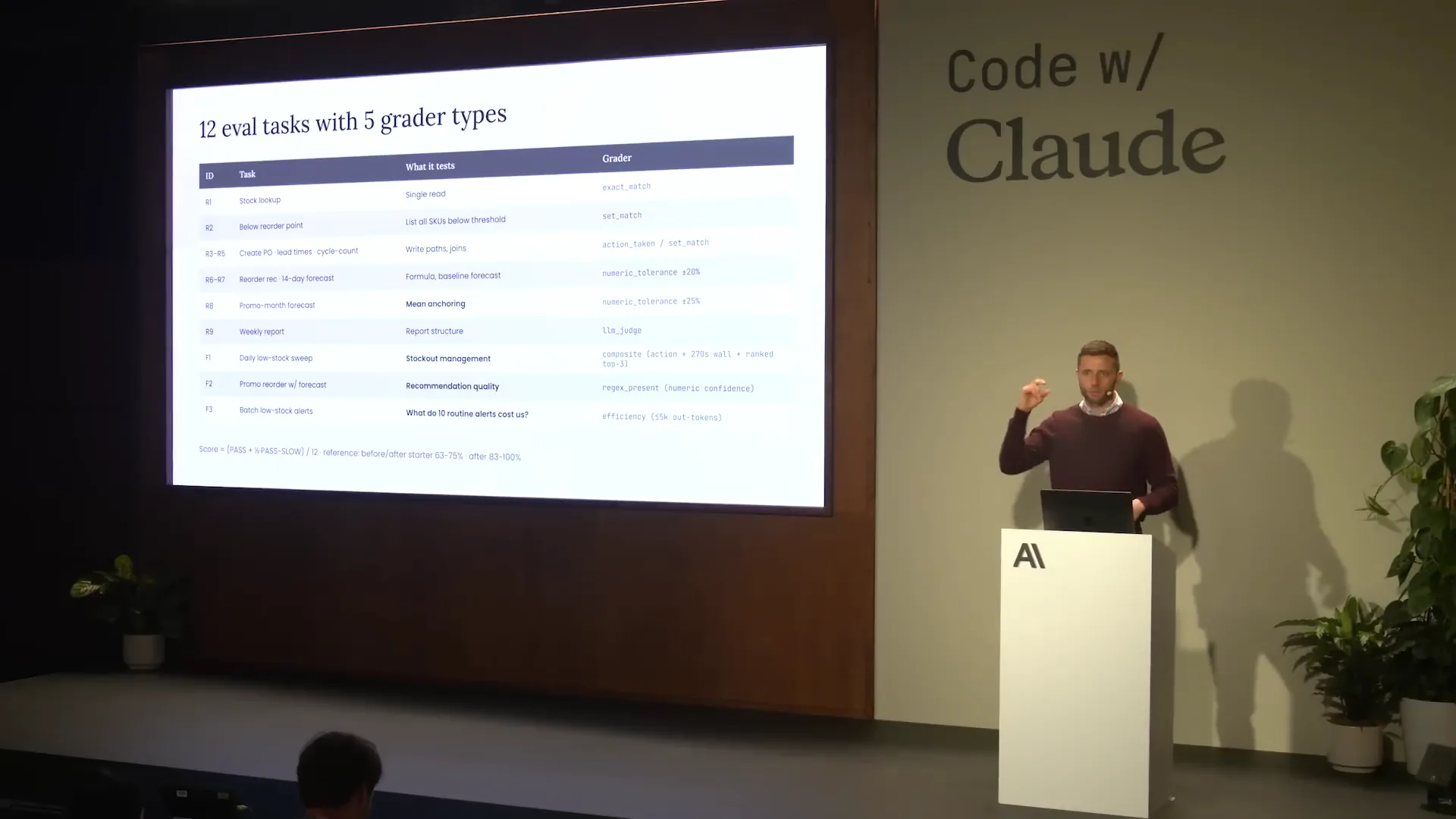 | Over time, our system prompt has expanded, leading to conflicts that confuse the model and result in failures for this particular evaluation. In the repository, as noted in the README, these evaluations initially pass at about 83%. While this may seem acceptable, in the manufacturing sector, a 17% failure rate is prohibitively expensive. |
Slide 8 — 9:58 (watch)
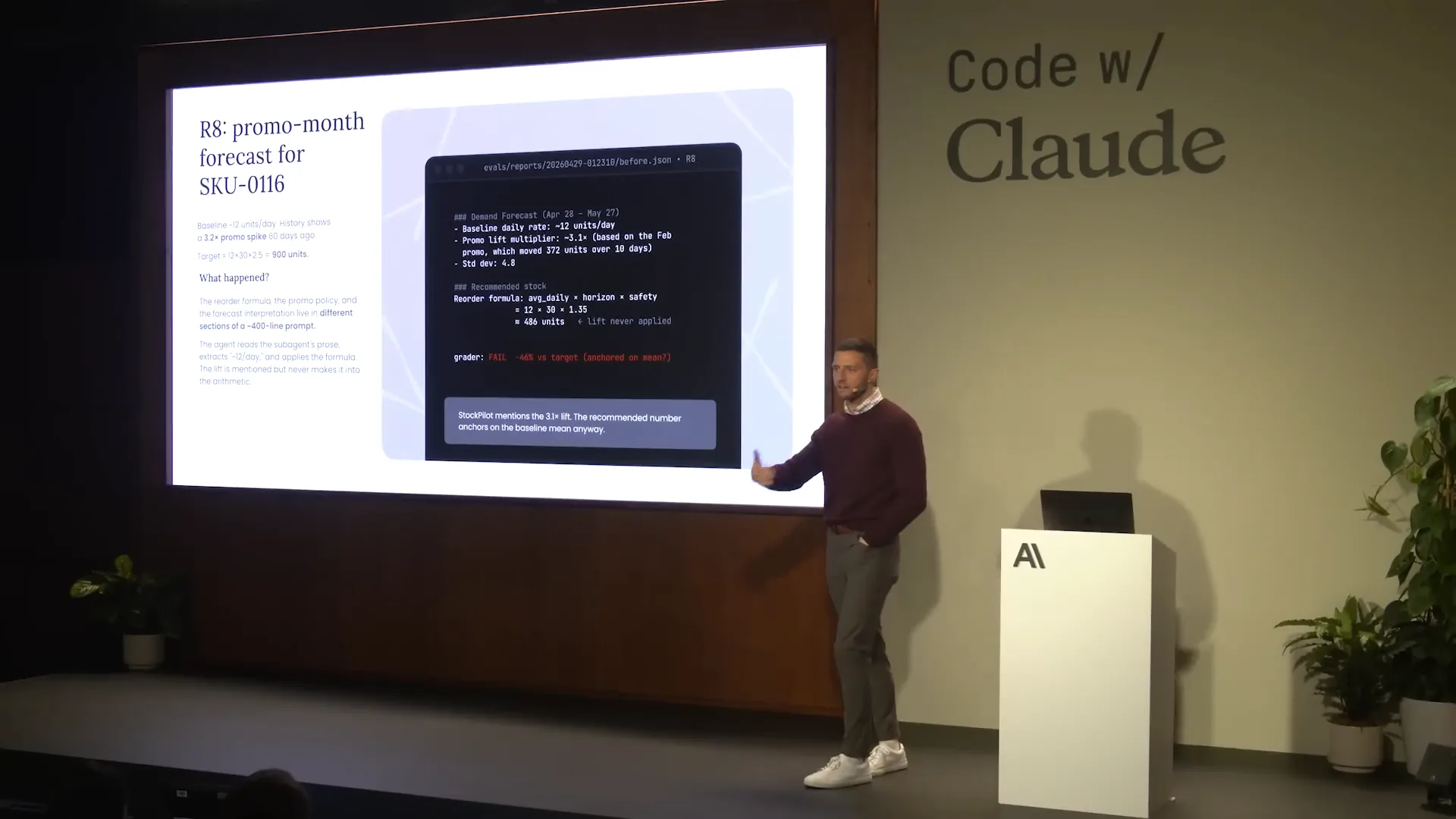
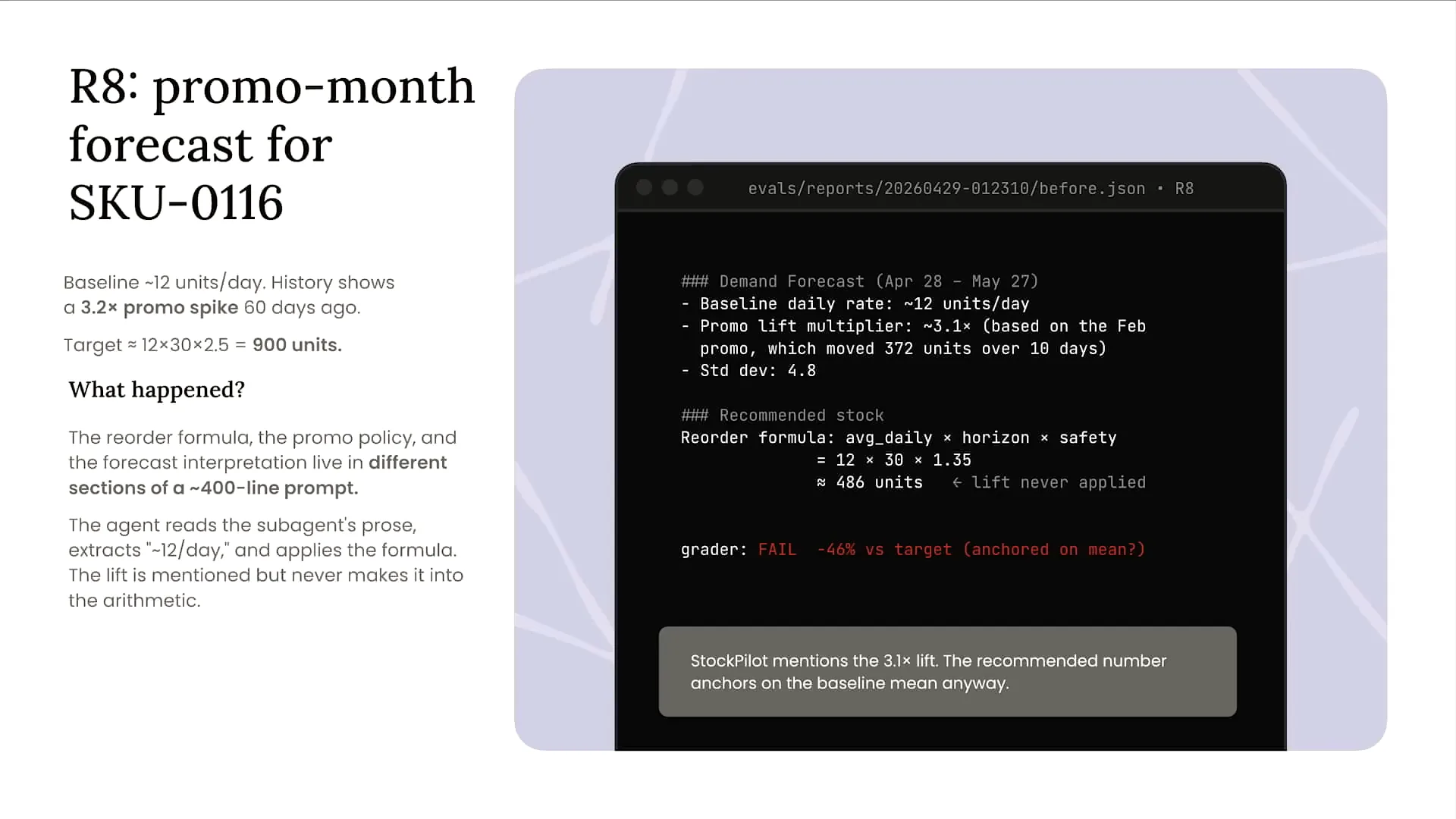 | Now, let's focus on R8 to understand what’s happening behind the scenes. R8 is where we calculate the forecast for a particular month with a promotion. On the right side of the screen, in the simulated terminal window, the first block under the commented text shows that the agent pulled the correct forecasting baseline and promotion multiplier: a forecasting baseline of 12 units per day and a promotion multiplier of 3.1x. However, in the calculation section below, we see an issue. Instead of using the 3.1x promotion multiplier, the agent used 1.35. This discrepancy indicates a hallucination occurred. The root cause is not a model problem but rather context issues; the surrounding information contains conflicts that lead to this error in the evaluation. |
Slide 9 — 11:00 (watch)
 | Our objective in this workshop is to run our suite of evaluations, triage the issues, and update the design of our agent accordingly. We will implement a process we refer to as hill-climbing towards evaluation improvement. First, we will run our evaluations to establish a baseline, which is expected to be around 83%. Next, we will optimize the architecture of our agent and continue running our evaluations to track improvements in success percentage over time. In this lab, we will start with an agent that is self-created using our messages API. If you have the repository, you can click on the "before" folder, and I will demonstrate this shortly. This agent is built from scratch using our messages API. |
Slide 10 — 11:28 (watch)
 | We will migrate that agent to cloud-managed agents. |
Slide 11 — 11:36 (watch)
 | Cloud-managed agents allow us to offload the complexities of maintaining an agentic harness and scaling agents safely and securely to thousands or even tens of thousands of users. |
Slide 12 — 11:54 (watch)
 | Building and running my agent locally is straightforward. However, once I need to host it remotely and enable hundreds or thousands of users to engage with it simultaneously, the complexity increases significantly. |
Slide 13 — 12:18 (watch)
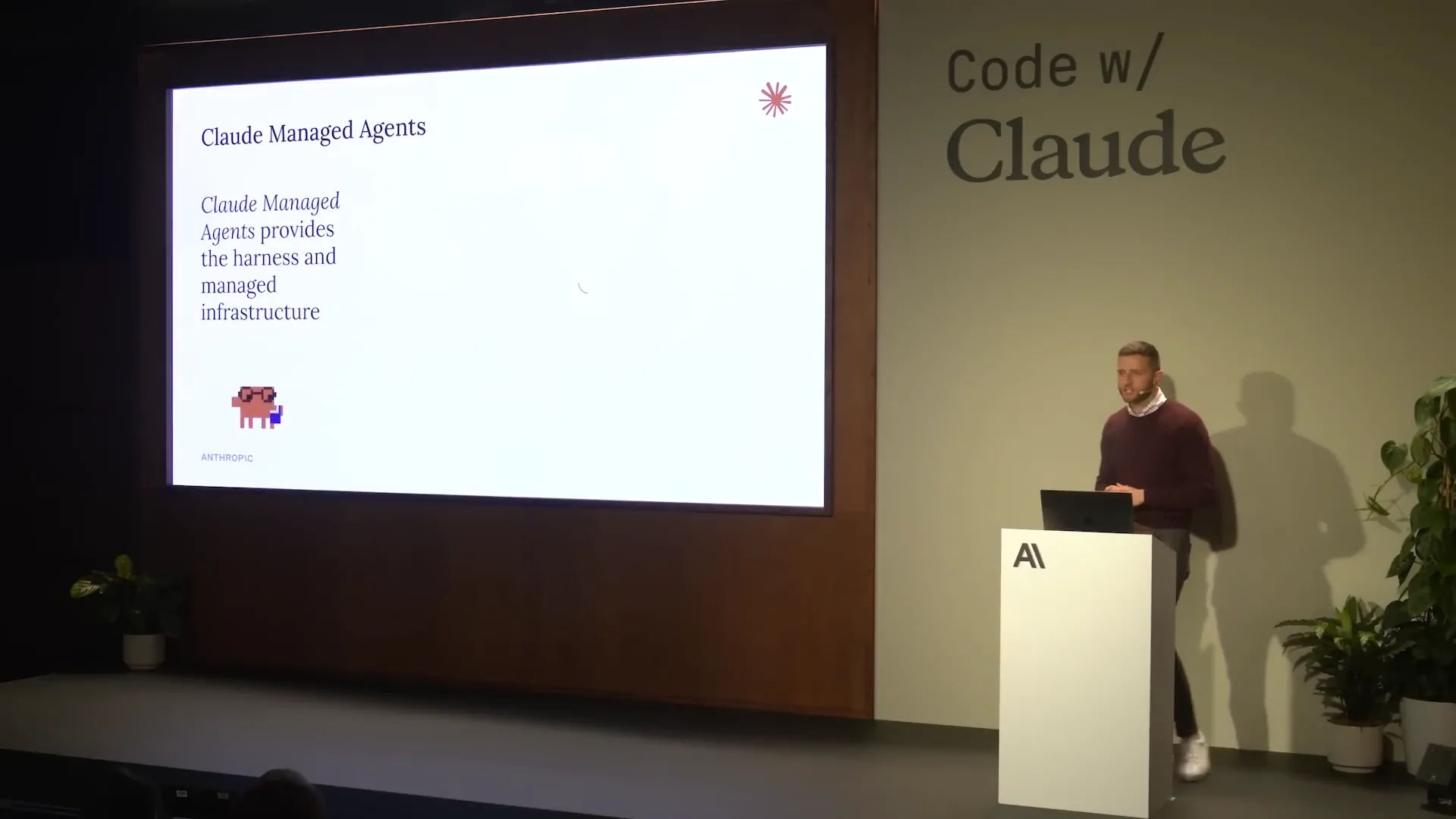 | There are several challenges to address, including infrastructure, scaling, memory, and security. To focus on the architecture of my agent and make decisions regarding tools, skills, and sub-agents, I will offload these concerns to cloud-managed agents. |
Slide 14 — 12:42 (watch)
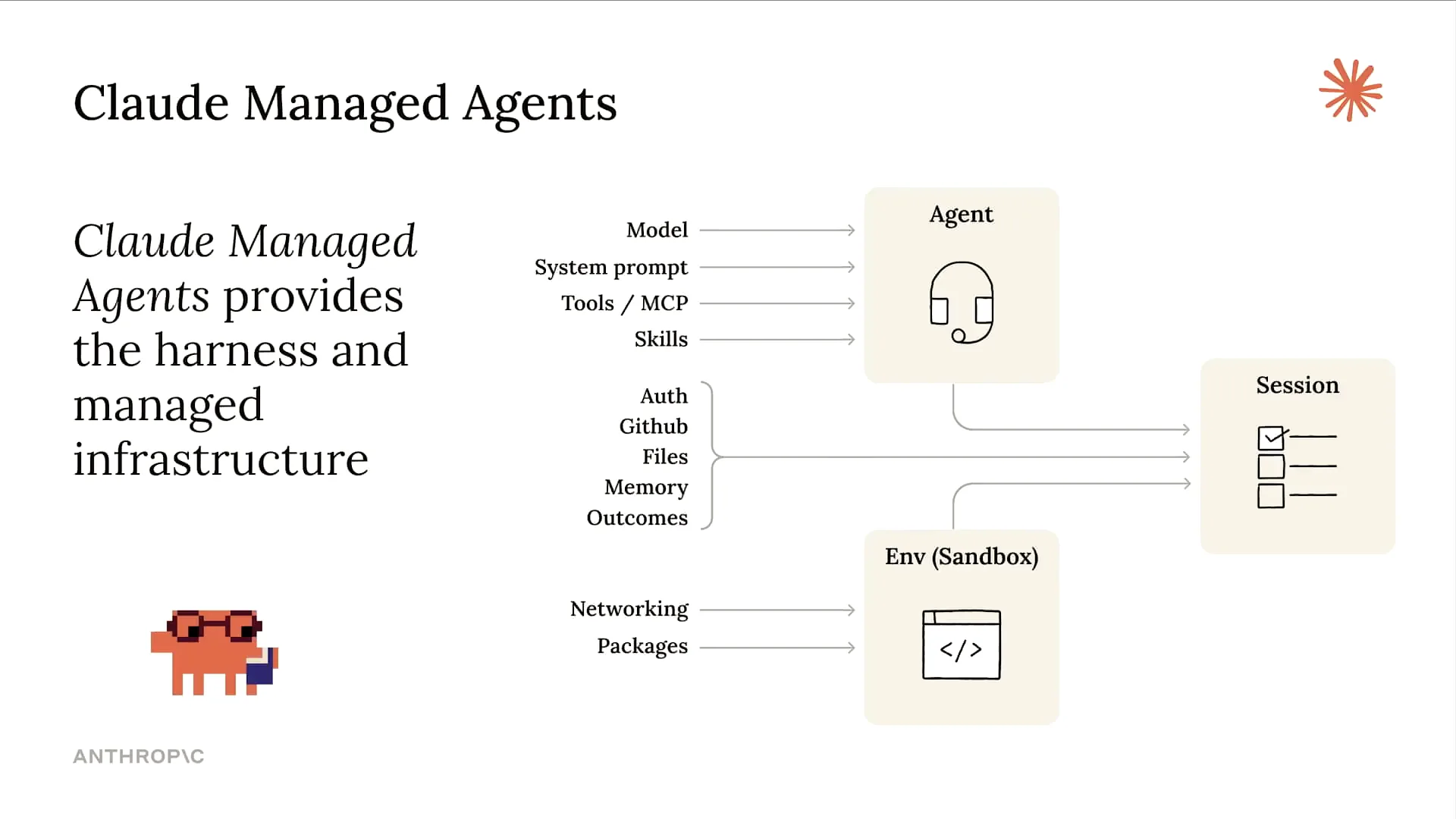 | To clarify, we've discussed cloud-managed agents (CMA) in several talks today. This approach enables us to separate the agent from session details and the sandboxed environment where tool calls occur. By doing this, we can offload specific parts of the stack and focus solely on the design of our agent. |
Slide 15 — 13:02 (watch)
 | I mentioned that we will have a hands-on session in this workshop, and we will begin that now. |
Slide 16 — 13:20 (watch)
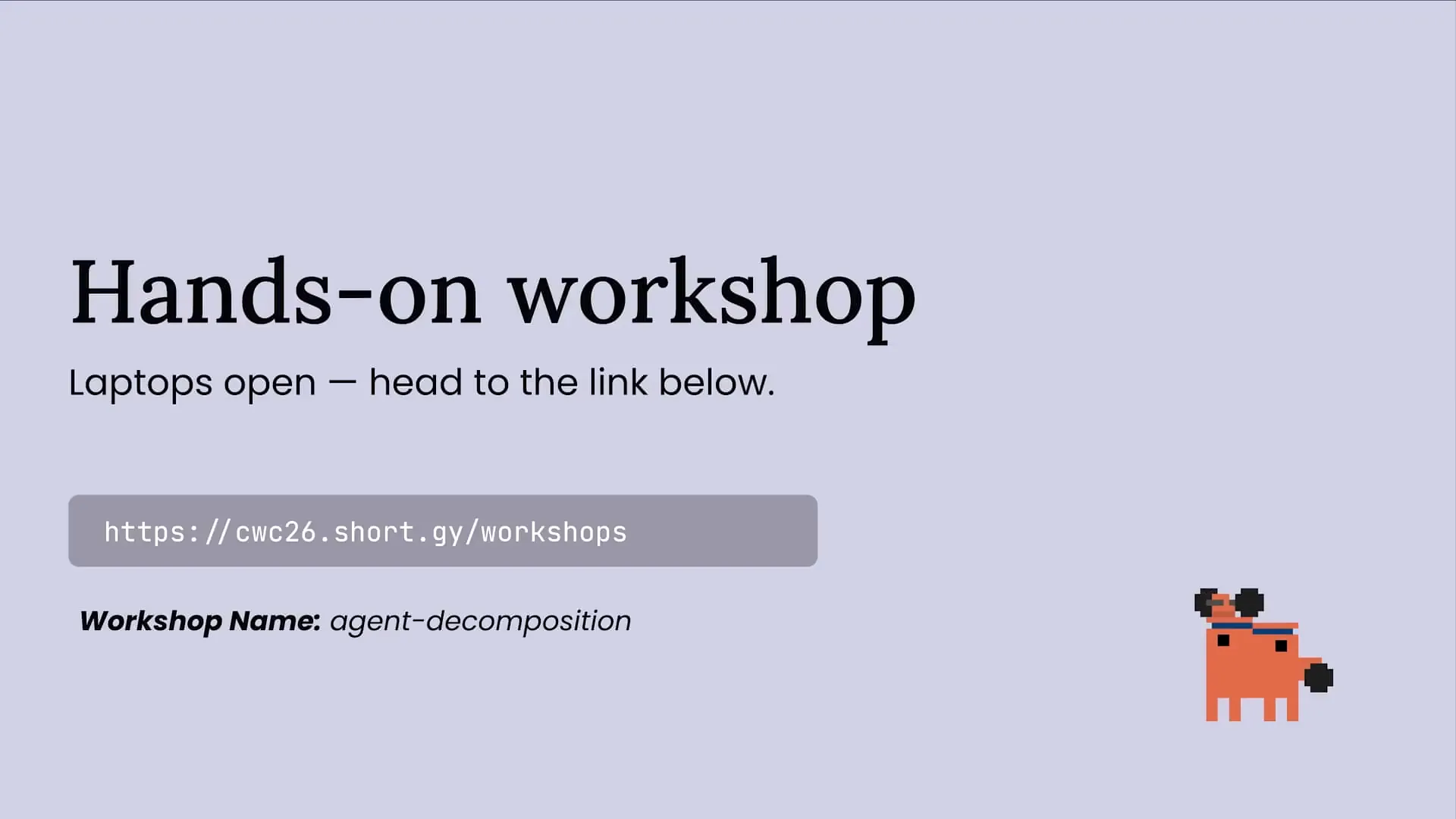 | The workshop URL is displayed on the screen. If you haven't had a chance to grab it, please do so now. This URL contains all the different workshops from Code with Cloud in London, allowing you to revisit them if needed. In this workshop, we will focus on agent decomposition, which will be the name of the folder we will be working in. |
Slide 17 — 13:36 (watch)
 | Let me jump forward. |
Slide 18 — 14:04 (watch)
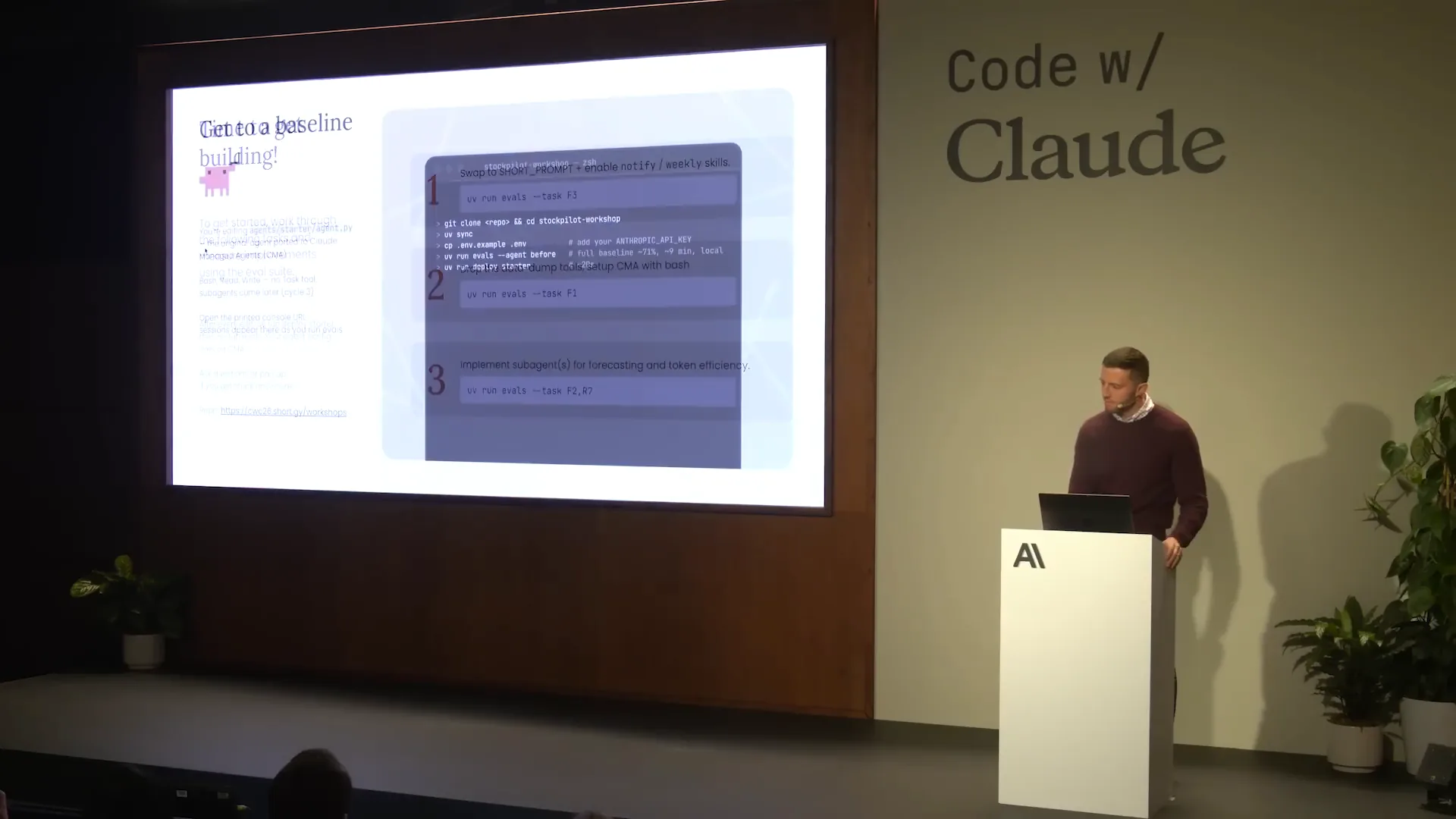
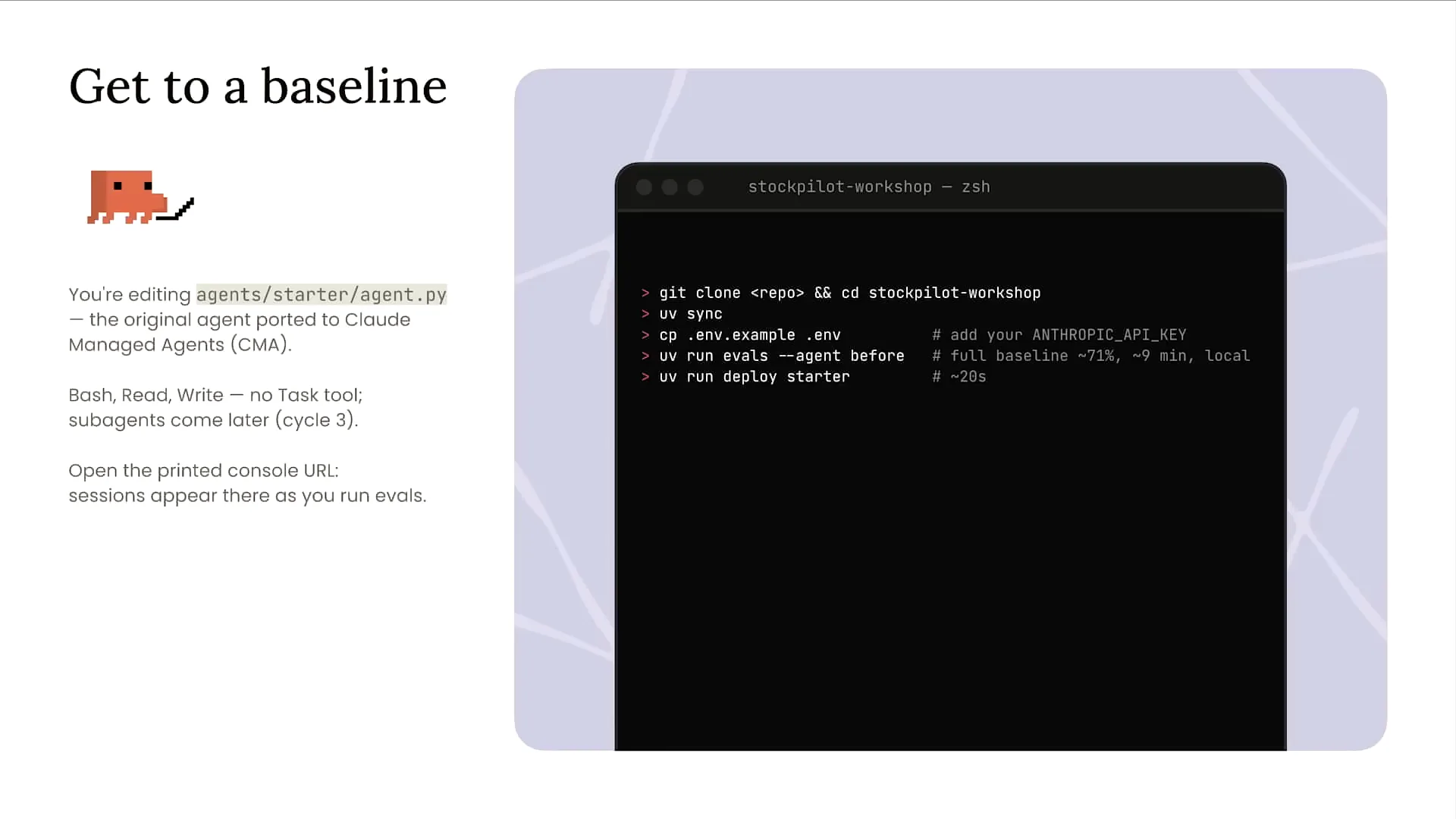 | The first step in this workshop is to establish a baseline. When you open the provided link, clone the repository to your local machine. We have a UV project set up, so run `uv sync` to ensure that all packages and dependencies for invoking the Anthropic SDK are in place, allowing us to deploy our agent to Cloud-managed agents. Additionally, you'll need an API key for this workshop. Using the credits you received at the beginning of the session, go to your Cloud console account to create an API key. |
Slide 19 — 14:40 (watch)
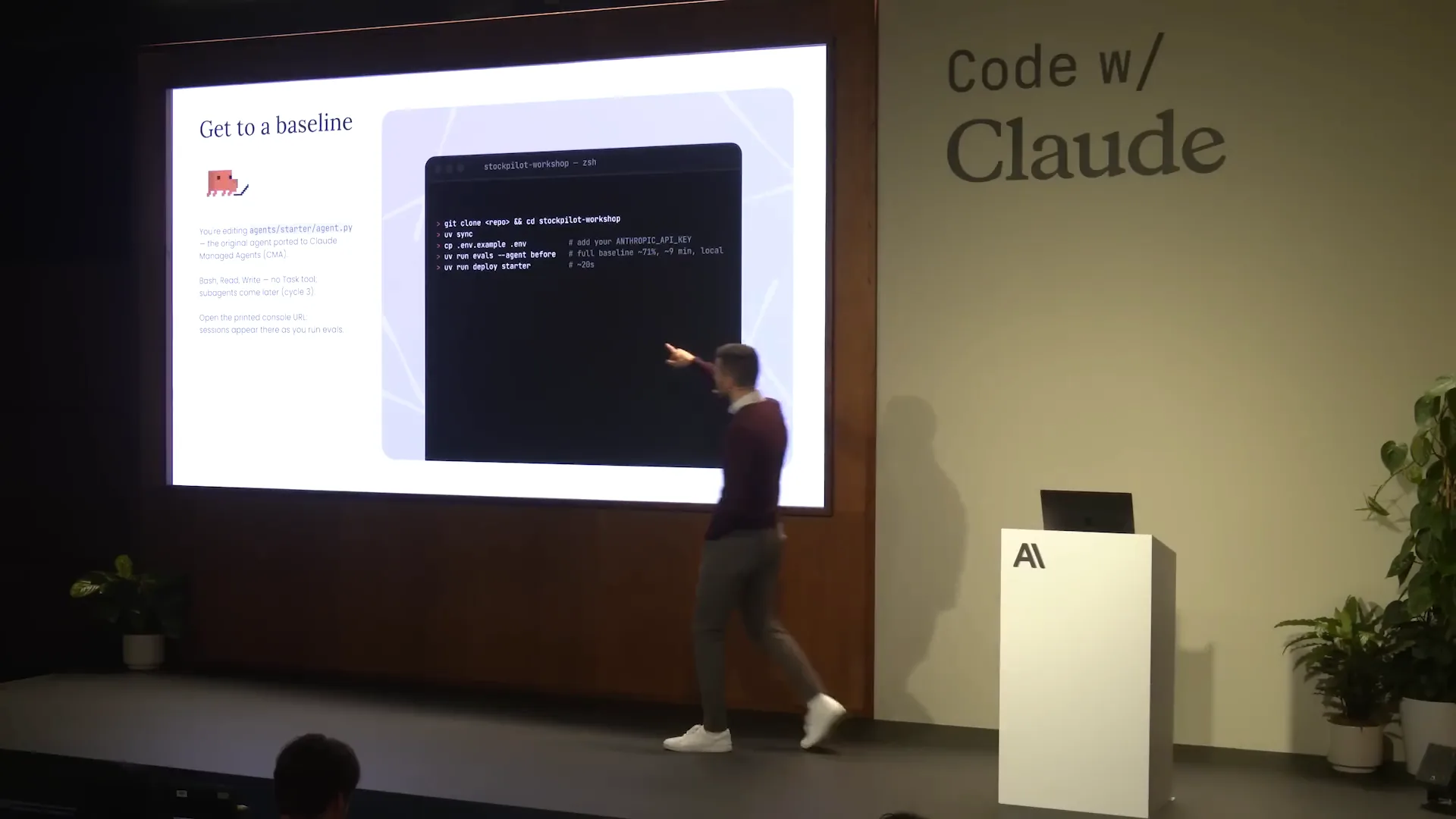 | If you copy the ENV example, manually insert your API key into the created ENV file. We have already set up all 12 evals that I previously discussed. To establish a baseline and run those evals, execute the command `UV run evals --agent` first. This information is included in the README, and running that command will enable you to proceed with your evals. |
Slide 20 — 15:26 (watch)
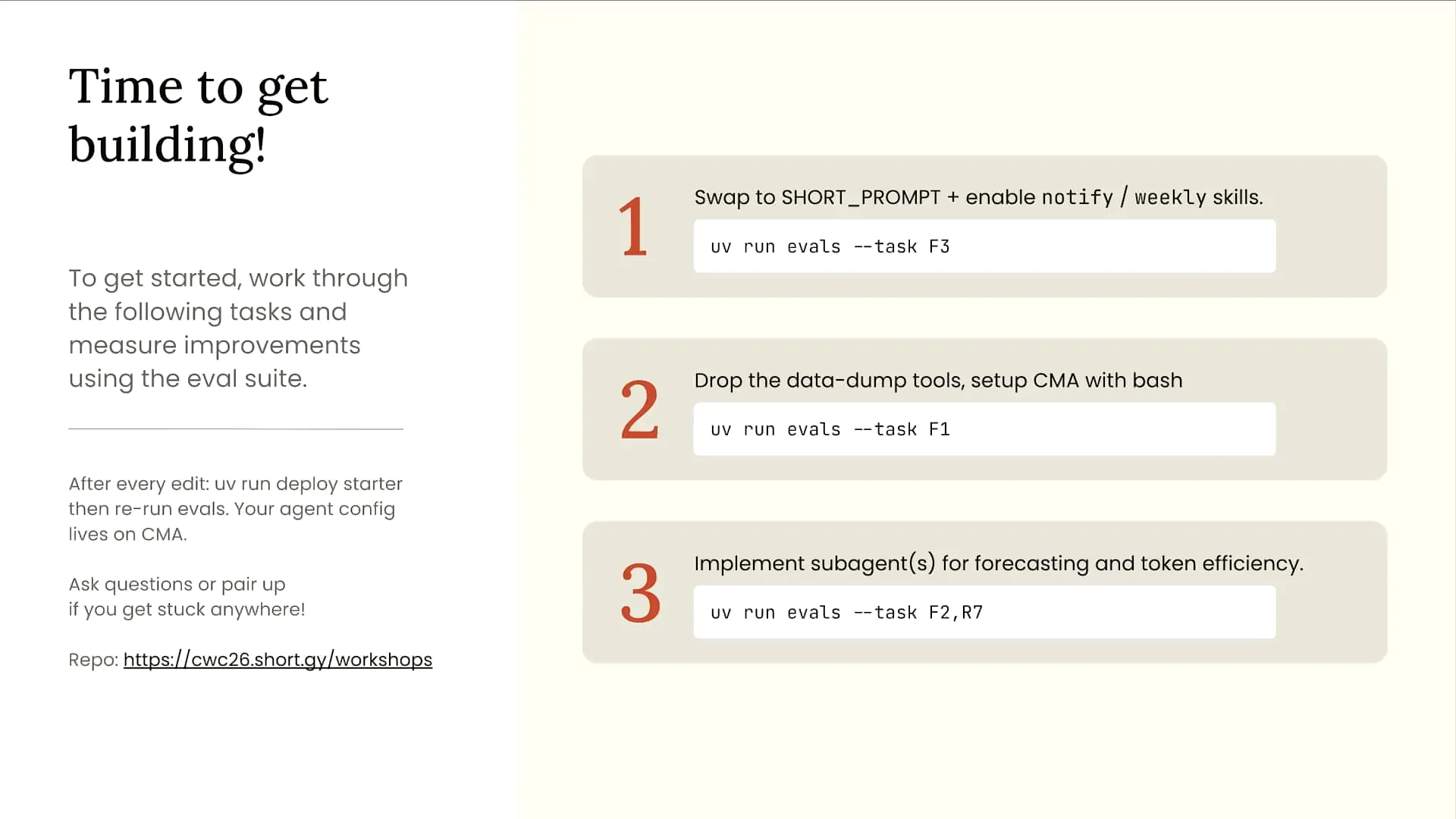 | We will take several steps to run our evaluations, using Cloud Code to triage the results and then adjust our agent accordingly. First, we will examine the system prompt for our agent, which is currently about 400 lines long. We have been adding information to this prompt repeatedly as new business requirements arise. Next, we will evaluate the tools we are currently using; we have 12 different tools, three of which are wrapped subagents. We will explore ways to improve their efficiency. Finally, we will assess any necessary subagents to enhance our agent's effectiveness and determine the best approach to construct subagents with Cloud-managed agents. |
Slide 21 — 16:00 (watch)
 | I want to take a moment to mention something important as you get started. |
Slide 22 — 16:10 (watch)
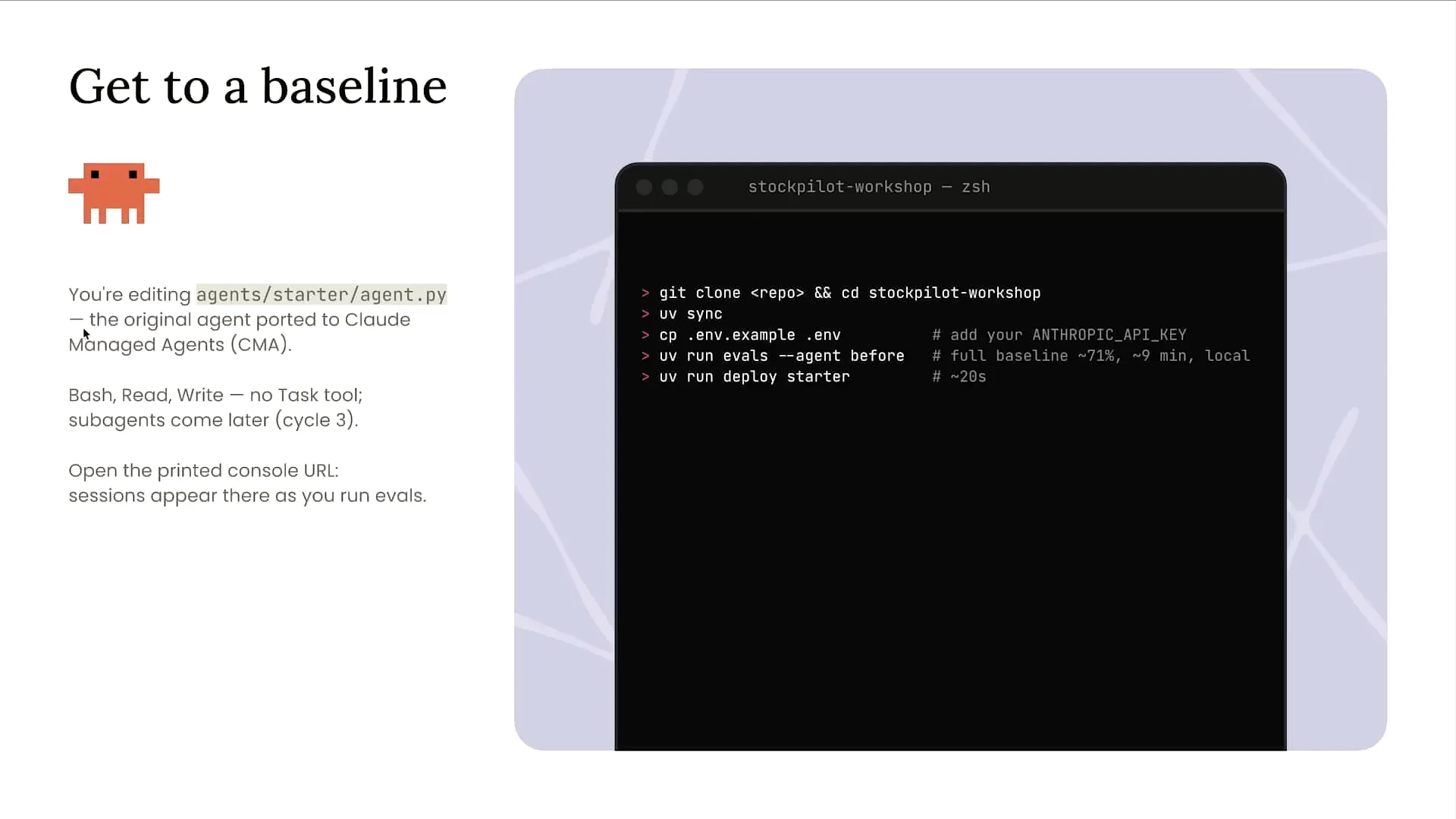 | Within the repo folder, you will find two different folders: a "before" folder and a "starter" folder. Each contains a separate agent. |
Slide 23 — 16:40 (watch)
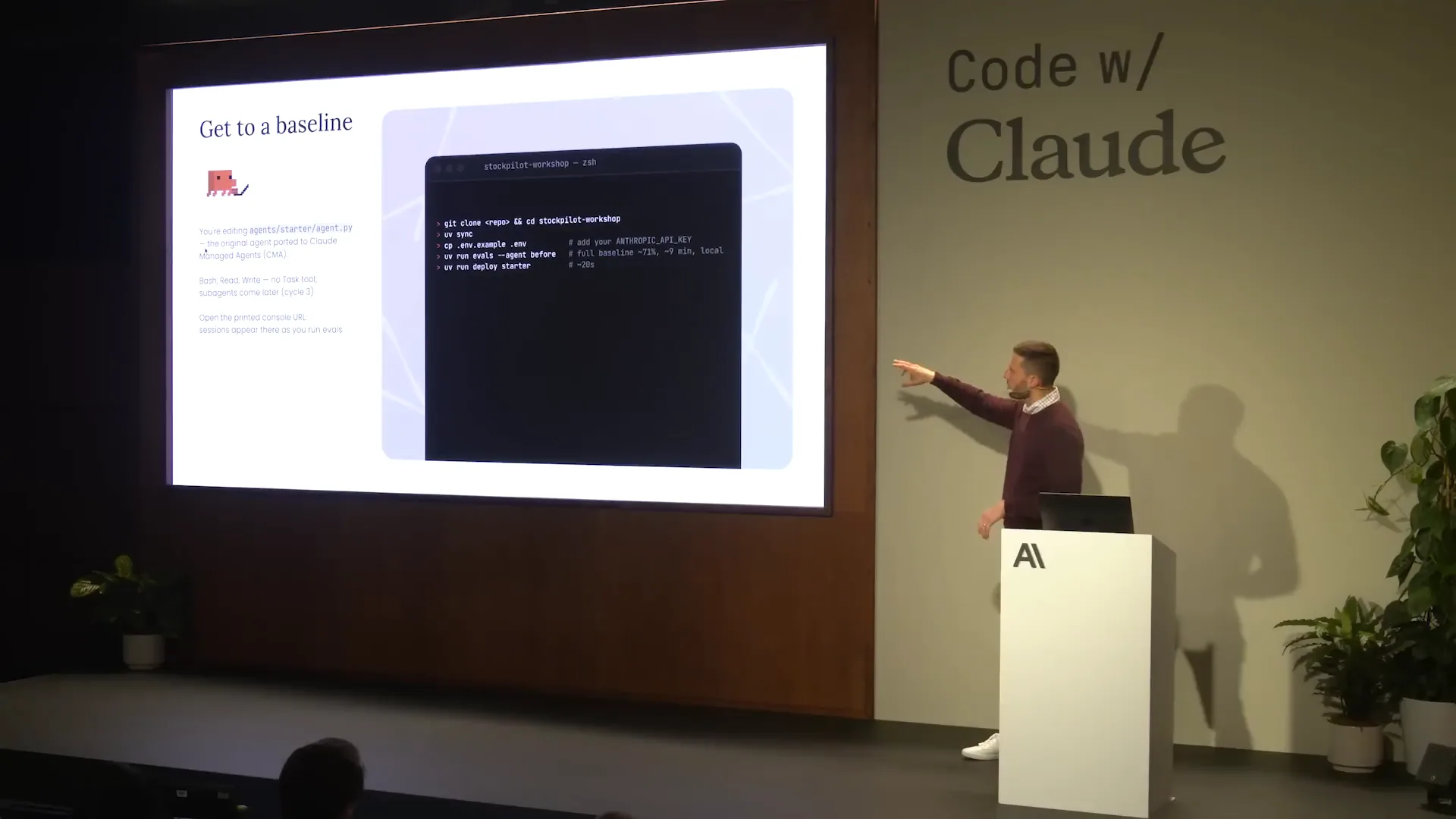 | To view the messages API version of the agent, you can find it in the before folder. This version includes my custom agent loop and harness built around the Anthropic Messages API to invoke Claude. For the deployed version on Cloud managed agents, check the starter folder located just below the before folder. To deploy your agent on Cloud managed agents, run `uv run deploy starter`. Additionally, you can run your evaluations using the messages API version with the command `--agent before`. The deployment for Cloud managed agents is already set up for you, making it easy to use cloud code to compare the two versions and understand the differences between them. |
Slide 24 — 17:20 (watch)
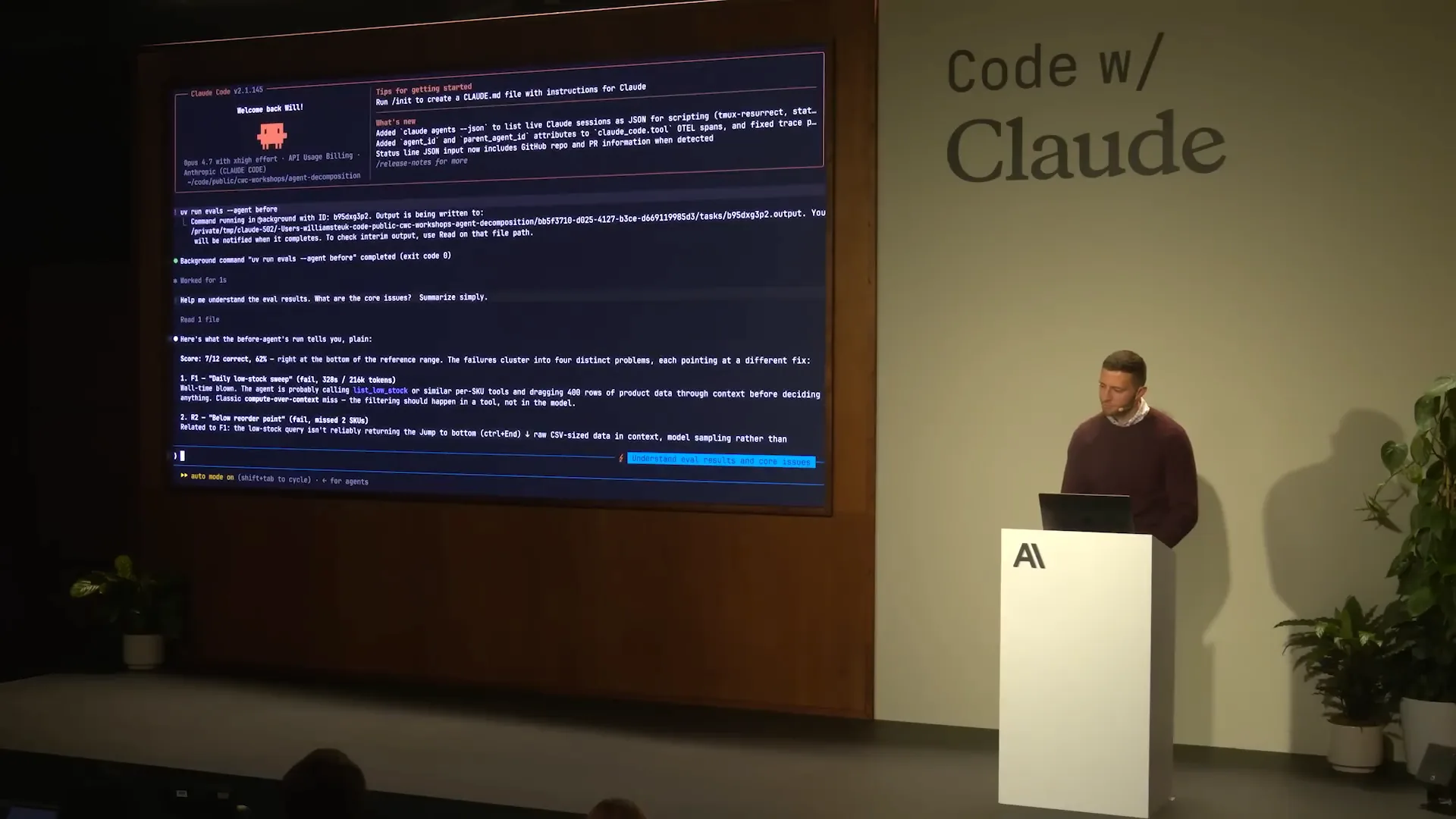 | I will now open cloud code, and we will build together. I will zoom in so you can see everything clearly, and I can also see everything. We will discuss what happens when I run some of these evaluations and the typical process we follow for hill climbing on the evaluations themselves. |
Slide 25 — 18:12 (watch)
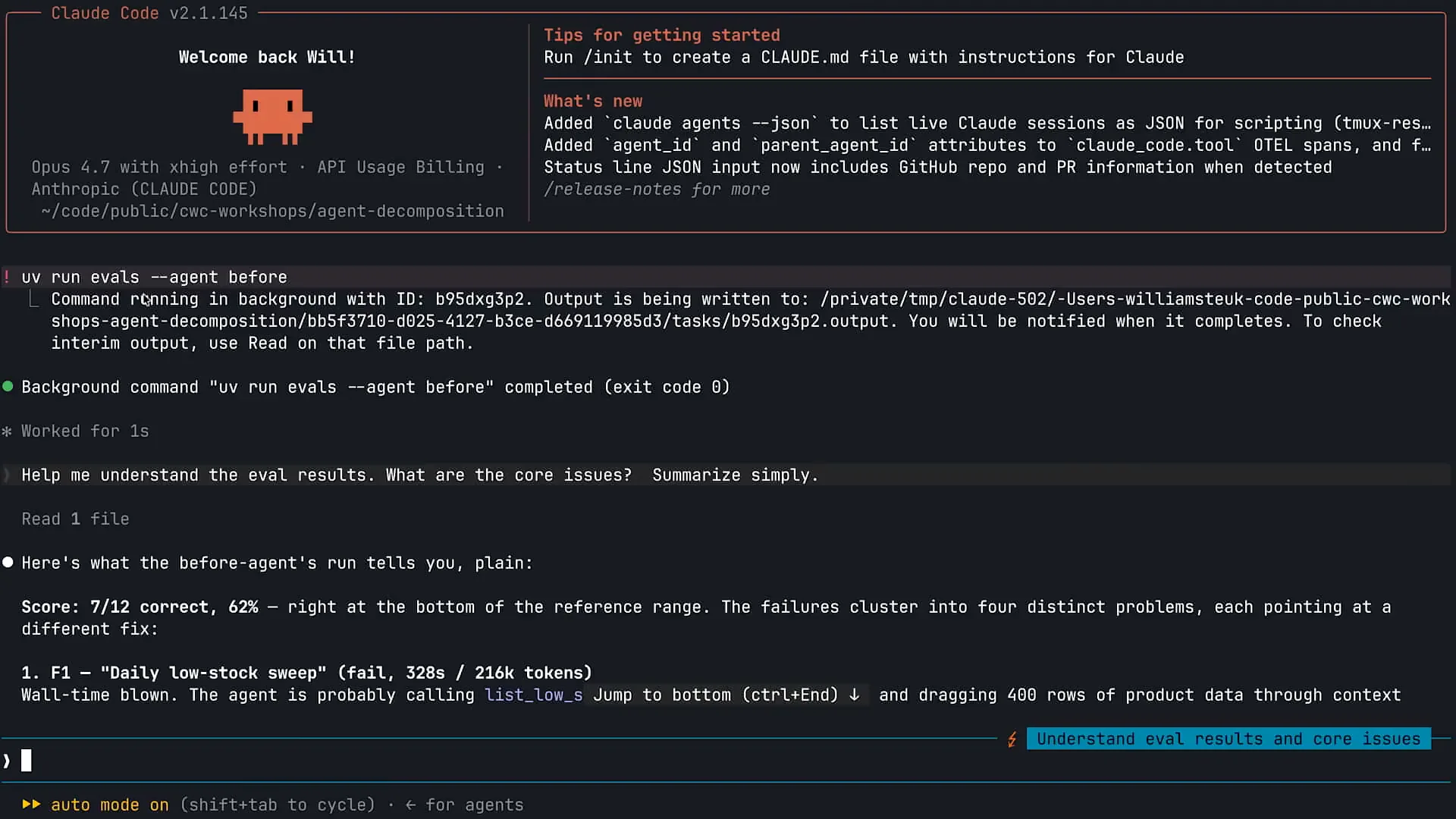 | I used cloud code to run my evals, seeking its assistance in triaging the results. As shown on the screen, I have Opus 4.7 running, and my effort level is set to extra high. I typically keep the effort level at extra high with Opus 4.7, as it consistently delivers great performance. The first action I took was to run my evals using the bash capability in cloud code with the command `uv run evals --agent`. Claude executed the evals, and now I will scroll down to review the findings. The results from this eval run were lower than expected, achieving 62 percent, which is worse than the 83 percent we started with. We passed seven out of twelve evals, and Claude has provided a diagnosis for the evals we failed. Let's scroll down a bit more. |
Slide 26 — 18:58 (watch)
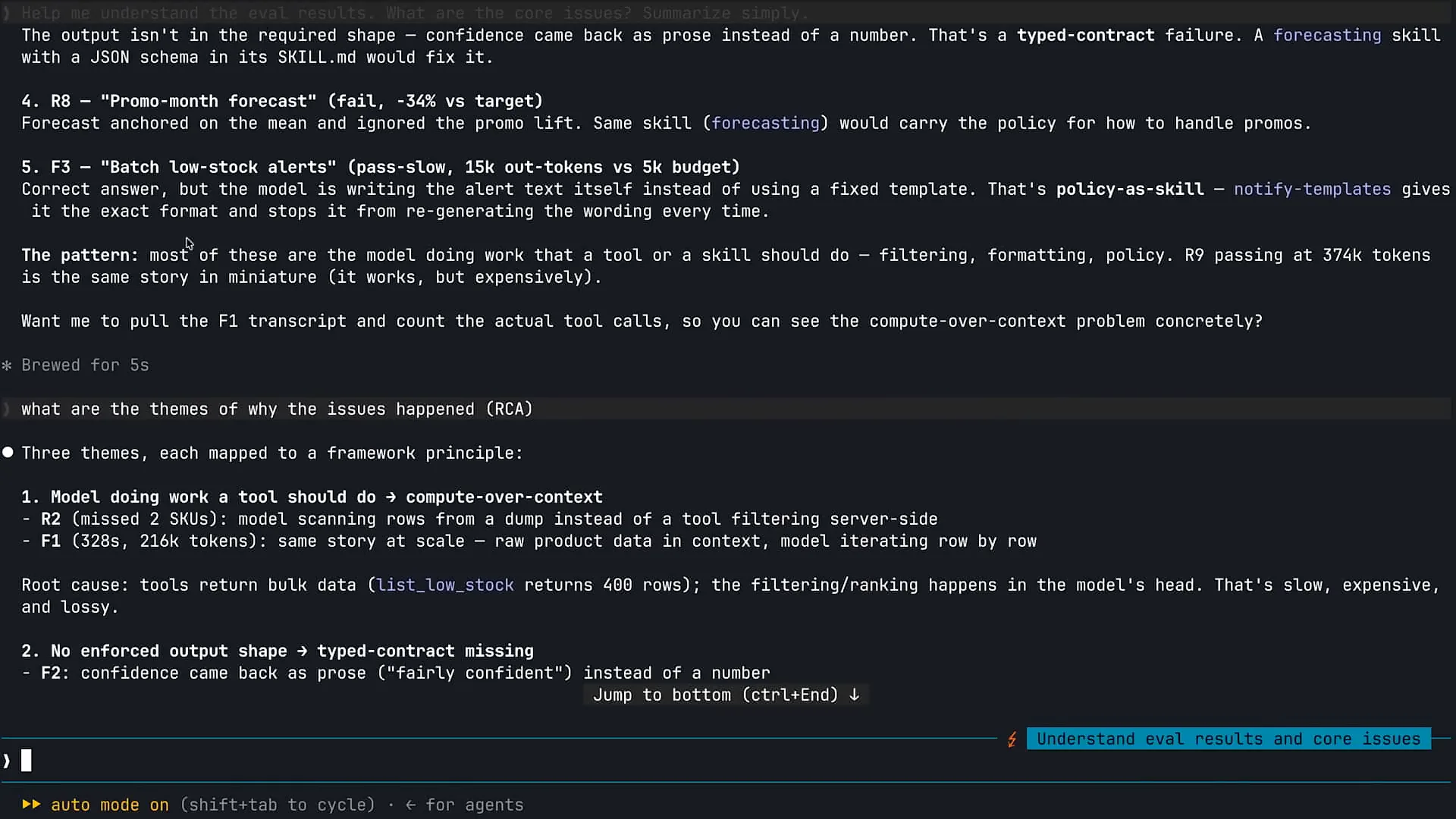 | We will use Claude to gain a better understanding of why this occurred. |
Slide 27 — 19:30 (watch)
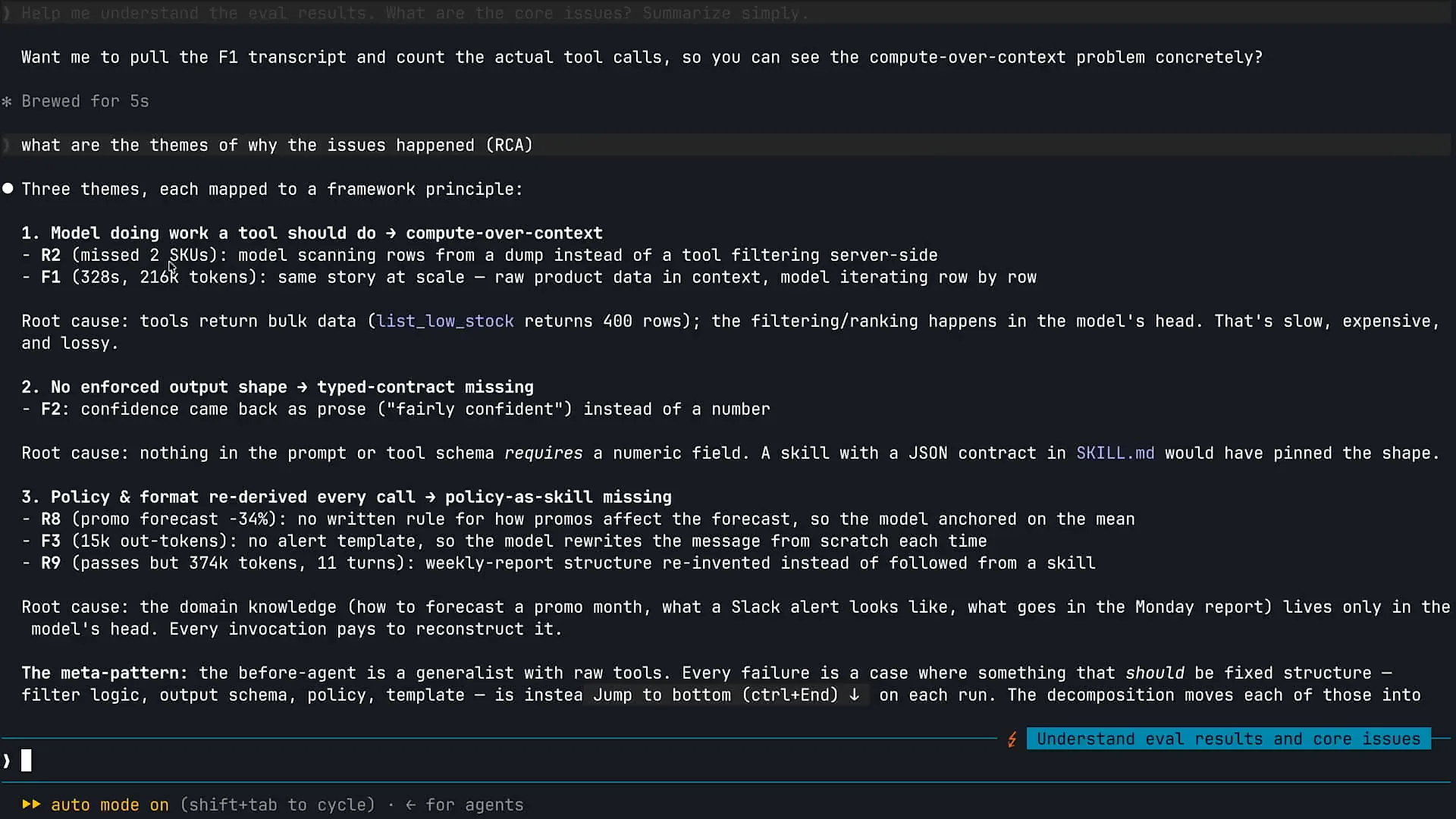 | I am using Claude to identify themes related to our failures in the evaluations. This is an effective technique for analyzing evaluations of your agent. Claude has identified several themes based on our agent's performance. First, it appears that our model is attempting to handle tasks that it should be equipped to perform with tools. Consequently, it is engaging in reasoning with information that it lacks the necessary tools to process effectively. Additionally, there are issues with the enforcement of output structure; our model and subagents are generating information in a format that does not align with our requirements for optimal performance. |
Slide 28 — 20:12 (watch)
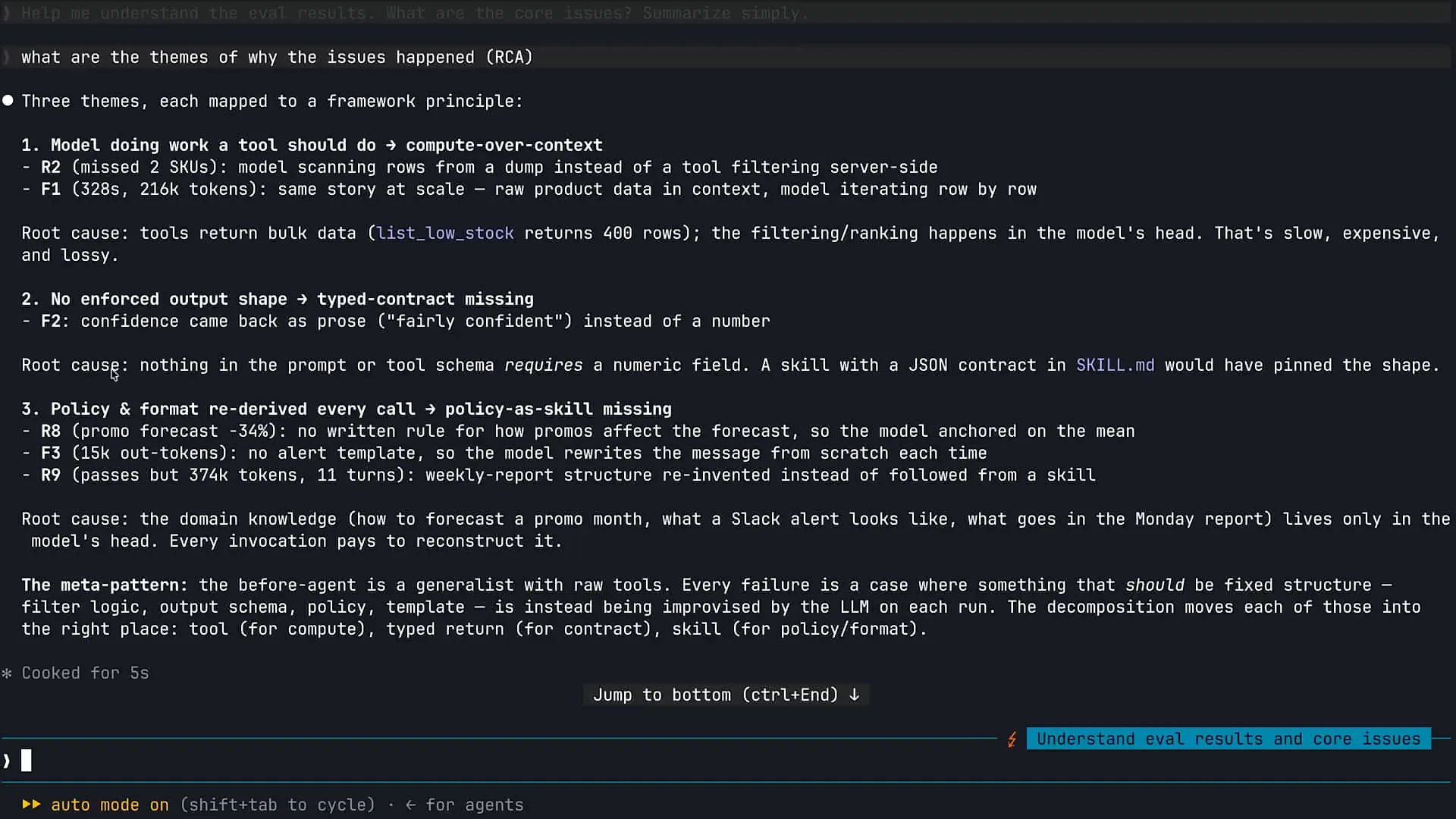 | Claude is experiencing some confusion due to the information in the system prompt. It has identified several root causes. We will address these issues one by one within our agent. |
Slide 29 — 20:30 (watch)
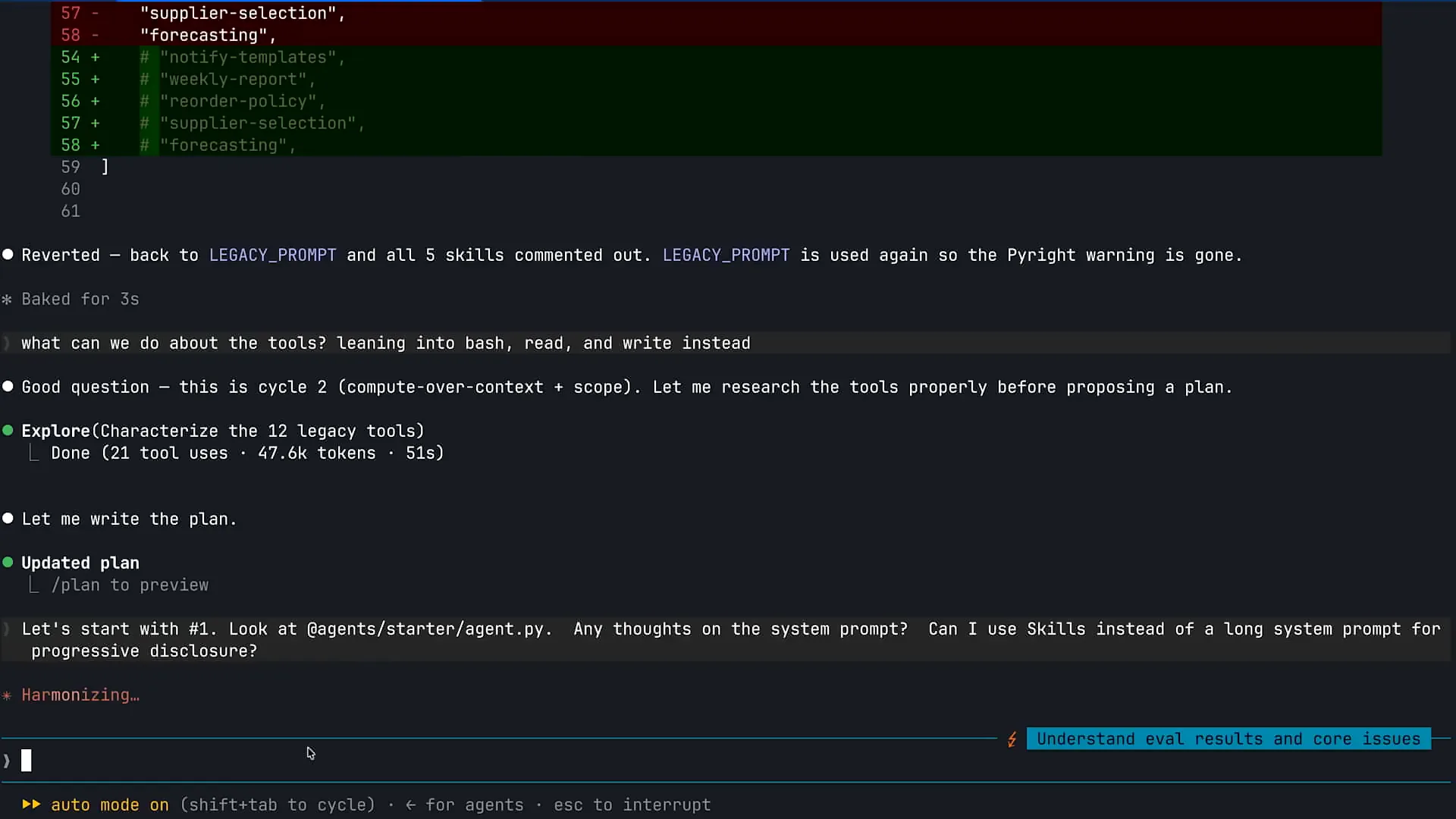 | I will scroll down and use Claude's code to triage some issues within our agent. |
Slide 30 — 20:38 (watch)
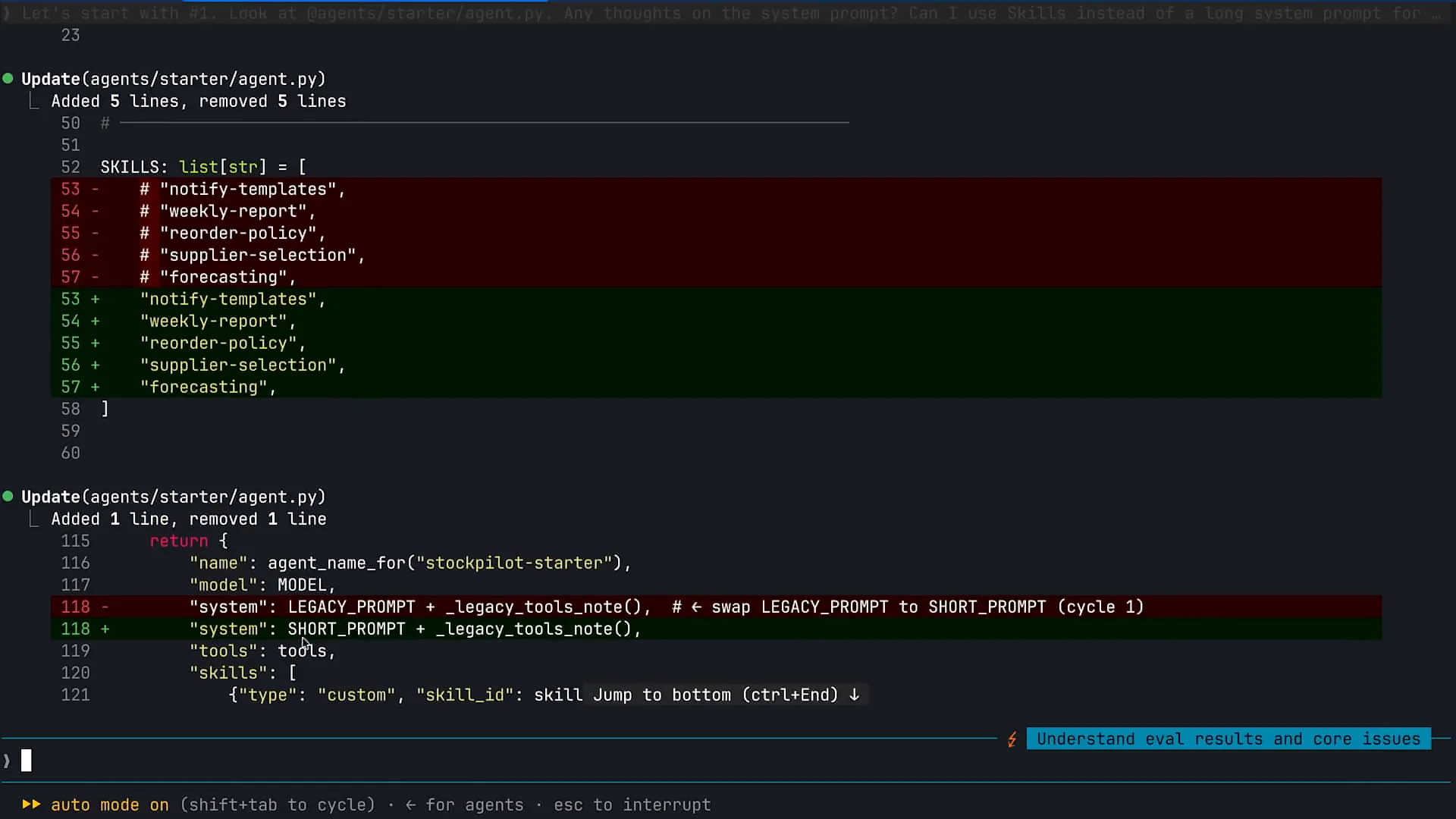 | The first task for Claude is to make some changes, which is a positive step. |
Slide 31 — 21:48 (watch)
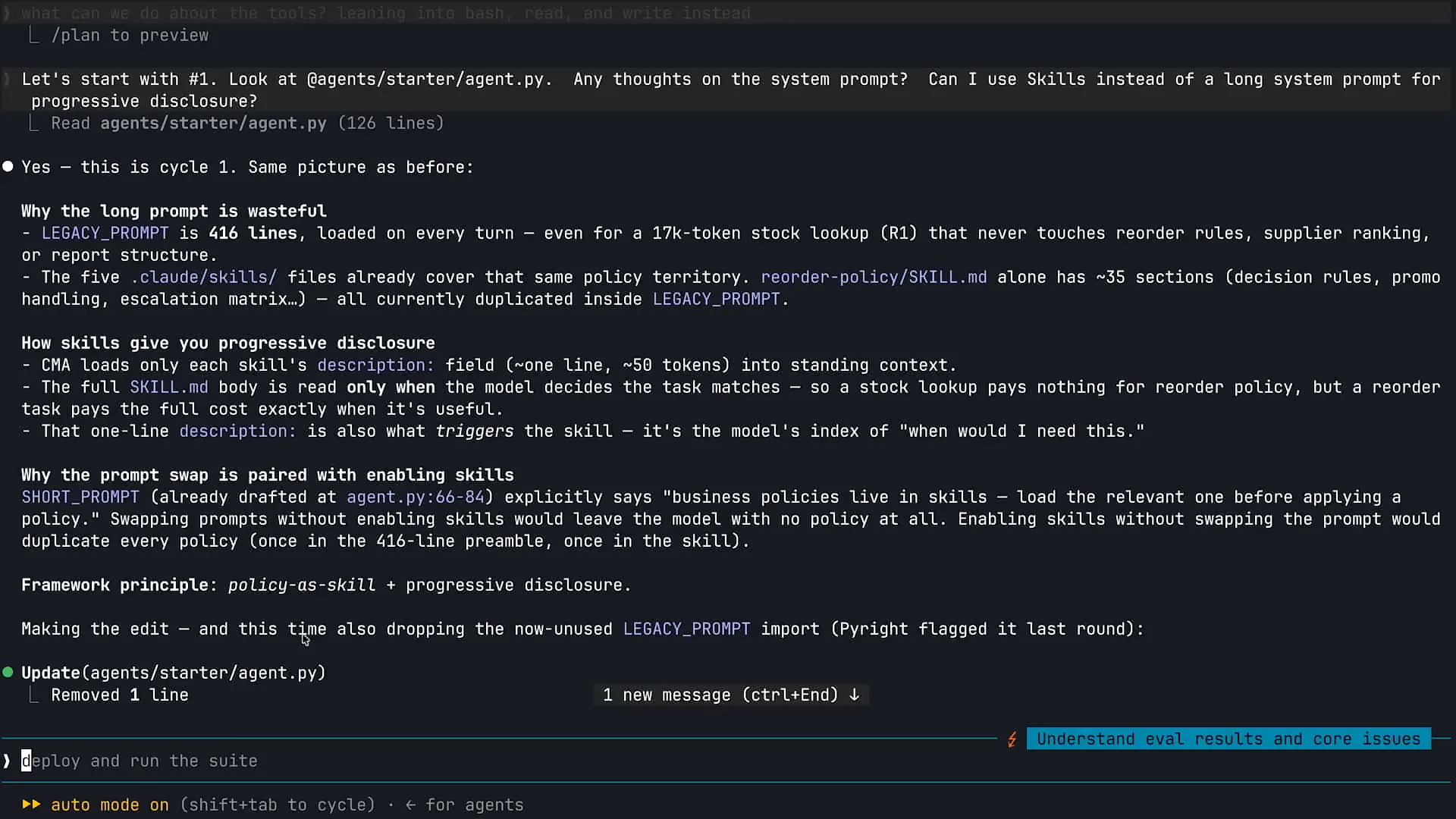 | System prompts tend to become very lengthy as we accumulate agents over time. The first prompt I ran encouraged Claude to examine my agent.py file, which contains our main CMA agent loop. I asked Claude if it had any thoughts on the system prompt and suggested using skills instead of a long-running system prompt for progressive disclosure. Skills are defined as packaged, composable information that Claude can pull into context whenever it realizes that it needs that information to complete a specific task. They are particularly useful with Claude code. For example, if you need to provide Claude with information about your testing process or want to bundle your brand and UI components into a skill, Claude can access that information as needed. Skills are also beneficial within the agents you build for your customers. In the case of the agent displayed here, we have various policies and procedures for our inventory management system. As I accumulated requirements over time, I chose to append all that information to my system prompt, causing it to grow excessively. This approach is not recommended with the introduction of skills. The system prompt should only contain information that Claude needs to retain for any task. Skills are excellent for packaging information that Claude will need only some of the time. |
Slide 32 — 23:00 (watch)
 | If I ask Claude to build a forecast, it will proceed to do so. |
Slide 33 — 23:24 (watch)
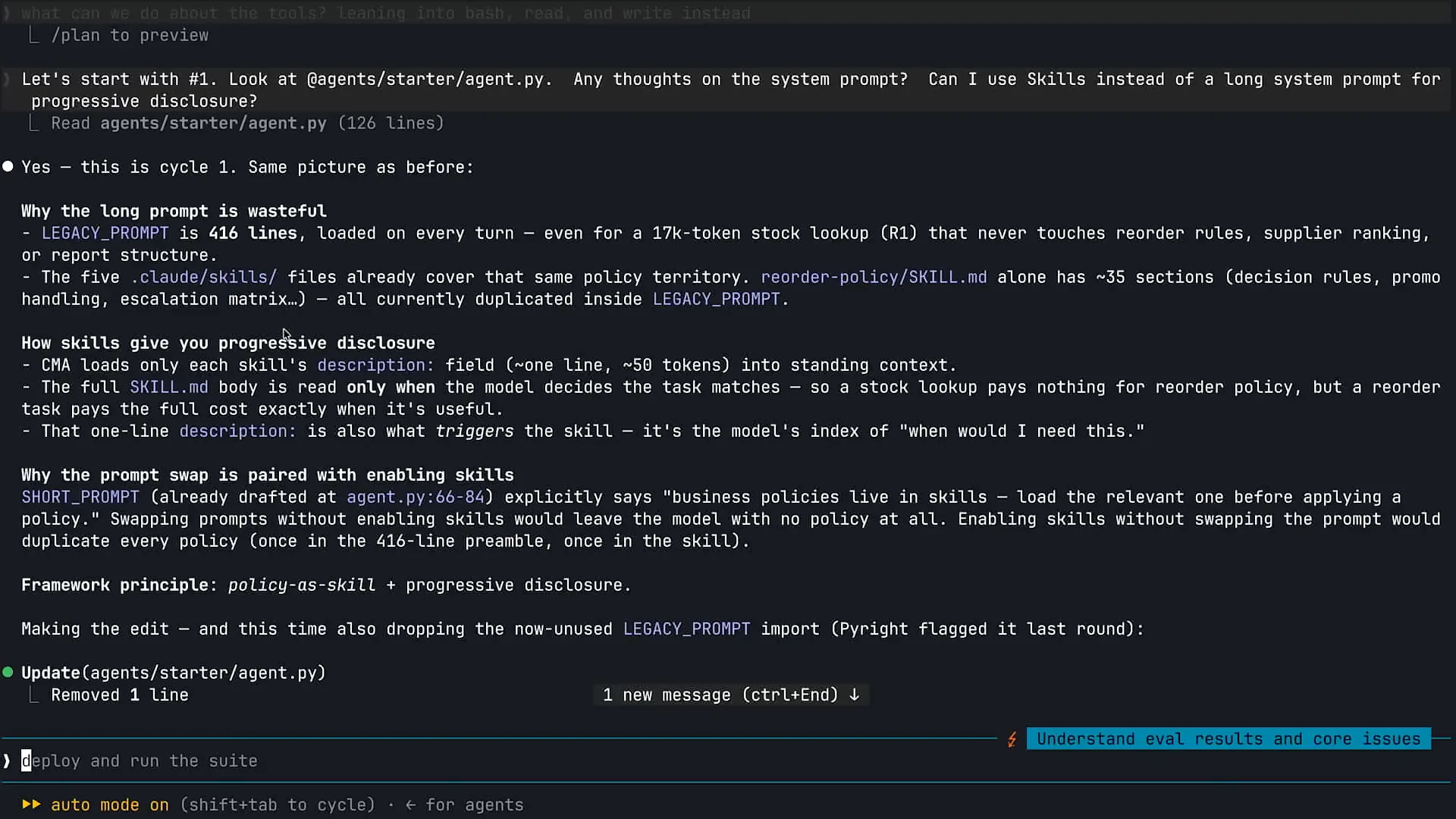 | If I ask Claude to build a forecast, it will not require forecasting information unless I specifically request it. For that task, I want Claude to pull forecasting information into its context window. Skills are also effective for ensuring efficiency with context. If you overload the system prompt with unnecessary information, you clutter the context window with details that Claude does not need to complete the task. |
Slide 34 — 23:48 (watch)
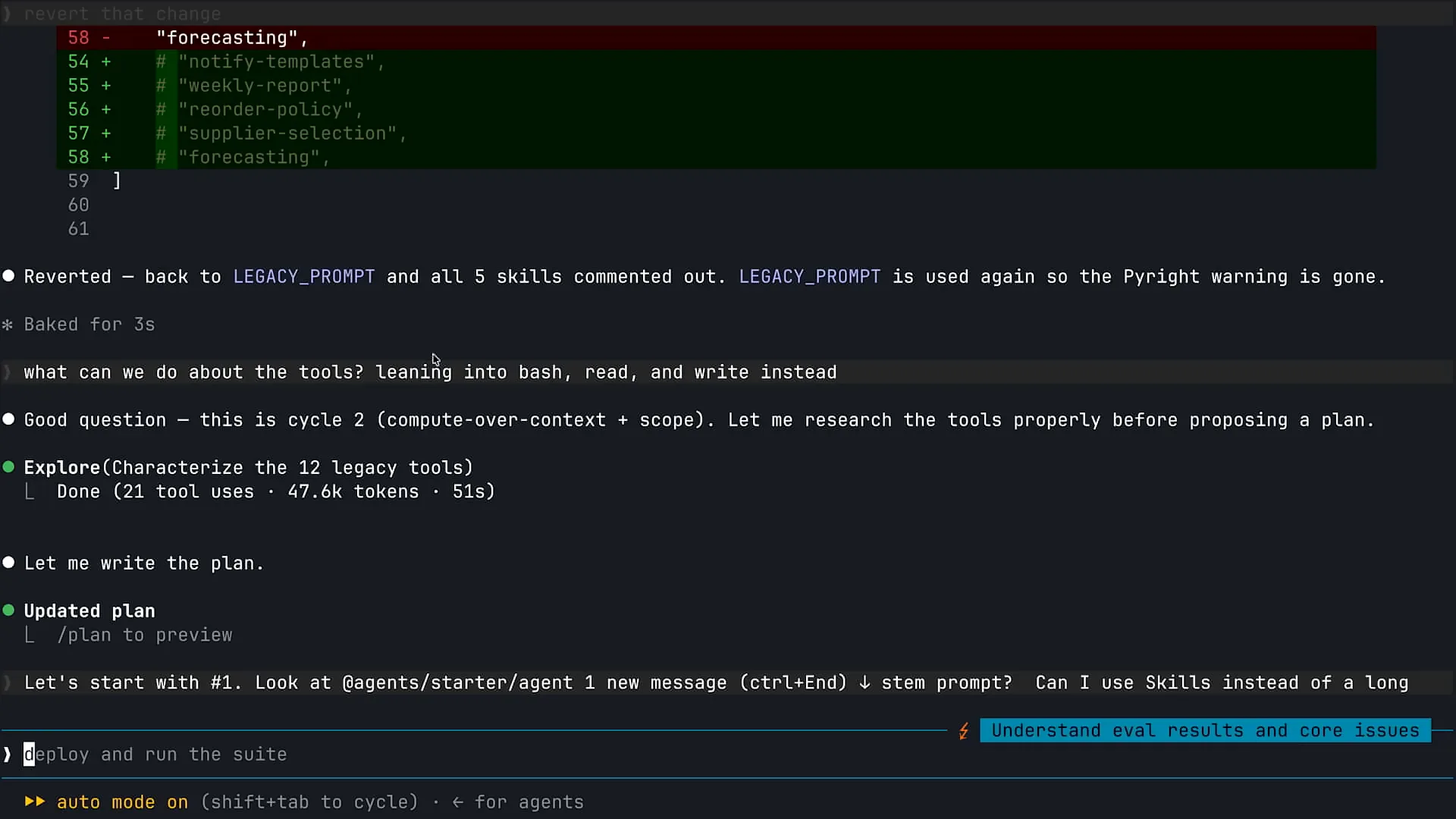 | The first step I took was to zoom in further so you can see this clearly, and I will scroll up a bit. |
Slide 35 — 23:52 (watch)
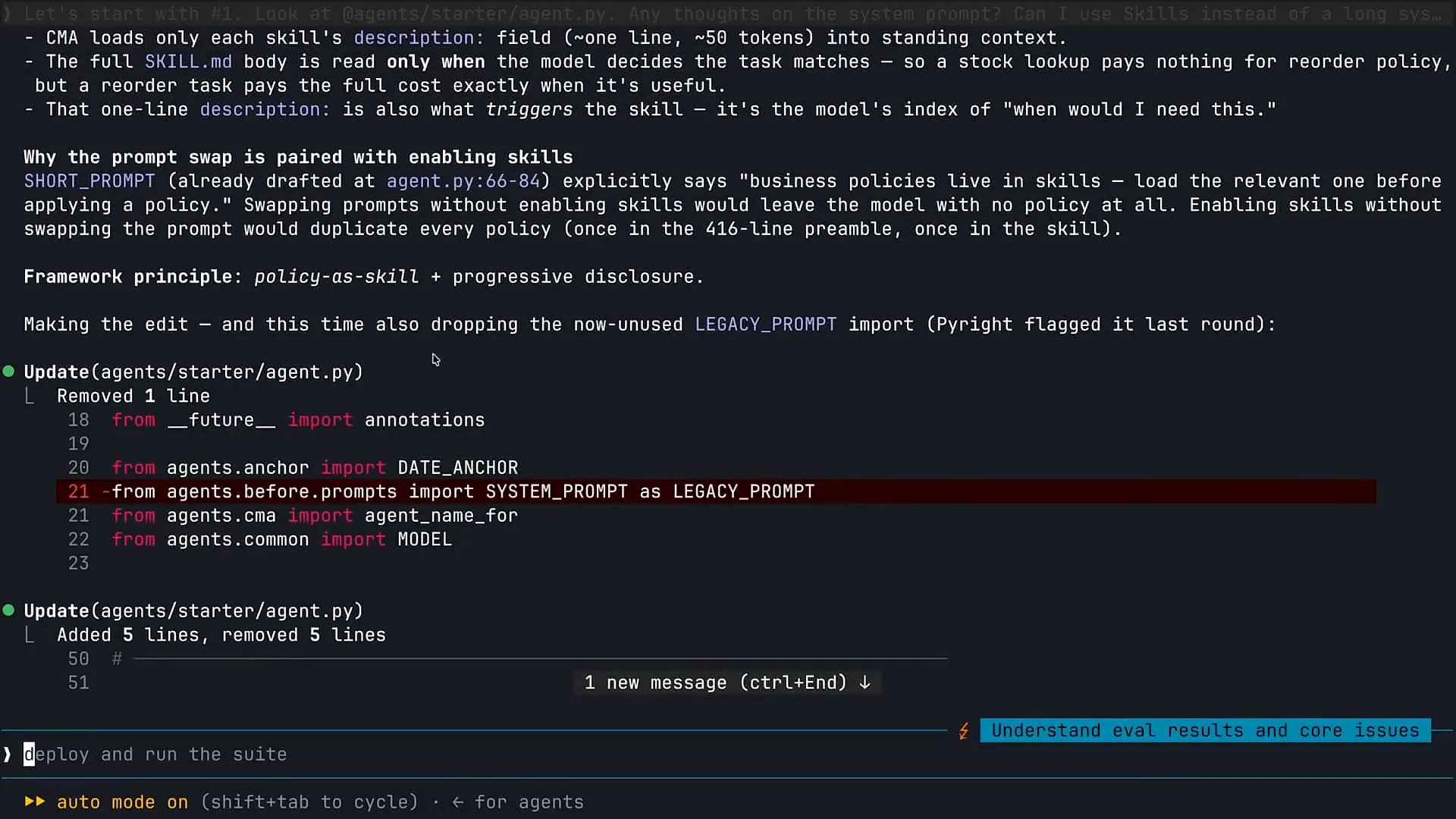 | I asked Claude to help me review my system prompt. |
Slide 36 — 24:06 (watch)
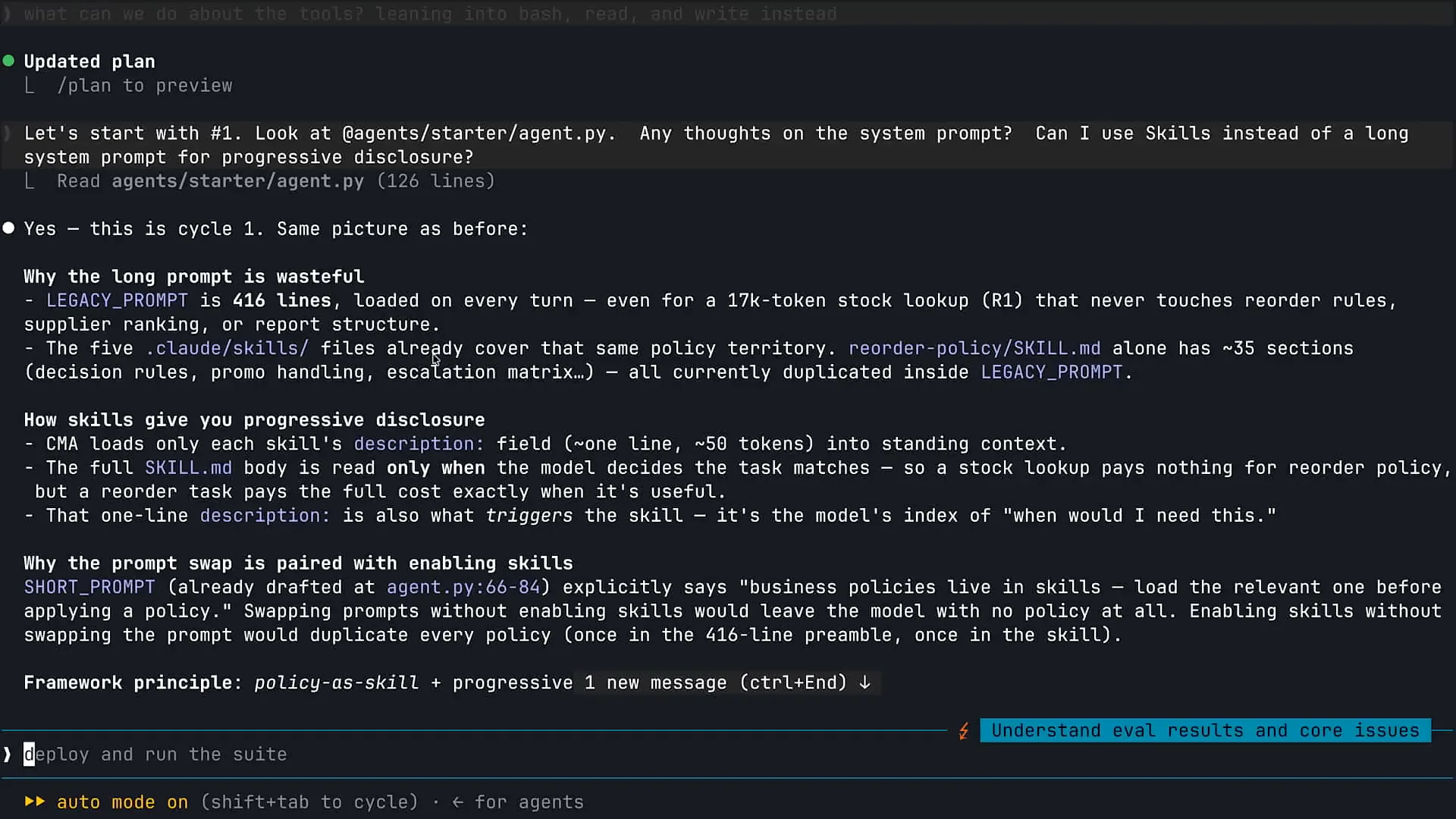 | Can I use skills instead? My system prompt is too long, and I need assistance. Claude analyzed the situation and identified that I have some pre-built skills to supplement the information in my system prompt. The first correction we will make to modernize our architecture is to remove much of the system prompt. |
Slide 37 — 25:08 (watch)
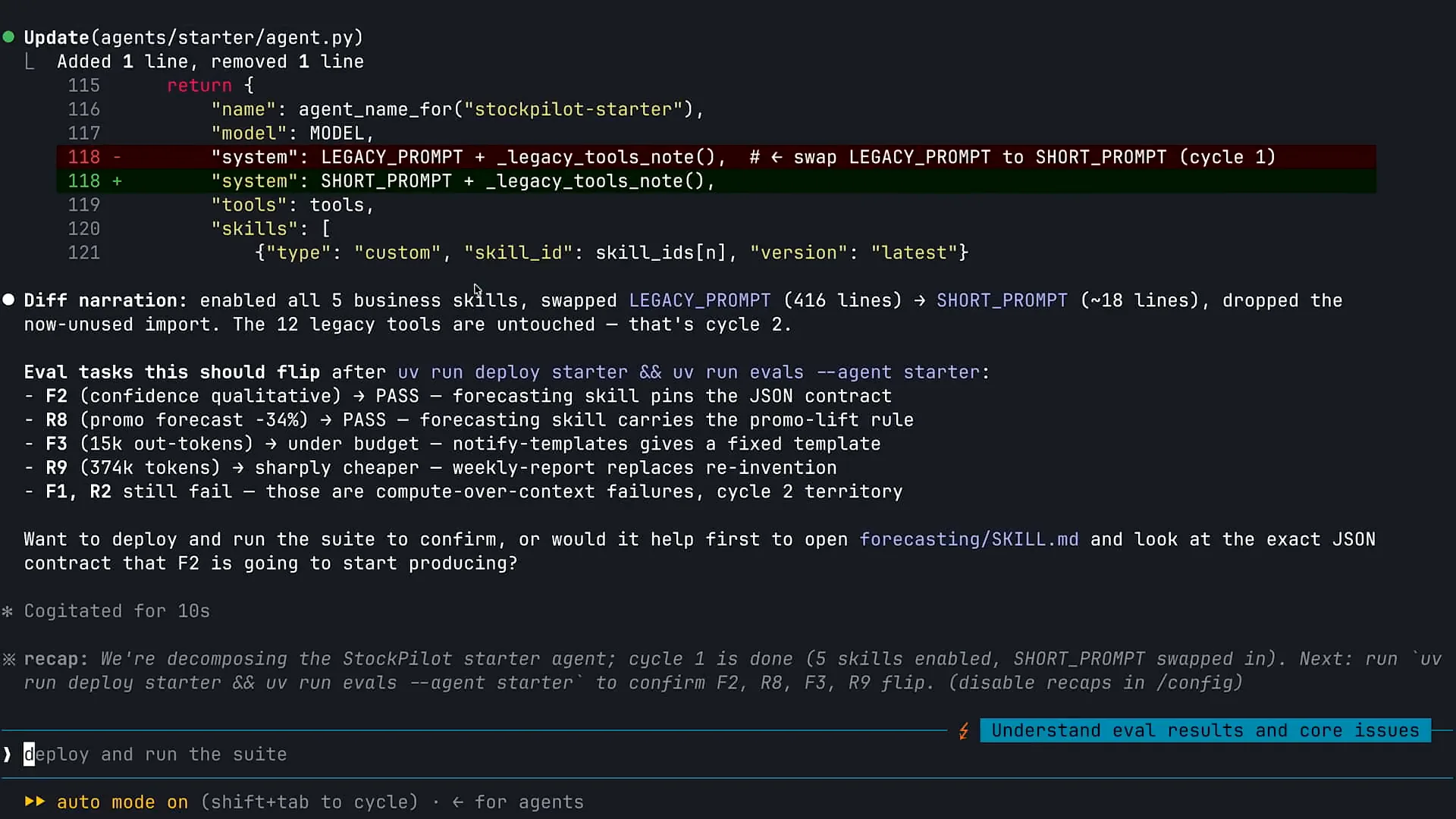 | We are transferring information into skills, activating several new skills for Claude that were not previously available. We are also shortening our system prompt from a long format to a concise one. If you have a lengthy system prompt in your agents, I encourage you to compare a 400-line system prompt with a 50-line version. Much of the information has been supplemented and transitioned to skills. Now, I will continue working with Claude to implement these changes. There are some evaluations I can rerun, and I will ask Claude to perform one more task before we assess our improvements. As mentioned earlier, we have 12 different tools for our inventory management agent, which you saw in the second slide. We have created tools for various functions, such as data retrieval and analysis. I will ask Claude to review the tools available to my agent and help identify optimization opportunities. Currently, Claude is analyzing the different tools in use. |
Slide 38 — 27:00 (watch)
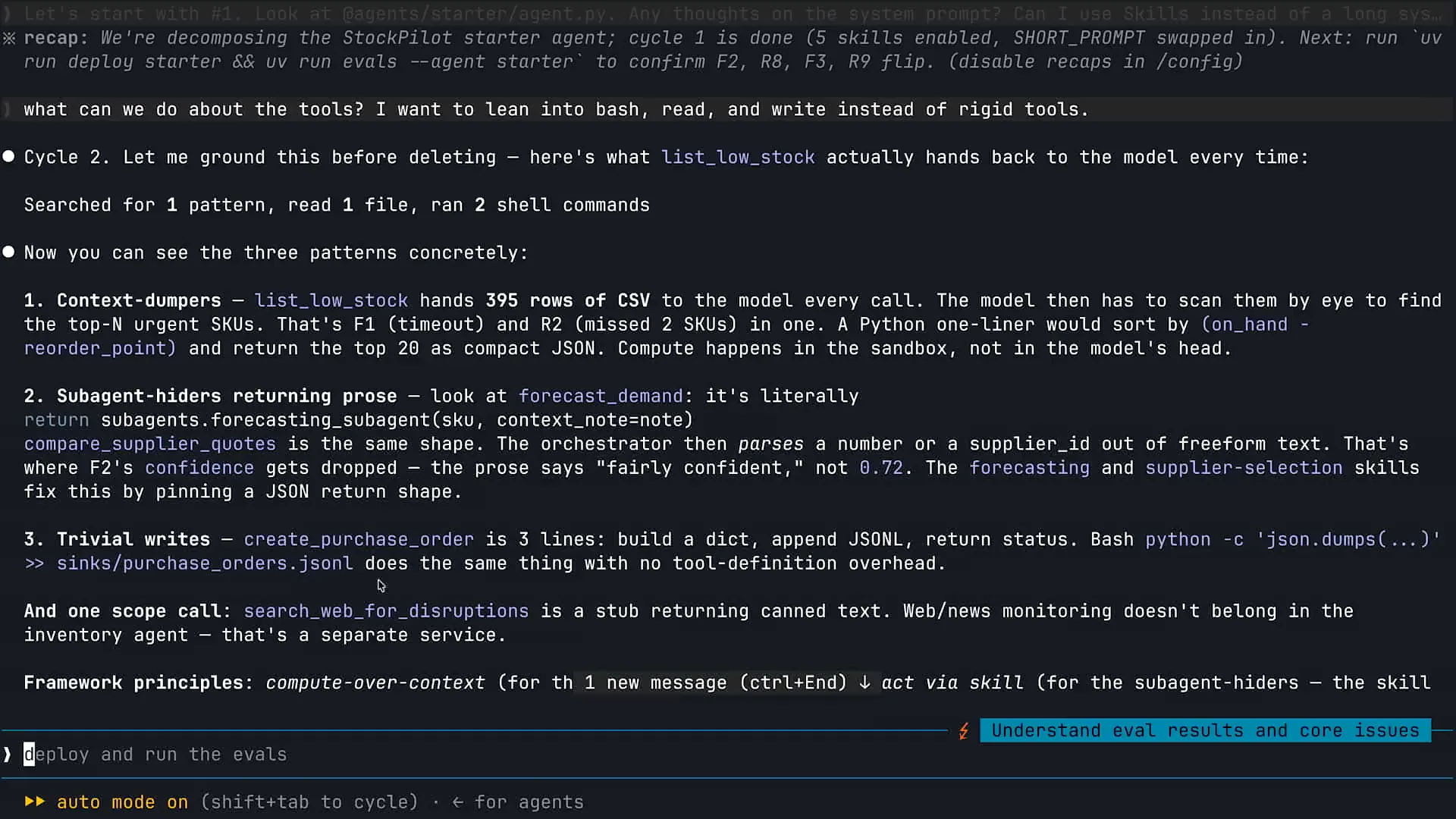 | We will now examine some of the results. While this analysis is underway, I want to share a key insight from our experience at Anthropic regarding the development of agents, both internally and for our customers. When we create agents, we utilize the same primitives that humans have access to. For instance, when you arrive at work, you have a computer, the ability to navigate a file system, type in a browser, and search the web. If you're an engineer, you can write and execute code. In the case of Claude Code as an agent, we’ve essentially provided Claude with access to all the same primitives that you and I use daily. Claude Code excels as a coding agent because it is proficient in code execution. By giving Claude access to a computer, we empower it to leverage these capabilities effectively. This is significant because it allows us to integrate improved versions of Claude as we release new models, enhancing its use of these primitives over time. Consider how you will feel after this conference compared to when you arrived. You will have the same tools available, but your knowledge will have expanded, making you more effective. Claude operates similarly. Therefore, when we build agents, we prioritize human-like primitives such as code execution, file system navigation, maintaining a to-do list, and web searching. These foundational tools are our starting point, and we remove them only when necessary. For example, if an agent requires document analysis, it may need to process numerous CSV or Excel sheets, which involves code execution. |
Slide 39 — 28:12 (watch)
 | The ability to write and run code is one of the most effective methods for data analysis and handling multiple documents. |
Slide 40 — 28:32 (watch)
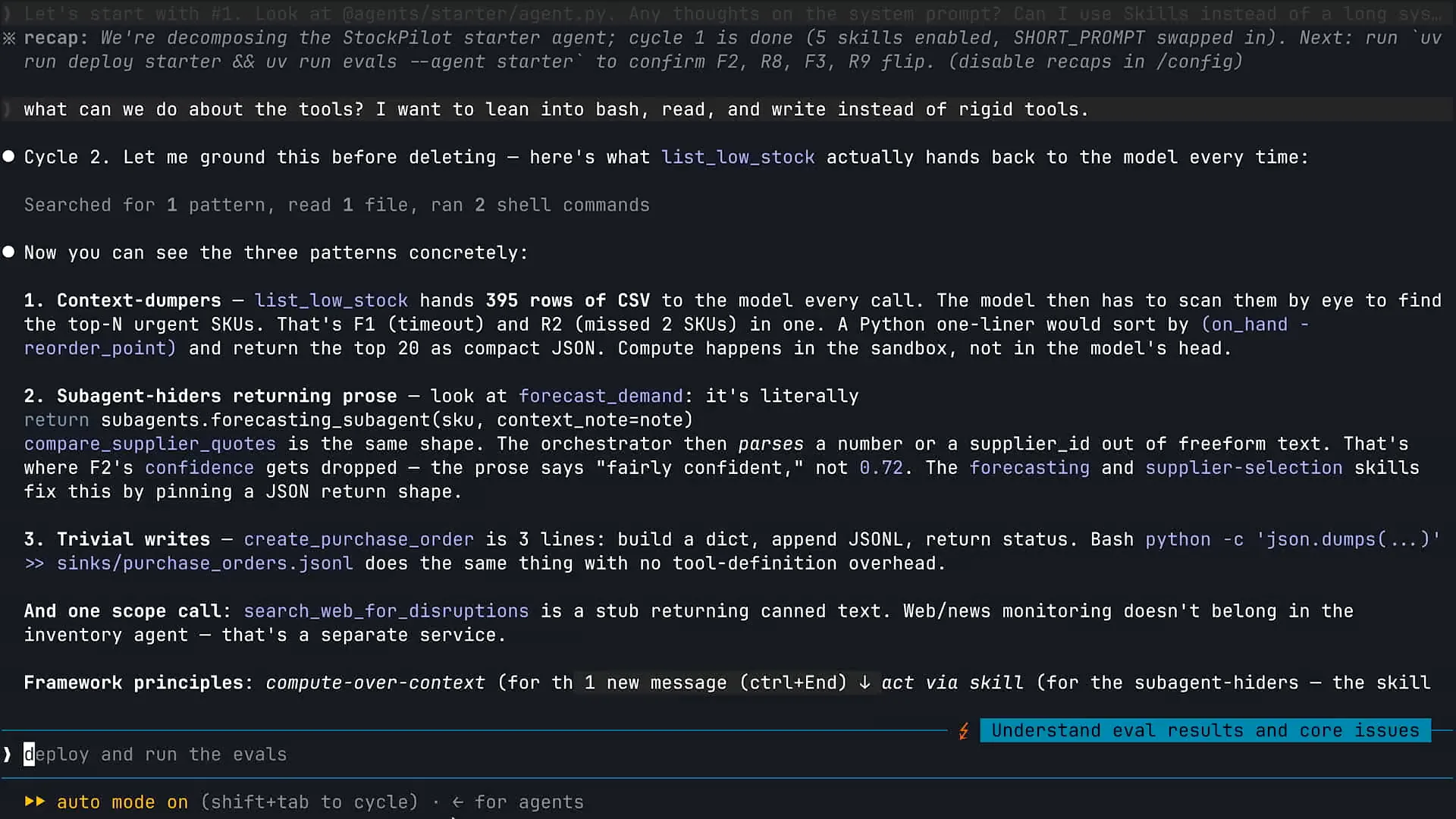 | If you need Claude to analyze a CSV file, providing a bash tool allows Claude to write a quick Python script to reason through the results. Running that Python script is much more effective than simply uploading the entire CSV into Claude's context window. We prioritize these computer-like primitives when building an agent. As I scroll down, you'll see that this is exactly what we implemented here. |
Slide 41 — 28:58 (watch)
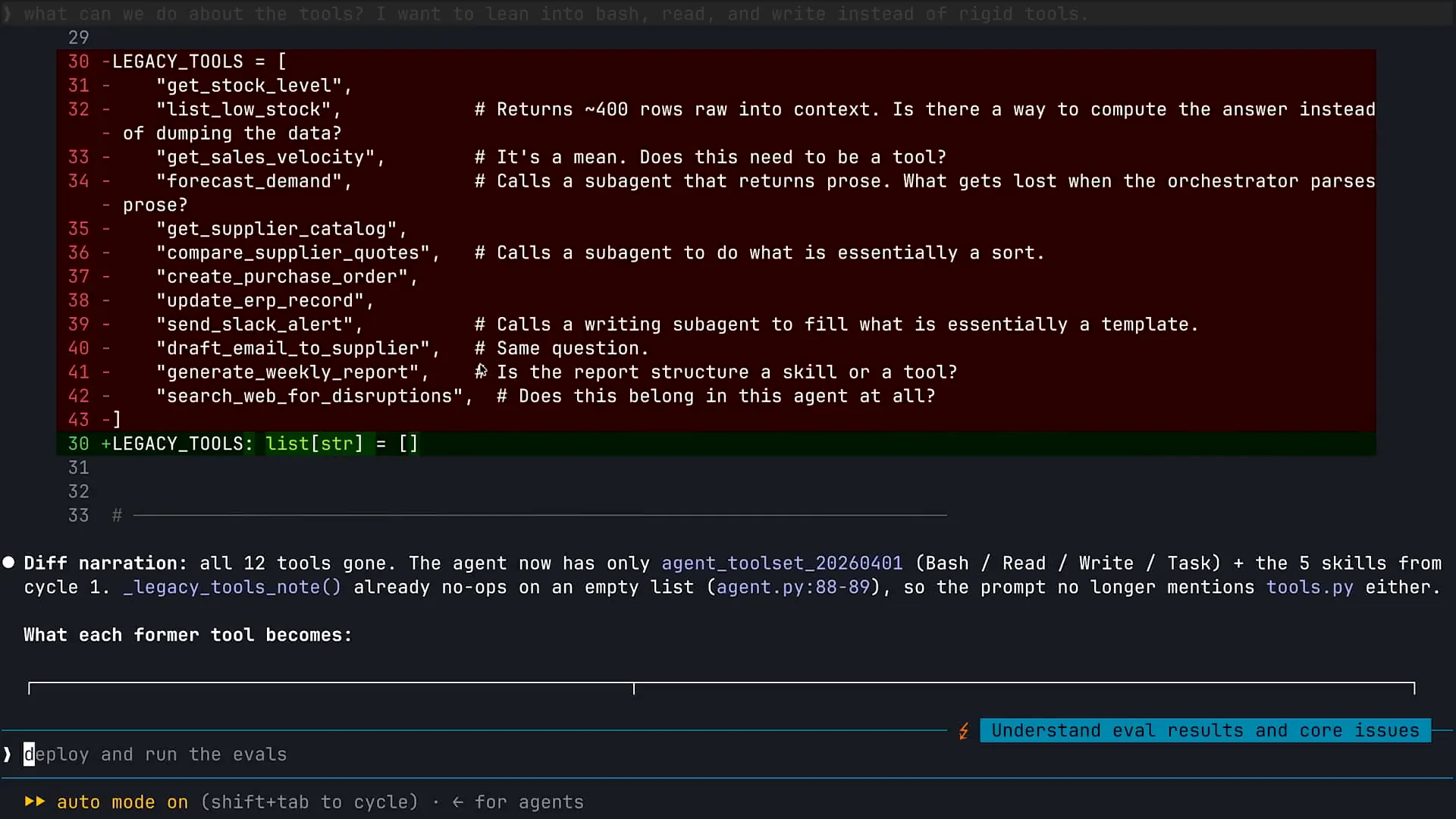 | We took several steps to streamline our agent by removing most of the existing tools and replacing them with the primitives I mentioned earlier. This approach is particularly effective for our inventory management agent. |
Slide 42 — 29:32 (watch)
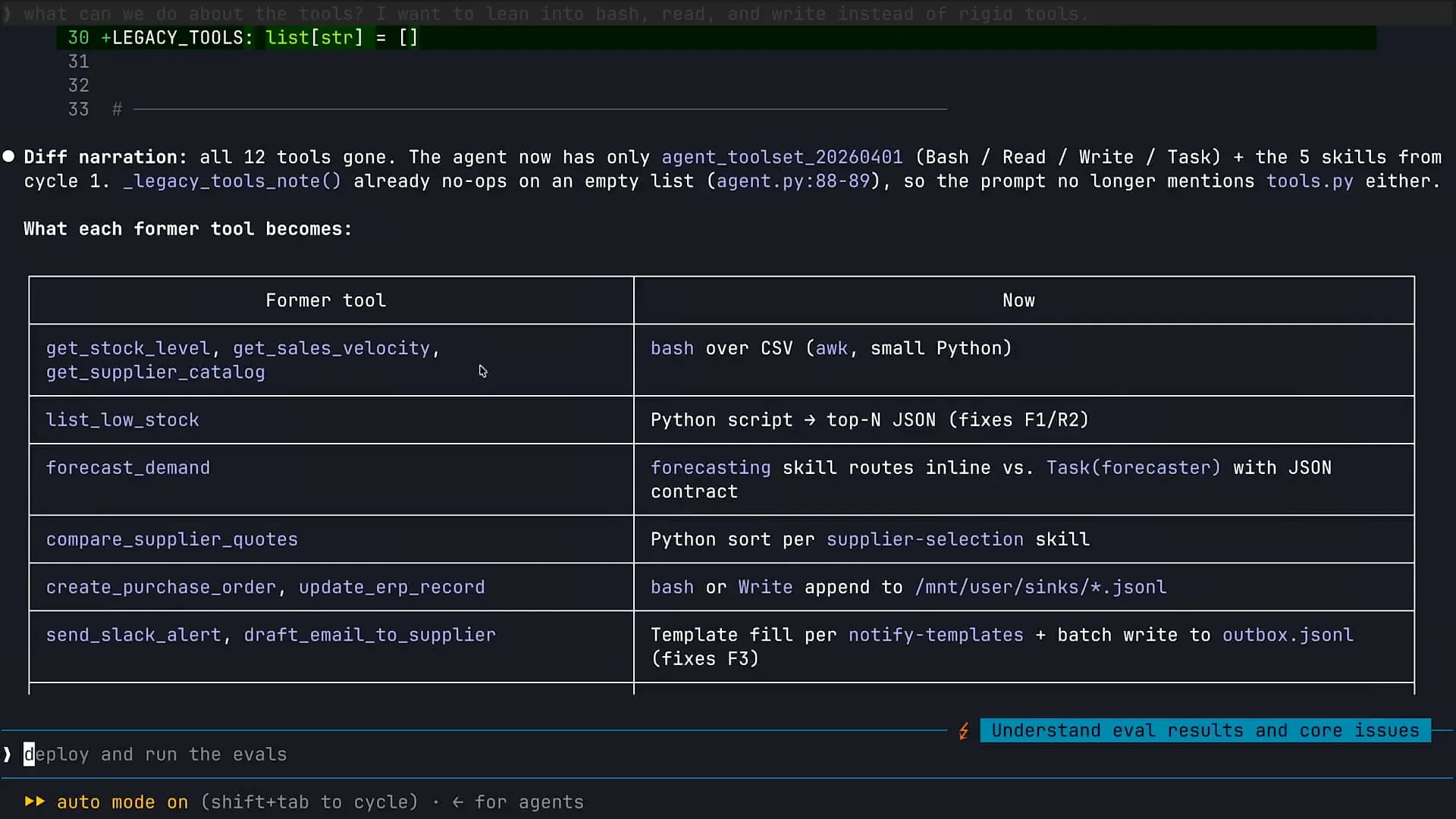 | I can consolidate and remove many of the tools I use to reason across Excel and forecasting data by providing Claude access to the same tools that Claude code has. What's interesting is that when you build using Claude-managed agents, these tools are included by default. This means you don't have to create a tool that enables Claude to write and run code or access the file system. You can simply rely on the built-in tools we have developed for Claude code, which are readily available. |
Slide 43 — 30:12 (watch)
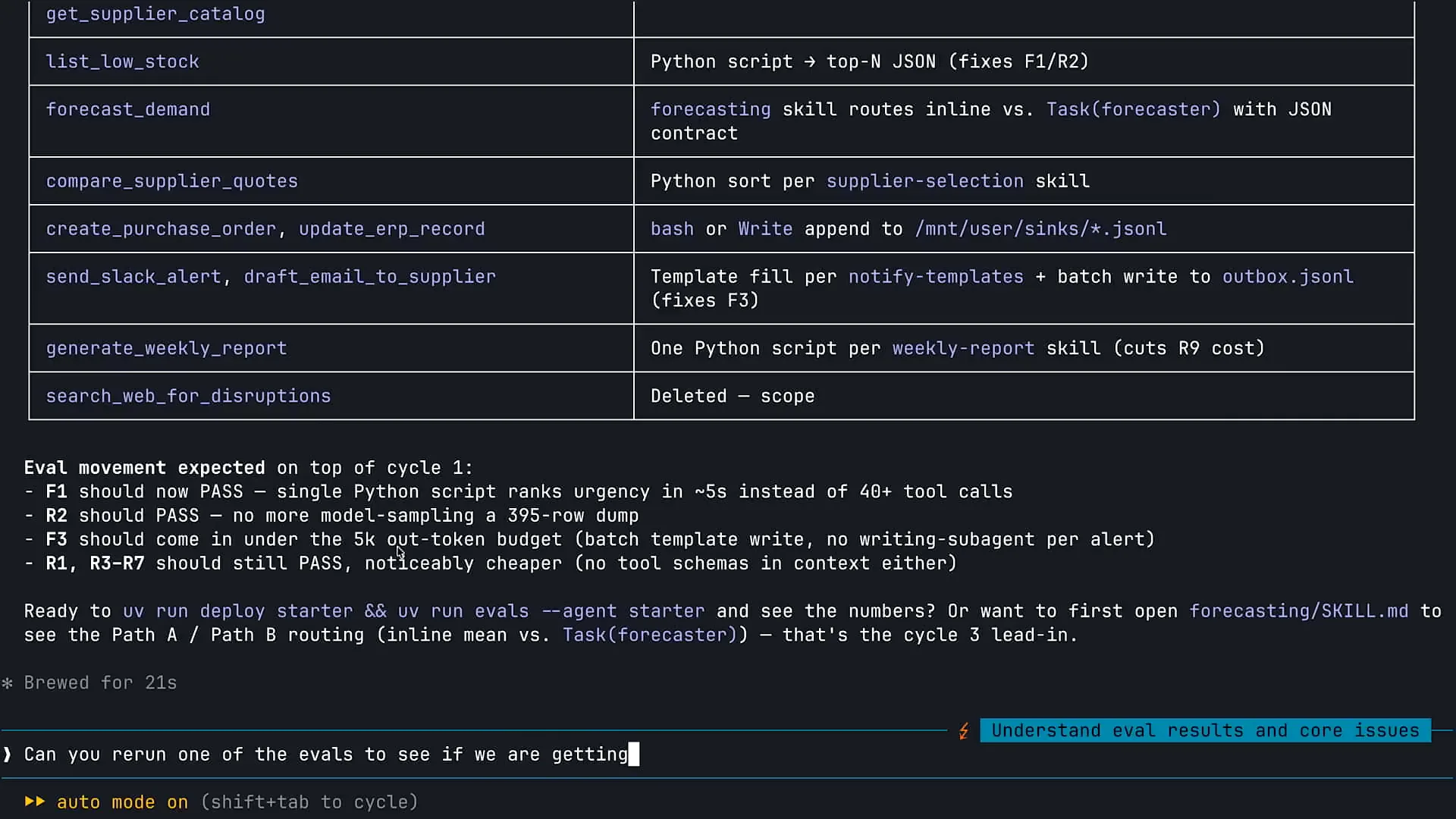 | I will ask Claude to rerun an evaluation to determine if we are making progress. With your agent, there will always be a need to add some custom tools. You can only achieve so much by providing your agent the same tools that we give Claude. We always begin with basic primitives like code execution, web search, to-do lists, and so on. |
Slide 44 — 32:08 (watch)
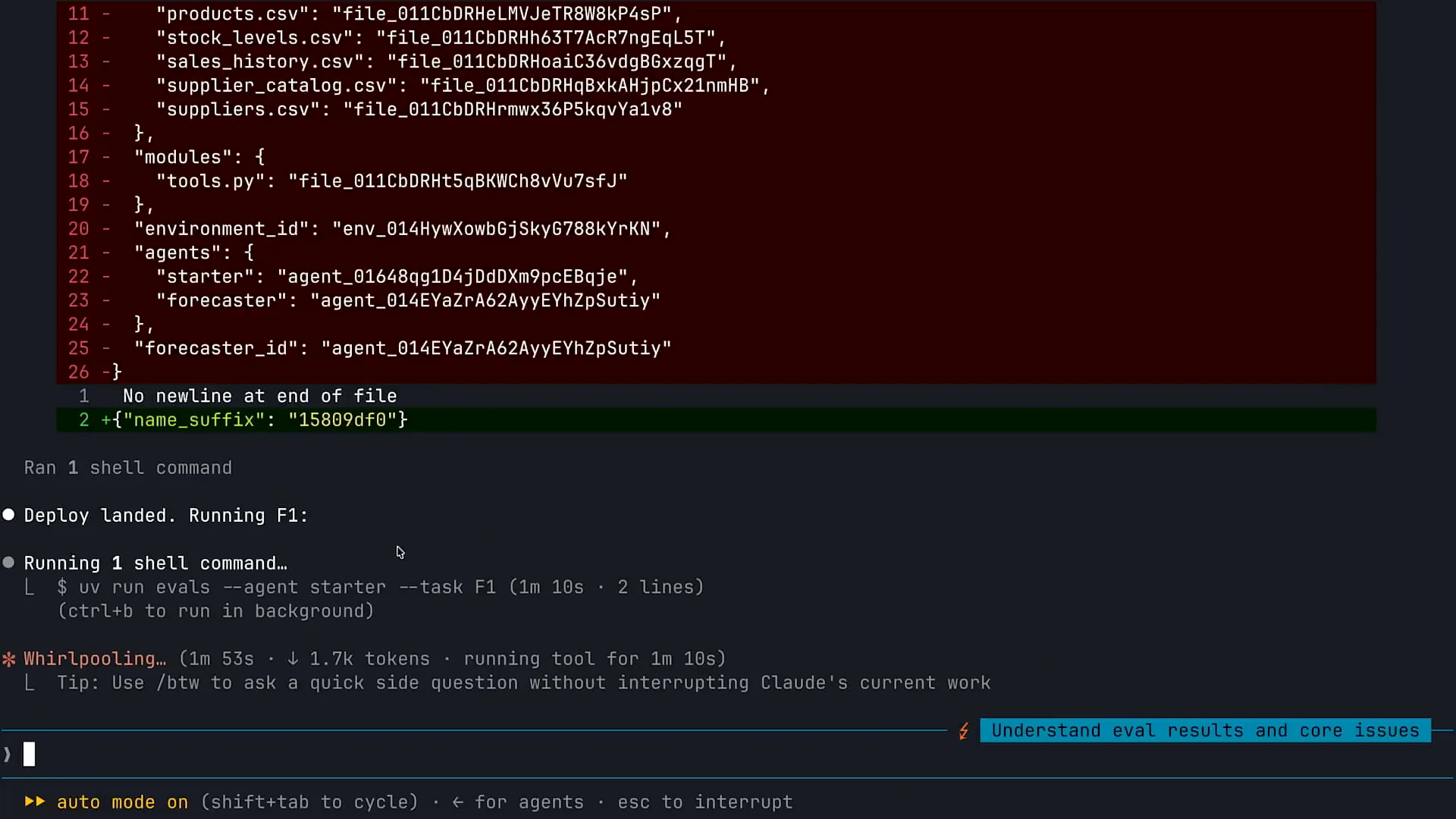 | We always start with the basic tools, and then we either remove those tools if they are not needed. For instance, there may be agents where web search is unnecessary, so we can remove that tool. We then add custom tools as required. When considering tools, I encourage you to begin with the Claude code primitives, which are human-like, and only add custom tools as necessary. In the case of this specific inventory agent, we were able to remove most tools and replace them with Claude codes. Currently, Claude is redeploying my agent to Claude managed agents. I have my agent locally, and I am redeploying it based on the changes we've made. I can now rerun some evaluations to see the results. In the last command, I am rerunning the F1 evaluation to observe the outcome. We often receive questions regarding MCP. In the case of CMA, you have several options for tools. You can start with the Claude code primitives, such as web search, code execution, and file system access. After that, you can create custom tools that only your agent can use. You can also connect your agent to MCP. Many users tend to rush to MCP first, leading to an ecosystem with numerous chaotic MCP servers that often overlap, which can create issues. When we build agents, we start with the Claude code tools, then create local tools specifically for our agent without immediately resorting to MCP. Only when we have a common set of tools that multiple clients can benefit from do we consider collecting and publishing them as an MCP server. Another trend in the industry is leveraging Claude’s ability to use code execution for executing tools. We are seeing increasing capabilities around allowing Claude to access CLIs and invoke APIs using code, effectively running tools without relying on MCP. One drawback of MCP is that it can introduce context issues by polluting context and consuming significant space. Therefore, in some cases, you can simply rely on code execution, either through CLIs or by enabling Claude to invoke APIs using code, providing more flexibility for your agent without needing to use MCP. Keep this in mind as you build your agents. |
Slide 45 — 34:34 (watch)
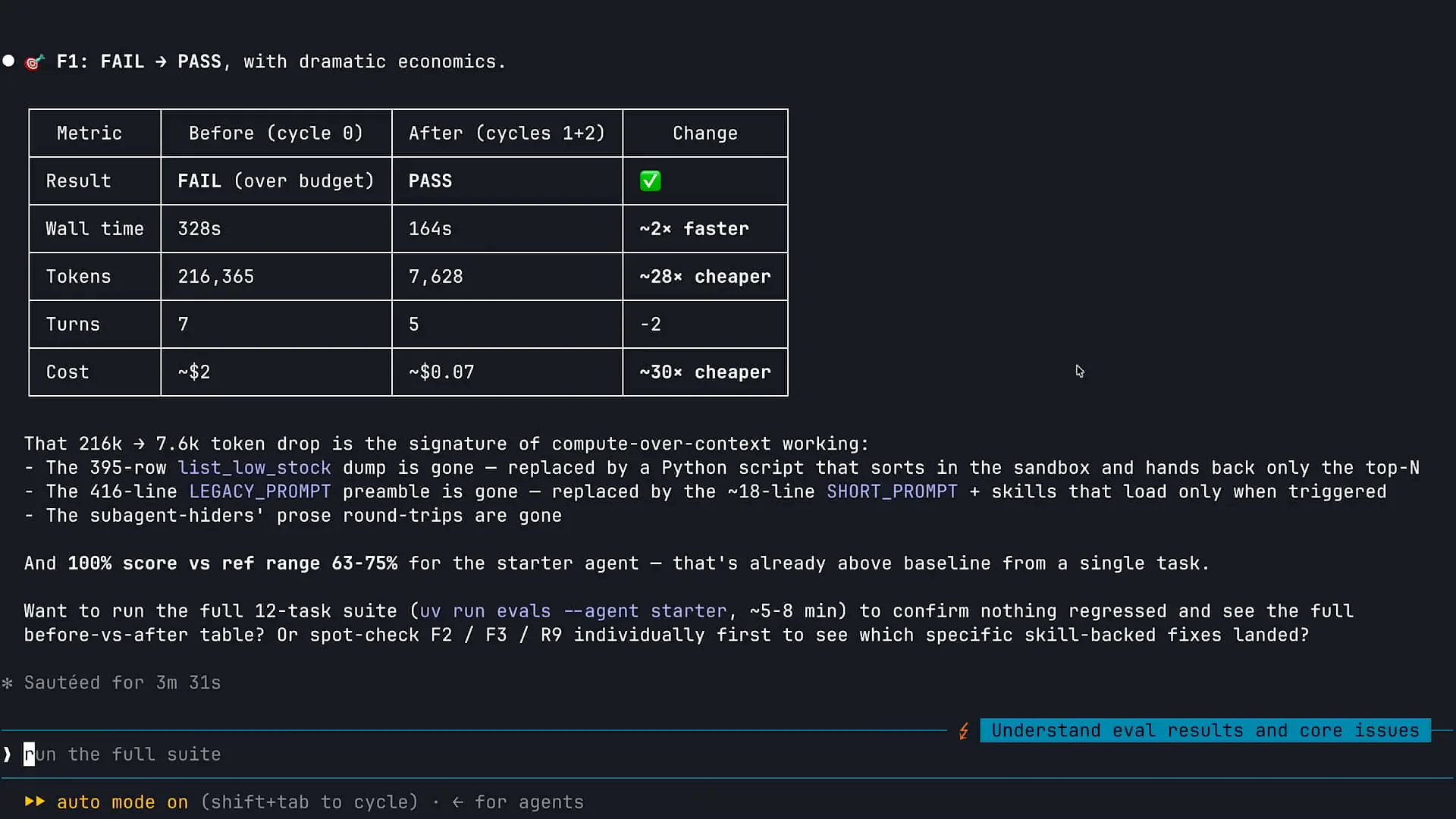 | Claude has completed the analysis, and we can observe the before and after results of the changes made. The most striking aspect is the token usage. Initially, I was using over 200,000 tokens for a specific task. After implementing some of those file system primitives, the token usage decreased dramatically. This reduction is a direct result of enabling my agent to execute code. Instead of providing my agent with a complete CSV file to read into context, I allowed it to write and run Python code to navigate the information. The agent consumes significantly fewer tokens when it can write, execute, and read the results of the code, rather than processing all that data in Claude's context and using extensive resources to make decisions based on the outcomes. Additionally, we observed a decrease in costs due to the reduced token usage, which is logical. Execution time also improved. This case illustrates a successful outcome, but it's important to note that such improvements may not always occur; there could be instances of regression. However, in this case, utilizing those primitives instead of our more static tools was clearly beneficial. Now, let's shift our focus to subagents. |
Slide 46 — 35:30 (watch)
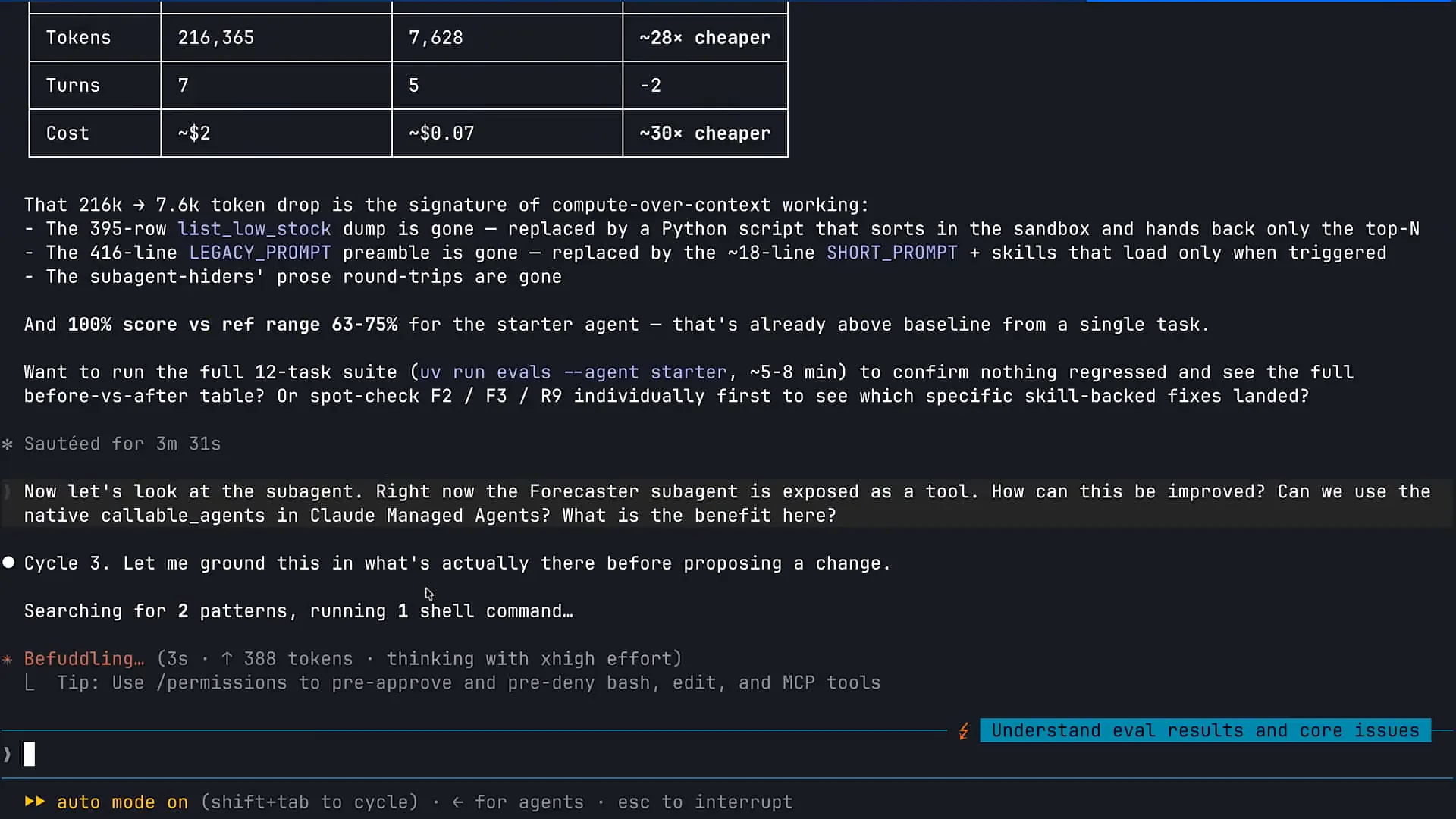 | I will copy another prompt to Claude, and we will investigate subagents. |
Slide 47 — 35:36 (watch)
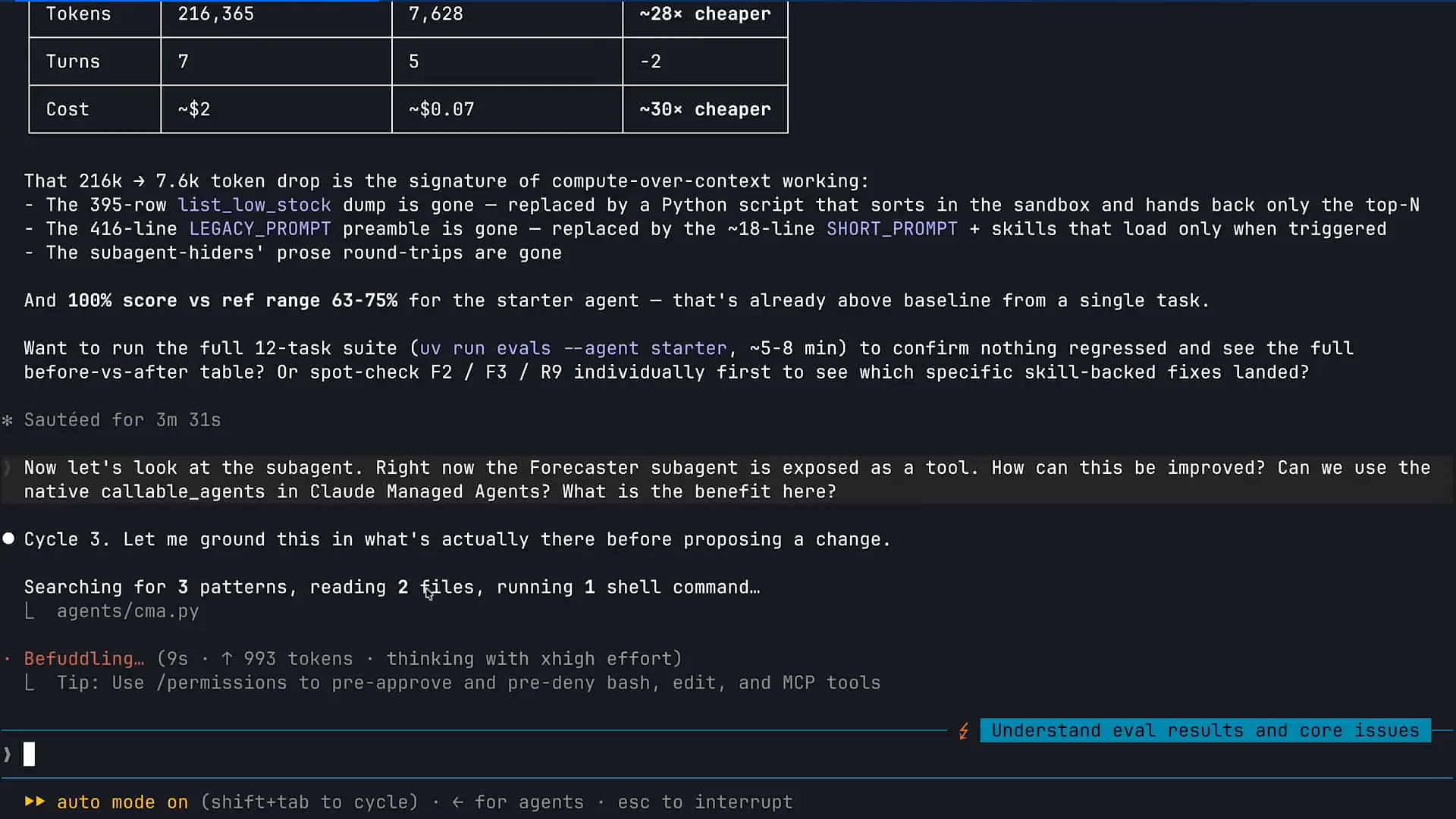 | We had 12 different tools, three of which effectively wrapped subagents. As Claude, I can call on a tool that serves as a wrapper for a subagent, allowing me to invoke that subagent. |
Slide 48 — 36:32 (watch)
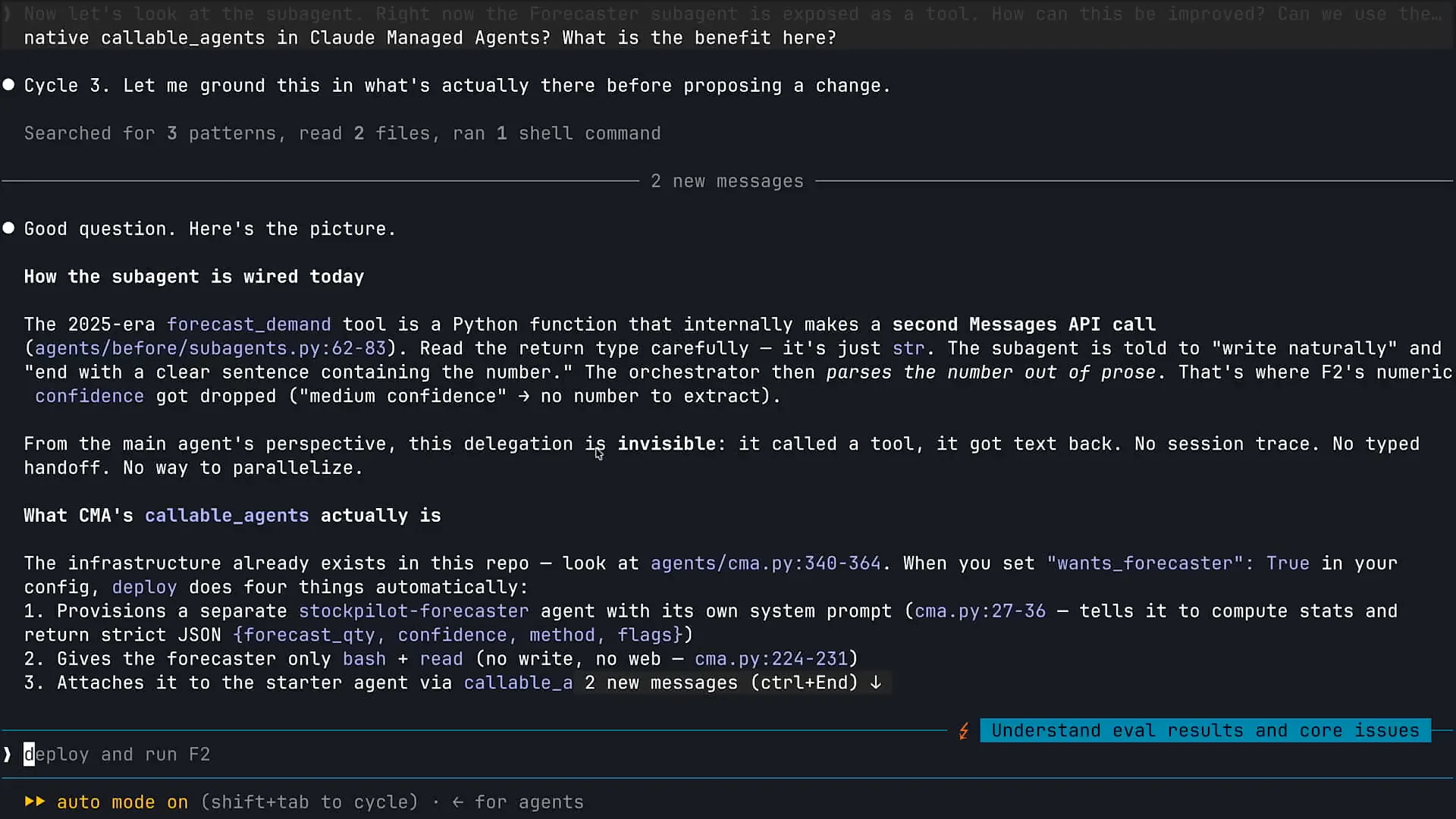 | Claude is performing multiple tasks here. The two main scenarios where subagents prove particularly effective are when you need to apply a lot of Claude's capabilities to a problem and when you require a fresh perspective. In the first case, for tasks like deep research or web searches, or in the context of Claude code for code-based exploration, utilizing multiple subagents allows for parallel processing. This approach enables faster and more effective problem-solving. In the second scenario, having a separate instance of Claude review code is beneficial. As a developer, I prefer not to be the sole person writing and reviewing my code. Instead, one instance of Claude can handle the code writing, while another instance, without prior context, can conduct the review. This method exemplifies the effective use of a code review subagent. Additionally, we have retained a subagent within our inventory management agent as a result of recent changes. |
Slide 49 — 37:42 (watch)
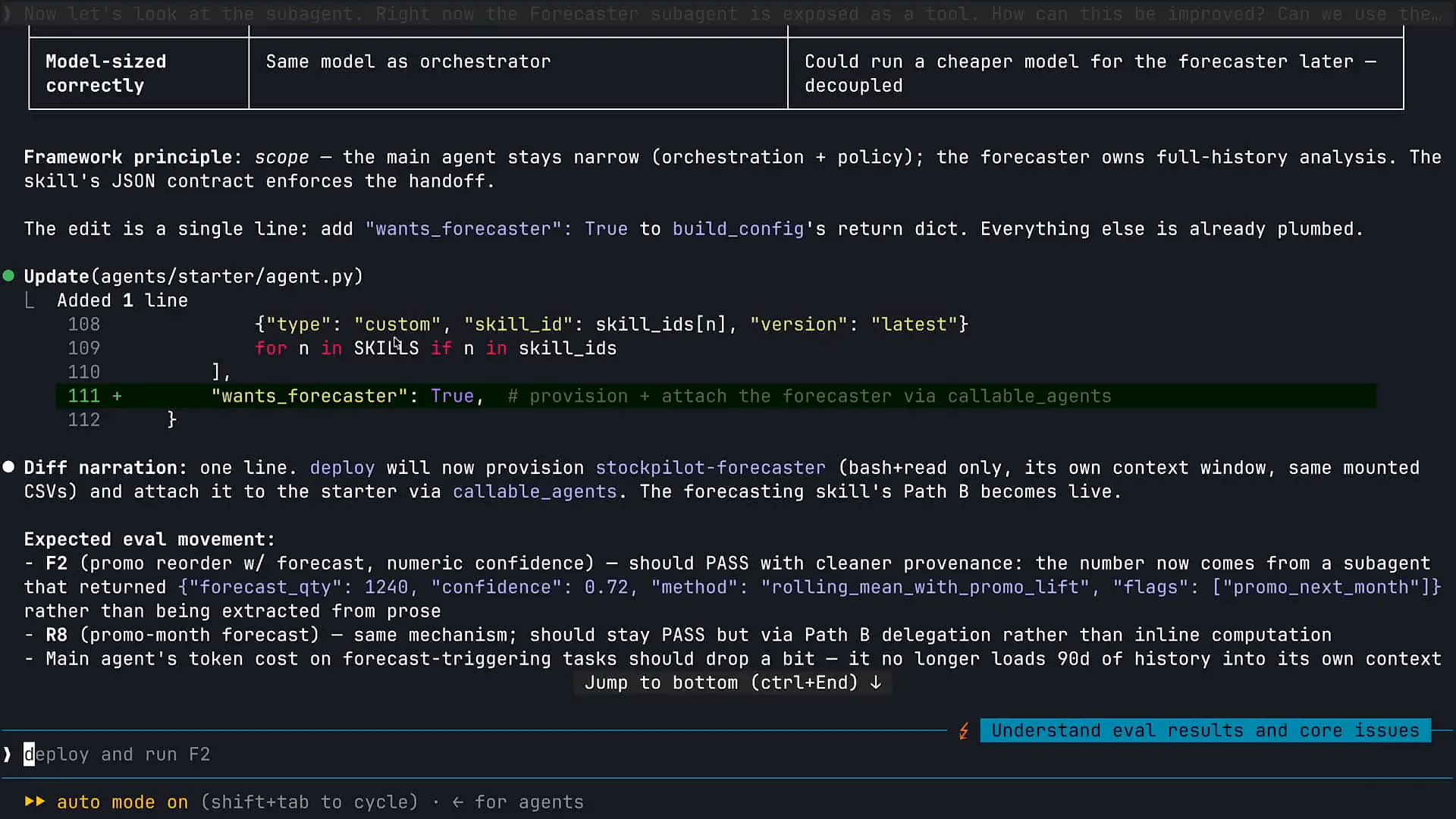 | The forecasting capability is integrated within my inventory management agent. I want to keep the forecasting process separate from my main instance of Claude to prevent any distortion from the initial context window. I have a skill that outlines the step-by-step sequence and guidelines I prefer Claude to follow when creating forecasts. However, I do not want the same instance of Claude that interacts with customers to also handle the forecasting. Therefore, I aim to maintain this separation, which exemplifies the use of a subagent in this context. |
Slide 50 — 38:08 (watch)
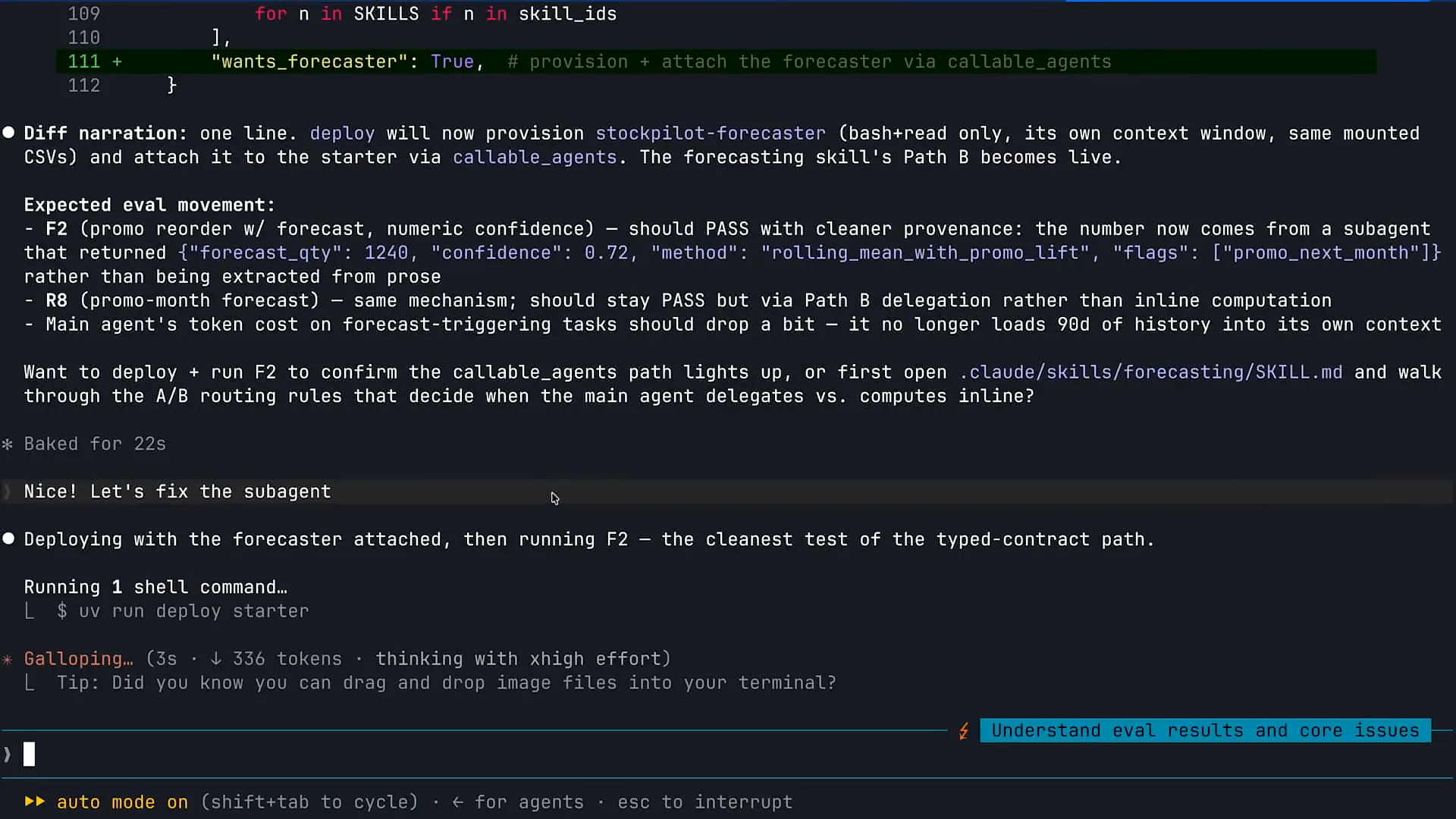 | In this case, we have removed our other subagents and replaced them with primitive tools, but we will retain the forecasting subagent. |
Slide 51 — 38:44 (watch)
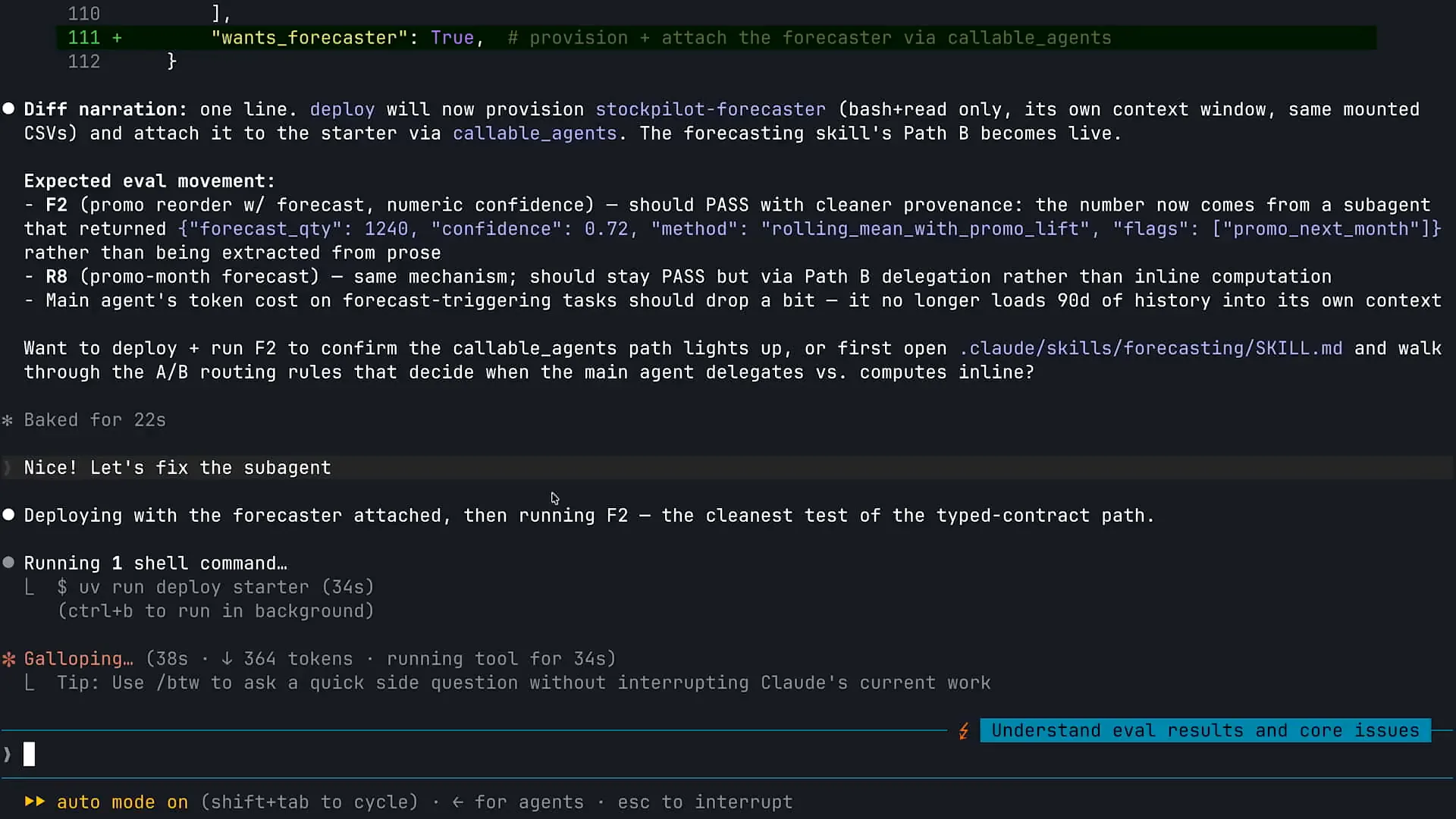 | We will not expose our subagent as a tool. Claude managed agents provide a native capability for subagents that enhances logging and observability. One challenge with subagents is ensuring accurate and seamless communication between orchestrators and subagents, especially when multiple instances of Claude are running. Misinterpretations can occur, similar to how colleagues might misunderstand each other. Additionally, logging can be complicated, as it requires collecting transcripts from various agents. With Claude managed agents, we have integrated this native subagent capability. |
Slide 52 — 39:34 (watch)
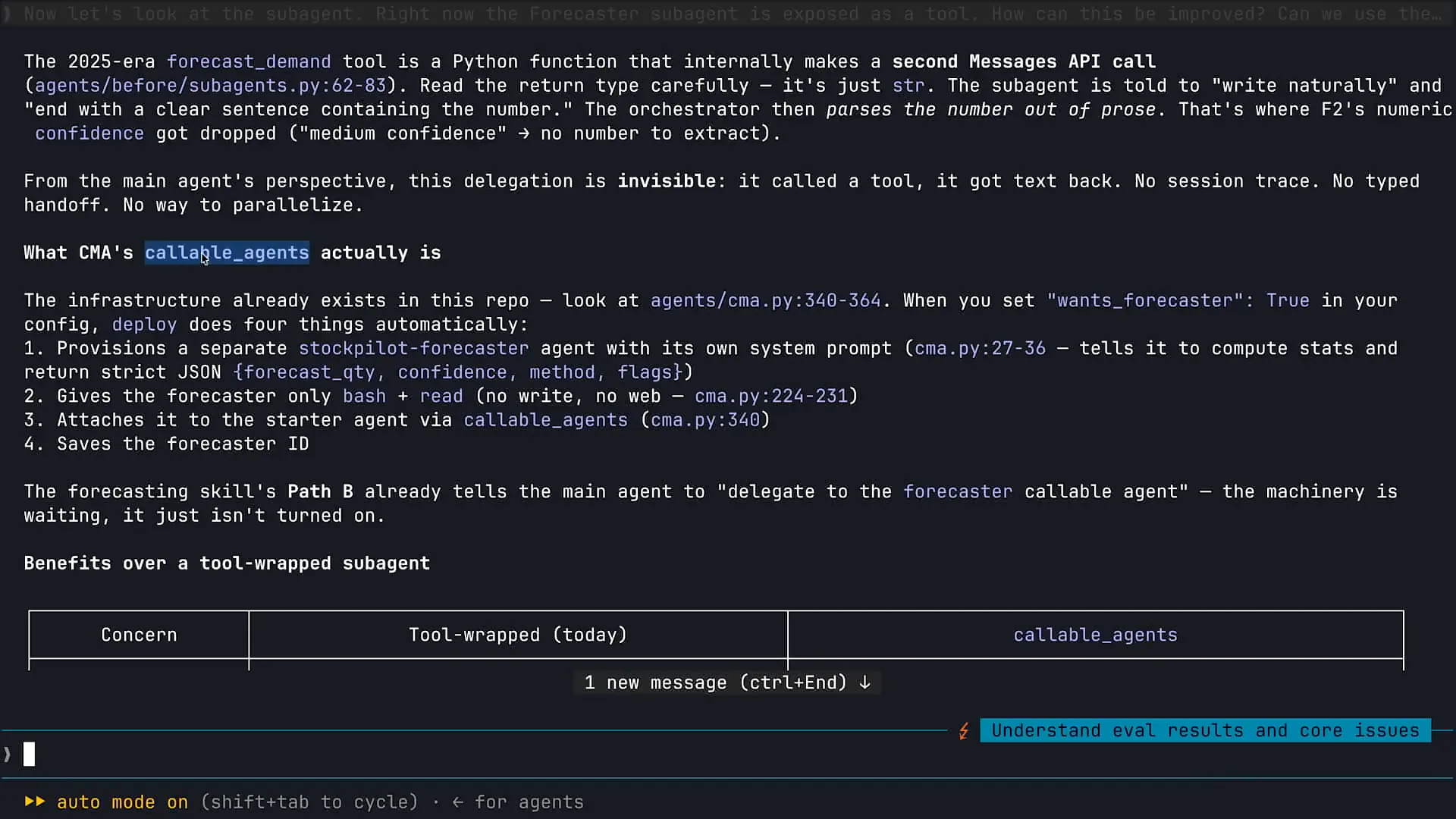 | Let me scroll up a bit. Yes, Claude has found it. There is a callable agents capability within Claude managed agents, which functions similarly to managed subagents. This feature provides observability and metrics about the activities of your subagents, ensuring that the information is as accurate as that from your initial orchestrator. This addresses the common challenge of tracking a large volume of information with subagents. We have made some enhancements in this area. |
Slide 53 — 40:00 (watch)
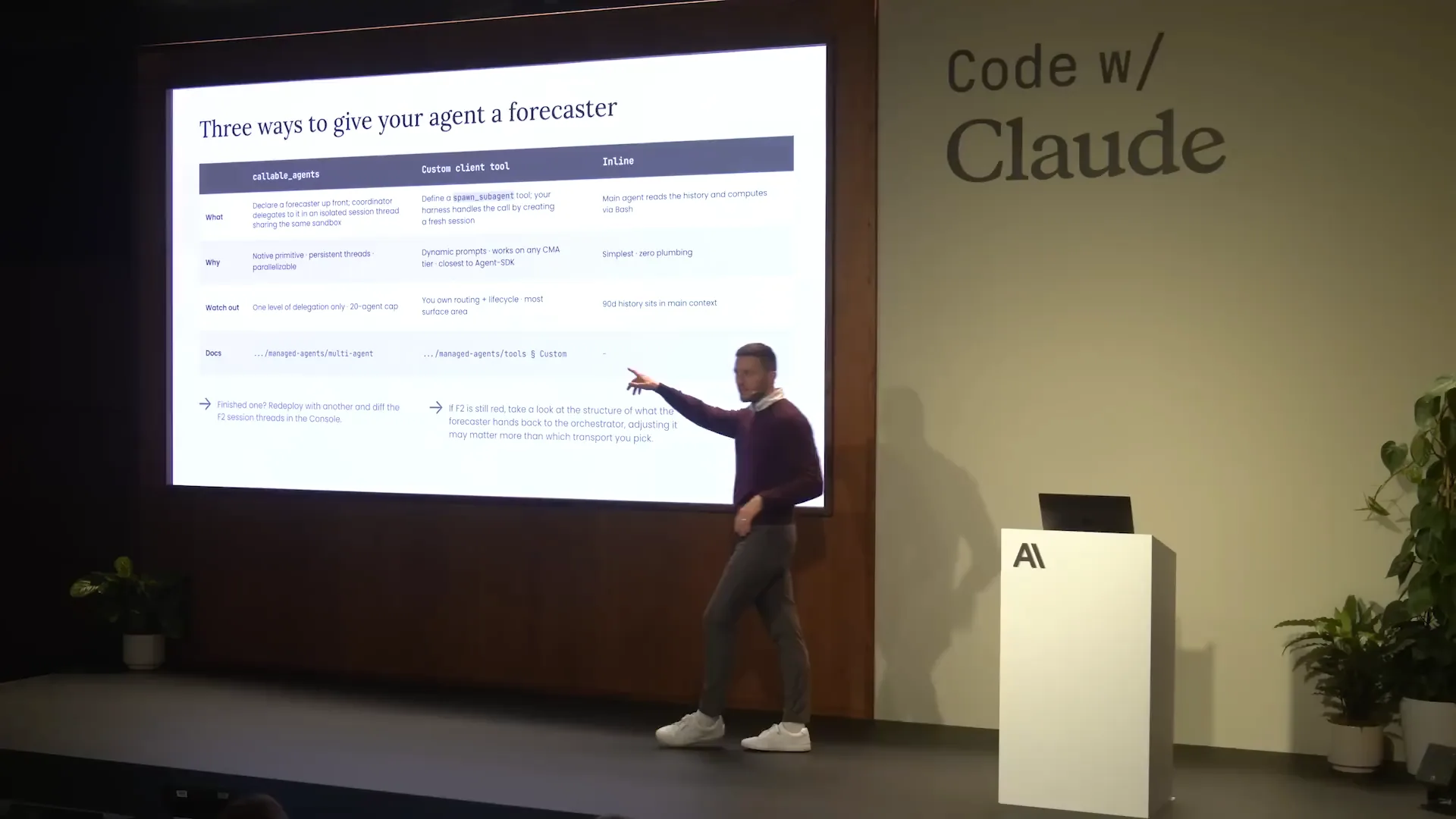 | We previously discussed subagents and their various use cases, including Callable agents. Initially, we defined our subagent as a tool, but we have since transitioned to using the CMA native capability. |
Slide 54 — 40:20 (watch)
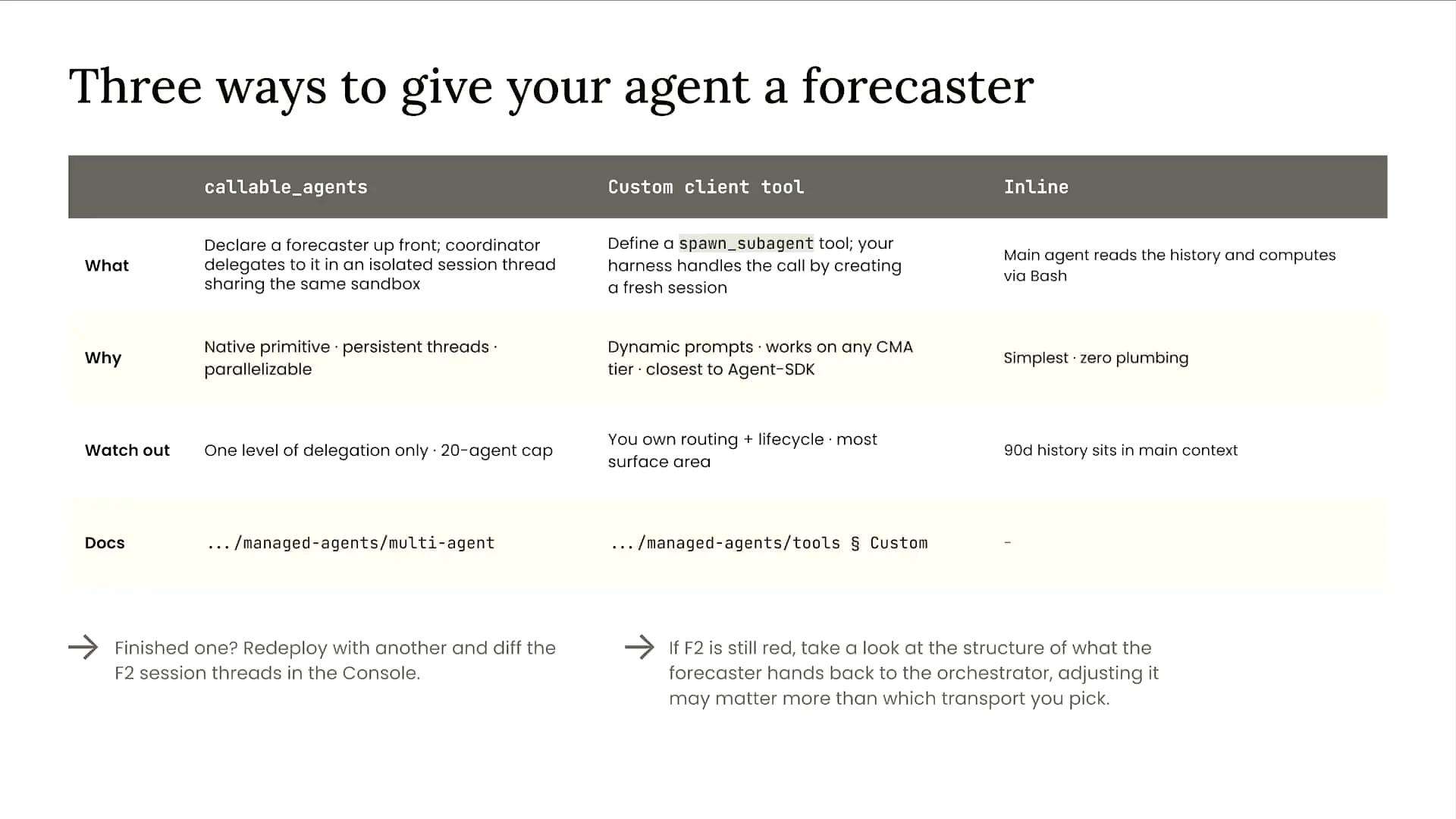 | There are many scenarios where you can eliminate the subagent entirely and enhance the flexibility and capability of your main agent. Many of our customers are integrating capabilities directly into their main orchestrator. Frontier models have become intelligent enough to manage more information, reducing the need for multiple subagents. When considering subagents, think of situations where you have a significant problem that requires extensive input from Claude, or when you want a separate instance of Claude to review the work of either yourself or another instance. These are two ideal situations for using subagents. |
Slide 55 — 41:04 (watch)
 | Let's examine the final architecture. We began with an orchestrator system prompt that was approximately 400 lines long and included 12 tools, three of which were subagents. What was the outcome of this exercise? |
Slide 56 — 41:52 (watch)
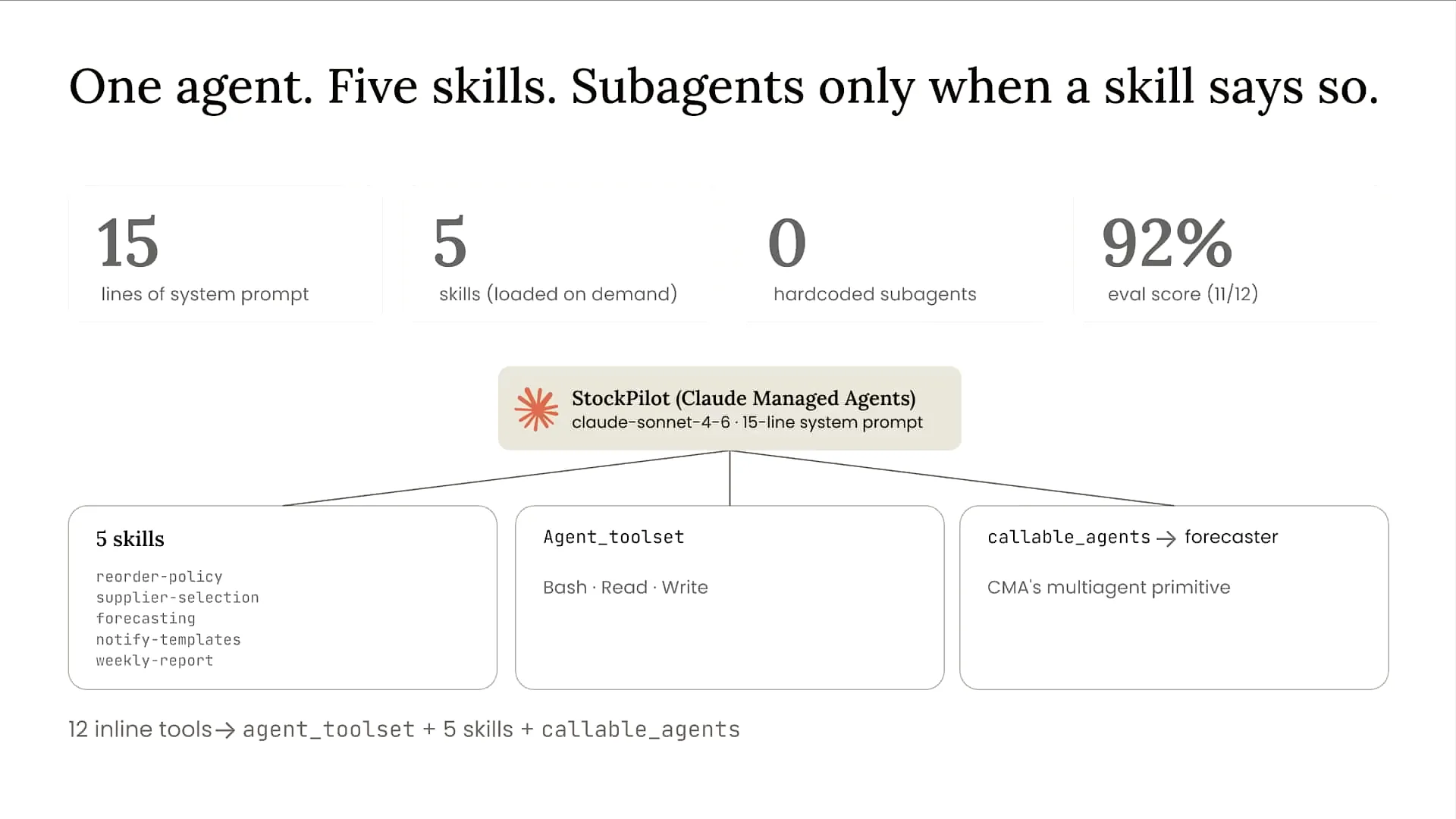
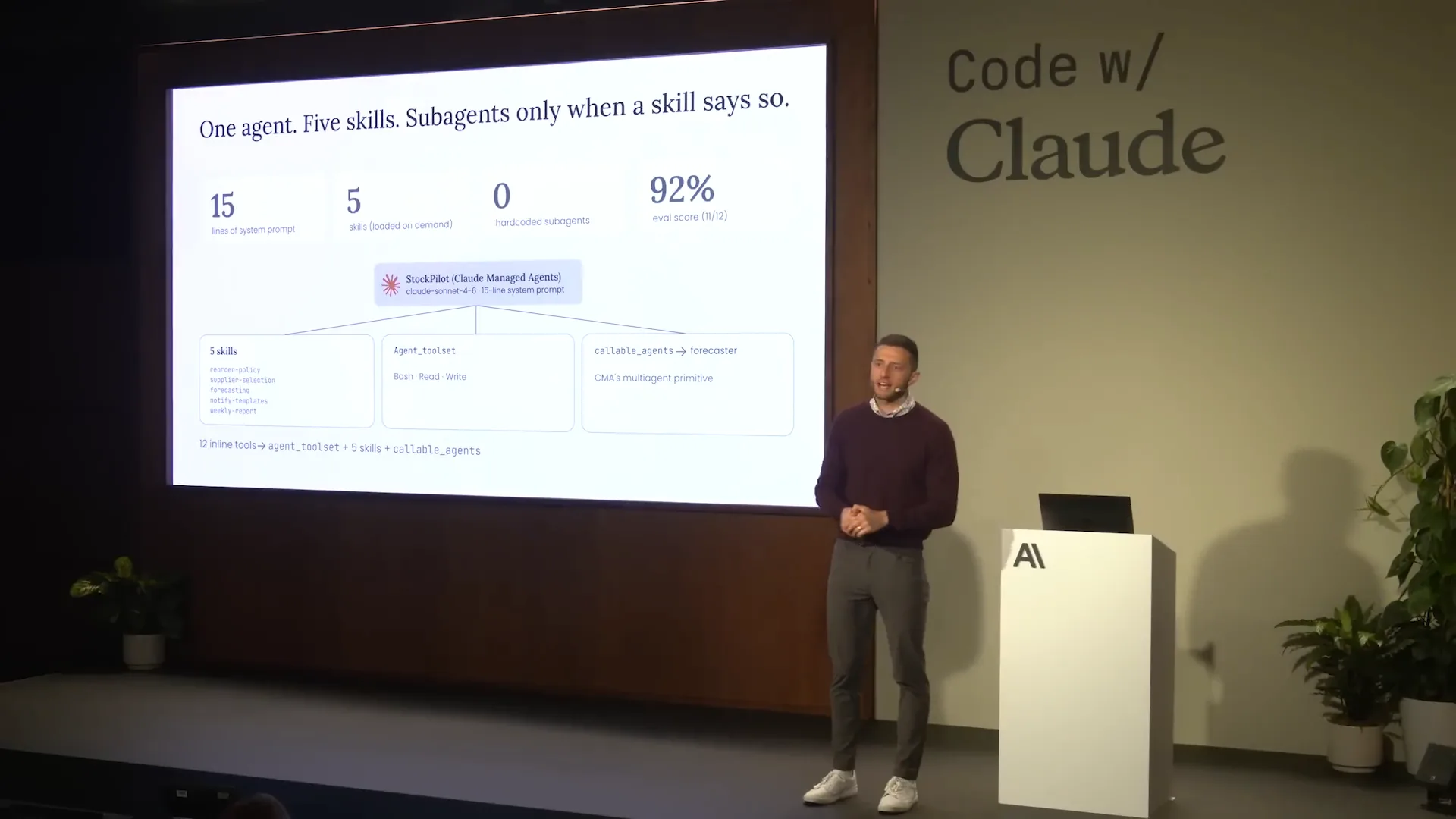 | We still have an orchestrator, but we deployed it on Claude managed agents to avoid concerns about infrastructure, scaling, and security. This allows me to focus solely on building the best possible agent. We simplified our tools to just three: bash for reading and writing. When our agent starts executing, we sync data into the Claude managed agents environment, enabling it to reason across that data. We also condensed our system prompt to just 15 lines and replaced all business logic with skills. Instead of stuffing requirements into the system prompt, I packaged them as skills, allowing Claude to access the information only when necessary to solve a problem. As a result, we demonstrated the ability to improve our evaluation scores over time. My final eval score is about 92%. I've simplified my design, leveraged the strengths of Claude, and observed positive results. The eval results are shown here after running this. |
Slide 57 — 42:50 (watch)
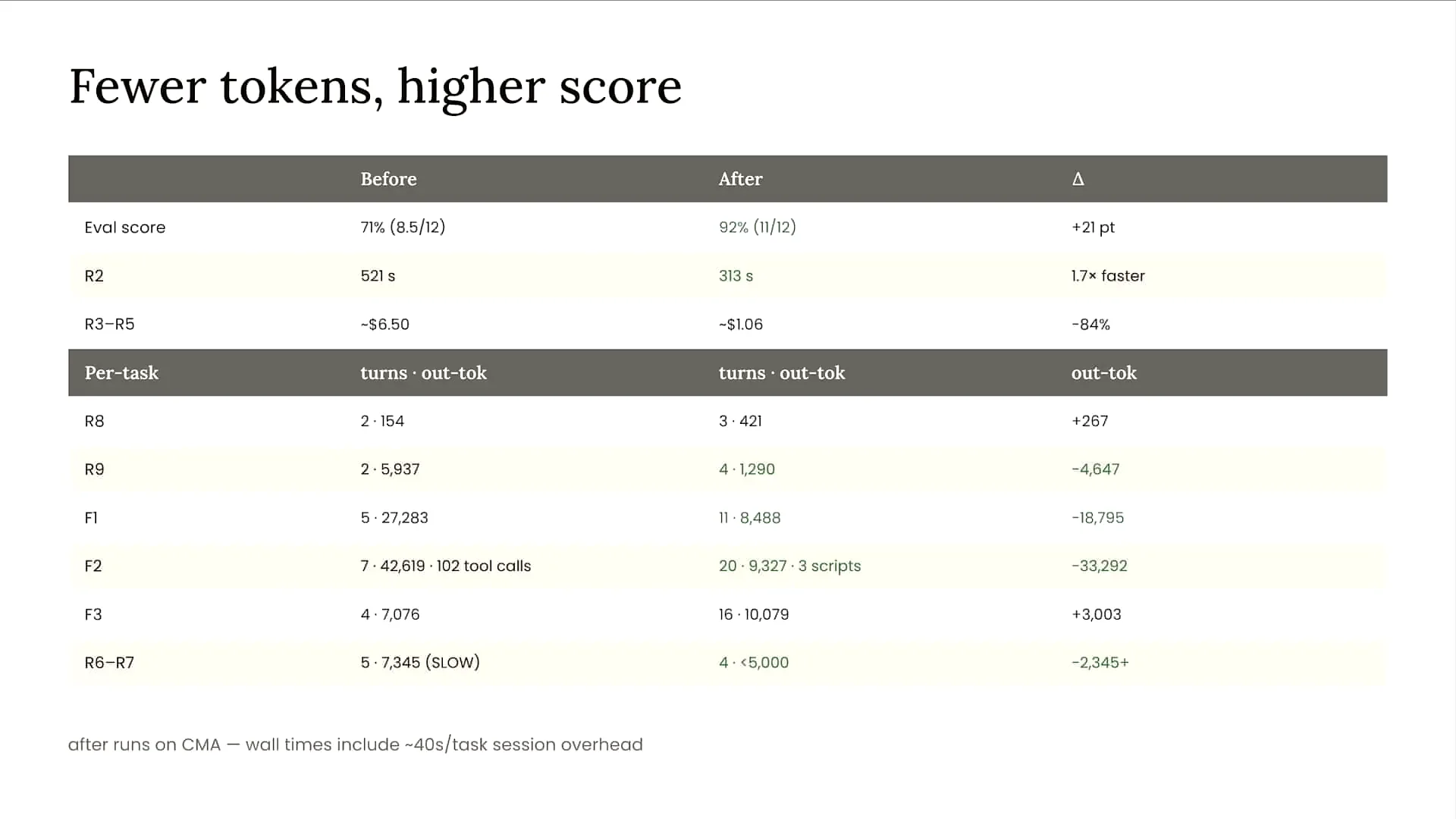 | We are achieving faster performance while using fewer tokens by leveraging code execution. Our turn count remains relatively stable, but since token usage and costs are decreasing, I am comfortable with Claude taking more turns. In some cases, latency may not drop as much as expected, but for more sophisticated high-intelligence agents, such as those involved in forecasting, I am willing to accept slightly higher latency in exchange for improved performance and reduced costs. |
Slide 58 — 44:12 (watch)
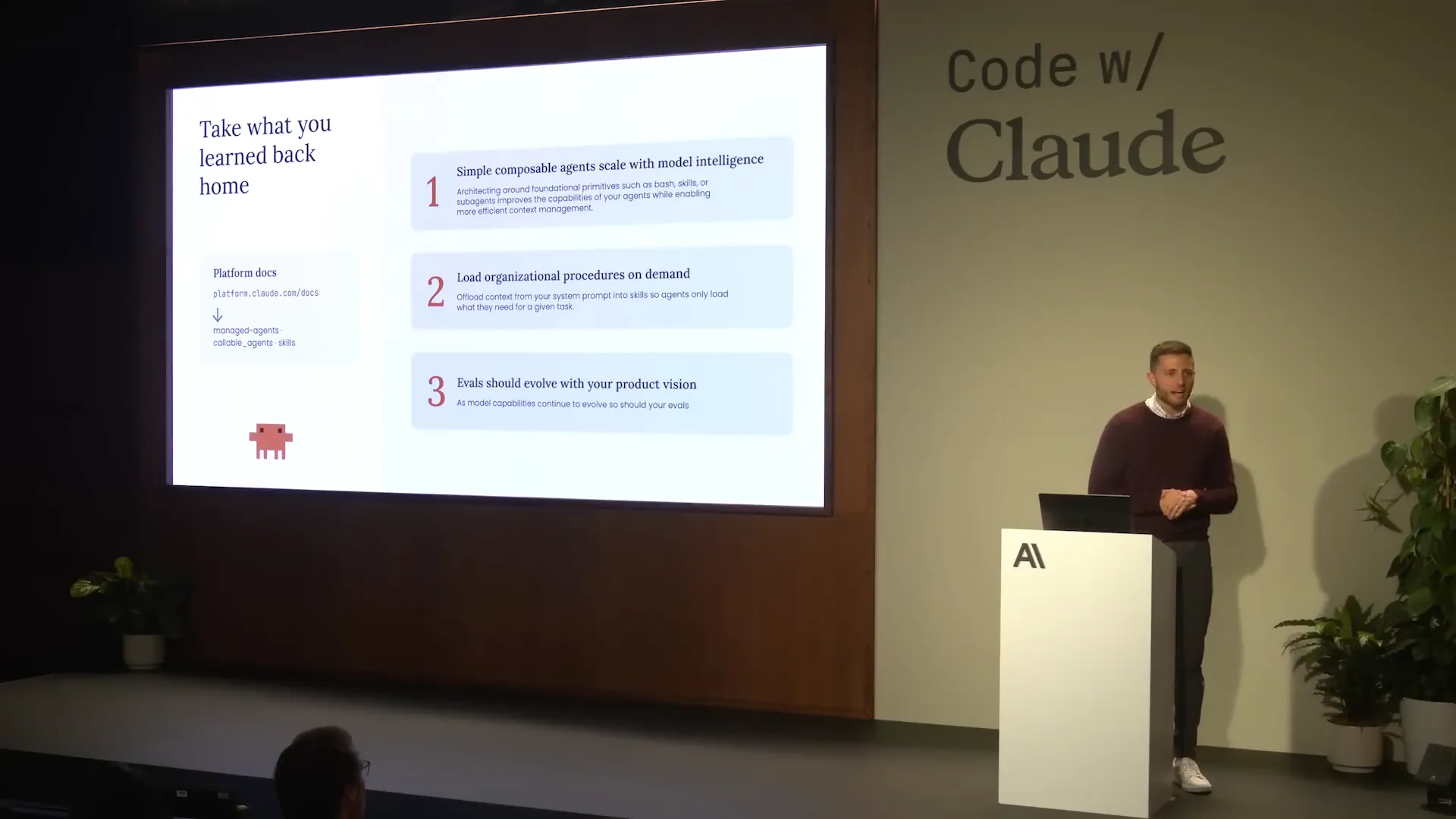 | Let's wrap up with some key takeaways. When we build agents, we start with a single agent loop equipped with simple primitives that provide Claude with human-like capabilities, such as using the file system, web search, code execution, and sometimes a to-do list. From this foundation, we build further. We also implement progressive disclosure through skills. Instead of overloading our system prompt with information, we make information accessible to Claude as needed to solve problems. This approach enhances efficiency, reduces context window pollution, and gives Claude more flexibility in decision-making. Finally, I want to emphasize the importance of evals. The concept of hill climbing is crucial at Anthropic. You establish a baseline with evals, tweak your architecture, rerun evals, and improve over time. It’s vital to keep your evals updated as your product capabilities expand. Ensure that your evals reflect the aspects you care about and measure within your agent, so you can confirm that your agent is achieving its intended goals. Thank you for your time today. I’ll be in the back after the session, just outside this room, if you have any questions. I appreciate you spending your day at Code with Claude in London, and I hope you have a great rest of your day. |