223 slides extracted.
Slide 1 — 0:08 (watch)
 | Hello, everyone. |
Slide 2 — 0:24 (watch)
 | My name is Laurie Voss, and I am the Head of Developer Experience at Arize AI. Previously, I co-founded npm, Inc., so some of you may remember me from my extensive discussions about JavaScript. Now, I focus on AI. |
Slide 3 — 0:34 (watch)
 | I primarily focus on how to test AI systems and how to create AI systems that function effectively. |
Slide 4 — 0:44 (watch)
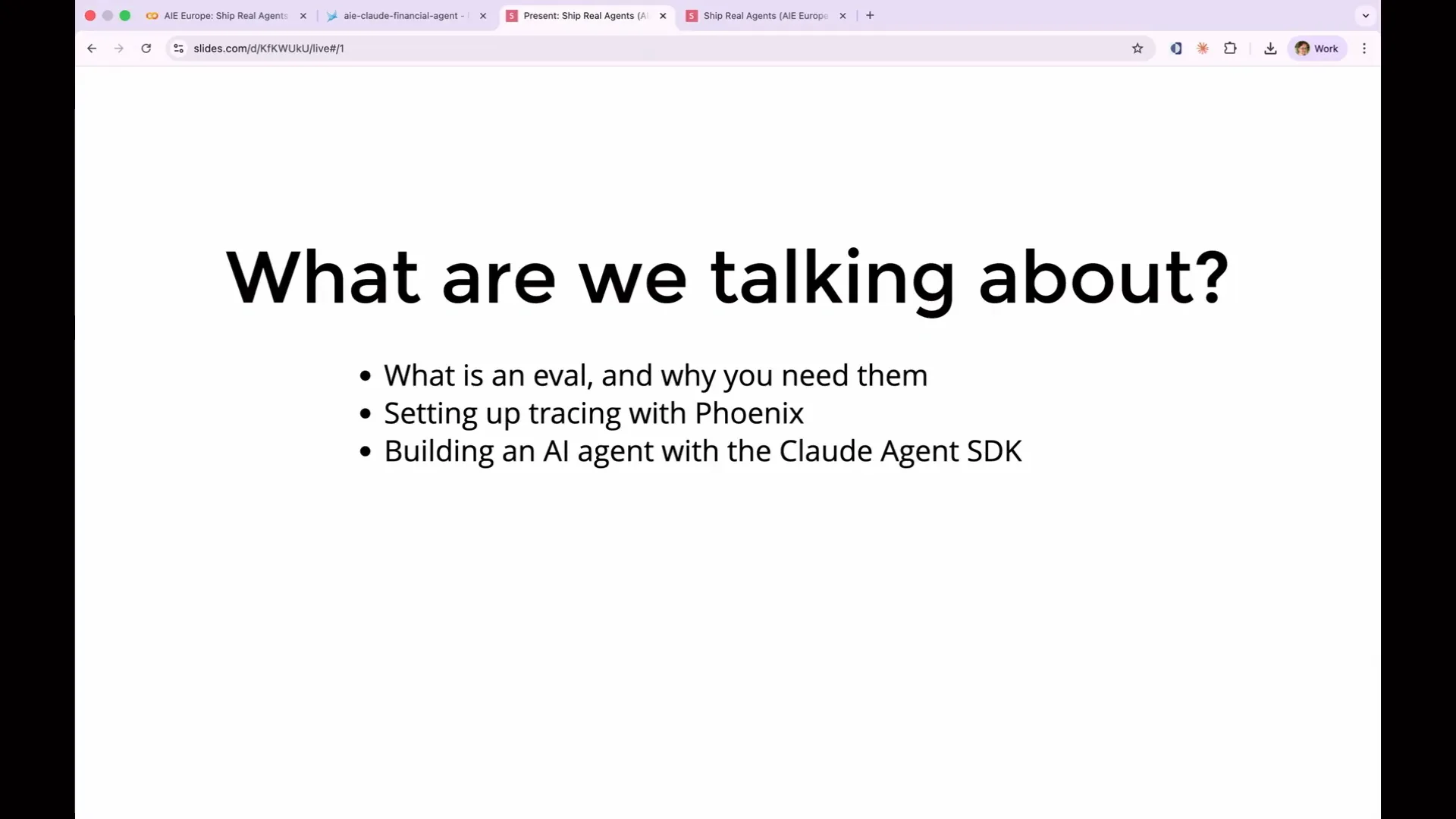 | We have a substantial amount of time today to cover a lot of material. We'll begin with the fundamentals: what evaluations are, why they are necessary, and why agents complicate evaluation compared to a simple LLM call. |
Slide 5 — 1:00 (watch)
 | Next, we will set up tracing, which captures the raw data necessary to run evaluations. We will also run a simple AI agent using the Claude agent SDK and examine the traces it produces. |
Slide 6 — 1:28 (watch)
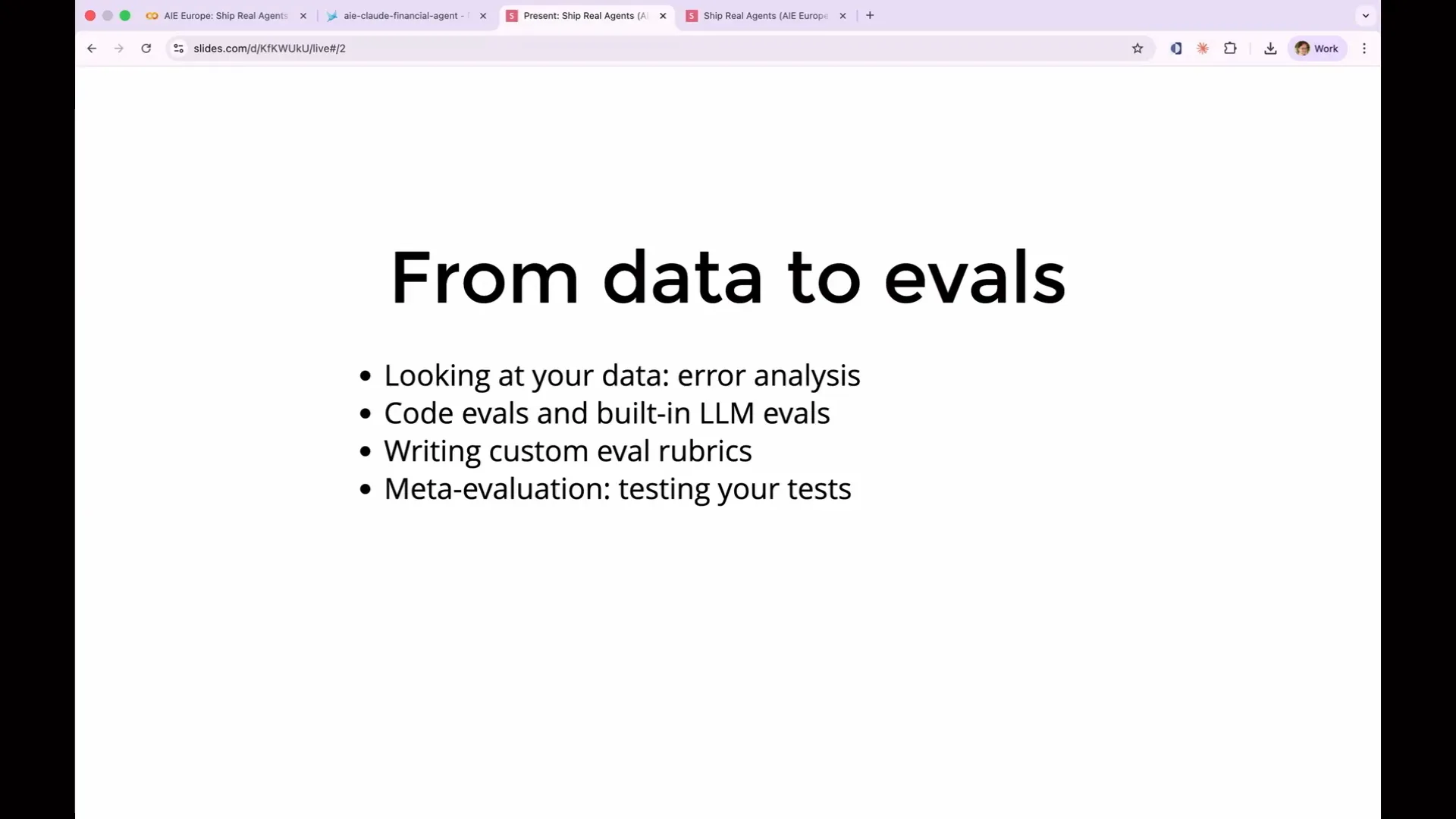 | Once we've examined the data, we'll focus on an aspect that most tutorials overlook: analyzing the traces. We'll categorize what went wrong and determine what to measure before writing any evaluations. Then, we'll create three types of evaluations. First, we'll write a simple code evaluation that is deterministic, inexpensive, and easy to execute. We'll also utilize some of Arize's built-in evaluations. |
Slide 7 — 1:52 (watch)
 | Next, we will use LLM evals, where an LLM assesses the semantic content of the output and determines success or failure in a more flexible, non-deterministic manner. |
Slide 8 — 2:02 (watch)
 | We will use the built-in evals and create a custom eval from scratch. Additionally, we will test the accuracy of our judges in a process known as meta-evaluation. |
Slide 9 — 2:14 (watch)
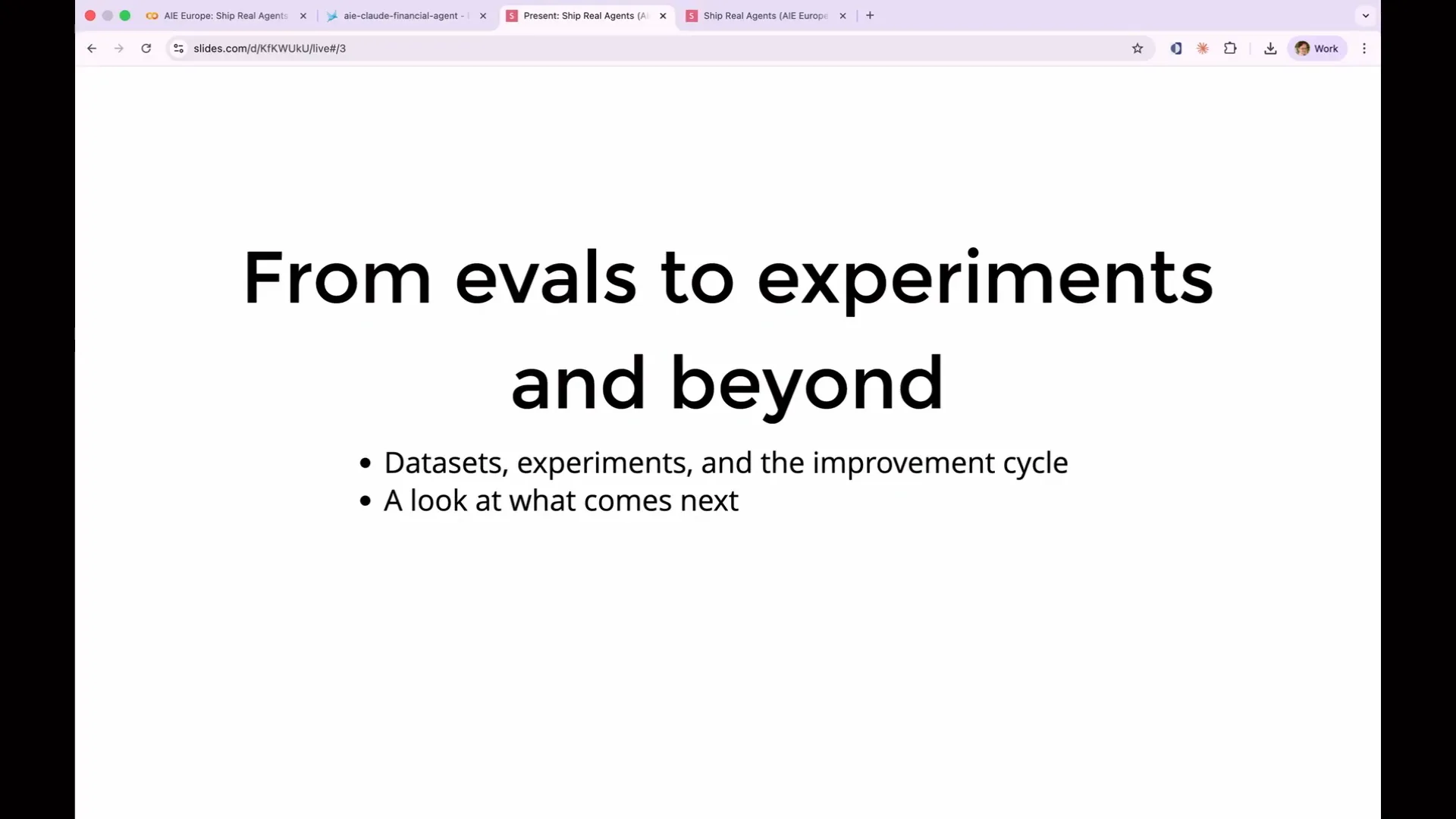 | We will conclude with datasets and experiments, which are essential for iterating on your agent. Evals not only help identify issues but also facilitate improvements to your agent. Finally, we will briefly discuss what comes next after mastering these concepts. |
Slide 10 — 2:30 (watch)
 | Practical frameworks you can use after leaving this room include the impact hierarchy, the data flywheel, and techniques such as pairwise evaluation and reliability scoring. |
Slide 11 — 2:56 (watch)
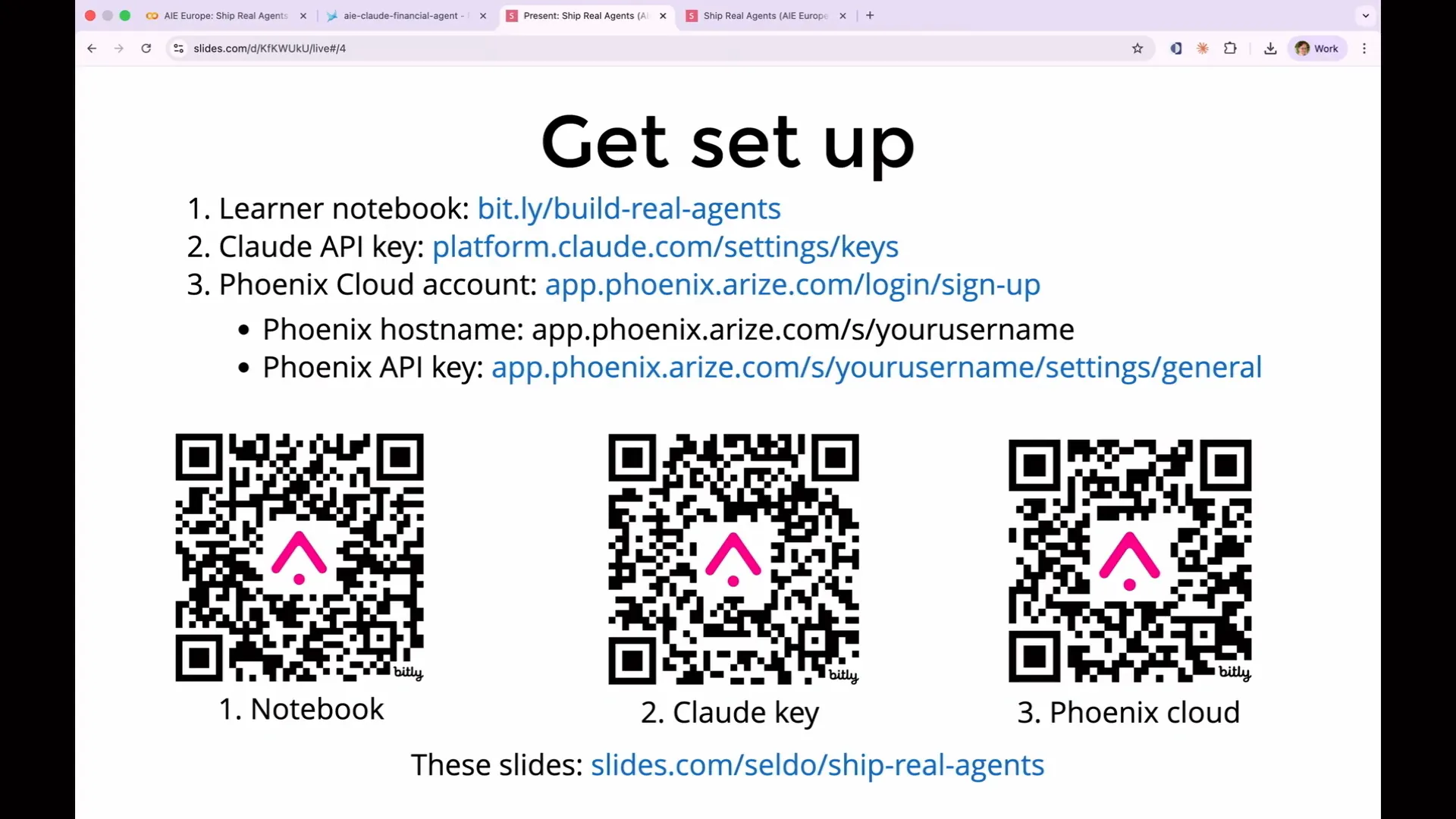 | This slide has been up while you were waiting. Please raise your hand if you plan to code along. It's impressive to see so many of you here for the last session of the day, especially on a topic like evaluations. I appreciate your presence. This workshop focuses on evaluating an agent, assuming you've already built one and are encountering significant issues. The learner notebook you will receive contains an agent that has already been built for you. |
Slide 12 — 3:52 (watch)
 | We will not focus on how to build an agent or what makes an agent effective. Instead, we will evaluate the agent I have already created. We will use Cloud to power both the agent and the evaluations. I chose Cloud because it has become the standard in recent months. I hope you already have a Cloud account to avoid signing up for an API key now. If you wish, you can use OpenAI or Gemini with our setup, as it is completely open source and adheres to open standards. However, for simplicity, I have not included examples for using OpenAI or Gemini. You will also need a free Phoenix Cloud account. While Phoenix is open source and can run on your laptop, Phoenix Cloud is easier to set up since it requires no installation. This is where our log data will be sent, so you will need a Phoenix API key for permission to send it there. Make sure you have access to the links in these slides, as I will advance them shortly. You primarily need the link to the notebook, which contains links to everything else. |
Slide 13 — 4:40 (watch)
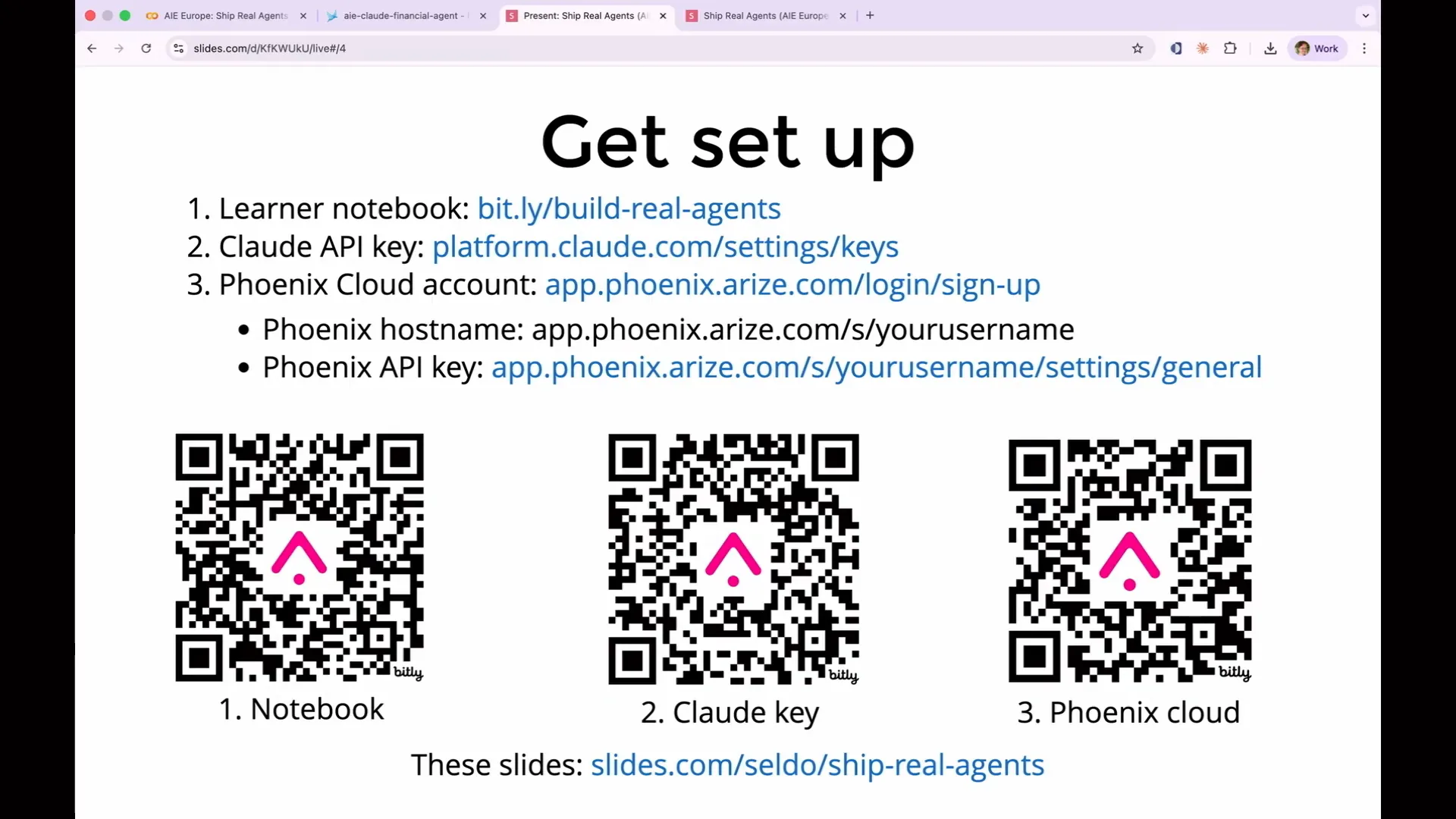 | If anyone is confused and needs assistance, please feel free to ask questions. I've allocated time for that, so don't hesitate to say if you're unsure about something or if you think you might be on the wrong product. |
Slide 14 — 5:04 (watch)
 | Arize offers two products: Arize AX and Arize Phoenix. Today, we will be working with Arize Phoenix. On our homepage, there is a prominent button that says "Sign Up," which will register you for AX, the enterprise product. You do not want to select that option. If you are unsure where to enter your API key or what your host name is, it may be because you signed up for the wrong product. Please ensure you are signing up for Phoenix. |
Slide 15 — 5:26 (watch)
 | With that information covered, let's discuss the basics. What is an eval? Please raise your hand if you feel you really know what an eval is. |
Slide 16 — 5:46 (watch)
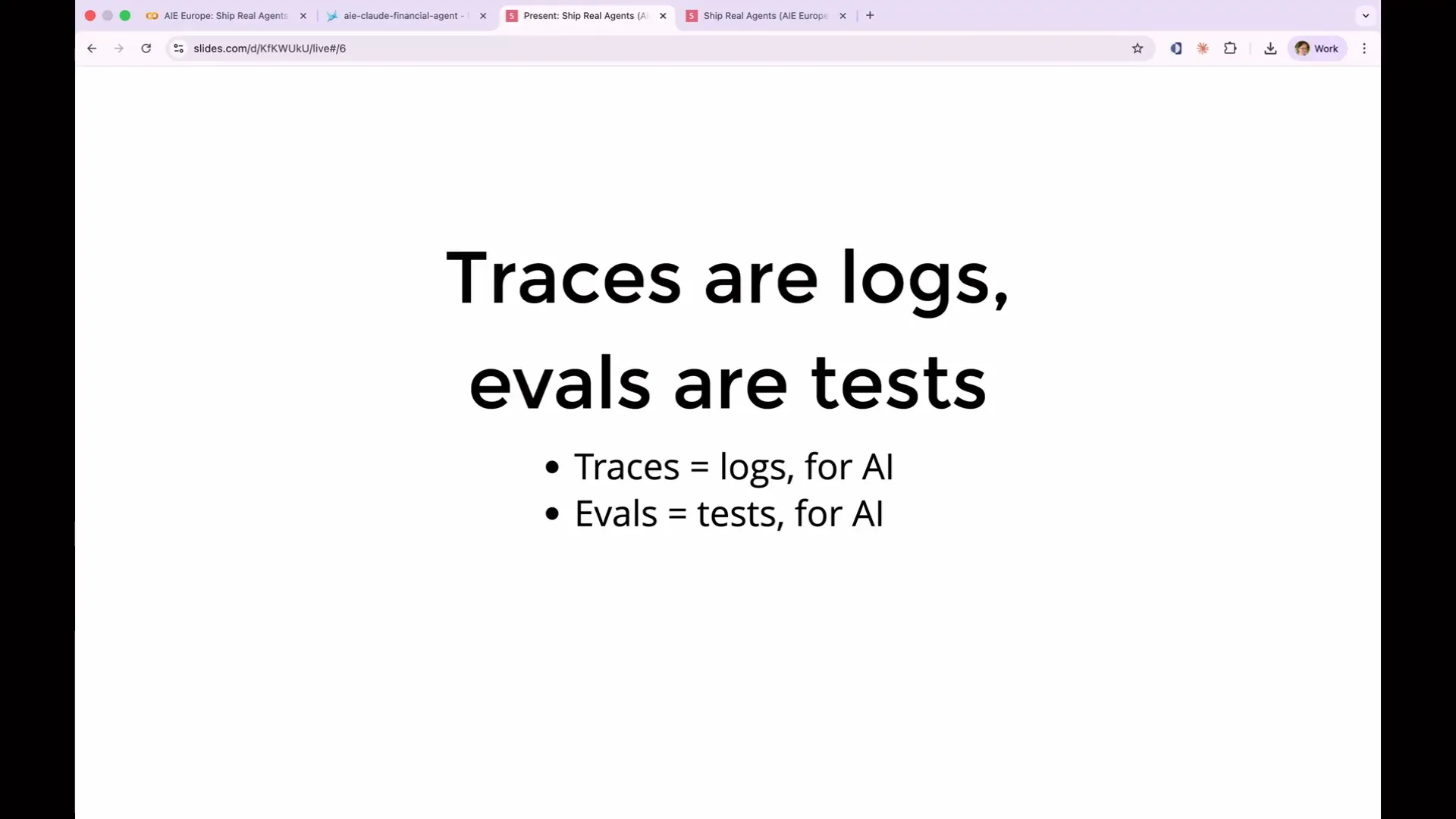 | You're in the right room. One issue I see in the field of evaluations is the use of jargon from machine learning that AI engineers do not need to know or understand, which makes the concepts unnecessarily opaque. You can think of traces and evals as tests, because that is essentially what they are. The components that power our tests are log data, which we refer to as traces. |
Slide 17 — 6:10 (watch)
 | Just as logs record what your server did at runtime, traces record the actions of your AI. Every agent call, every tool call, and every LLM invocation, along with all inputs and outputs from your AI application, are captured as traces. |
Slide 18 — 6:36 (watch)
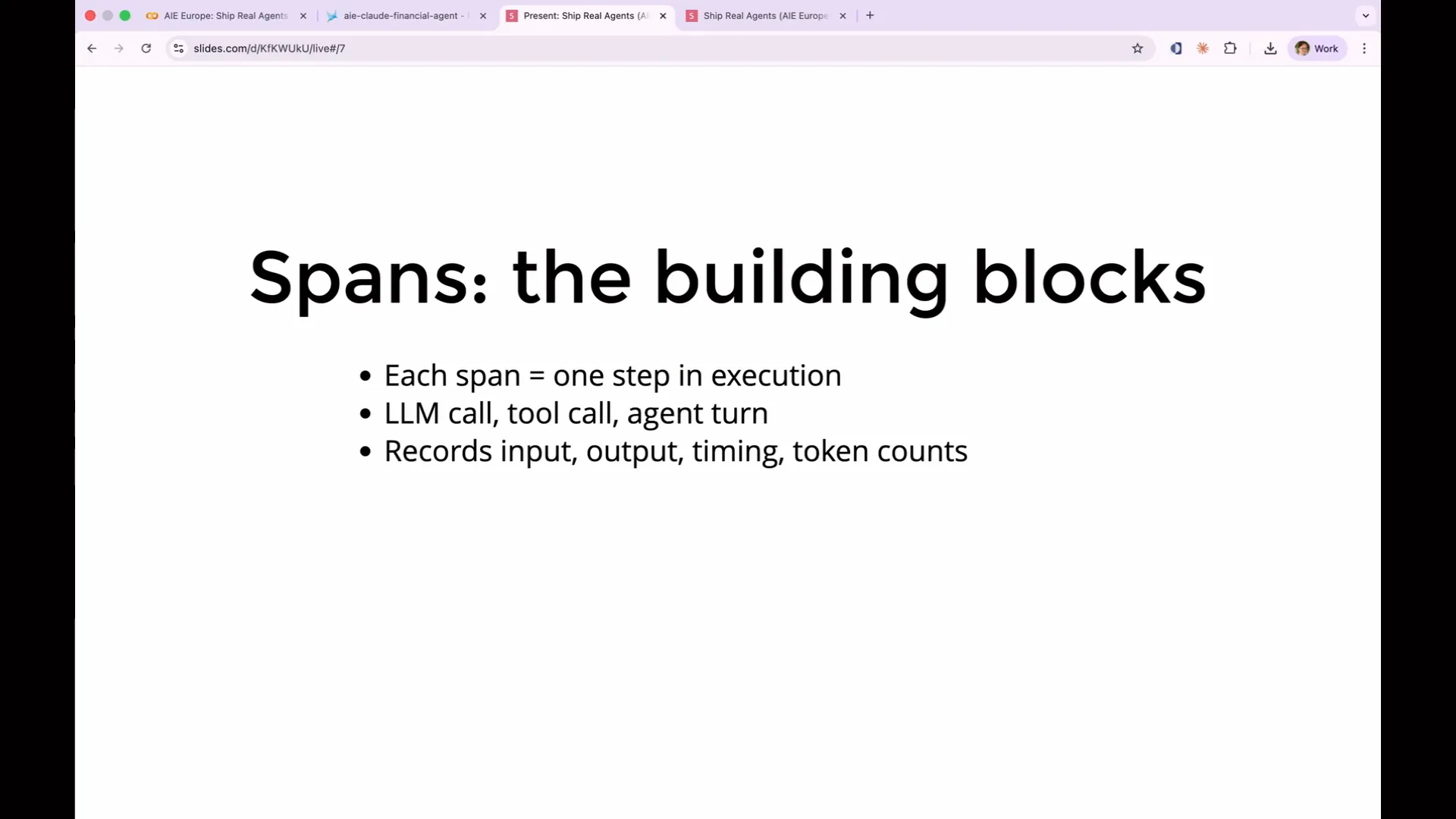 | The building blocks of traces are called spans. Each span represents one step in the execution. For example, an LLM call is a span, a tool call is a span, and a full agent turn is a span that contains other spans within it. This nested data structure is often represented as JSON, as it frequently is JSON. Each span records its input and output, along with various metadata, such as timing and token counts, which are essential for understanding the execution process. |
Slide 19 — 6:56 (watch)
 | That is your mental model today. You are writing tests for a new world of applications that are challenging to test. |
Slide 20 — 7:08 (watch)
 | It's not rocket science. We need AI evaluations because of the vibes problem. Many people build an AI feature and test it by running a few queries, simply asking themselves if it looks right. |
Slide 21 — 7:54 (watch)
 | After shipping, the AI often fails on inputs that were not tested, particularly on edge cases or when users input unexpected or adversarial queries. It frequently struggles with simpler vocabulary that the model was not trained to handle, which leads to failures. Standard unit tests are inadequate in this context because the same prompt can yield different outputs, all of which may be correct. There is a vast range of potential correct responses, making basic string matching insufficient for validating test success. Consequently, many teams resort to human review, but this approach does not scale, fails to catch regressions, and cannot be integrated into continuous integration (CI) processes. Without proper evaluations, modifying the system prompt to address tone issues could inadvertently lead to the bot hallucinating product features, and these problems would go unnoticed until a user reports them. |
Slide 22 — 8:56 (watch)
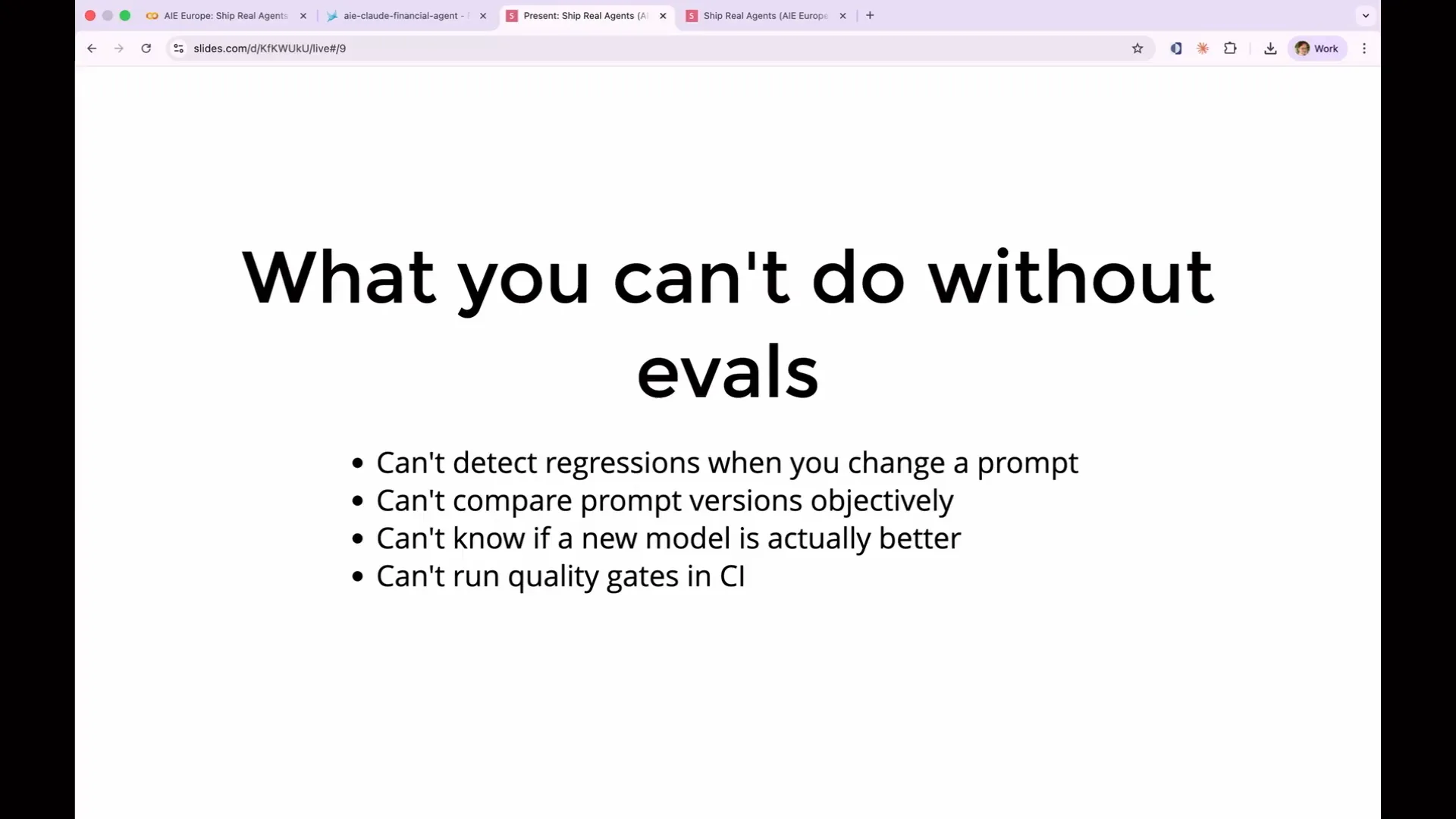 | Without evals, you won't catch issues until a user reports them. However, you can conduct a faithfulness eval, which assesses whether your bot is correctly using its source material. Today, we will demonstrate how to build one of these evaluations. It's important to note that every prompt change can potentially affect all types of user inputs. This is one way eval AI agents differ; altering one aspect of your prompt doesn't only change the specific issue you aimed to address—it impacts the entire behavior of the agent. The agent interprets the prompt as a whole, leading to unpredictable outcomes even with minor wording adjustments. |
Slide 23 — 9:22 (watch)
 | You want to avoid fixing one aspect while inadvertently breaking another. Evaluations provide a way to ensure that everything functions as intended, including all previous capabilities. |
Slide 24 — 9:40 (watch)
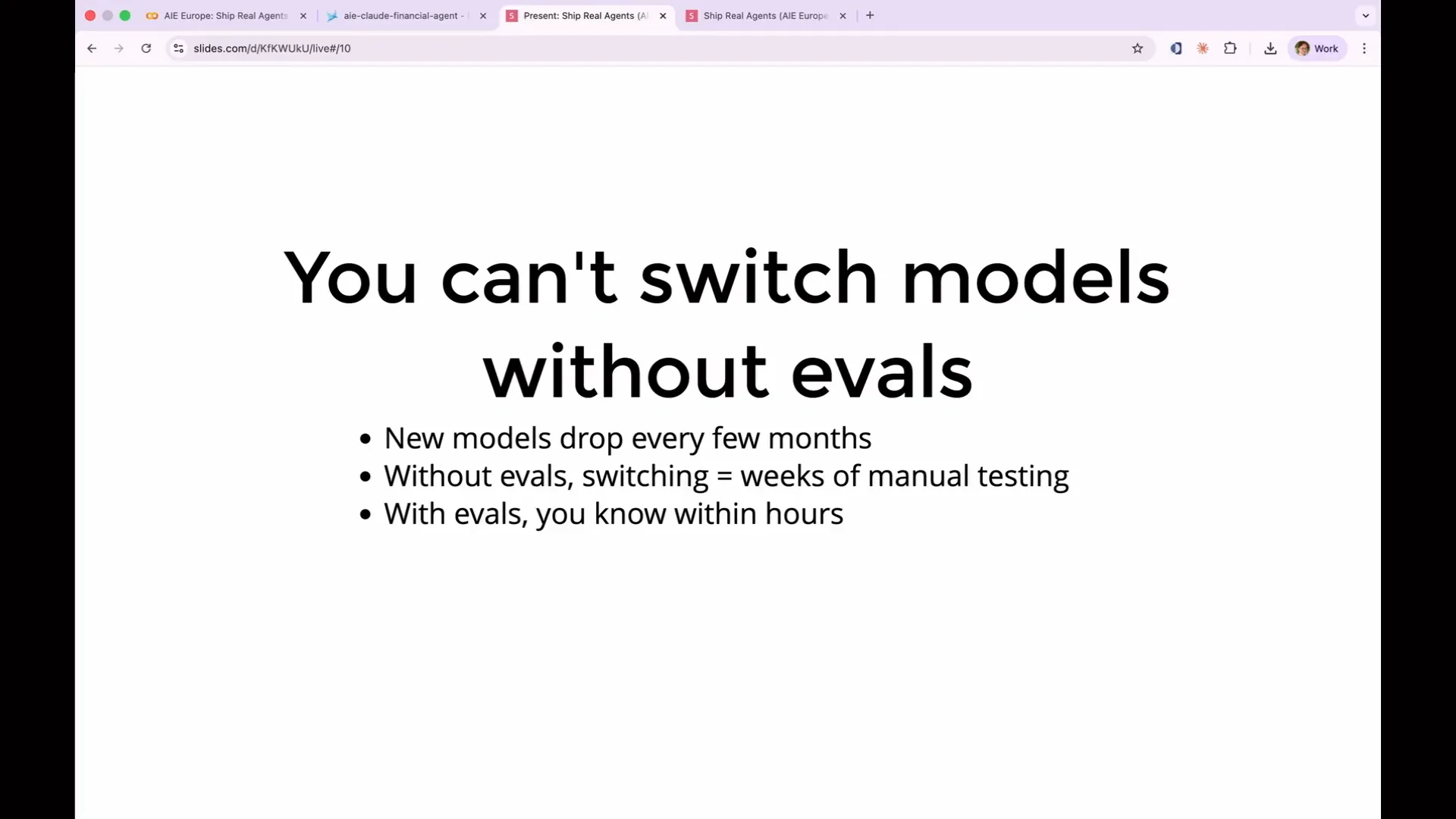 | You cannot switch models without evals, which is crucial because major model applications release new models every few months. These models are not only improved but also fundamentally different. For instance, a prompt that worked for Sonnet 4.5 may not work for Sonnet 4.6. Without evals, you face a costly and cumbersome process of retesting everything to ensure functionality. However, with a suite of evals, you can simply run a regression test to determine if it is safe to upgrade. |
Slide 25 — 9:58 (watch)
 | This is not theoretical. |
Slide 26 — 10:14 (watch)
 | Real teams are shipping AI agents that people use regularly, such as Descript, Bolt, and Anthropic with Claude Code. They all followed a similar pattern. They began by shipping quickly and assessing performance based on initial impressions, but found that this approach did not scale. Consequently, they transitioned to formal evaluations. |
Slide 27 — 10:28 (watch)
 | Today, we will follow that arc. As I mentioned, there are two types of evaluations. |
Slide 28 — 10:48 (watch)
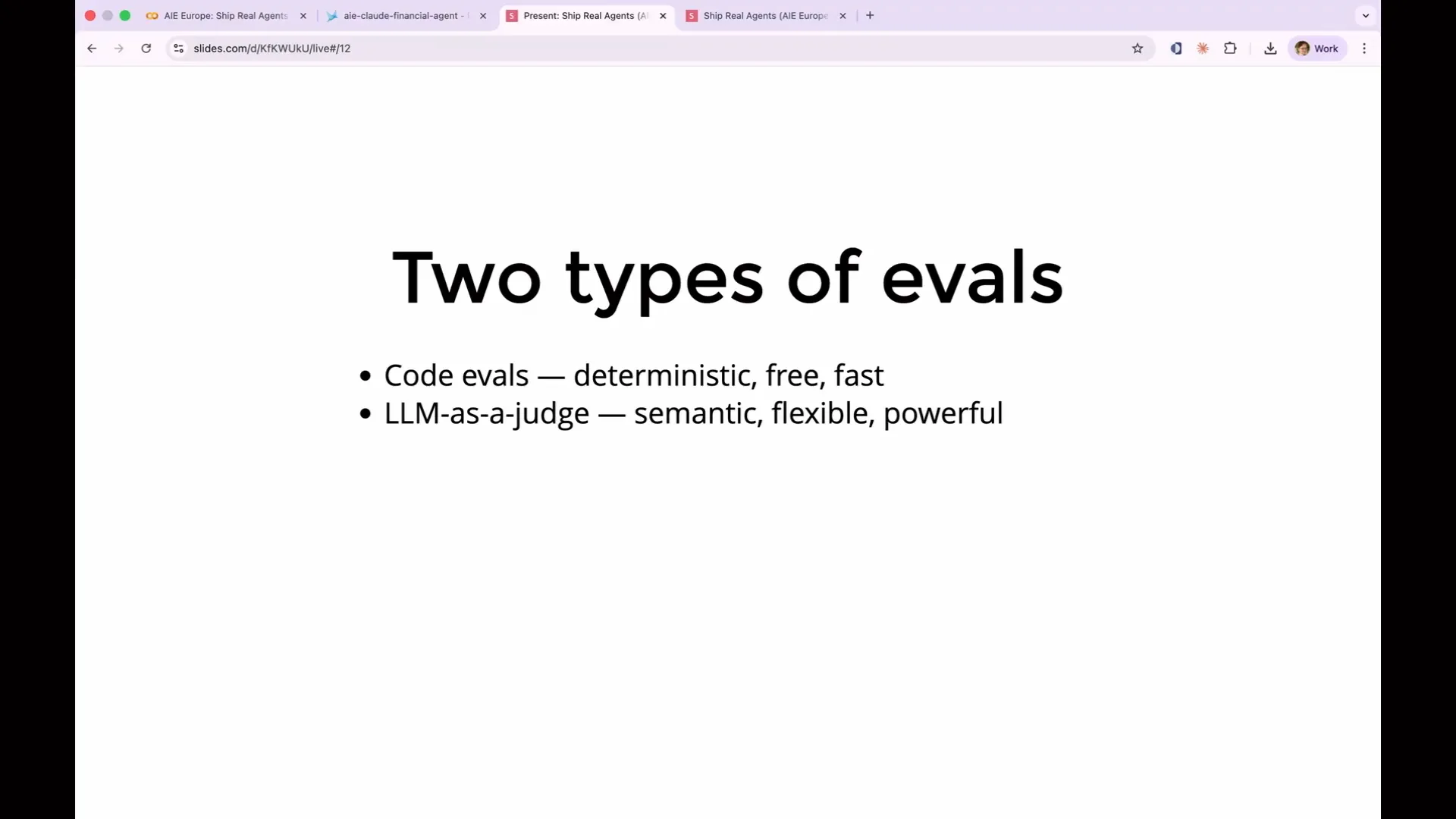 | There are code evals, which are deterministic functions written in basic Python or TypeScript. They run in milliseconds and are virtually cost-free to execute. Code evals allow for various tests; for example, you can verify if the output of your agent is valid JSON, check if it contains fewer than 500 tokens, or confirm that it mentions the specific topic you inquired about. The primary advantages of code evals are their speed, low cost, and complete reproducibility. For simple tests, you don't need to use an LLM eval every time. |
Slide 29 — 11:18 (watch)
 | You can achieve significant results with approaches similar to traditional unit tests, though there is considerable nuance in how to assemble them, which we will discuss today. However, the downside of code evals, like unit tests, is their brittleness. When your output becomes complex or highly non-deterministic, you will need to transition to the other type of evals, which involves using an LLM as a judge. |
Slide 30 — 11:56 (watch)
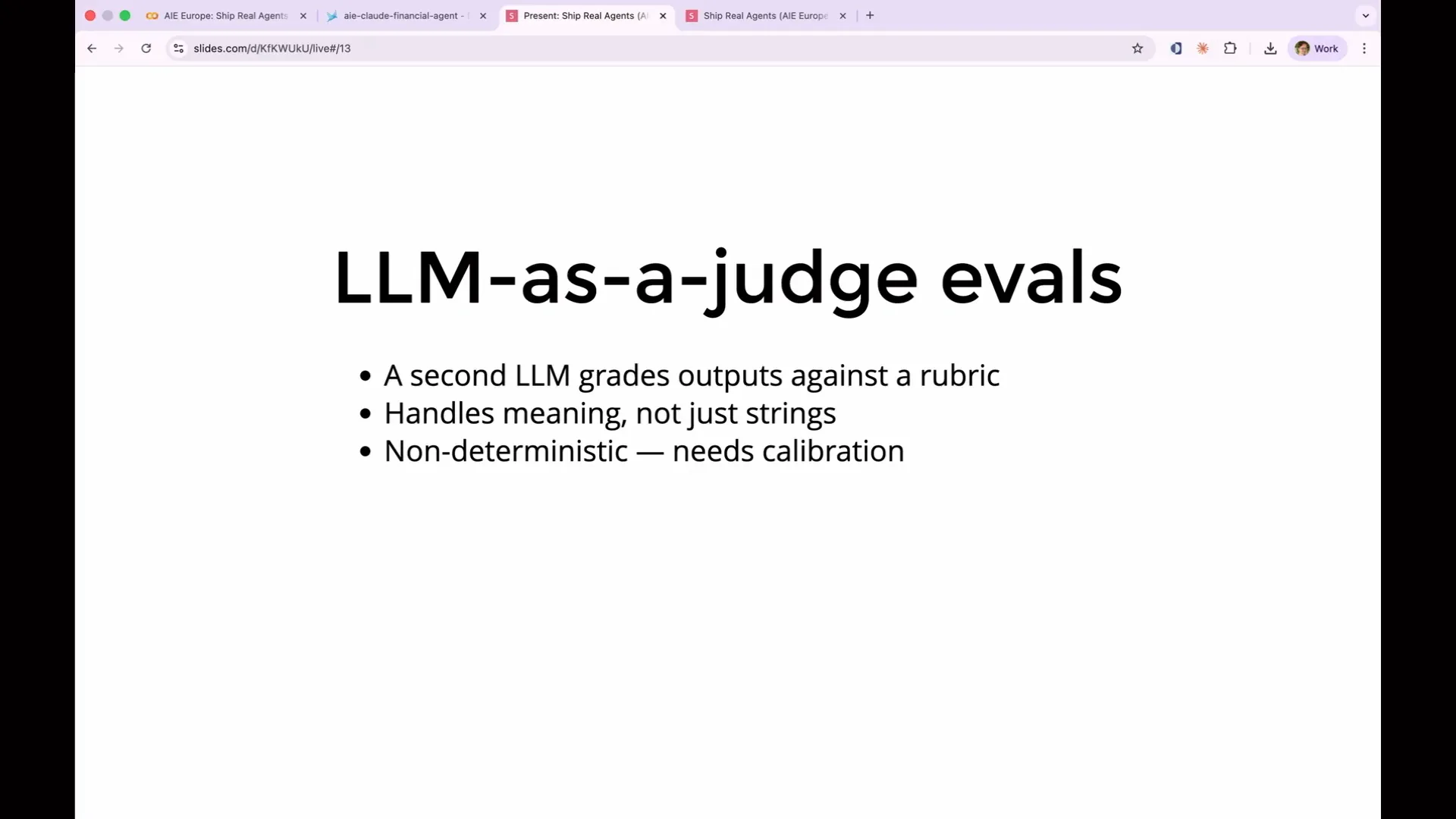 | With LLM as a judge, you utilize a second LLM to evaluate the output of the first LLM. Typically, the judging LLM is more powerful than the one deployed in production. You assess your outputs against a rubric, which is essentially a set of rules or a prompt that outlines the criteria for testing. LLM evaluations are more flexible because they are powered by an LLM. You can ask questions such as whether the response is factually accurate, if it remains faithful to the source material, or if the tone is appropriate for customer interactions. |
Slide 31 — 12:26 (watch)
 | There is no unit test that can effectively assess tone, but an LLM excels at this task. The strength of LLM judges lies in their ability to understand meaning rather than just basic strings. |
Slide 32 — 12:40 (watch)
 | LLMs as judges have trade-offs. Their biggest weakness is their expense, both in terms of time and cost. Additionally, they are non-deterministic, meaning that the LLM serving as a judge can also make mistakes. |
Slide 33 — 13:32 (watch)
 | To prompt your LLM to act as a judge, you need to create a prompt that is as complex as the one used for your application. It's essential to ensure that your LLM is aligned with your intentions and judges correctly. Additionally, there is a third type of evaluation: human evaluation, which is considered the gold standard. It excels at determining quality based on human judgment. However, humans do not scale well. You need evaluations to run in continuous integration (CI) and to occur thousands of times a day. Even at large companies like Meta or Google, hiring a large workforce for evaluations is not cost-effective. Instead, we use human evaluators to create what we call a golden dataset of known good answers, which can be used to assess other evaluations. Interestingly, human annotators can be wrong about 50 percent of the time. When tasked with testing code, fatigue can cause them to miss errors. Therefore, code evaluations, human evaluations, and LLMs as judges are not competing methods; they are complementary. An effective evaluation suite will incorporate all three approaches simultaneously. |
Slide 34 — 14:20 (watch)
 | So the question becomes: when do you use each approach? |
Slide 35 — 14:38 (watch)
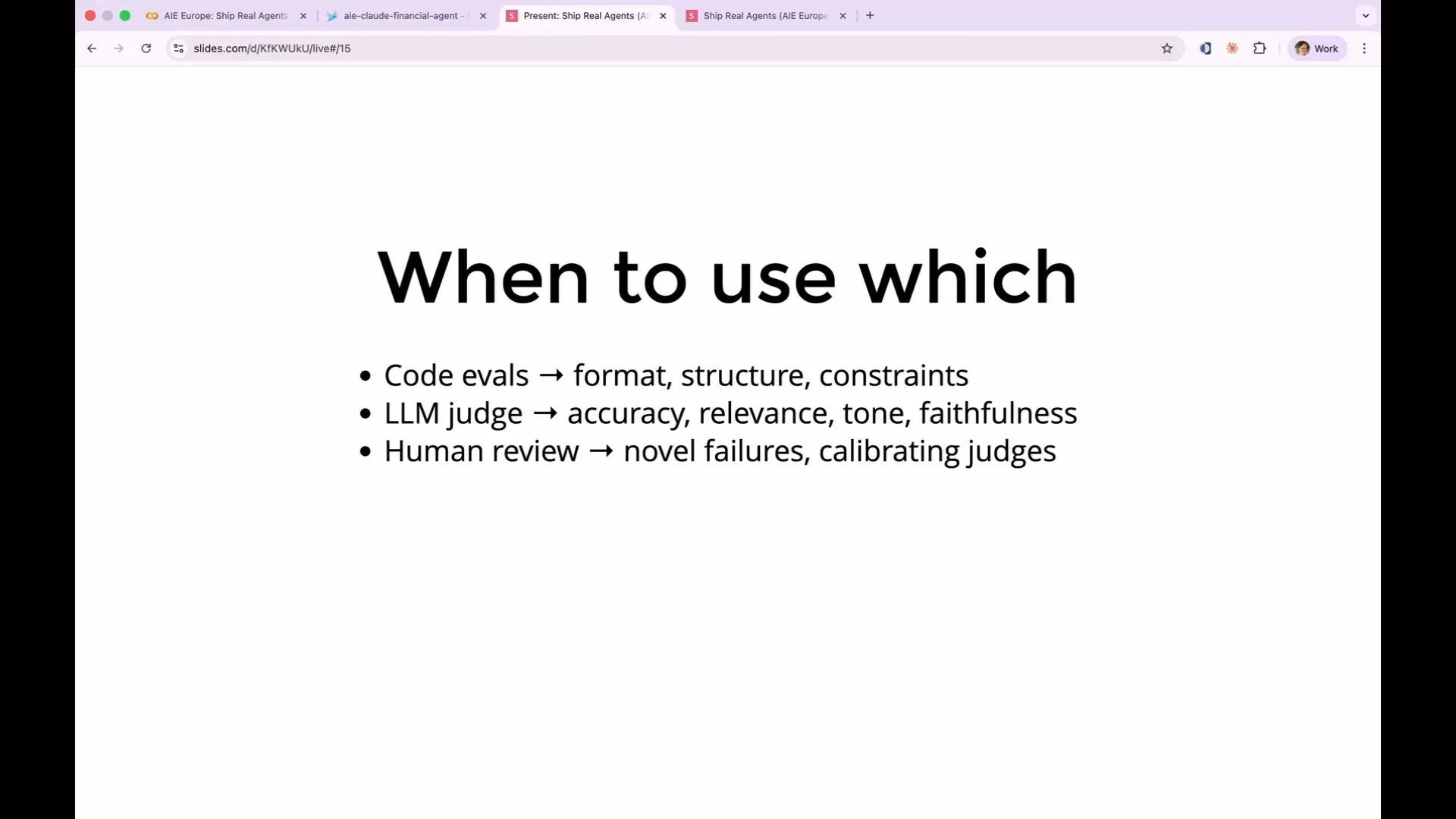 | Use code evaluations when the answer is deterministic, such as for format validation, length limits, forbidden phrases, and required fields. In contrast, use LLM judges when semantic understanding is necessary. For example, a correctness evaluation checks if the answer accurately addresses the question, while a faithfulness evaluation determines if the response adheres strictly to the source material. Additionally, it is essential to keep humans in the loop for failure modes that have not been encountered before. |
Slide 36 — 14:58 (watch)
 | You must ensure that your evaluations are conducted in a manner that humans perceive as authentic and accurate, as LLM judges can make mistakes. |
Slide 37 — 15:22 (watch)
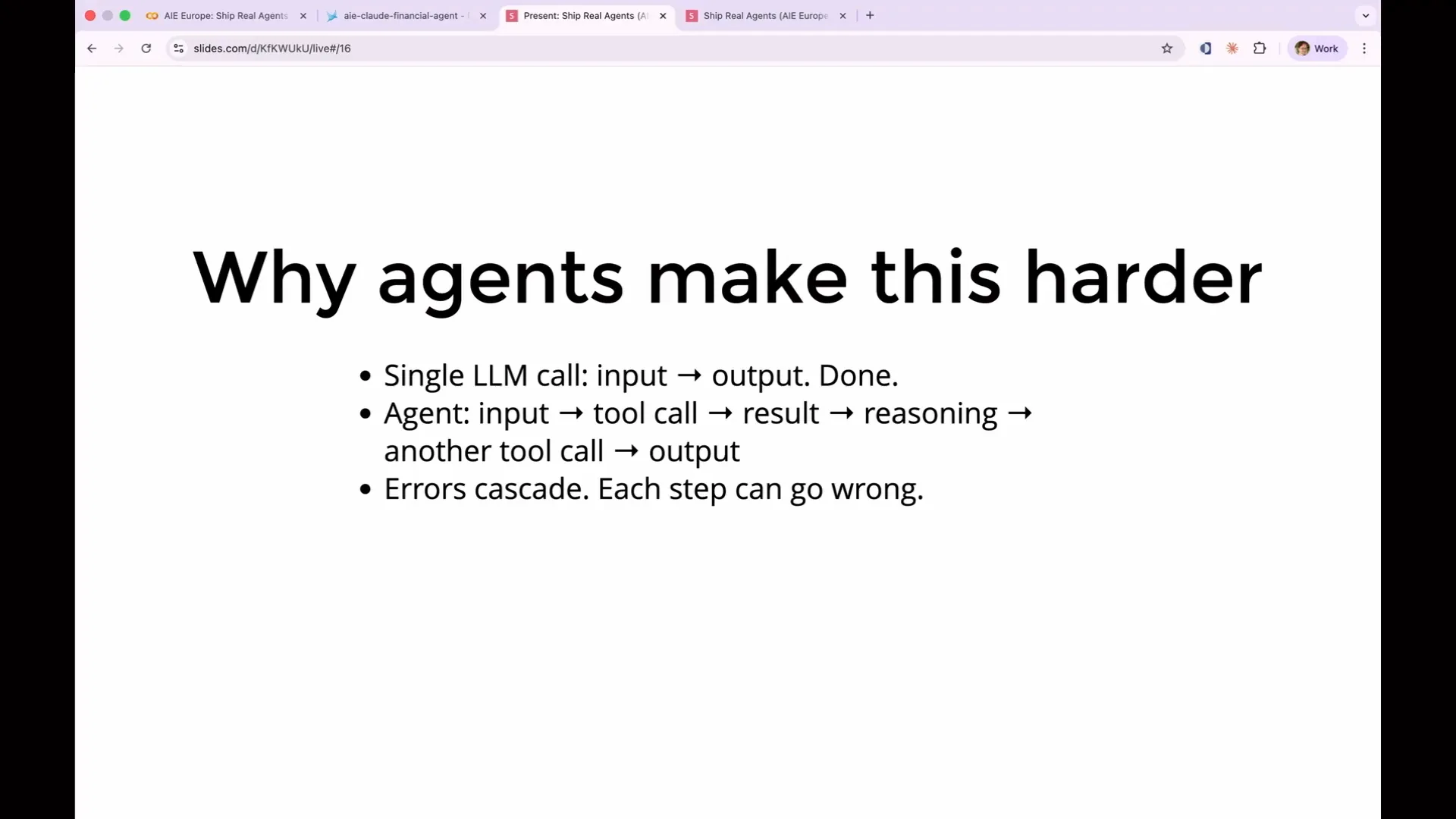 | All of this applies to any application that uses an LLM, but it becomes even more challenging with agents due to cascading failures. In an agent, you are testing a series of components rather than just one. An early misstep on any path can lead the agent in radically incorrect directions. For instance, if an agent makes tool calls, you need to verify whether it selected the correct tool, sent the appropriate parameters, and accurately interpreted the output. This complexity increases with each additional tool call, as an agent can execute multiple tool calls in a single session. |
Slide 38 — 15:54 (watch)
 | Each tool call relies on the output of the previous one, which can quickly complicate the process. This complexity is why you typically need to employ an LLM. Additionally, there are multi-agent systems. |
Slide 39 — 16:18 (watch)
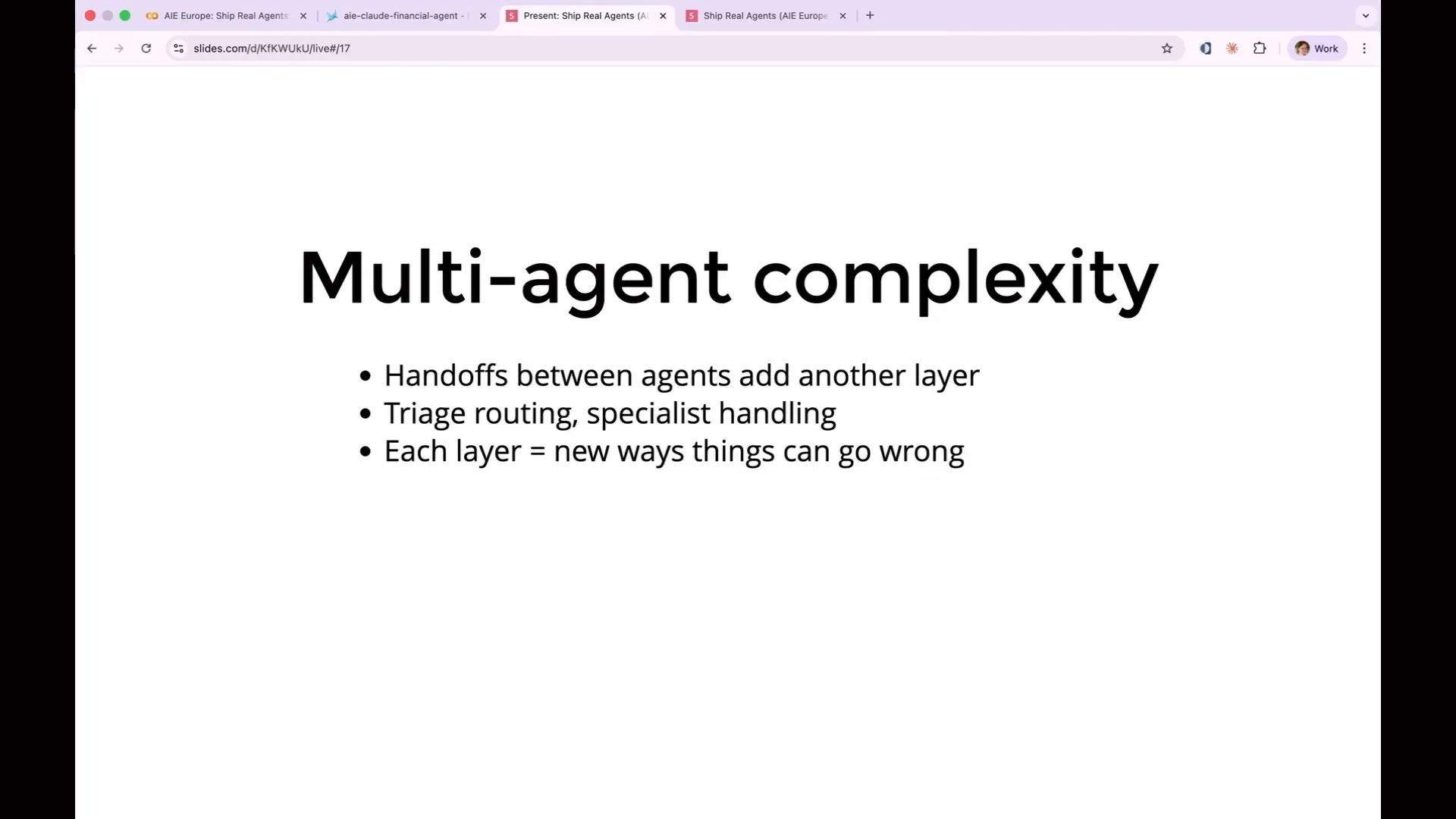 | Multi-agent systems add further complexity. You need to test whether your routing LLM selected the correct sub-agent before any actions began. Additionally, you must verify that the sub-agent understood its task correctly, returned the information accurately, and stopped when it was supposed to. |
Slide 40 — 16:32 (watch)
 | All of this builds up and cascades. |
Slide 41 — 16:46 (watch)
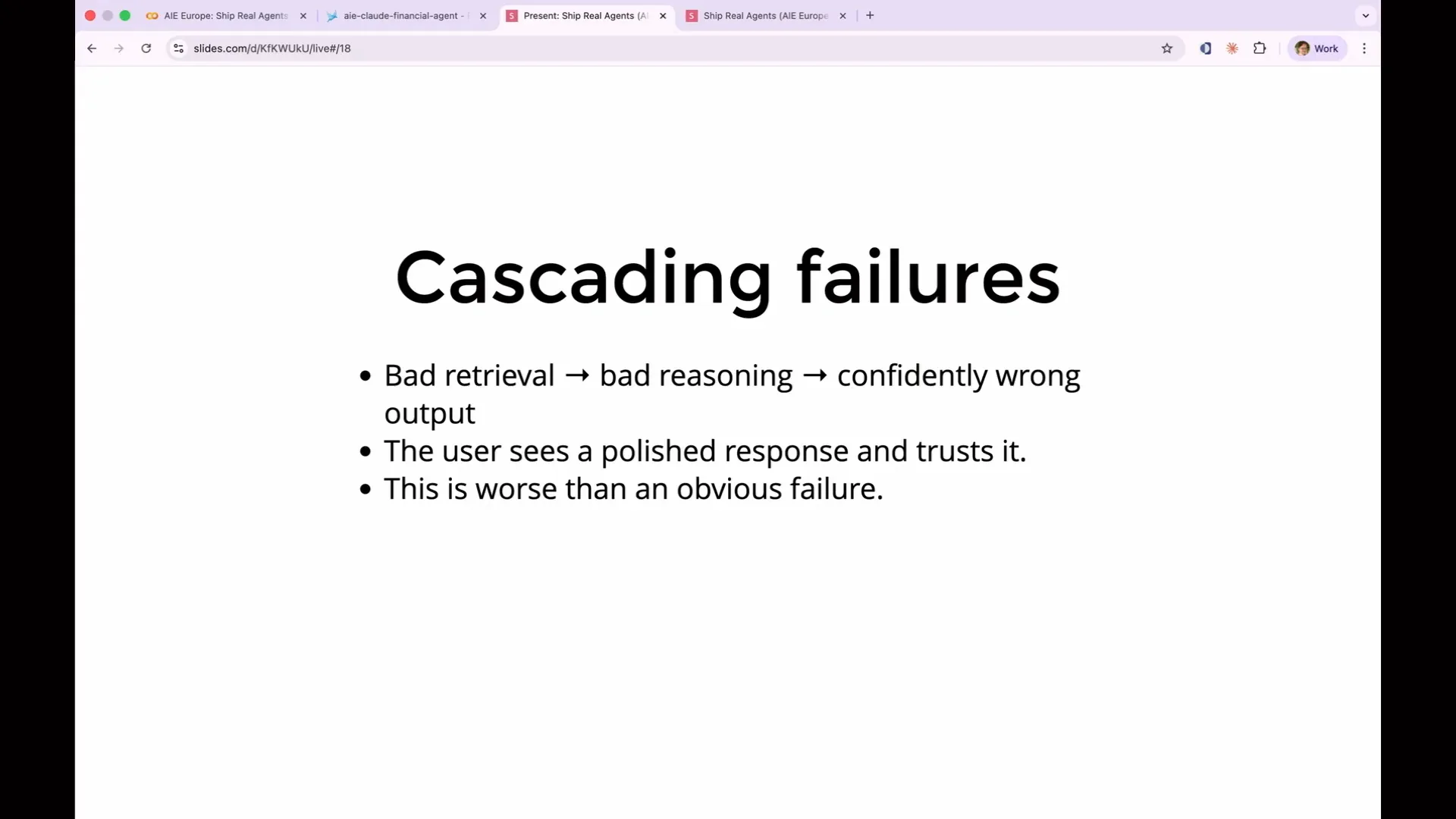 | For example, if you ask your agent to write a report on Tesla, the first agent might interpret this as a request for information about Nikola Tesla. It could provide a wealth of details about the 18th-century inventor. Consequently, you might end up with an investment case based solely on whether Nikola Tesla was a good person. This report could then be forwarded to your boss without anyone realizing that the agent operated entirely autonomously. |
Slide 42 — 17:02 (watch)
 | That is the cascading failure we aim to avoid. |
Slide 43 — 17:24 (watch)
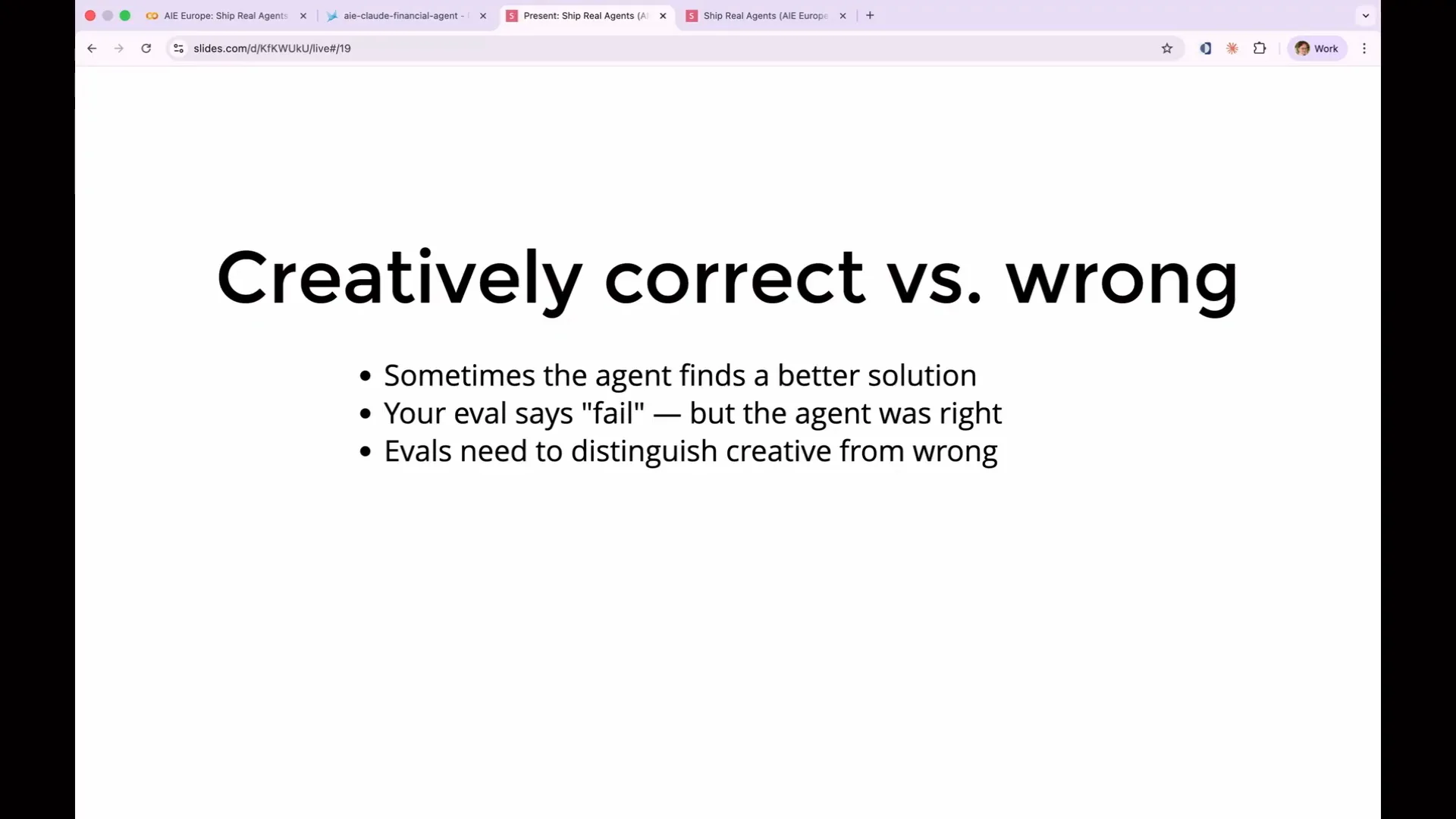 | Agents can also perform unexpectedly well. One hazard of writing evaluations is being too prescriptive. If you specify that the agent must call tool A, then tool B, and then make decision C to arrive at the answer, the agent might discover a more efficient approach. This often occurs in production, especially after a model upgrade, when the agent may exploit loopholes or streamline its processes. As a result, overly prescriptive evaluations can lead to failures. |
Slide 44 — 17:50 (watch)
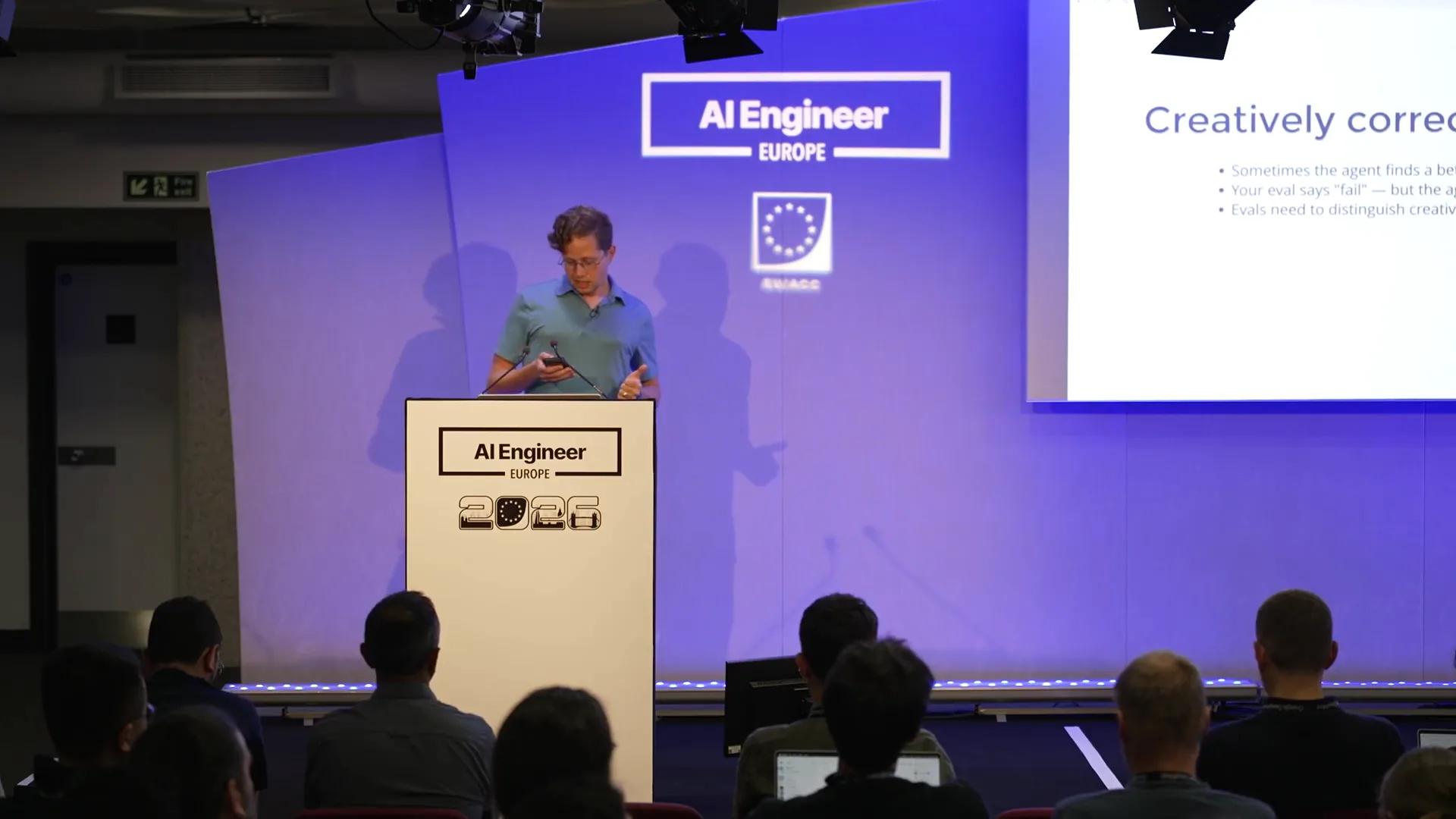 | The agent will improve its performance on tasks it has previously handled, often completing them in fewer steps. Consequently, your evaluations may fail if they are overly prescriptive, presenting a challenging problem. Another way to categorize evaluations is into two groups: capability evaluations and regression evaluations. |
Slide 45 — 18:14 (watch)
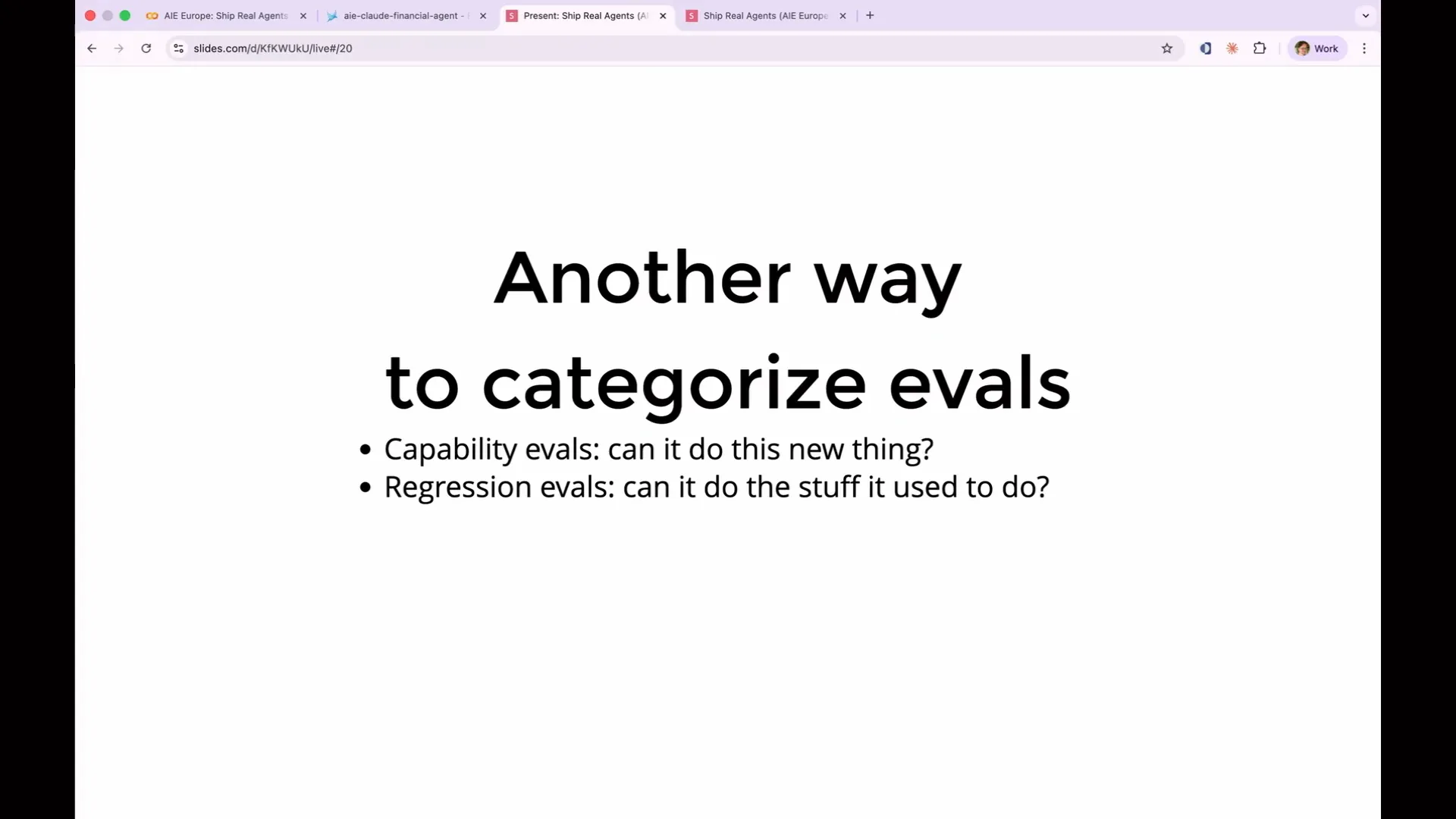 | A capability eval presents your agent with a challenge, essentially a hill to climb. You identify a task where the agent is currently weak, one it is likely to struggle with. This eval allows the agent to improve progressively until it can pass the capability eval. Once the agent achieves 100% on a capability eval, it transitions into a regression eval. |
Slide 46 — 18:36 (watch)
 | You incorporate this into your test suite to ensure that the system maintains its previous capabilities while also introducing new capability evaluations. As your evaluation suite evolves, you will continuously convert capability evaluations into regression evaluations. This is the format of an evaluation result. |
Slide 47 — 19:04 (watch)
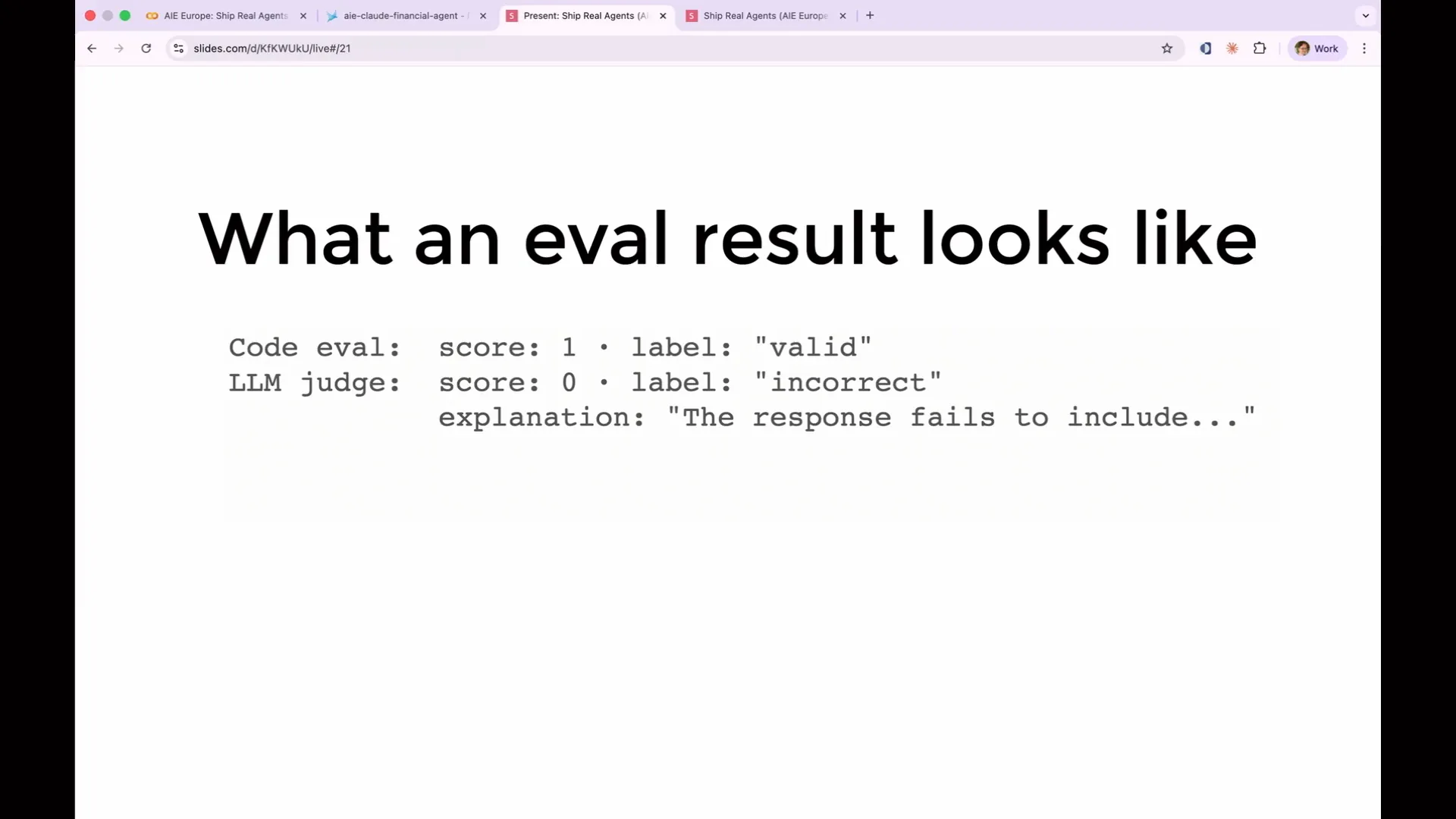 | The eval result is straightforward. You can visualize it as a JSON object. It includes a score, a human-readable label, and an explanation provided by LLM judges. Unlike code evals, which do not generate explanations because they are purely code, LLM evals are beneficial as they not only indicate what was wrong but also explain why it was considered wrong. This feature is particularly useful when building your eval suite. |
Slide 48 — 19:30 (watch)
 | The LLM evaluation provides insights into what was wrong, what was missing, and what the agent should have done differently. It also offers suggestions for improving your prompt, which is extremely helpful. Here’s an example of an explanation from a real evaluation. |
Slide 49 — 19:54 (watch)
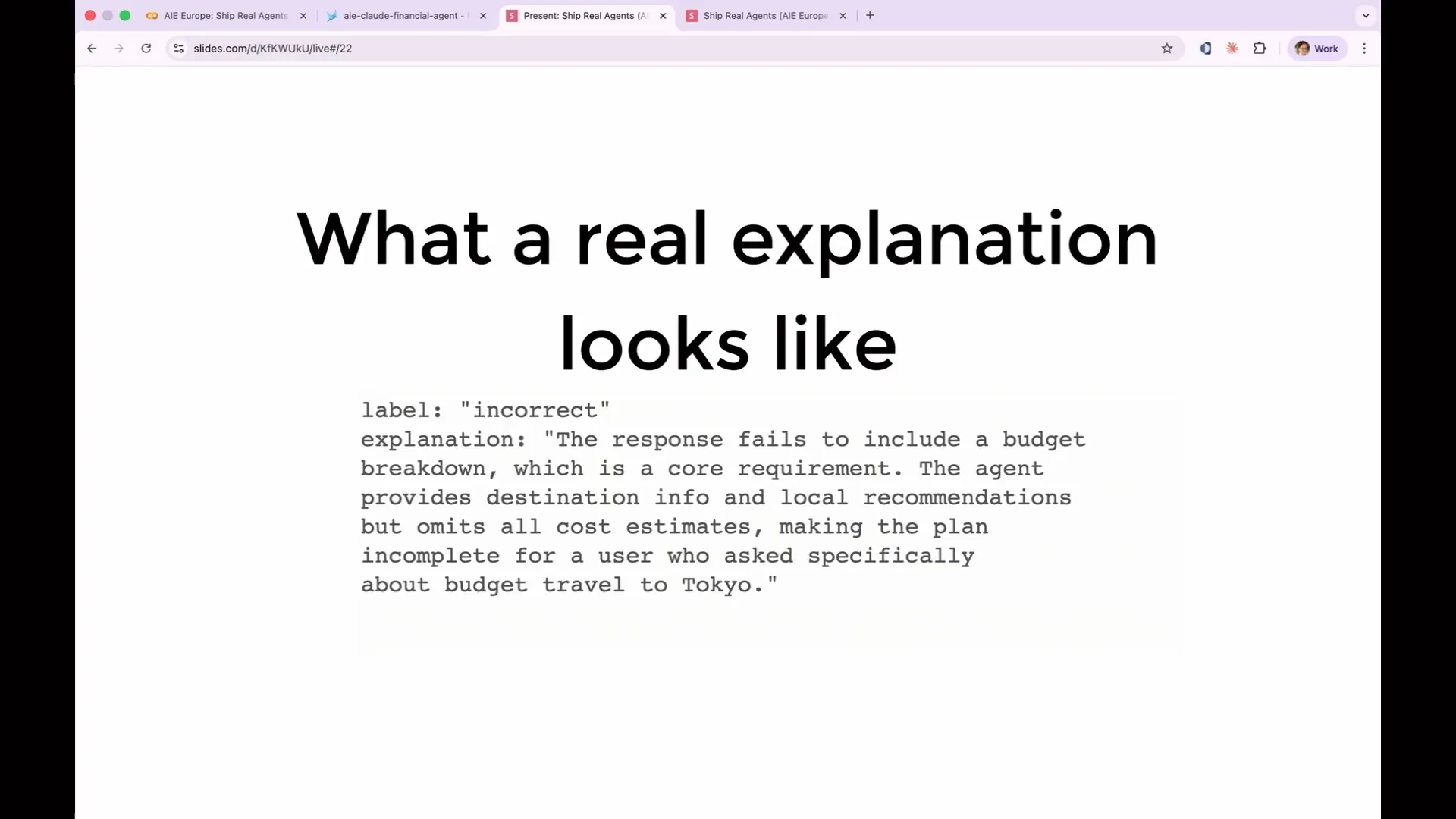 | In this case, the user requested budget travel recommendations for Tokyo. The LLM, acting as a judge, noted that while travel recommendations were provided, the costs were not specified. This omission is significant for budget travel, indicating a failure. This subtle distinction highlights why explanations in evaluations are crucial for making them actionable. |
Slide 50 — 20:36 (watch)
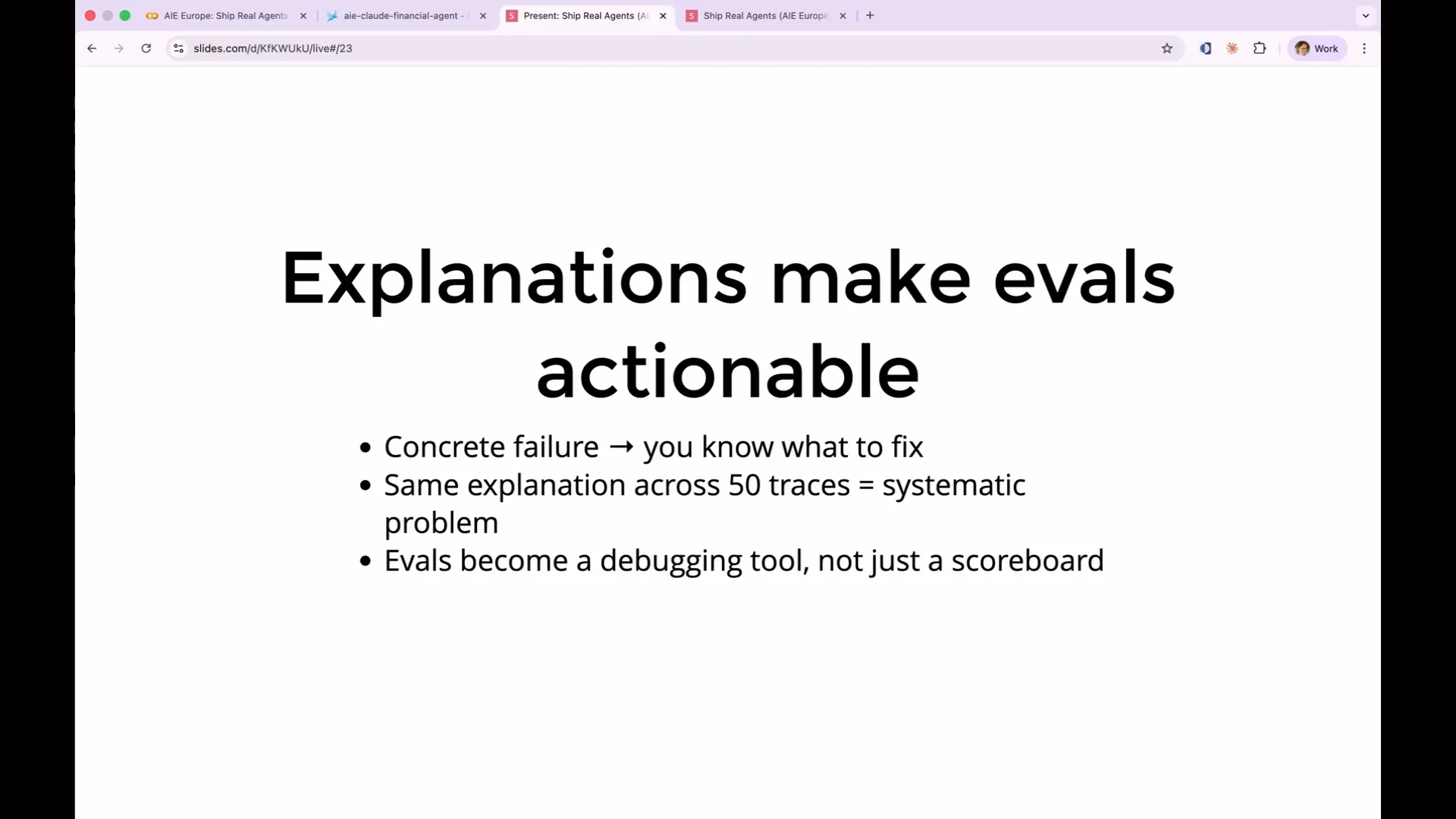 | You can identify what to fix in the prompt because you have an explanation detailing what went wrong. More importantly, when you run evaluations across thousands of traces or spans, you will discover patterns. You will notice that your agent fails in the same way on similar problems repeatedly. This insight helps differentiate between a one-off failure, where the agent behaves unpredictably, and a systematic failure, which likely indicates an issue with your prompt. |
Slide 51 — 21:08 (watch)
 | If you've run an evaluation against 1,000 traces and obtained 1,000 explanations, you will need to read and categorize all of them, which can be quite tedious. To address this, you can involve a third LLM to read the explanations and categorize them, leading to a situation where it's LLMs all the way down. |
Slide 52 — 21:32 (watch)
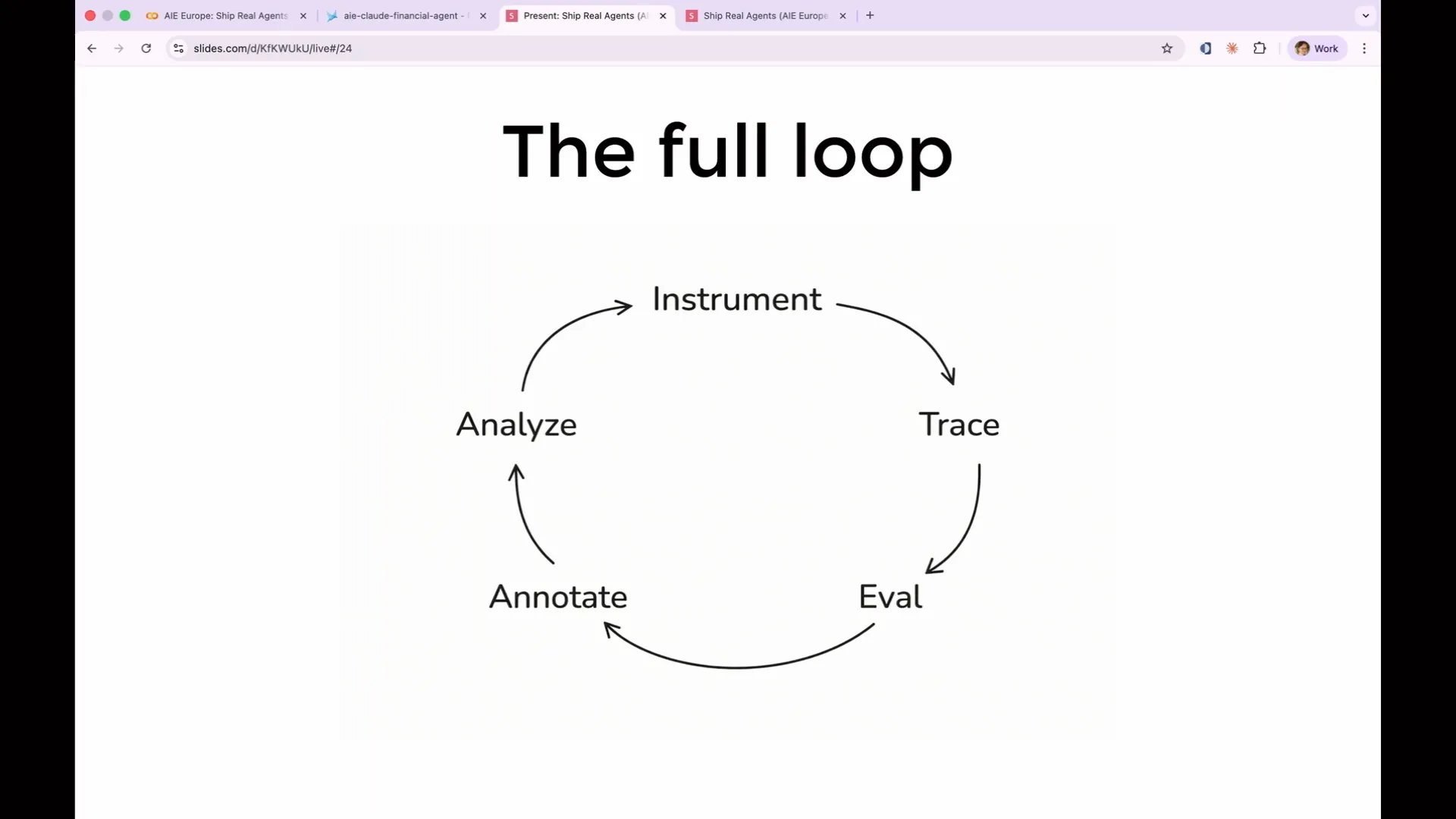 | This is the complete loop we will build. It begins with instrumentation, where you capture data. You collect traces, evaluate them, annotate your evaluations, and analyze the results. Then, you modify your prompt and improve your application before starting the process again. Now, let's begin with the actual evaluations. |
Slide 53 — 21:46 (watch)
 | Who is not yet set up with Phoenix? |
Slide 54 — 21:58 (watch)
 | What do you need? Where are you stuck? Or are you not? Great. It seems everyone is set up with Phoenix, or they may not feel comfortable admitting they aren't. |
Slide 55 — 22:22 (watch)
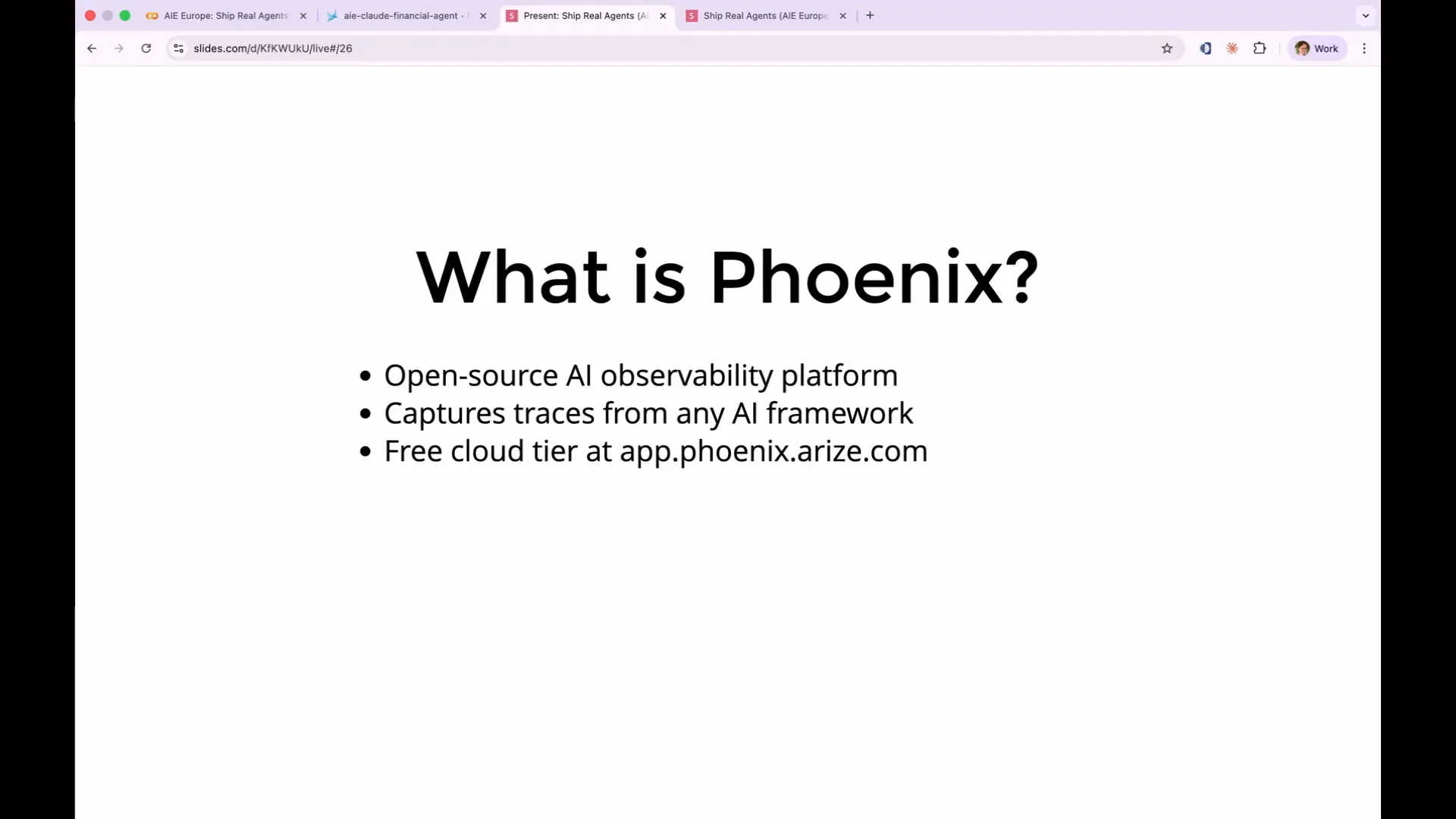 | So what is Phoenix, now that I've been discussing it for 20 minutes? Phoenix is an open-source AI observability platform. It captures trace data and logs generated from every LLM call, tool call, and agent step, including the inputs and outputs at each point. Additionally, it stores your evaluations and provides a user interface for examining all of this data. Phoenix also allows you to run experiments on the data to test improvements and enhance your application. |
Slide 56 — 22:46 (watch)
 | You can run it locally on your laptop if you prefer, but we are using Phoenix Cloud today to avoid the need for installing any software. |
Slide 57 — 22:54 (watch)
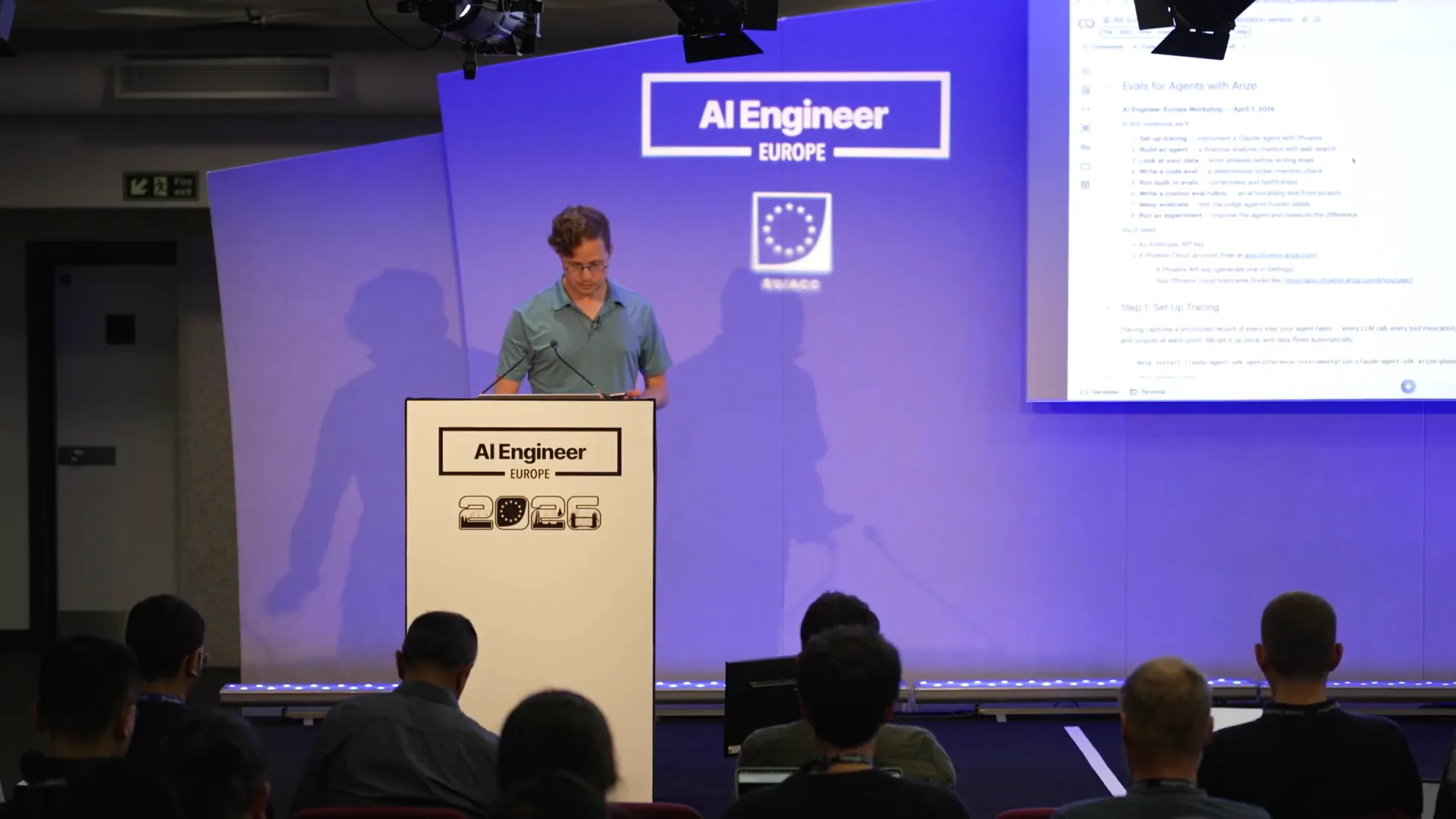 | Let's look at our actual notebook. |
Slide 58 — 23:52 (watch)
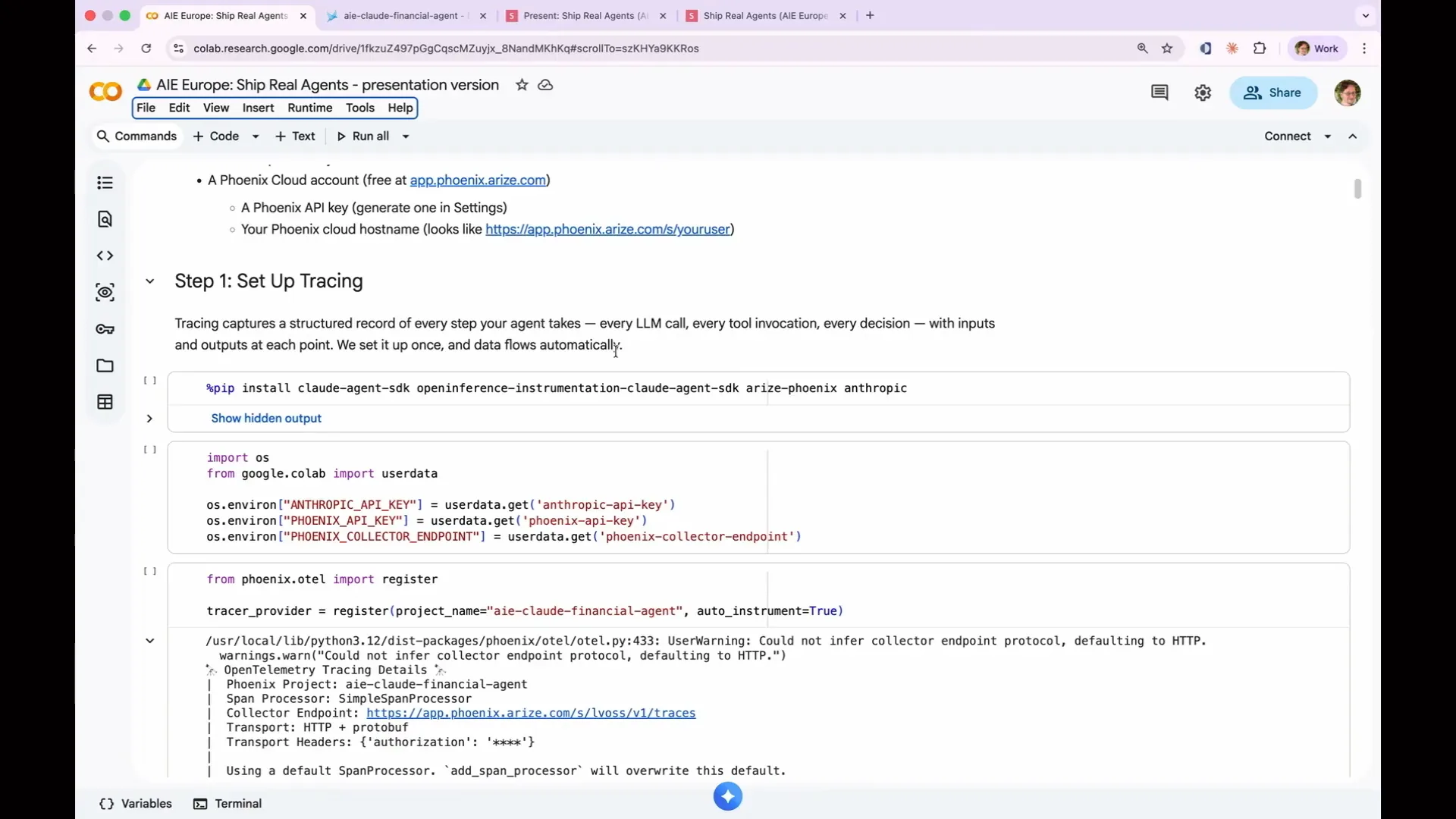 | The first step is to run the pip install command to install the Cloud Agent SDK, specifically the Open Inference Instrumentation Cloud Agent SDK. This SDK is essential because it includes integration packages for every framework, automatically instrumenting and collecting logs. This functionality is what makes Arize Phoenix so valuable; you don’t need to delve into the internals of your framework or services like OpenAI or Cloud to retrieve logs. The developers of those systems have already implemented the open-source standard called Open Inference, which includes all necessary log lines. You simply need to configure it to send logs to a designated location. Next, we will make our first API call. My API keys were retrieved using Colab Secrets, but you can paste them directly since you’re the only one viewing the screen. The two critical lines of code are to import Phoenix.otel and call the register function. You provide a project name, which determines how it appears in Phoenix, and set auto_instrument to true. This command enables logging by accessing the internal processes. An error message may appear because it is using a span processor, which is suitable for demonstrations but not for production environments. In production, you would want to use a batch processor to handle the thousands of spans generated, but this detail is not a concern for our current demonstration. |
Slide 59 — 25:06 (watch)
 | We also integrated Anthropic in the imports because we are using it as the LLM that judges the other LLMs. This is why it needs to be included separately in the agent SDK. The Cloud Agent SDK is a very simple framework for building agents. I chose it for its simplicity and minimal overhead. |
Slide 60 — 25:36 (watch)
 | The agents can use tools, search the web, and maintain conversations across turns, which is essential for this example. OpenAI has its own agent SDK, and there are various frameworks like Crew AI, Master, and LLM Index that allow for the creation of more elaborate agents. We also provide instrumentation packages for all of these frameworks. |
Slide 61 — 26:00 (watch)
 | You can use the same two lines of code to activate your agent, regardless of the framework you used to build it. Simply run that call. |
Slide 62 — 26:18 (watch)
 | Go to Spaces and launch the space; that's what you want. |
Slide 63 — 26:30 (watch)
 | Great. Let's move on. |
Slide 64 — 27:12 (watch)
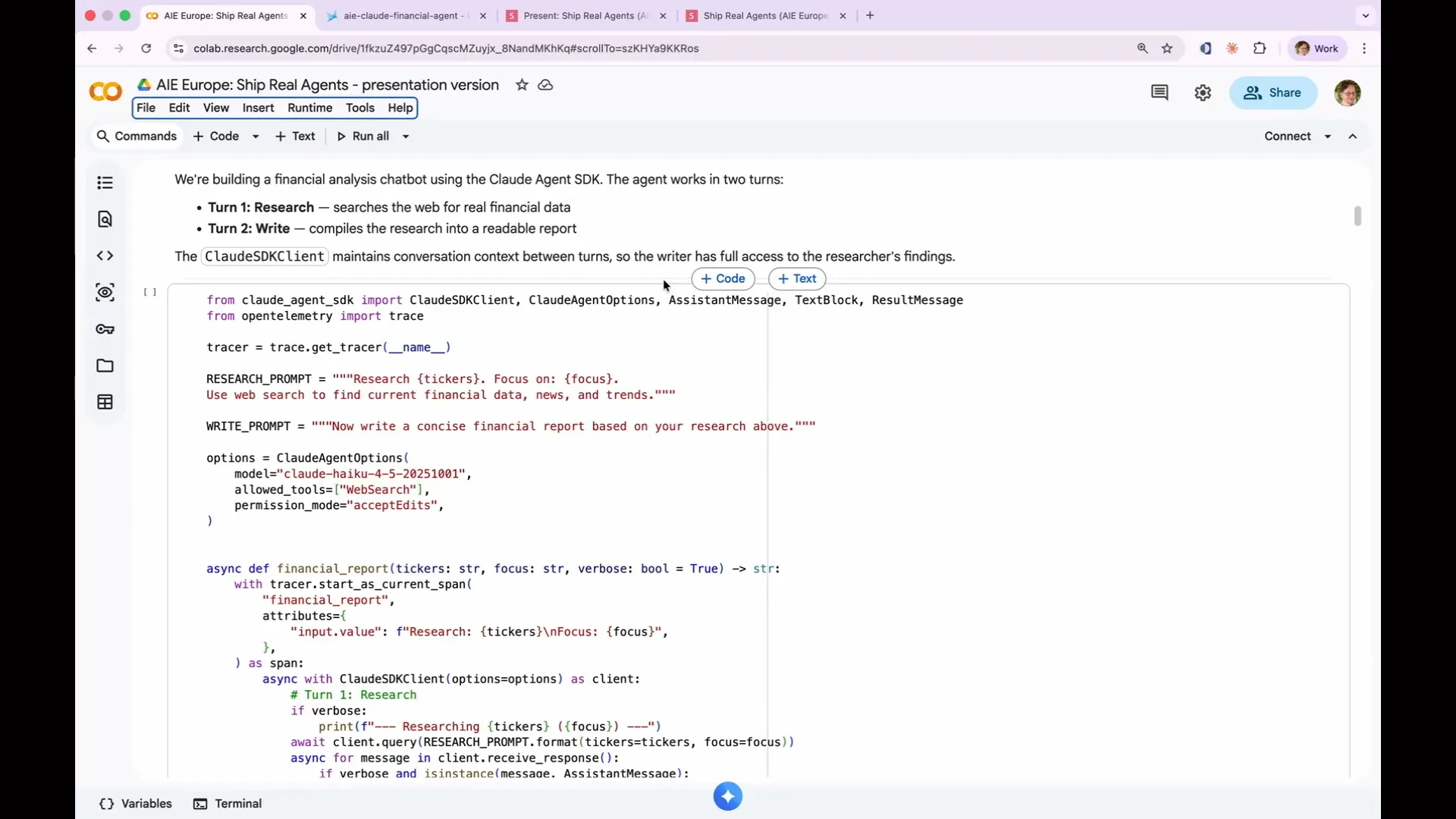
 | The Phoenix collector endpoint refers to the hostname. Today, we are building a financial analysis agent, which is a very simple agent with just two sub-agents. The first sub-agent conducts research; when given a stock ticker or a set of stock tickers, it searches the web for information about those companies. It then passes that information to the second sub-agent, which writes a concise financial report based on the research. In a production environment, a real financial research agent would utilize more elaborate databases and would be capable of generating more complex reports. However, this is the fundamental functionality we will implement. Here’s how the two turns connect. |
Slide 65 — 28:06 (watch)
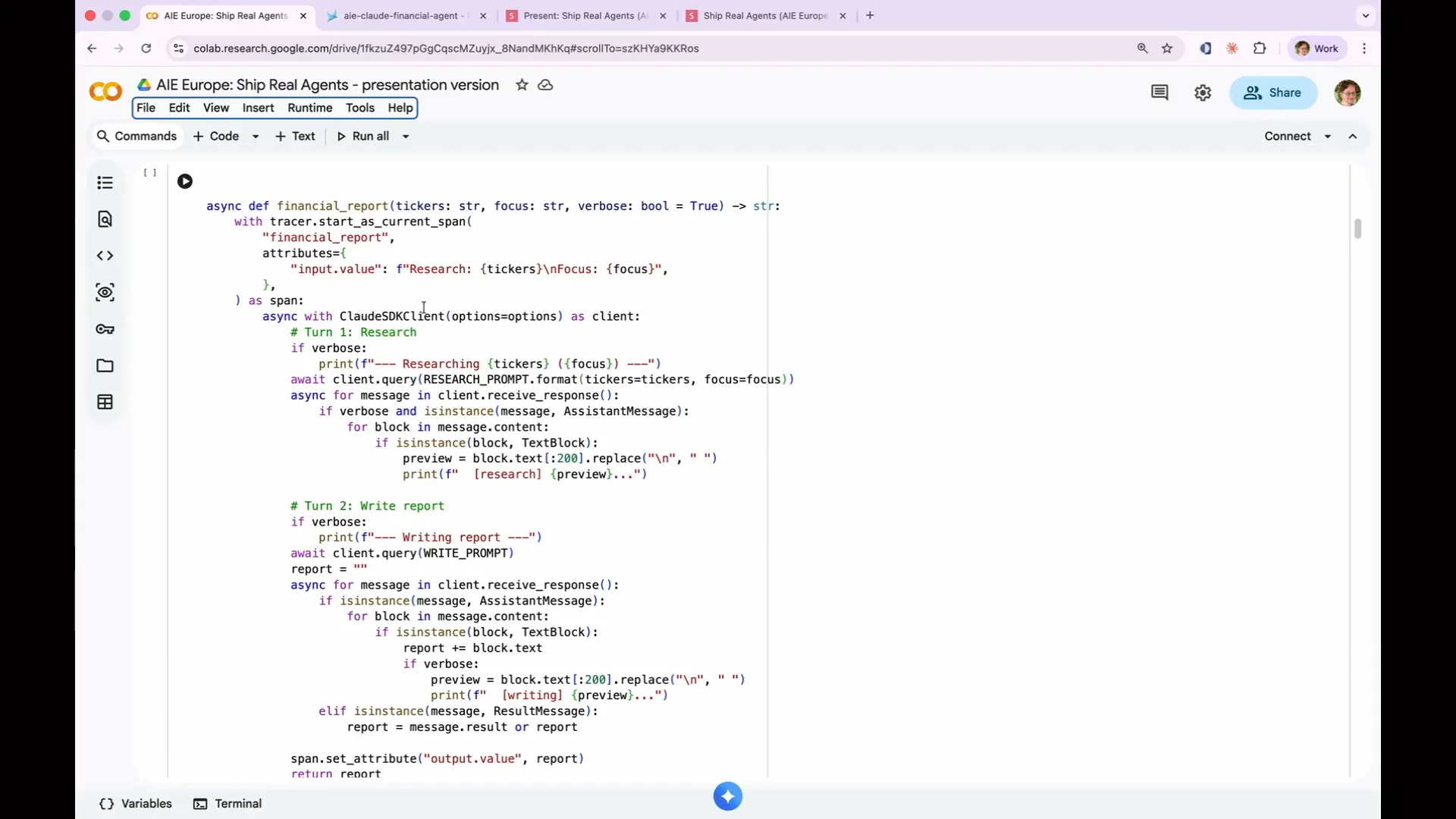 | The Claude agent SDK maintains conversation context. In turn one, it conducts research, and in turn two, it writes a report. Because both turns utilize the Claude SDK client, the context from the first turn is shared with the second. That’s the essential function of this agent. I won't delve into the boilerplate code that handles output. |
Slide 66 — 28:26 (watch)
 | Next, set your API keys. As mentioned, you have already completed this step. |
Slide 67 — 28:40 (watch)
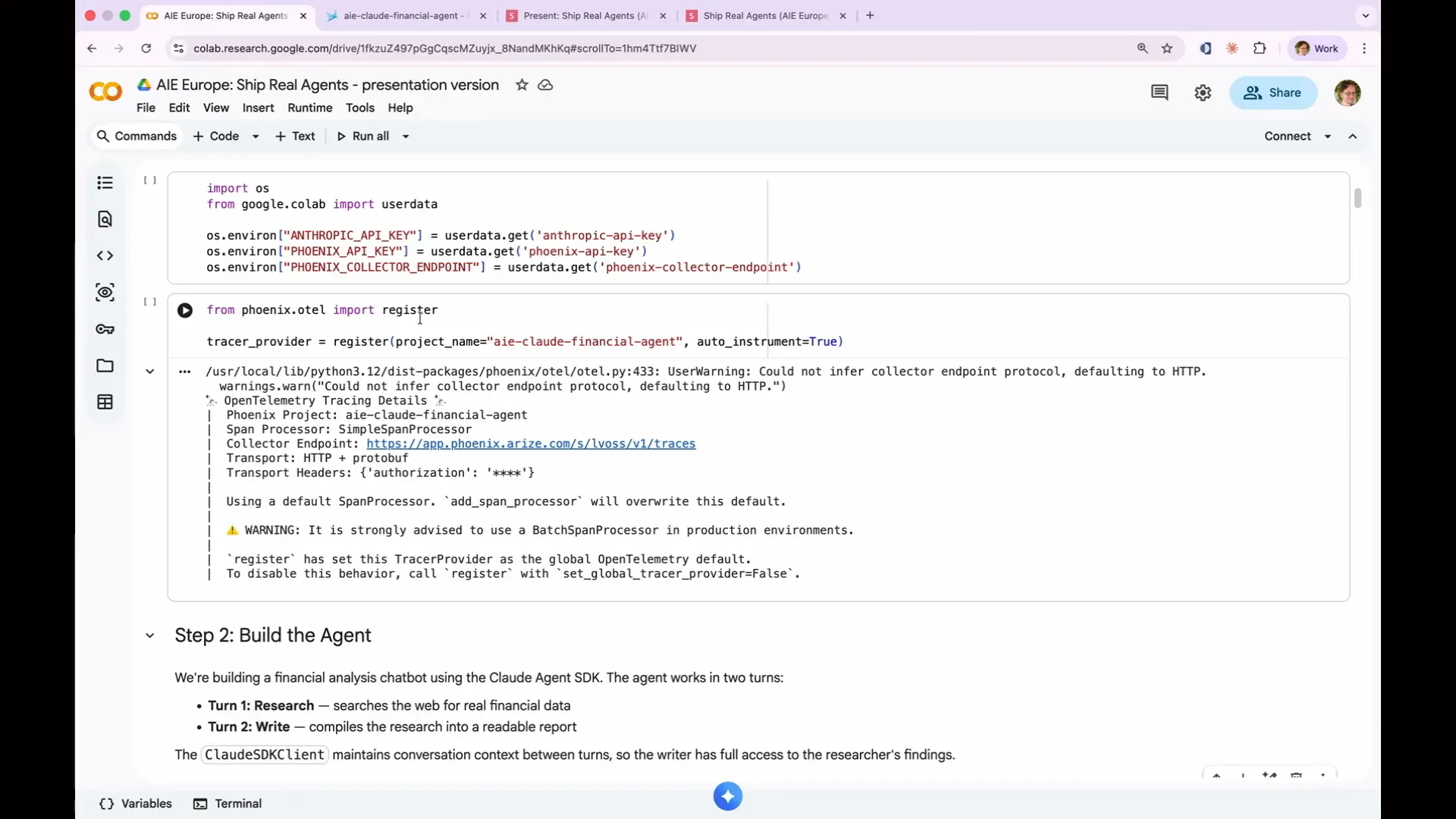 | You have completed the registration step. I want to emphasize that if anyone in the room is using Phoenix AX, you are in the wrong place. You should be using Arize AX and Arize Phoenix. I believe everyone understands that now. |
Slide 68 — 29:16 (watch)
 | We already demonstrated the register function, which sets up OpenTelemetry, also known as OTEL. OTEL is utilized by all major observability providers for logging, including Kubernetes logs. There is an additional layer on top of OTEL called Open Inference, which introduces extensions specific to LLMs. This includes handling prompt text, completion text, token counts, the model used, and the tools invoked. Now, we are building our agent, as mentioned in the previous steps. |
Slide 69 — 29:52 (watch)
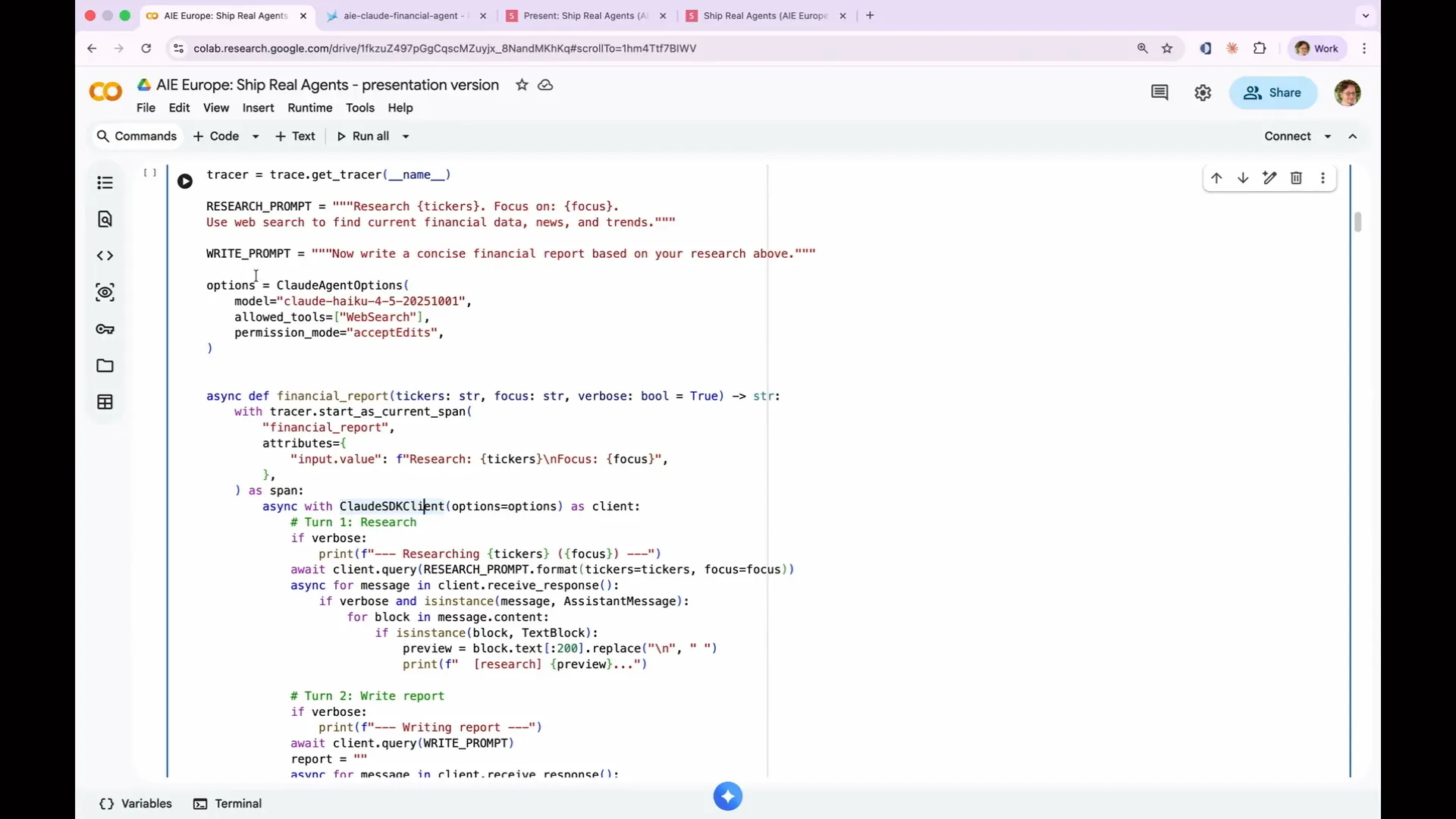 | We are now setting up our agents using Claude Haiku. We chose Claude Haiku because it is consistently suboptimal, allowing it to make mistakes that provide a basis for testing. I have configured it with one allowed action. |
Slide 70 — 30:08 (watch)
 | I have set the permission mode to accept edits. This prevents it from prompting me to change files, which turned out to be a mistake that we will discuss later. |
Slide 71 — 30:36 (watch)
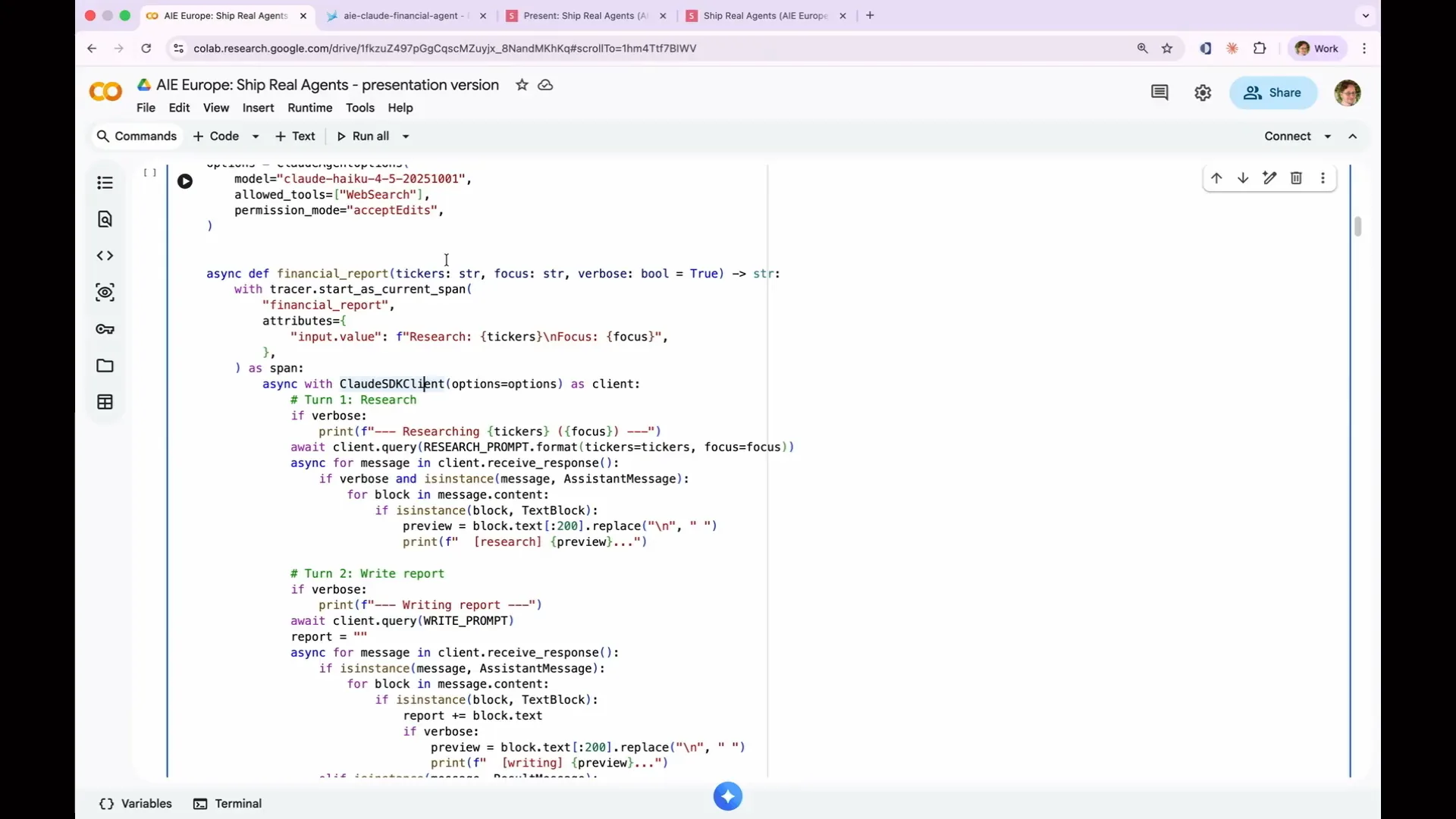 | It is cheap and fast, making it great for demos like this. We have two terms: research and write reports. We wrap everything in an async function called financial report, which is all we need to create an agent. Additionally, we wrap it in an OpenTelemetry span. By default, the research step and the write report step will appear in Phoenix as separate traces because they are distinct agent terms. |
Slide 72 — 31:08 (watch)
 | We are instructing the agent to treat both steps as a single action performed by one agent. This pre-formatting of our data simplifies the handling of the agent. Once this is complete, we can run our agent. It will take about one to two minutes to execute. |
Slide 73 — 31:22 (watch)
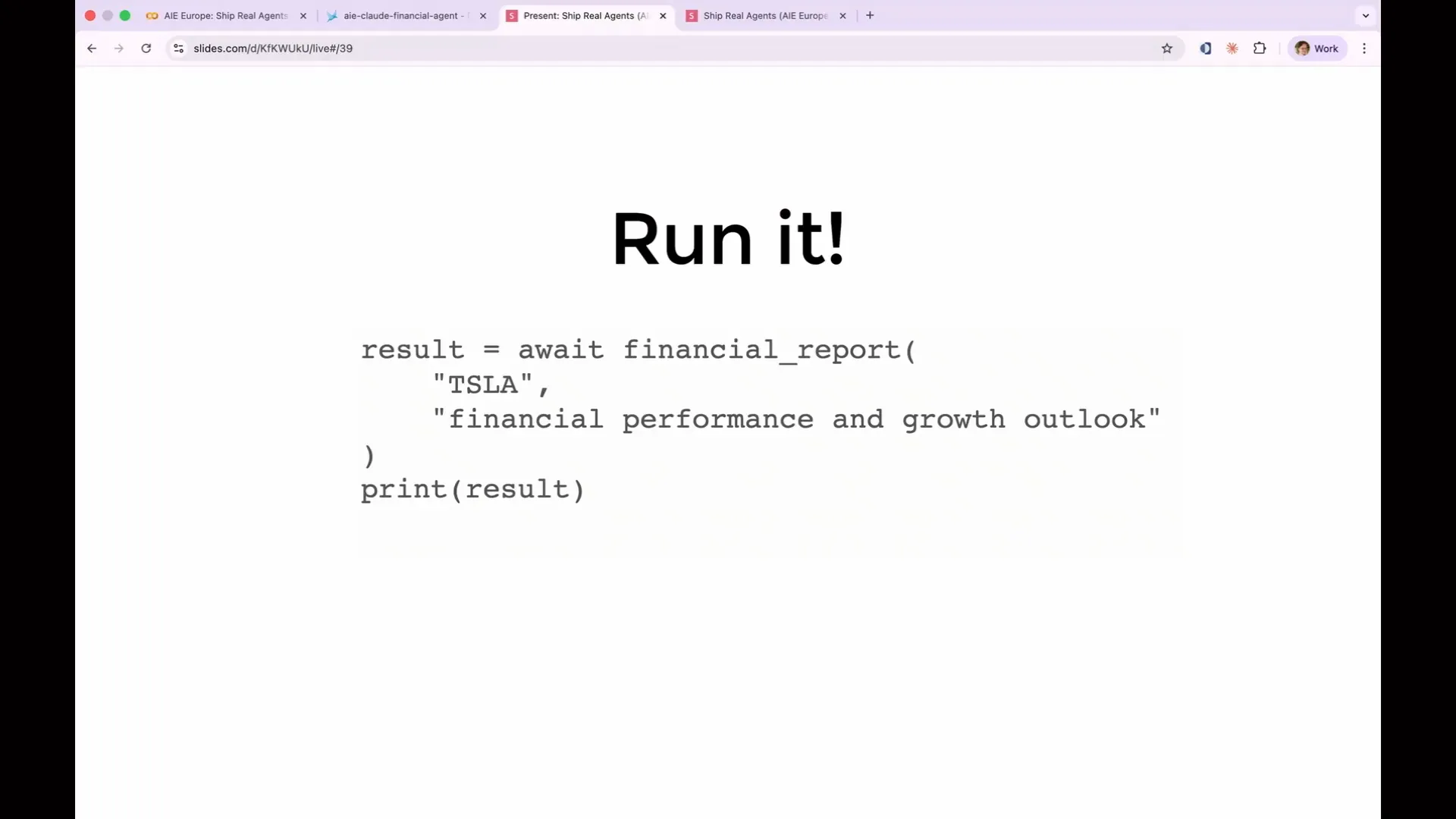 | You can input your own stock ticker and focus area if desired. For example, I used Tesla. |
Slide 74 — 31:54 (watch)
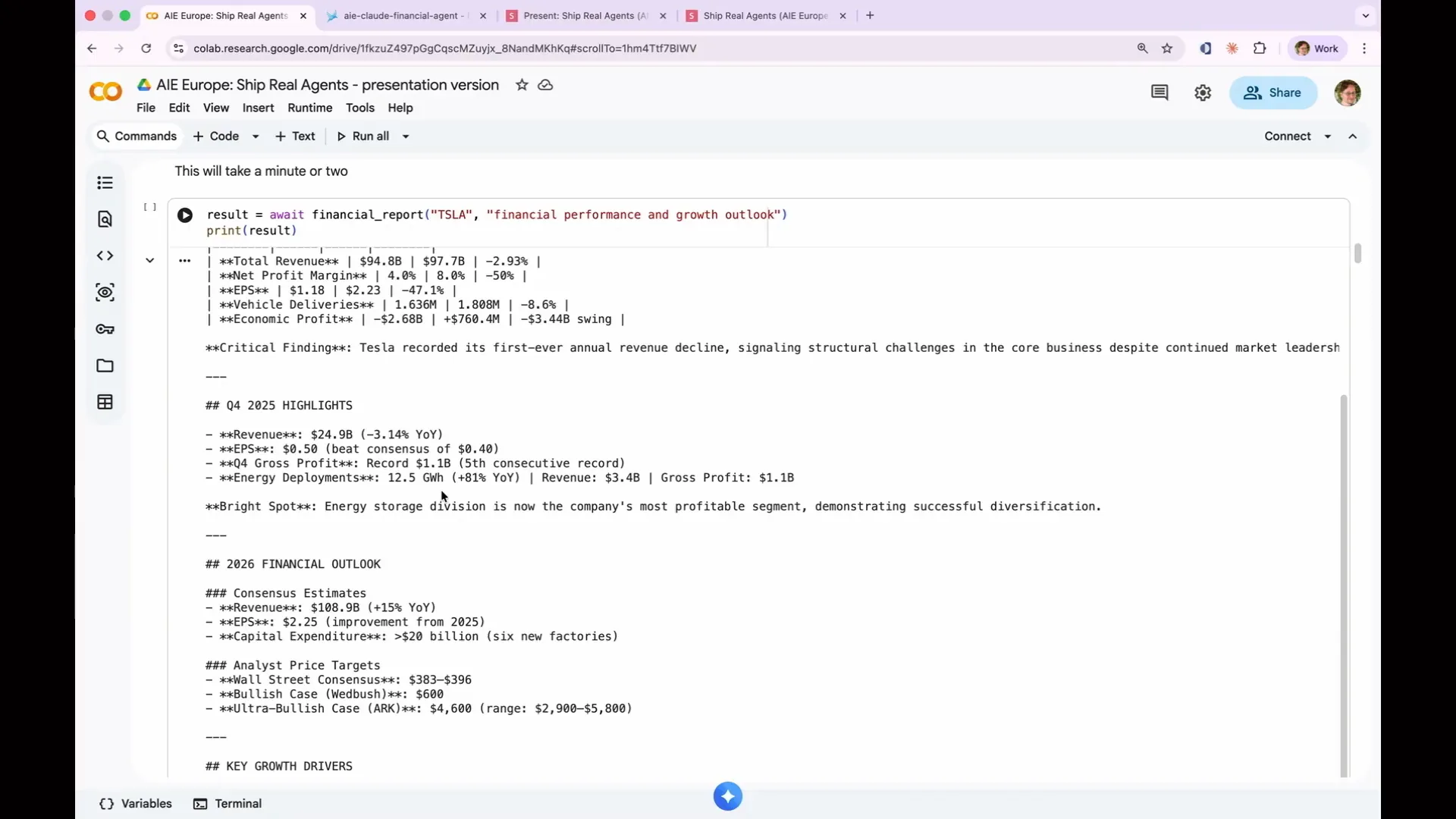 | This is what it produced for me. It generated some boilerplate text about its activities, including researching and writing, and then provided an executive summary about Tesla. We specifically asked it to analyze Tesla's financial performance and growth outlook. The LLM performs multiple rounds of reasoning at the outset, conducting several steps of research before reaching the writing stage. Under the hood, it executes a series of web searches, assessing whether those queries yield useful information. If not, it conducts additional searches for deeper insights. This behavior exemplifies what an agent does; it operates in a non-deterministically helpful manner. This is crucial because we couldn't have designed a test that specified it would conduct one web search and obtain all the answers. |
Slide 75 — 32:38 (watch)
 | We cannot conduct a test that specifies it will perform five web searches and provide an answer, as the outcome is unpredictable. Once it completes the research, we send the writing prompts, and it compiles everything into a report. This process is non-deterministic, which is significant. This unpredictability is why we need evaluations. We cannot anticipate the output based solely on the input, and each decision made will be recorded as a trace that we can test. This is the result it produced. |
Slide 76 — 32:56 (watch)
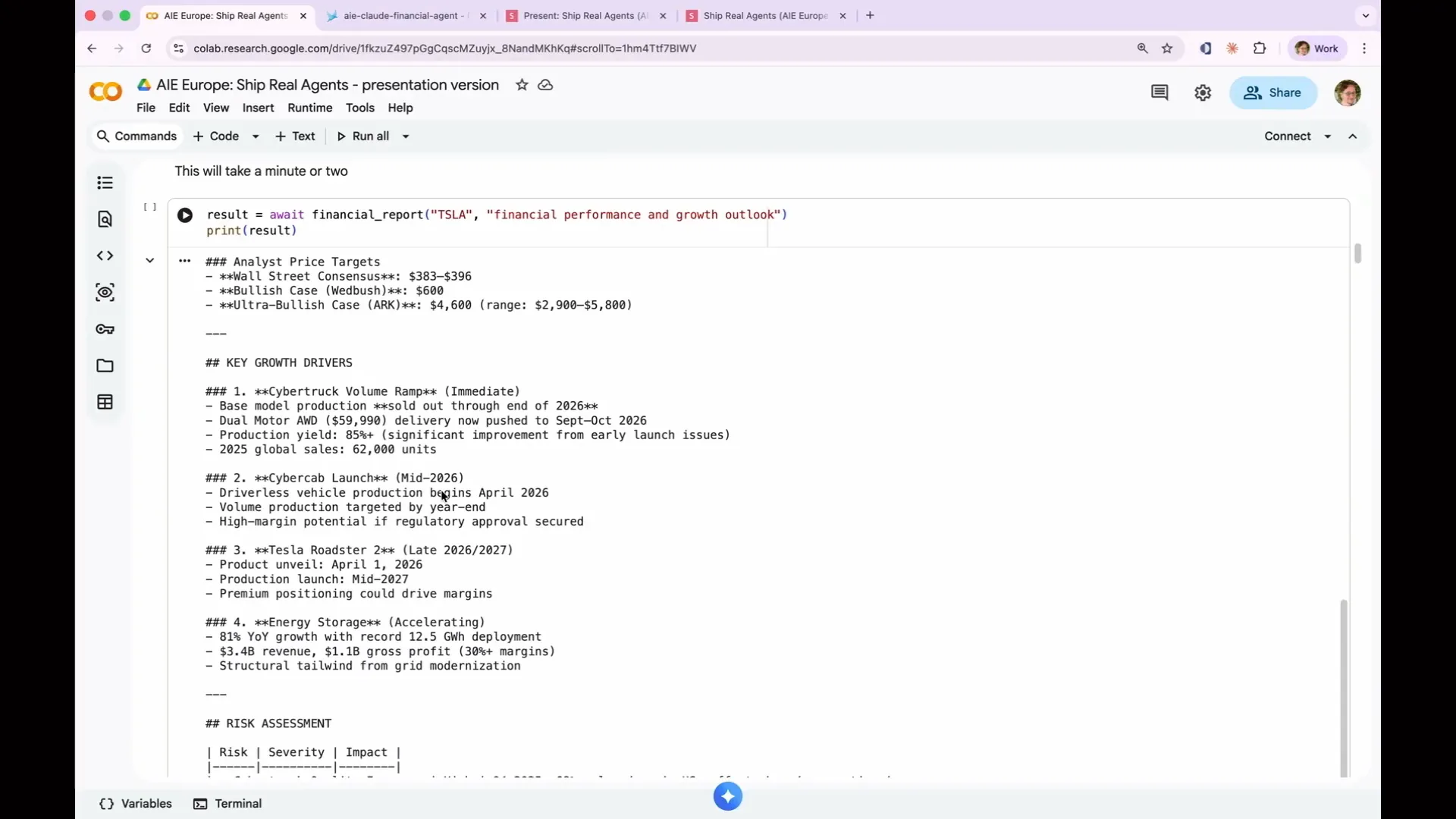 | Q425 highlights the 2026 financial outlook, key growth drivers, and risk assessment. |
Slide 77 — 33:10 (watch)
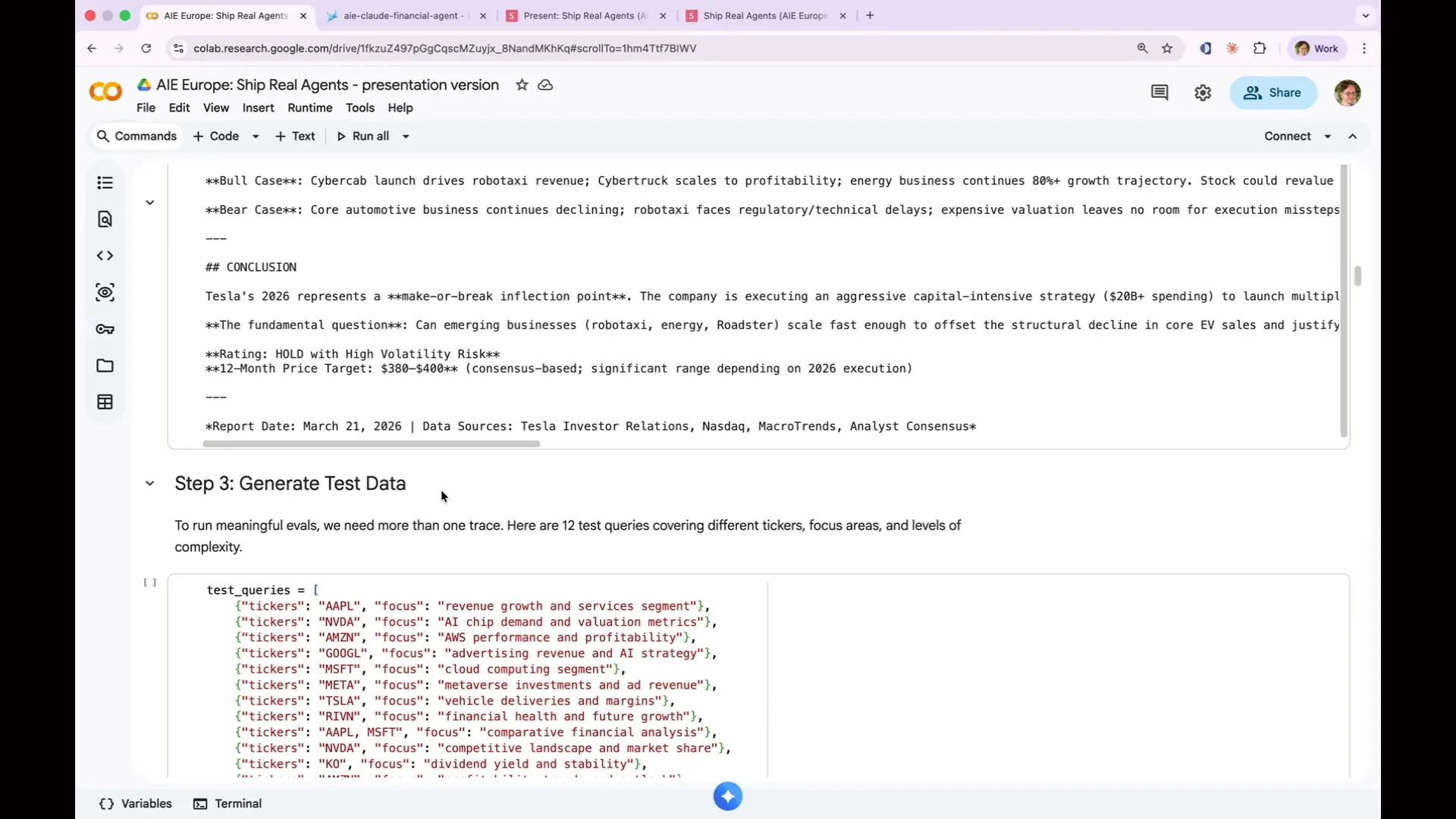 | It looks legitimate, but "legitimate" is not sufficient to ship something to production. The purpose of evaluations is to ensure that we are performing better than just having a good vibe. Let's examine what Phoenix captured when I ran that agent. |
Slide 78 — 33:36 (watch)
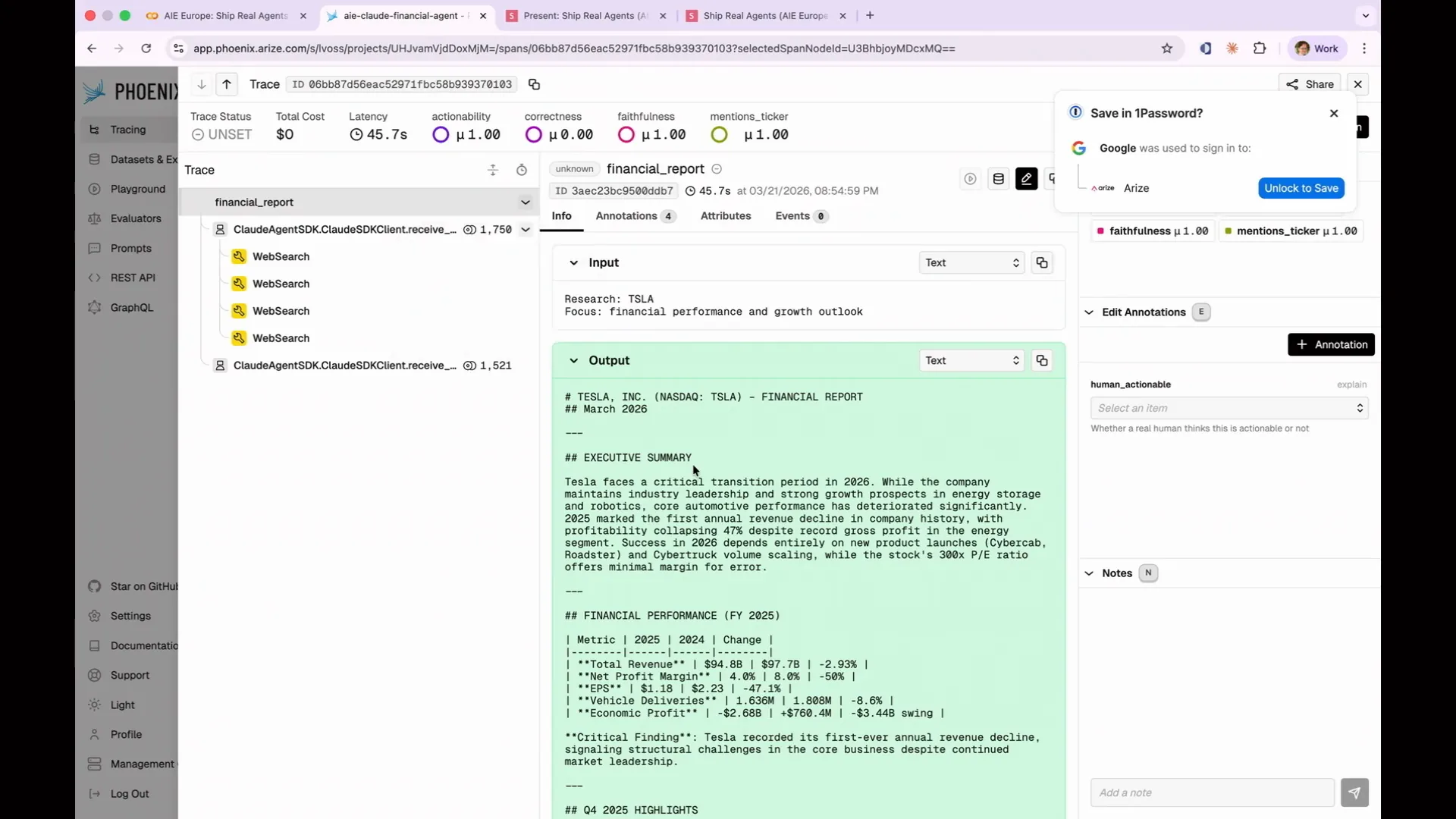 | This is what the Phoenix UI looks like. Each row represents a span. At the top level, you see the input and output of the entire agent span. For example, it requested to research Tesla, focusing on financial performance and growth outlook, and you receive the same output we demonstrated in the Colab. Inside the span, you can see all the components that contributed to this result. |
Slide 79 — 33:56 (watch)
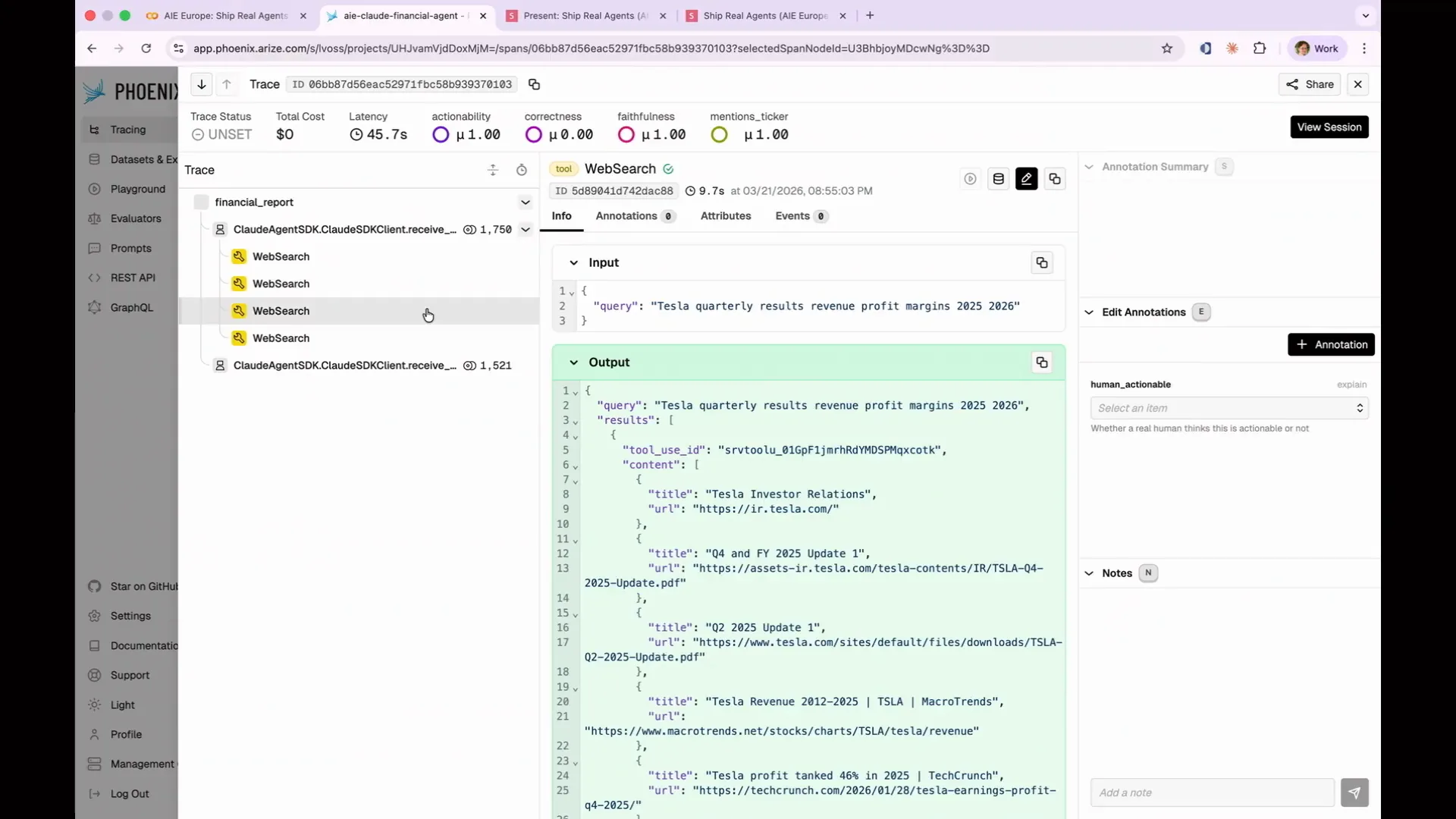 | In this instance, the agent performed four different web searches. It queried financial performance, growth outlook for 2026, quarterly results including revenue and profit margins, and Cybertruck production along with roadster demand for 2026. I find this particularly concerning for Tesla in 2026. |
Slide 80 — 34:26 (watch)
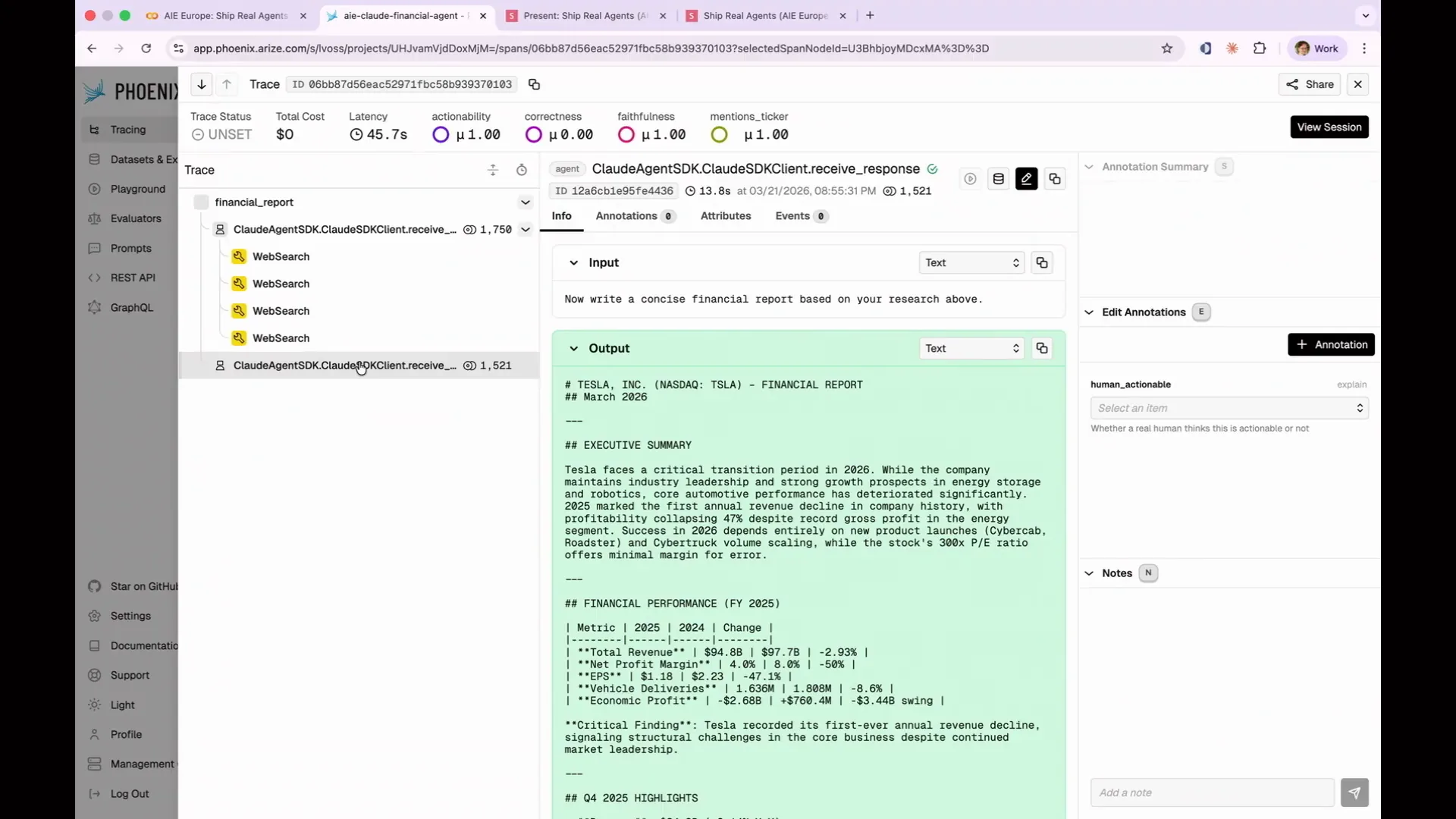 | The Phoenix UI captures every step your agent takes, including the research and output phases. This is crucial for observability, allowing us to understand the agent's actions. Traces reveal every decision made by the agent, and you can click into any span to see the exact output received by the model. |
Slide 81 — 34:50 (watch)
 | Let's switch back to the slides. |
Slide 82 — 34:54 (watch)
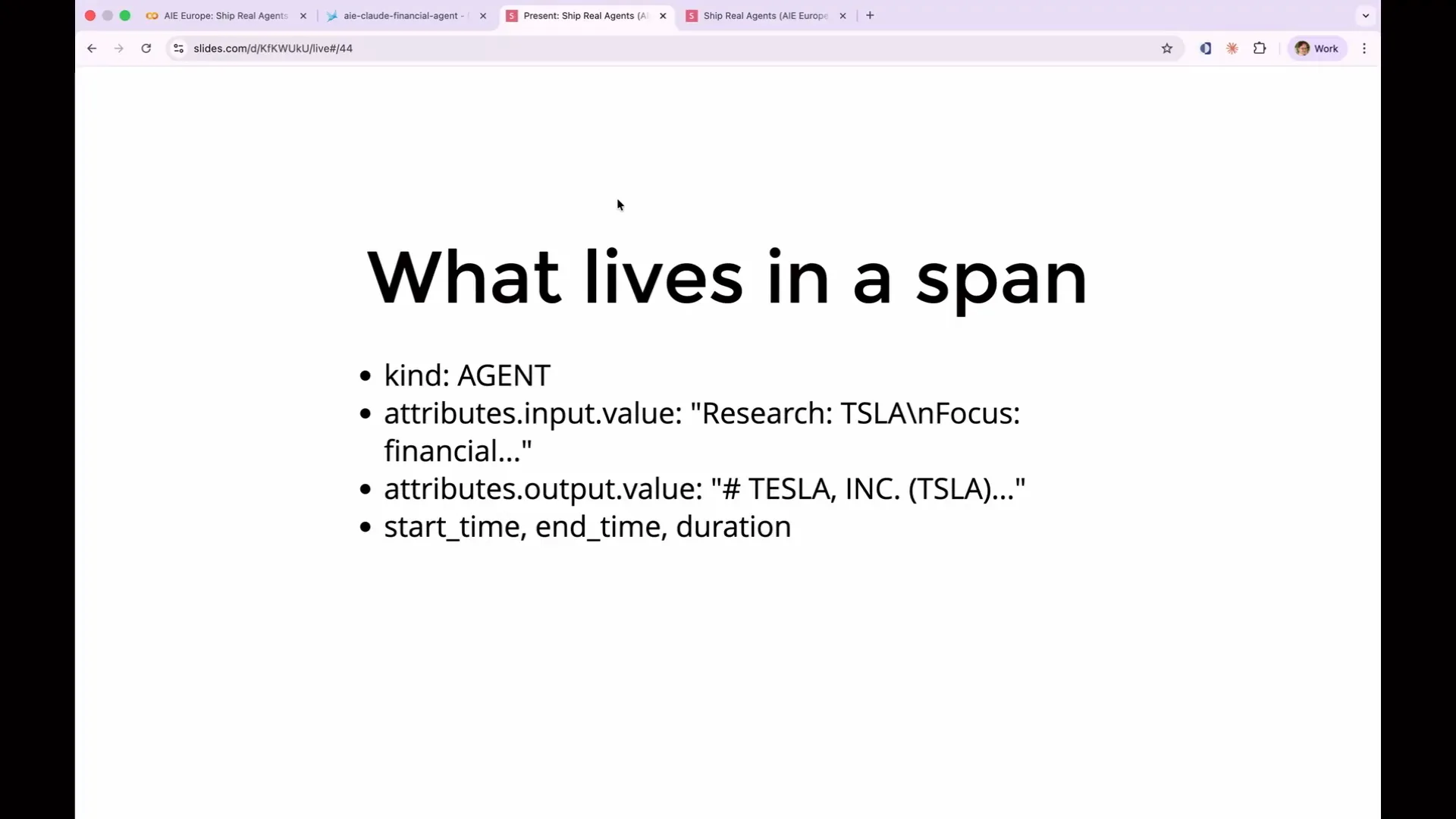 | A span contains a variety of information. By clicking into a span, you can access its exact details, including annotations and attributes. |
Slide 83 — 35:10 (watch)
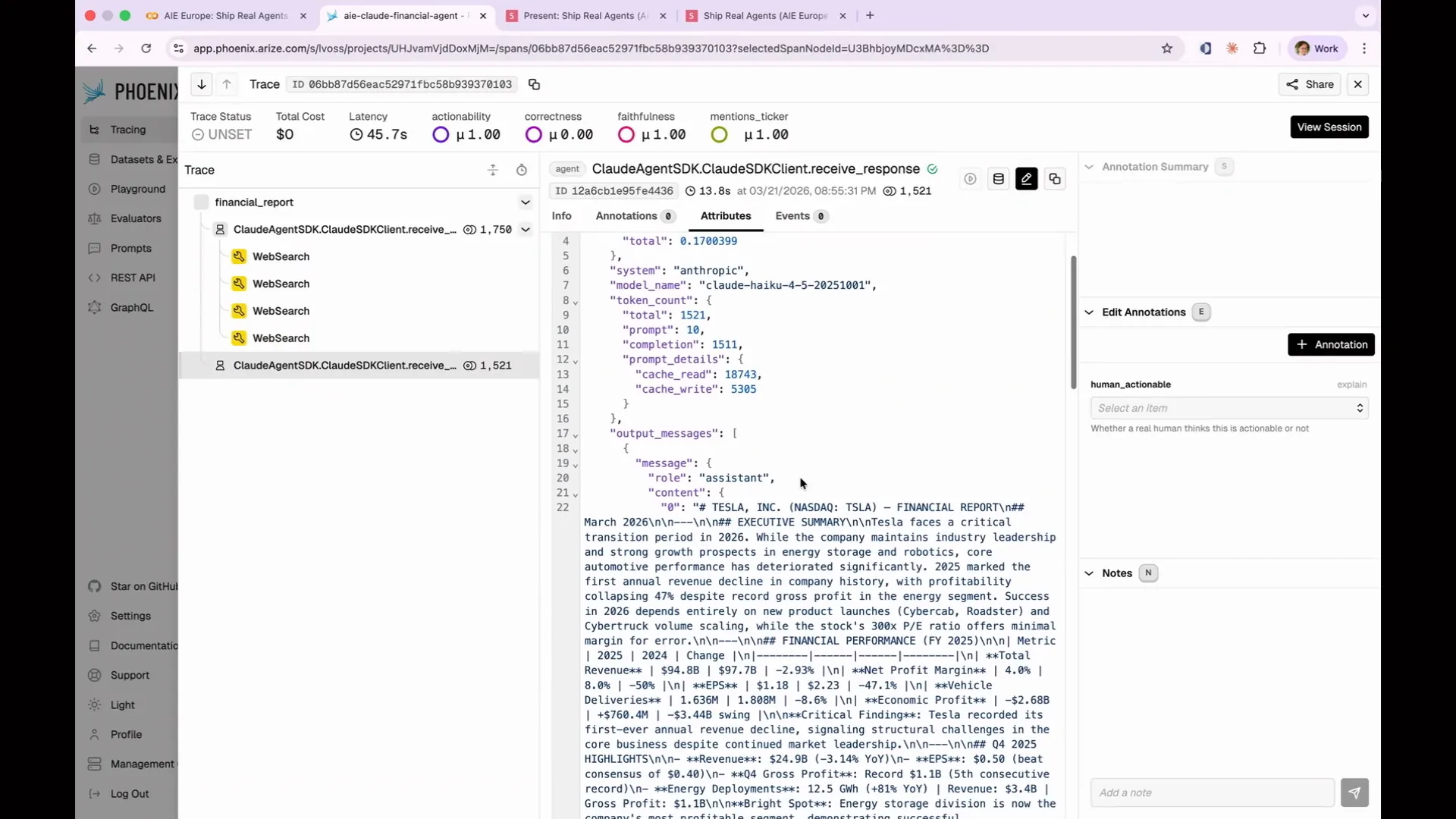 | There is a significant amount of JSON data involved. This is an actual span, which includes details such as cost, the model used, token count, and the number of items processed. Additionally, the output messages are large blocks of text along with various other information. |
Slide 84 — 35:24 (watch)
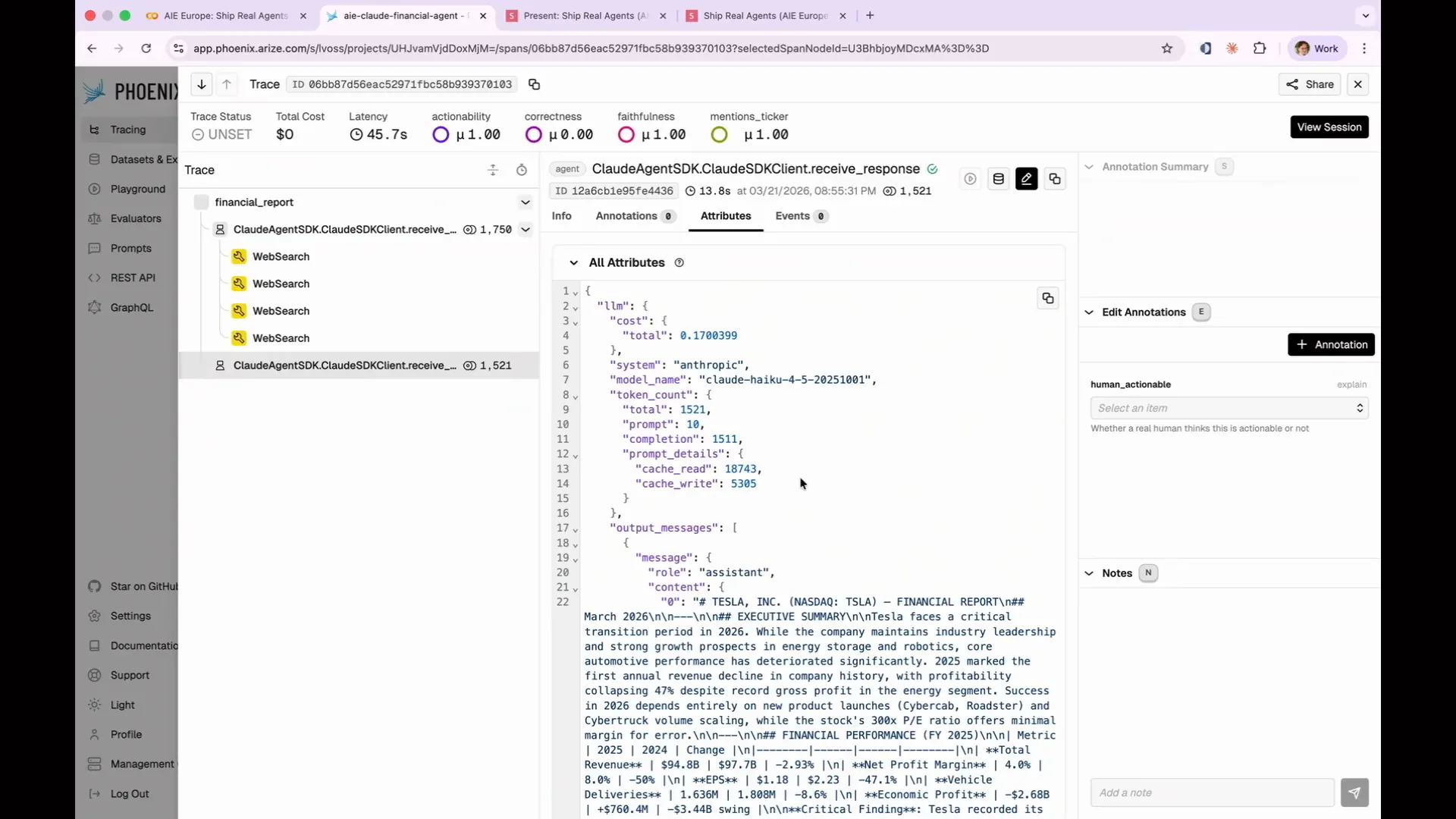 | Phoenix enhances readability of the output, making it easier to interpret than the default format. However, a single span from one agent run is insufficient for comprehensive analysis. |
Slide 85 — 35:36 (watch)
 | We want to have multiple spans to gather extensive data and understand the situation better. In the notebook, there are 12 test queries available for you to run. |
Slide 86 — 35:58 (watch)
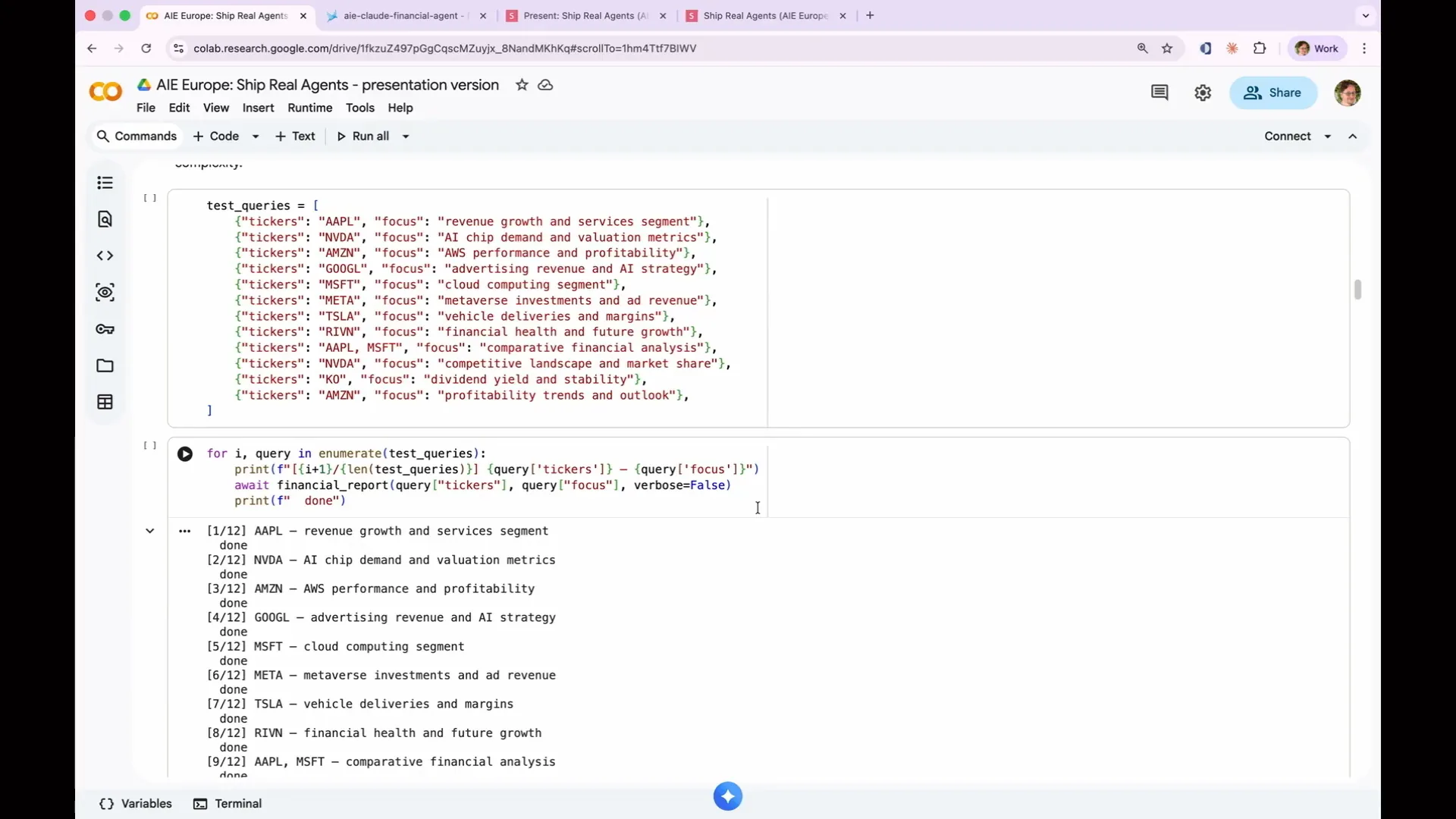 | The process involves taking multiple tickers and focus areas, running them in a loop, and executing the agent 12 times. I have pre-run these tests because they take a significant amount of time. You can start them now, and they will run in the background while I continue speaking. The execution should take about five minutes, although timing can be unpredictable. I chose Haiku for this task because it operates quickly and efficiently. While the tests are running, we can return to our slides to discuss some theoretical concepts. |
Slide 87 — 36:34 (watch)
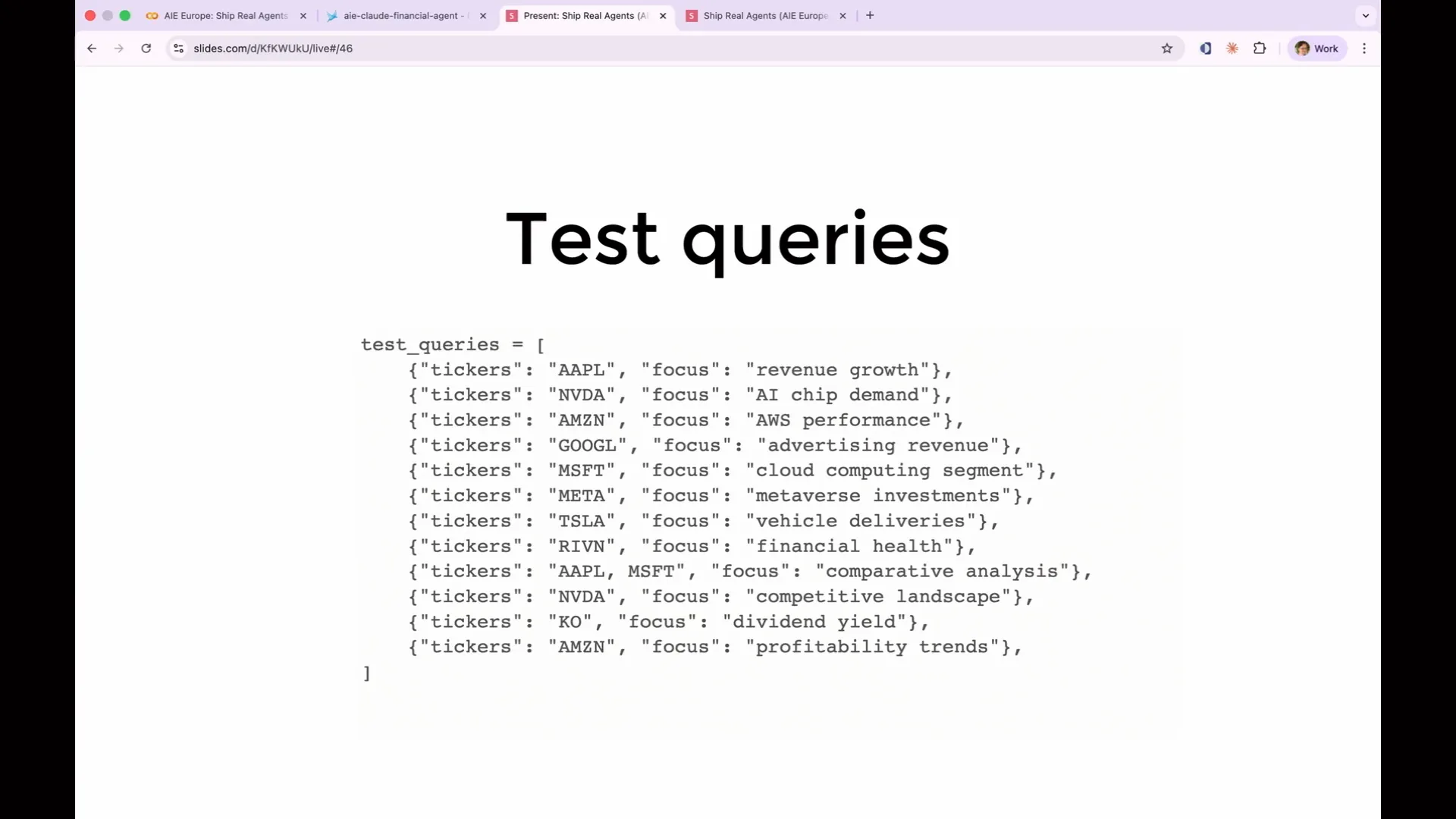 | We have conducted single ticker analyses focusing on financial performance, revenue growth, competitive landscape, and AI strategy. Additionally, I performed a comparative analysis of two tickers, Apple and Microsoft, to see how the agent compares them. This variety is crucial for testing different use cases and understanding the agent's behavior in those scenarios. In practice, you would not limit yourself to just 12 tickers; you would analyze several hundred based on the expected applications for this agent. |
Slide 88 — 36:56 (watch)
 | It is crucial to address the edge cases. |
Slide 89 — 37:22 (watch)
 | The comparative analysis of Apple and Microsoft is significantly more complex than a single ticker query. It requires conducting research on two different companies without confusing the data, and then writing a report that encompasses both simultaneously. The Rivian query presents additional challenges, as it pertains to a company that is not yet public, resulting in fewer obvious data sources. The analysis of Coca-Cola (KO) differs markedly from growth stock queries. If we only test on Apple and NVIDIA, we risk developing a false sense of confidence in our agent's financial analysis capabilities. These are large tech companies with abundant online information, while users performing stock ticker analysis will likely inquire about more obscure companies and face more complicated questions. As you run the analysis, you will notice your traces beginning to accumulate. |
Slide 90 — 38:08 (watch)
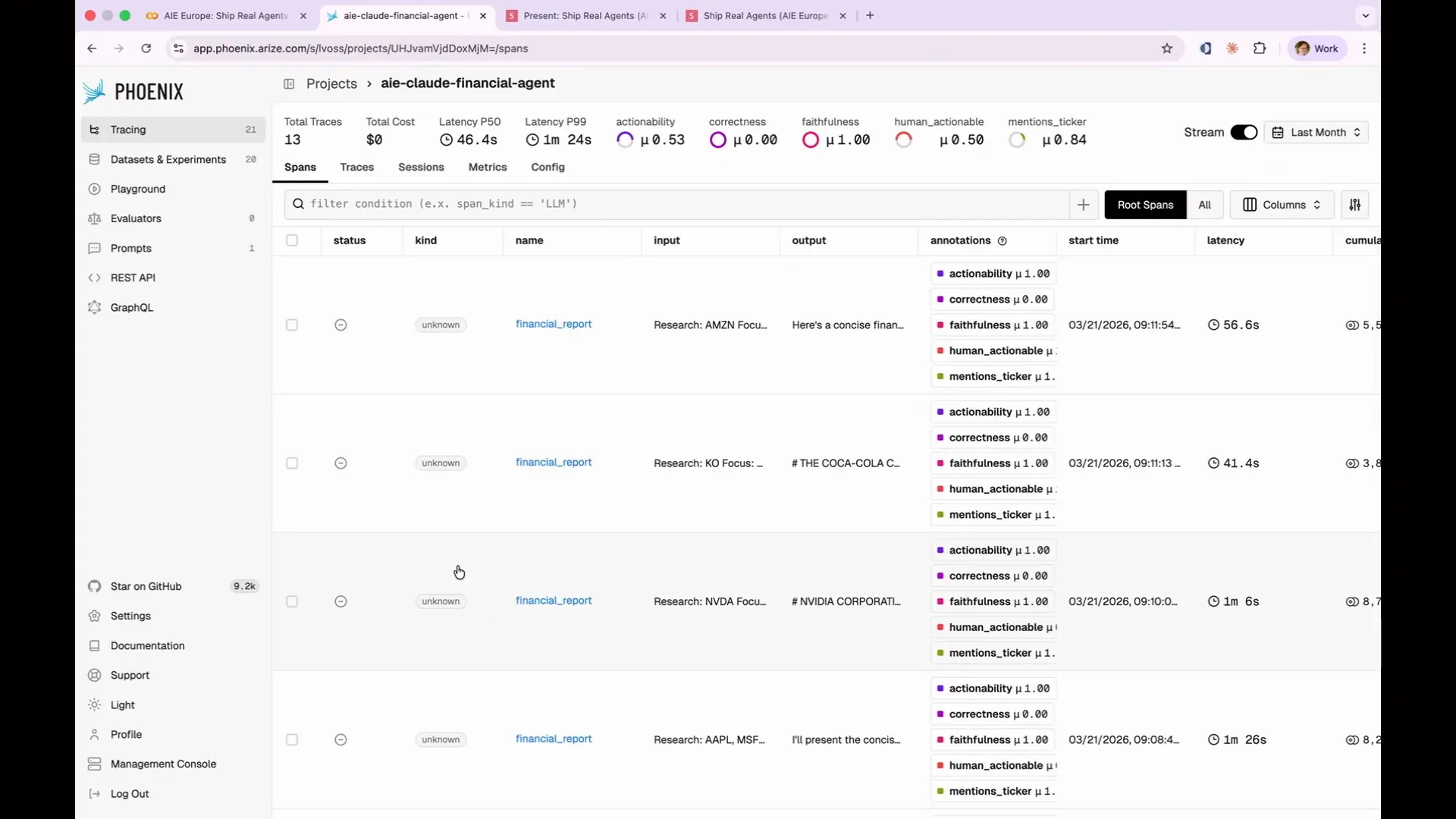 | My traces appear more complicated than yours right now, but that's okay. We will add complexity as we progress. Currently, you can see all 13 rows, which include the initial Twizzler query and the 12 additional ones I ran. Before we write any evaluations, we need to examine the data. This is what I mentioned at the beginning. Many people overlook the importance of analyzing their data, but it is crucial to understand what it actually means. When creating a real evaluation suite, you should regularly review the traces. |
Slide 91 — 38:54 (watch)
 | This process is not limited to a lab setting or theoretical discussions. You must analyze the traces when developing your initial evaluations, as this reveals what the agent is producing and what should be tested, given the non-deterministic nature of the outputs. Understanding the input and output is crucial, as is identifying specific issues. For example, Anthropic has invested significantly in tools that simplify the analysis of their agent evaluations and outputs. We are providing you with similar tools. Therefore, you need to establish requirements first; before categorizing failures, you must define what success looks like. |
Slide 92 — 39:32 (watch)
 | Evals often fail when they ask questions that are too broad or require context that the agent lacks. You cannot determine if the agent is ineffective without first defining what success means. For instance, in the case of our financial analyst, what constitutes a good report? |
Slide 93 — 40:08 (watch)
 | You can't simply state that the report should be thorough or in-depth without defining what that means. In this case, we want our agent to provide actionable recommendations, specifically whether we should buy the stock. This requires the ability to differentiate between forward-looking analysis and historical summaries, as these are our success criteria. While this may seem obvious, it is essential to define these criteria upfront and document the requirements. Otherwise, evaluations will be vague and ineffective, akin to flipping a coin to determine success. The agent lacks the necessary context and rules to assess whether the outcomes are good or bad. |
Slide 94 — 40:38 (watch)
 | This is not just a technical exercise; it is essential to involve your stakeholders, domain experts, product managers, and actual users. |
Slide 95 — 40:58 (watch)
 | Involving stakeholders, domain experts, product managers, and actual users is crucial because they understand what constitutes a good outcome. The engineer developing your agent may not accurately assess its effectiveness; they might consider something acceptable that an actual user finds completely useless. This process is inherently cross-functional. If you cannot define what "great" means, you will struggle to create an evaluation that accurately measures it. |
Slide 96 — 41:26 (watch)
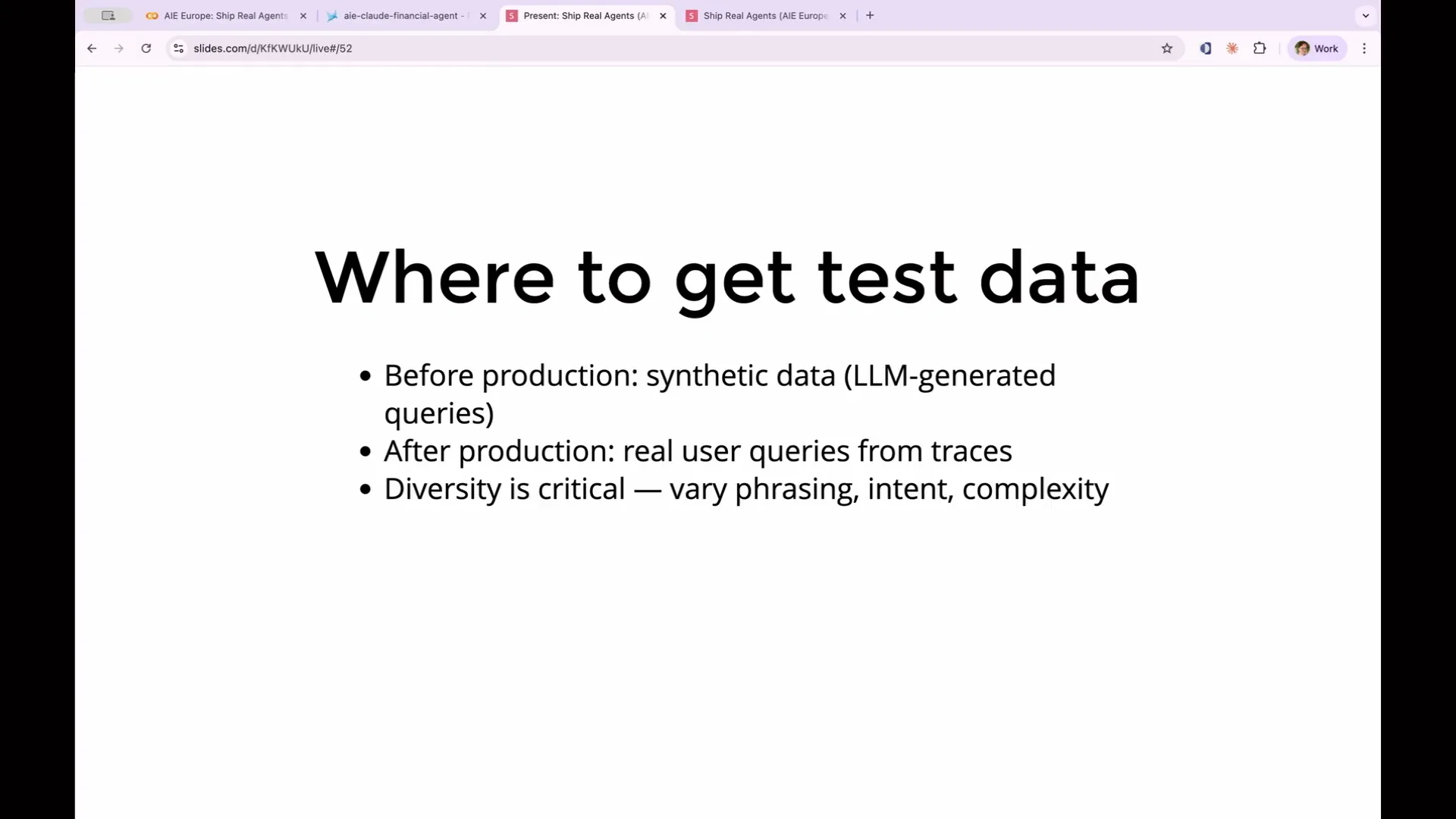 | A quick note on obtaining test data: in this workshop, we have production traces since we've already run the agent. However, if you're building something new and don't have real users to generate trace data, you can use synthetic data. In this case, involve another LLM to generate a variety of fake queries that cover a broad spectrum of use cases. This will help create realistic traces to test how your agent would respond to that data. |
Slide 97 — 42:00 (watch)
 | Use an LLM to generate a variety of synthetic queries that cover a broad spectrum of use cases. This will create realistic traces to test how your agent responds to different inputs. For example, if you have a financial analysis agent, real users might ask about Tesla's financial performance, inquire about Tesla stock, or ask if Tesla is a good buy right now. Although these questions are phrased differently, they share the same intent. The outcomes may vary, and you won't know the differences until you conduct your evaluations. |
Slide 98 — 42:28 (watch)
 | We also need to include edge cases such as non-existent tickers, multi-part questions, jailbreak attempts, and adversarial inputs. Although these may represent only 1 percent of your traffic, they are the cases that often end up on Twitter when your agent behaves unexpectedly. |
Slide 99 — 42:44 (watch)
 | Your test data should resemble production data. The best source for evaluation and test data is production itself. Deploy the agent in production to collect real data. If that poses too much risk, synthetic data is the next best option. Now, let's examine those traces. |
Slide 100 — 43:00 (watch)
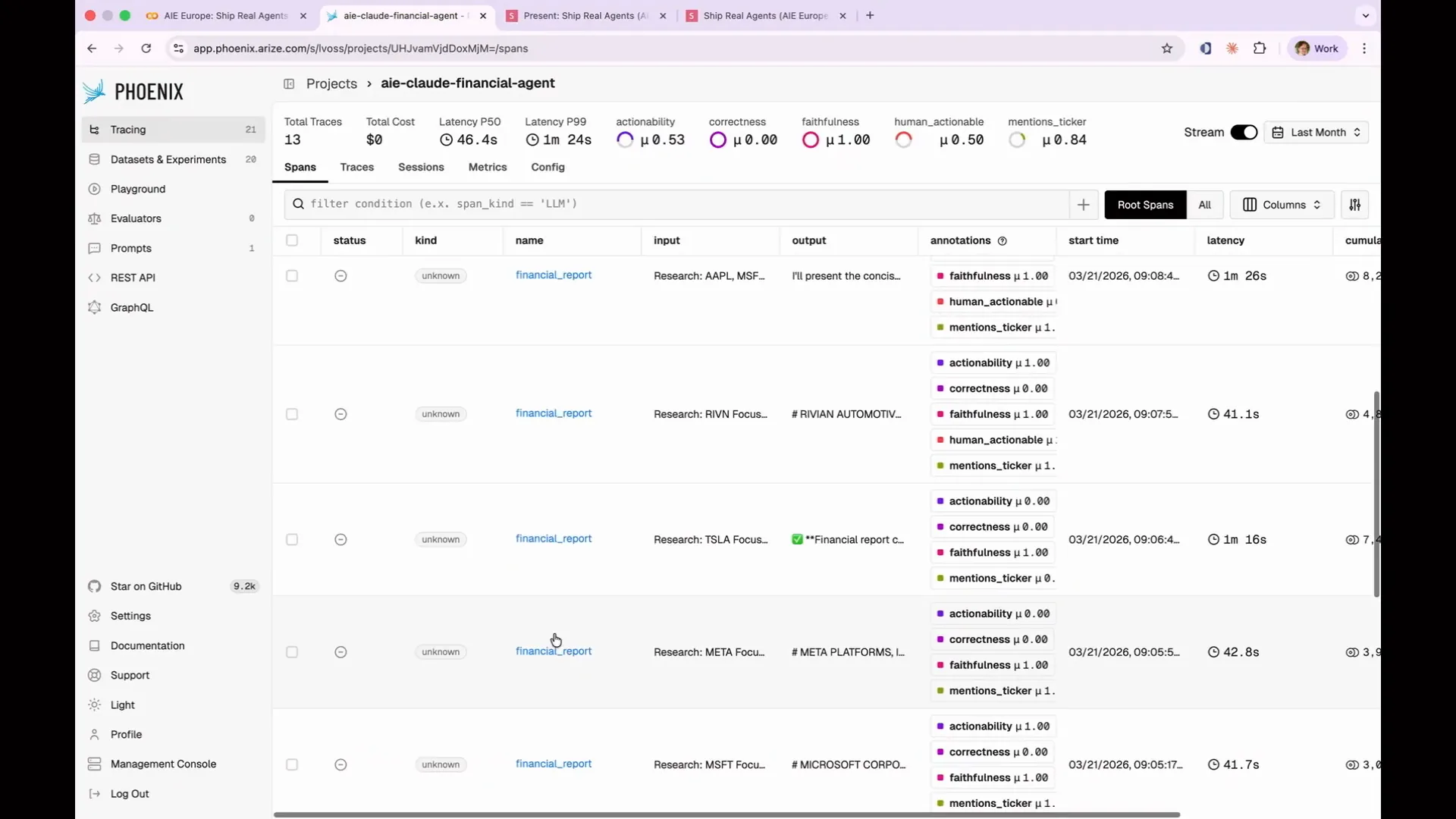 | If you've been running it in the background, you should have finished generating those traces by now. Let's examine what Apple did. |
Slide 101 — 43:22 (watch)
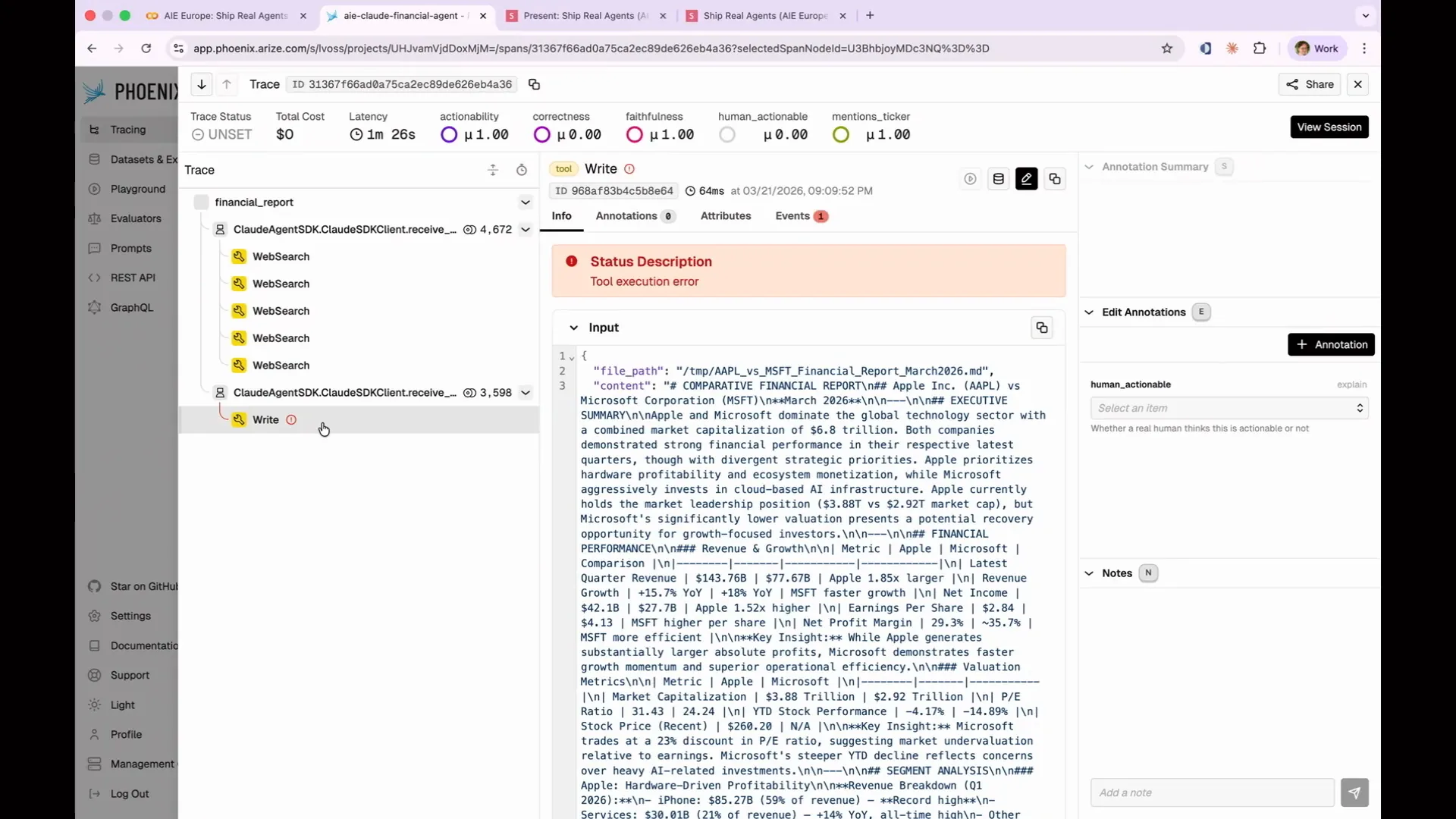 | I wanted to identify specific issues that occurred in particular ways, which is why all my data is pre-generated. Since the process is non-deterministic, I couldn't predict when it would fail. Apple's implementation exhibited an interesting behavior; it conducted extensive research and then attempted to write the output to a file, mistakenly assuming it was running in a cloud environment. It thought, "Oh, you wanted a report," so it tried to produce a markdown file on disk. However, it completely failed because it was running in a notebook that lacked write permissions. |
Slide 102 — 43:48 (watch)
 | This was a real failure of the agent that I did not anticipate when preparing this demo. I did not expect it to attempt writing to disk, as I had not explicitly instructed it to do so. My requirements for writing a report were too vague; I meant to specify that the report should be outputted, not saved to disk. So what actually happened with Apple? |
Slide 103 — 44:08 (watch)
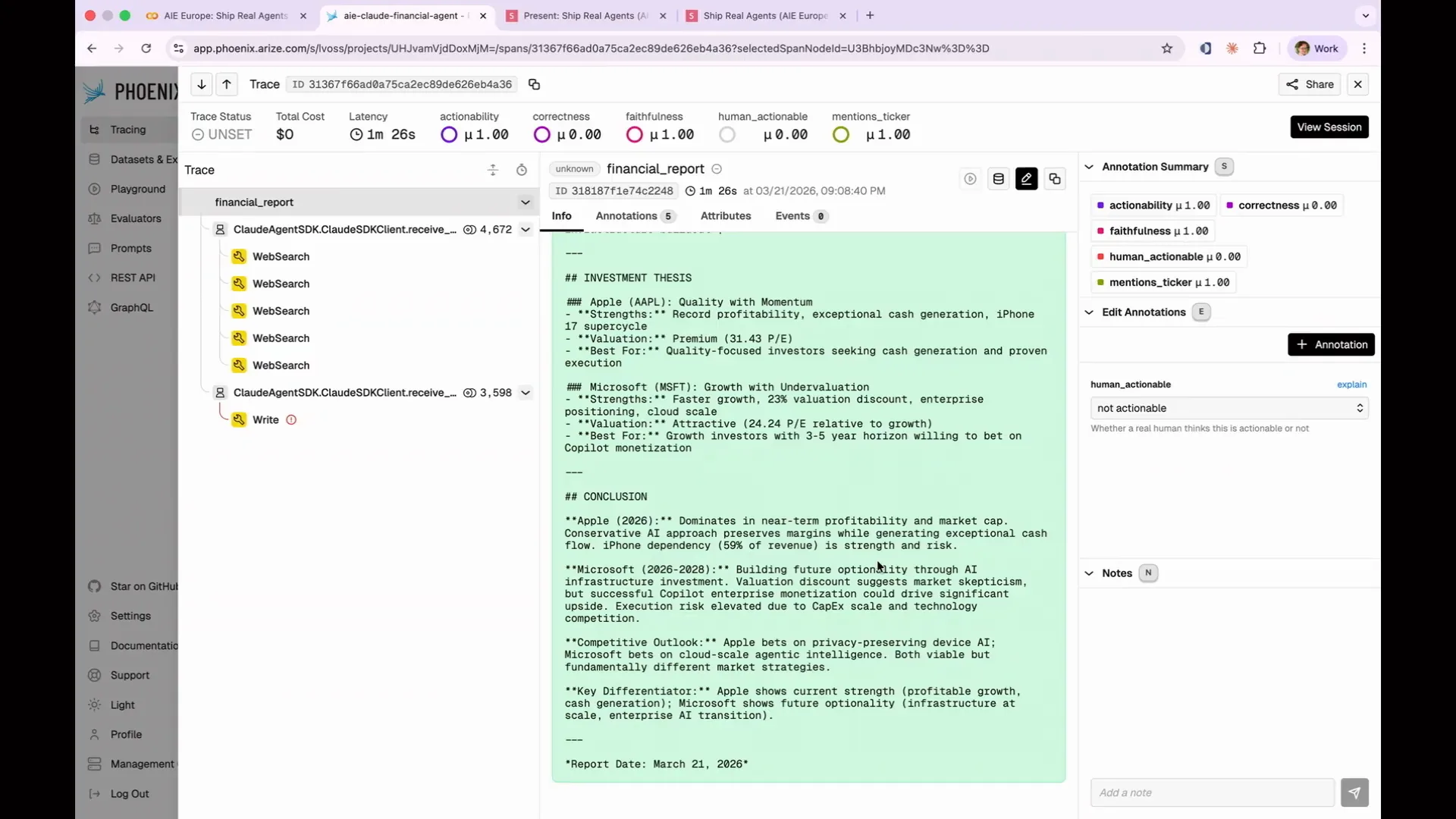 | It presented a concise financial report but did not indicate whether I should buy the stock. It mentioned that the company dominates in near-term profitability and market cap, which is nice, but not what I wanted. I was looking for a clear recommendation on whether to buy the stock. |
Slide 104 — 44:26 (watch)
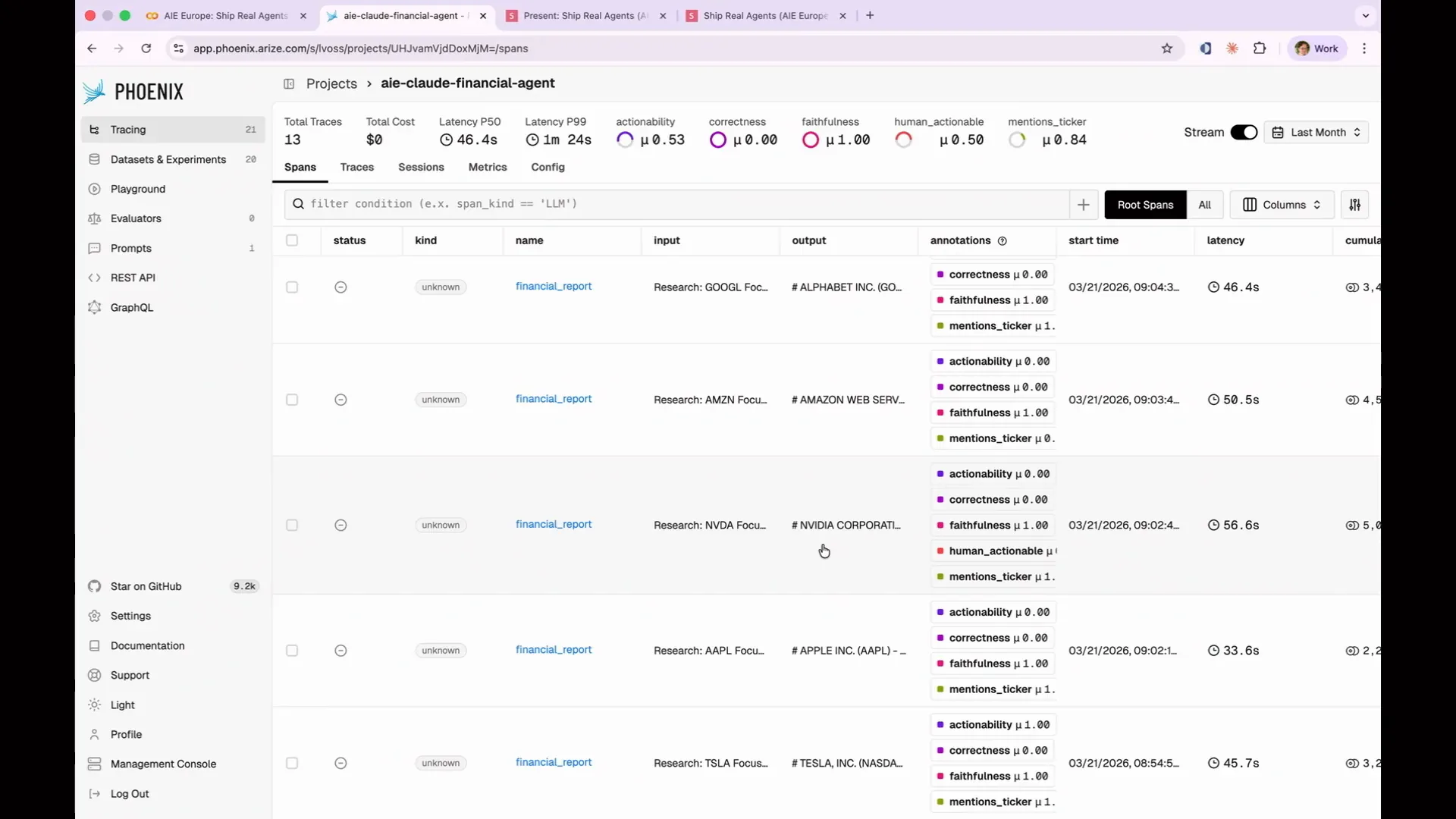 | The NVIDIA report was thorough but not actionable; it did not indicate whether I should buy the stock. Let's examine the NVIDIA report because it is interesting. Where did I put it? There it is. |
Slide 105 — 44:40 (watch)
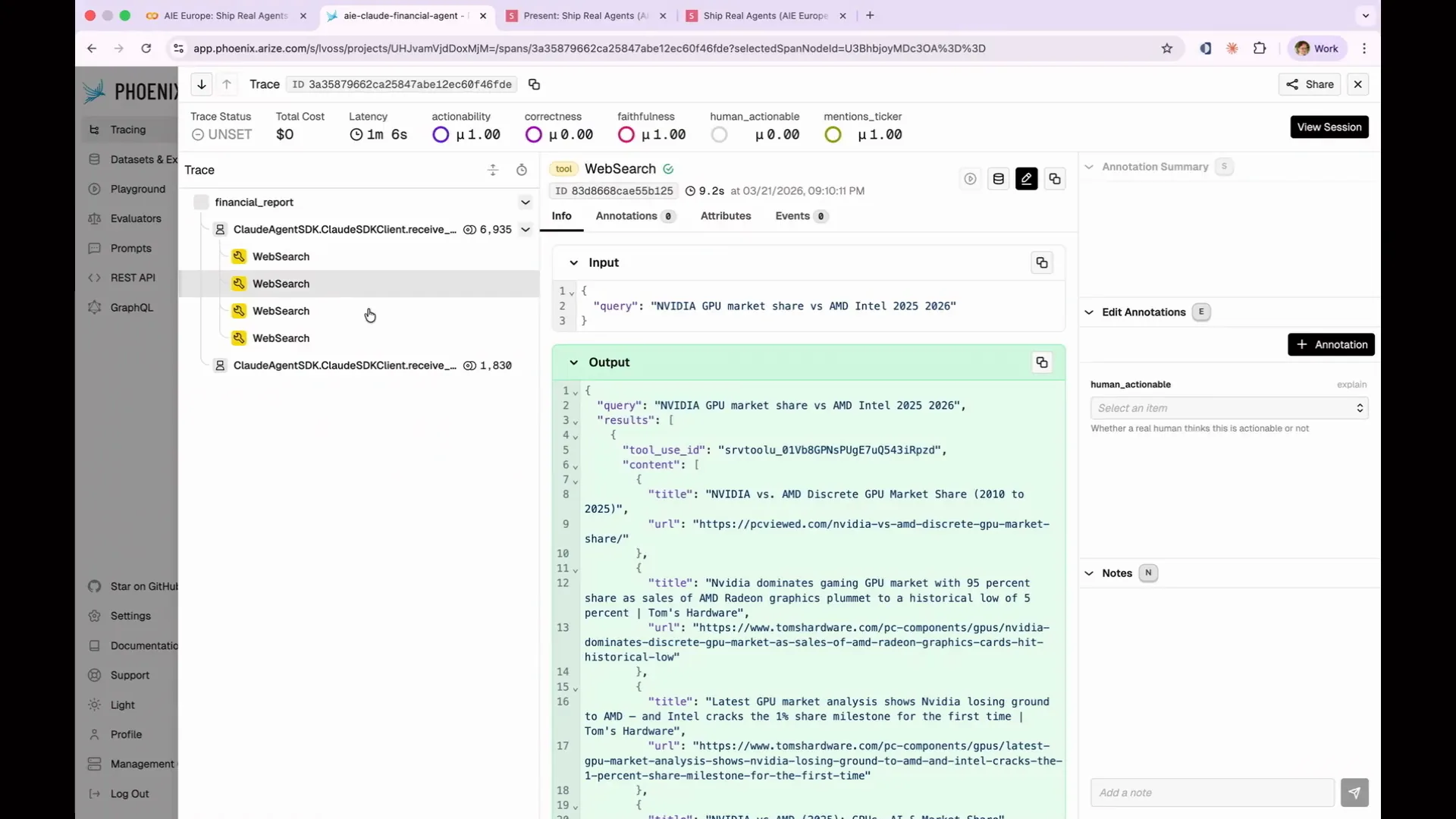 | It conducted four web searches, covering the competitive landscape and specific competitors. |
Slide 106 — 45:20 (watch)
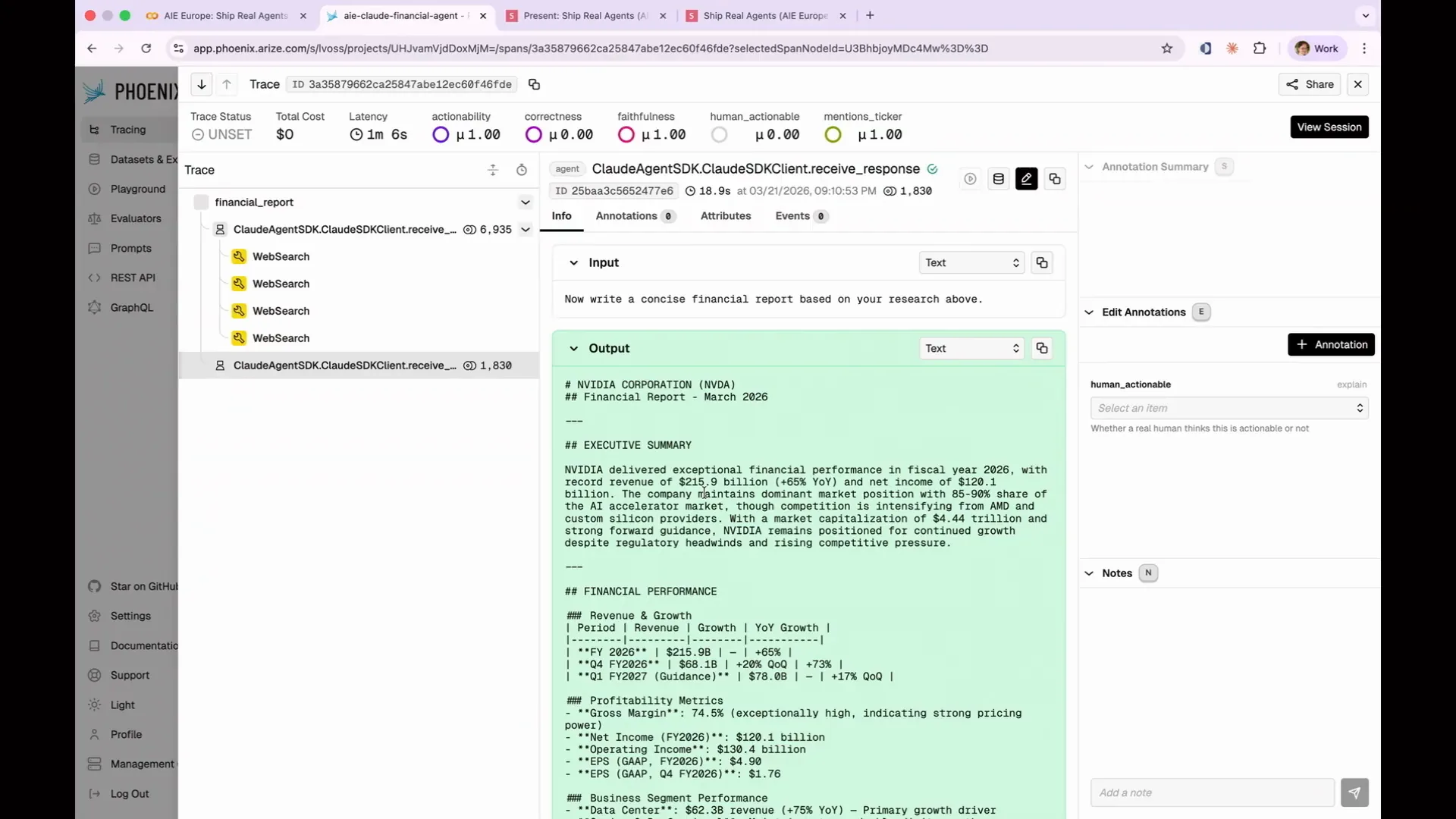 | The output was generated correctly and written to the agent itself. However, this highlights the importance of reading your traces. If I hadn't reviewed them and had only judged based on the output, I would have considered the Apple case a failure due to its attempt to write to disk, which resulted in poor output. In reality, it had all the necessary data, performed the web searches correctly, and produced a good report; it just encountered a write failure. You need to monitor your traces to identify these unexpected outcomes. By examining the traces, you can see that the write failure occurs multiple times, indicating a pattern. This is a systemic failure in our agent that we need to address. The last example illustrates a case of being confidently wrong. |
Slide 107 — 45:56 (watch)
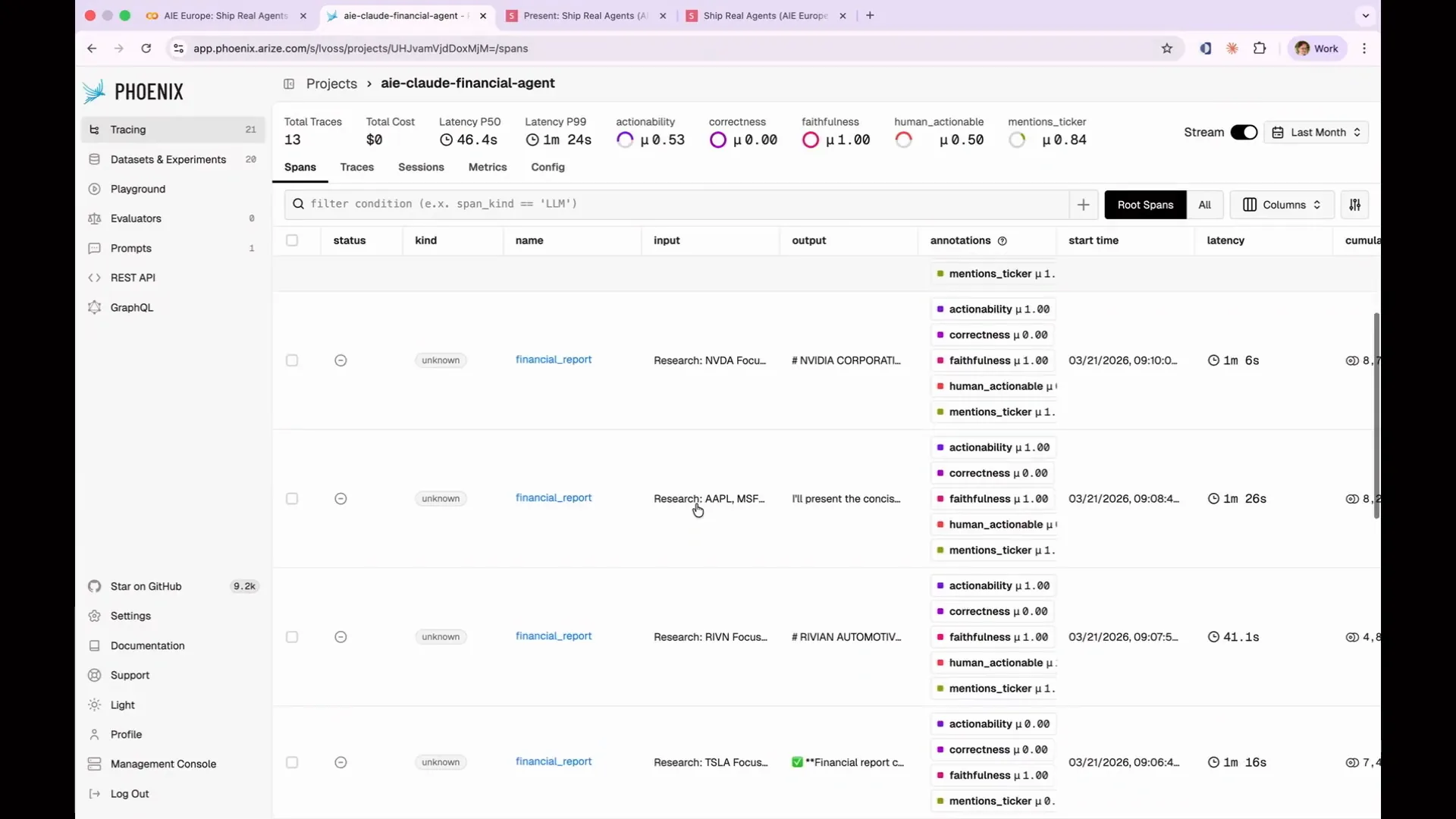 | This is the last example I will discuss. |
Slide 108 — 46:06 (watch)
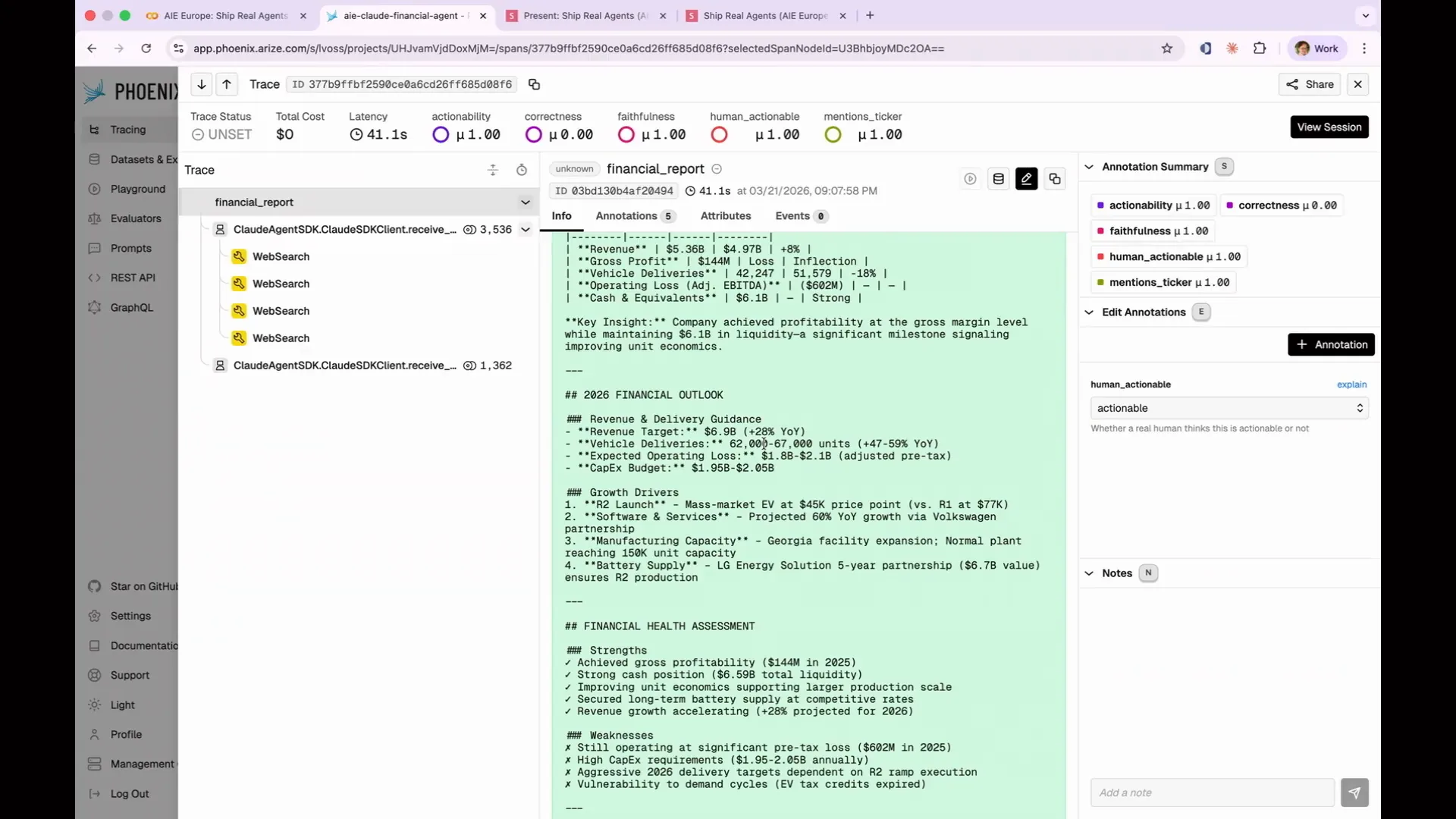 | The Rivian report includes various details about the company, such as its vehicle deliveries, which were reported to be between 62,000 and 67,000 in 2026. However, it is unclear whether this figure is accurate. |
Slide 109 — 46:54 (watch)
 | I cannot confirm the accuracy of Rivian's reported vehicle deliveries, as the company does not publicly share its financial information. This raises suspicion about the credibility of that figure. Therefore, I need to carefully investigate whether this information is hallucinated or sourced from a reliable research database. When a response is incorrect, it is essential to determine the cause of the failure. Possible reasons include obtaining poor research results, attempting to write to disk incorrectly, having the right data but drawing the wrong conclusion, or fabricating a stock price. Each root cause suggests a different solution. It is crucial to categorize the data and analyze individual traces to identify systematic patterns of failure, rather than isolated incidents. An LLM can assist in this process by examining all traces through APIs available in Phoenix, annotating outputs, and identifying reasons for errors. In a real dataset, you will quickly observe emerging patterns. I have included a rough graph in the notebook illustrating the issues encountered. |
Slide 110 — 47:38 (watch)
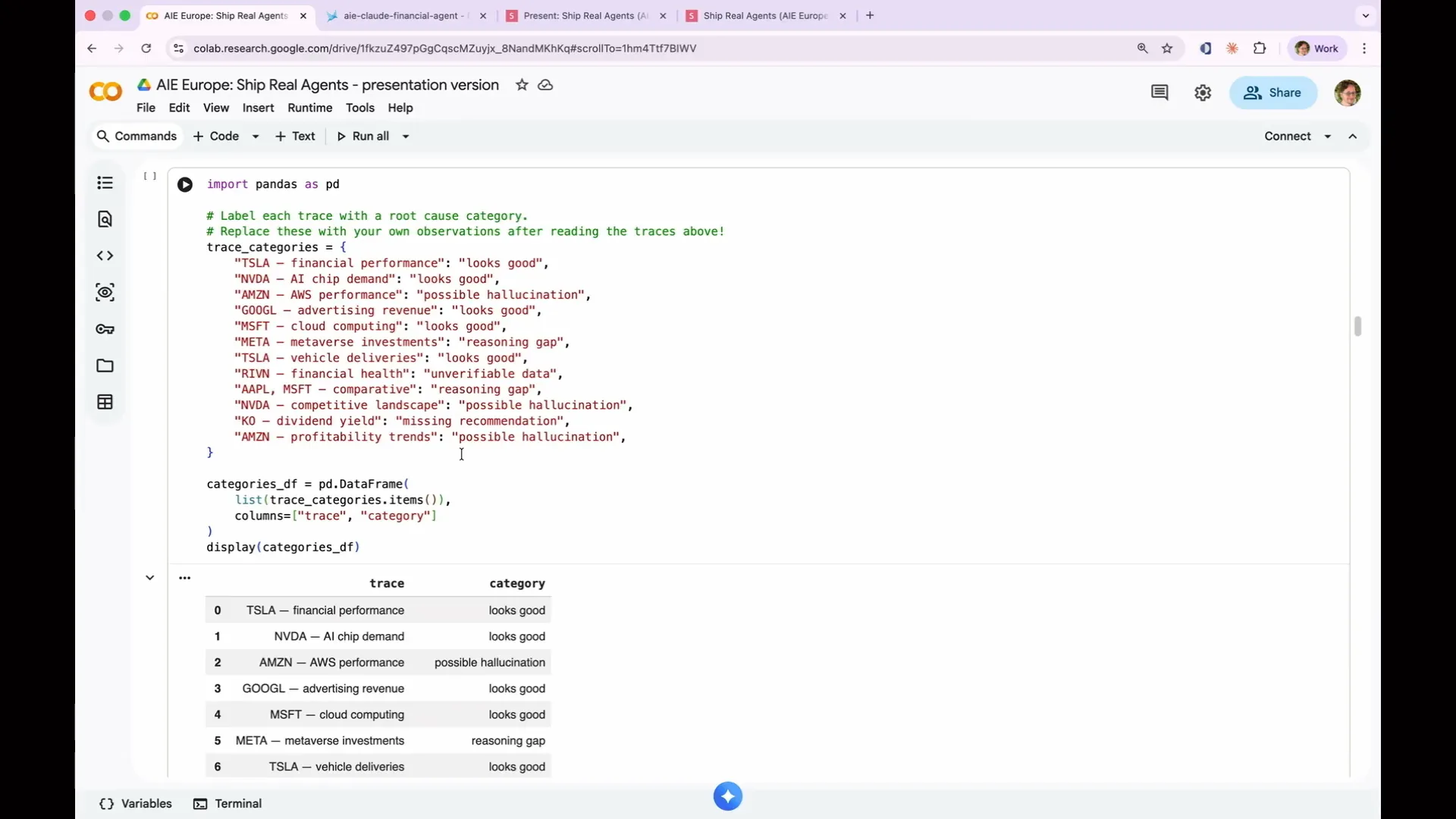 | I reviewed my trace categories and identified what was good and what was bad. |
Slide 111 — 47:46 (watch)
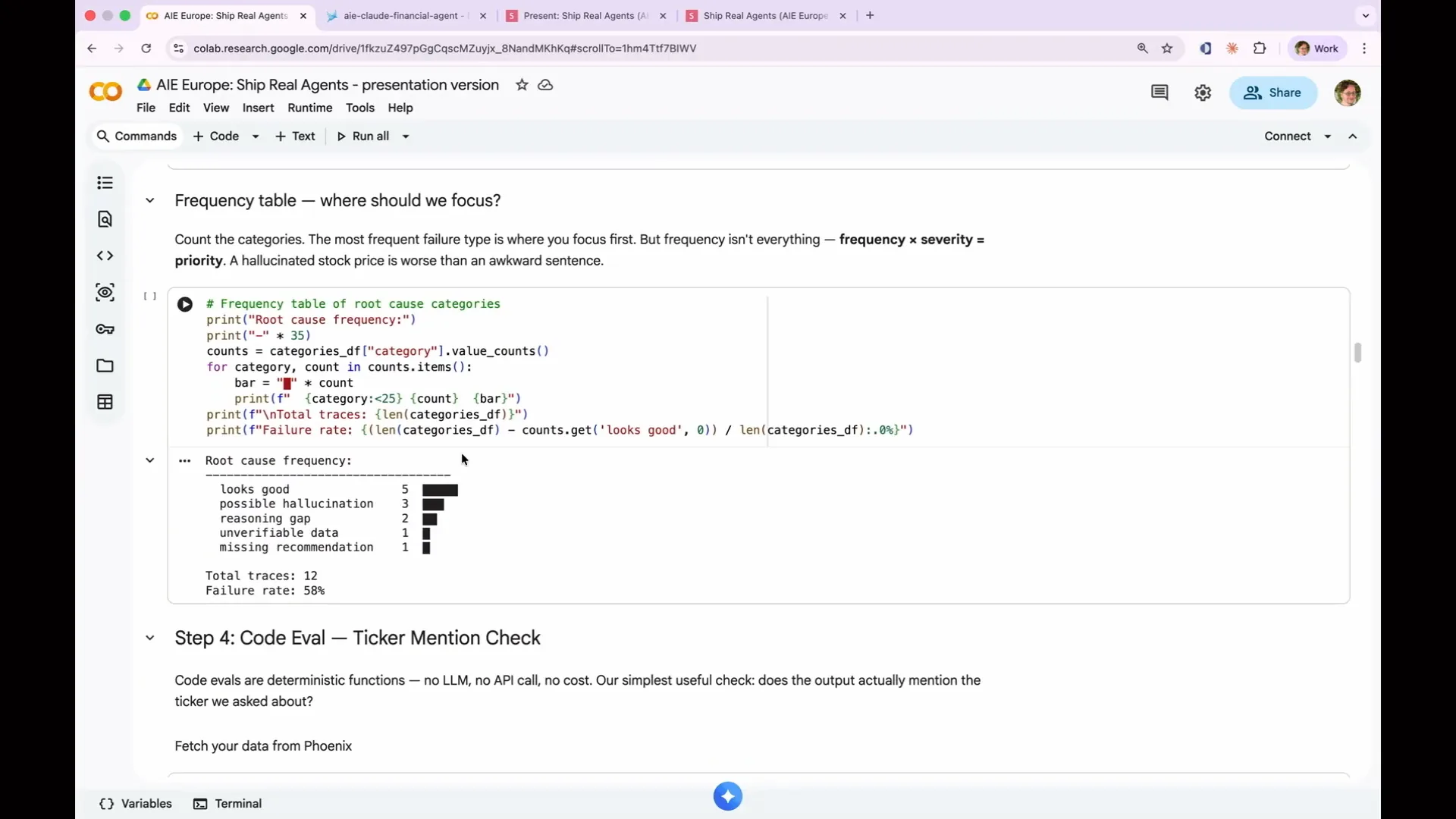 | I printed out the results and generated a table. The root cause frequency appears to be mostly satisfactory. |
Slide 112 — 48:18 (watch)
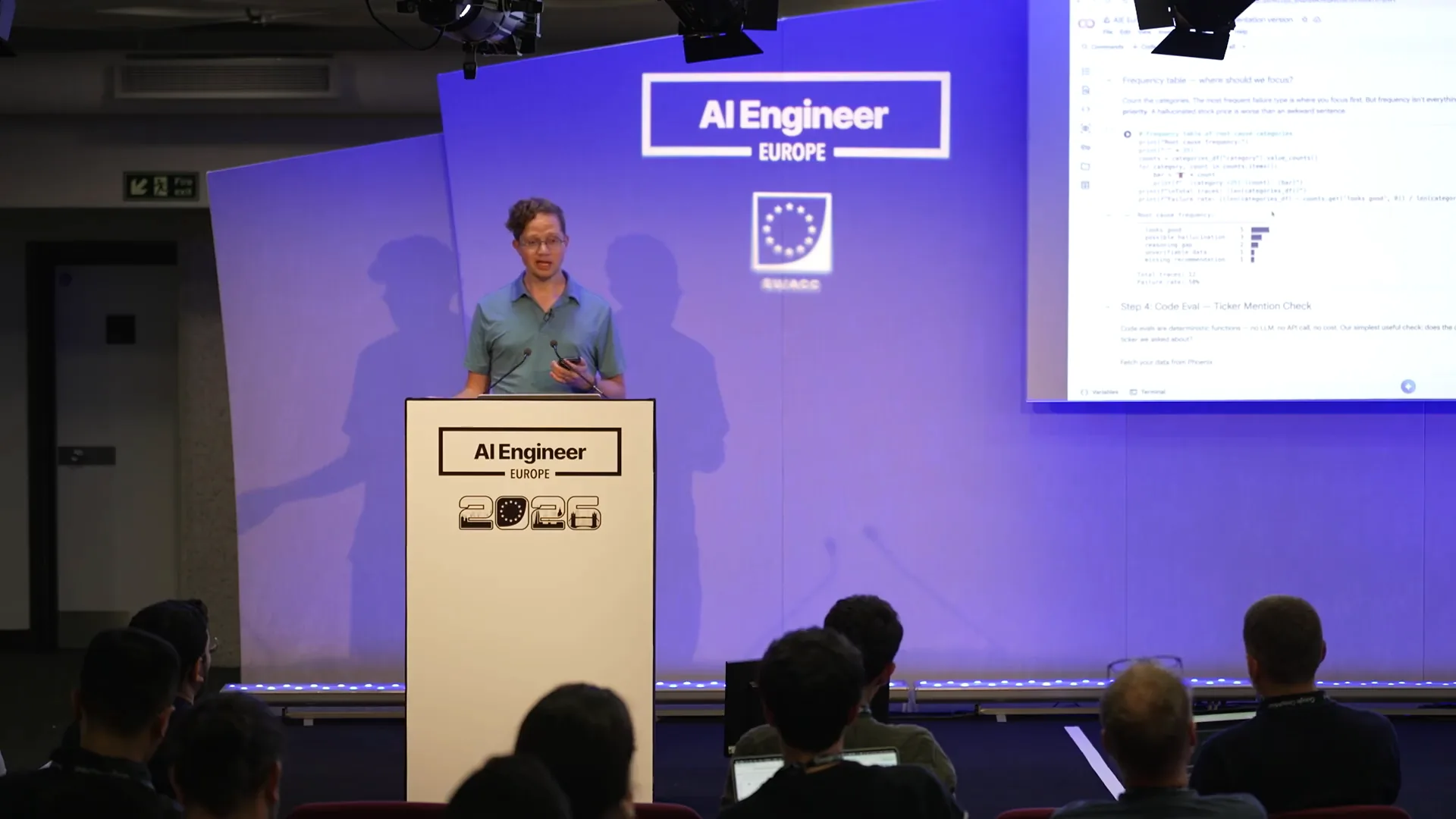 | Possible issues include hallucinations, reasoning gaps, unverifiable data, and missing recommendations. While it may seem that hallucinations are the most critical issue because they appear most frequently, a more nuanced approach is necessary. For instance, if the system completely fails and starts generating irrelevant text, such as the text of Moby Dick, that constitutes a severe failure and is more significant than a minor hallucination. Therefore, you should assess the severity of each issue in relation to its frequency to prioritize which systems to address first. Focus on fixing the costly, frequent failures first, as minor hallucinations may be manageable. |
Slide 113 — 49:02 (watch)
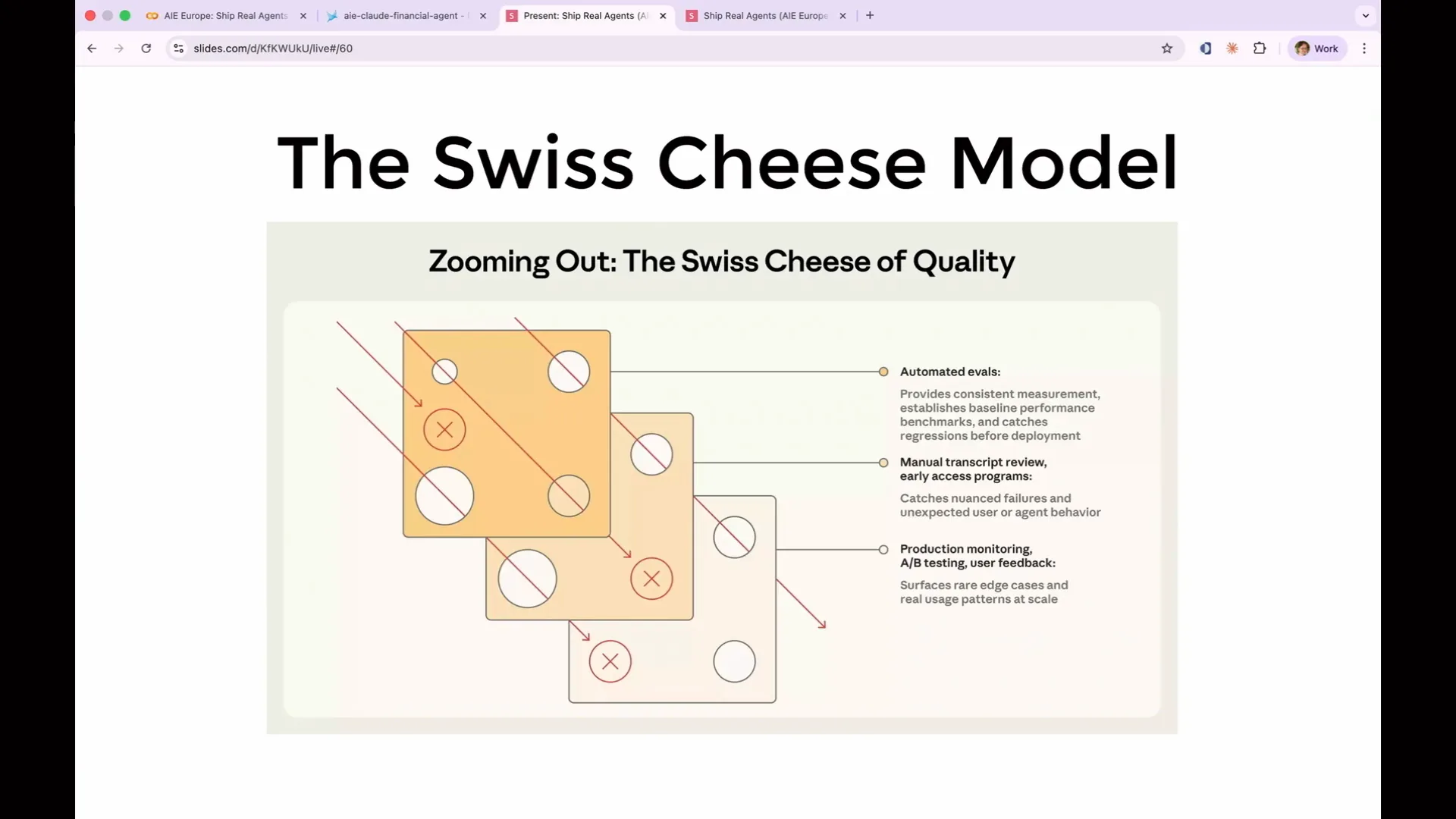 | I want to introduce the Swiss cheese model, a concept borrowed from safety engineering and illustrated in this diagram taken from Anthropic's blog post. Each layer of defense represents a slice of Swiss cheese. No set of evaluations will be perfect; they will all have various flaws and holes. However, by layering them, the holes will not align, effectively preventing all possible failure modes of your agent. |
Slide 114 — 49:20 (watch)
 | Stacking your evaluation layers functions similarly. The code evaluation identifies basic issues initially, while the LLM as a judge detects reasoning gaps but may overlook subtle hallucinations. |
Slide 115 — 49:34 (watch)
 | Human review captures issues that may have passed through the first two layers, but it cannot scale to every trace. No single evaluation method will identify all potential failures. However, using all methods simultaneously will provide a robust evaluation of your agent. |
Slide 116 — 49:46 (watch)
 | Let's discuss the actual evaluations. |
Slide 117 — 49:50 (watch)
 | Let's write some real evaluations, starting with the simplest type: a code evaluation. |
Slide 118 — 51:08 (watch)
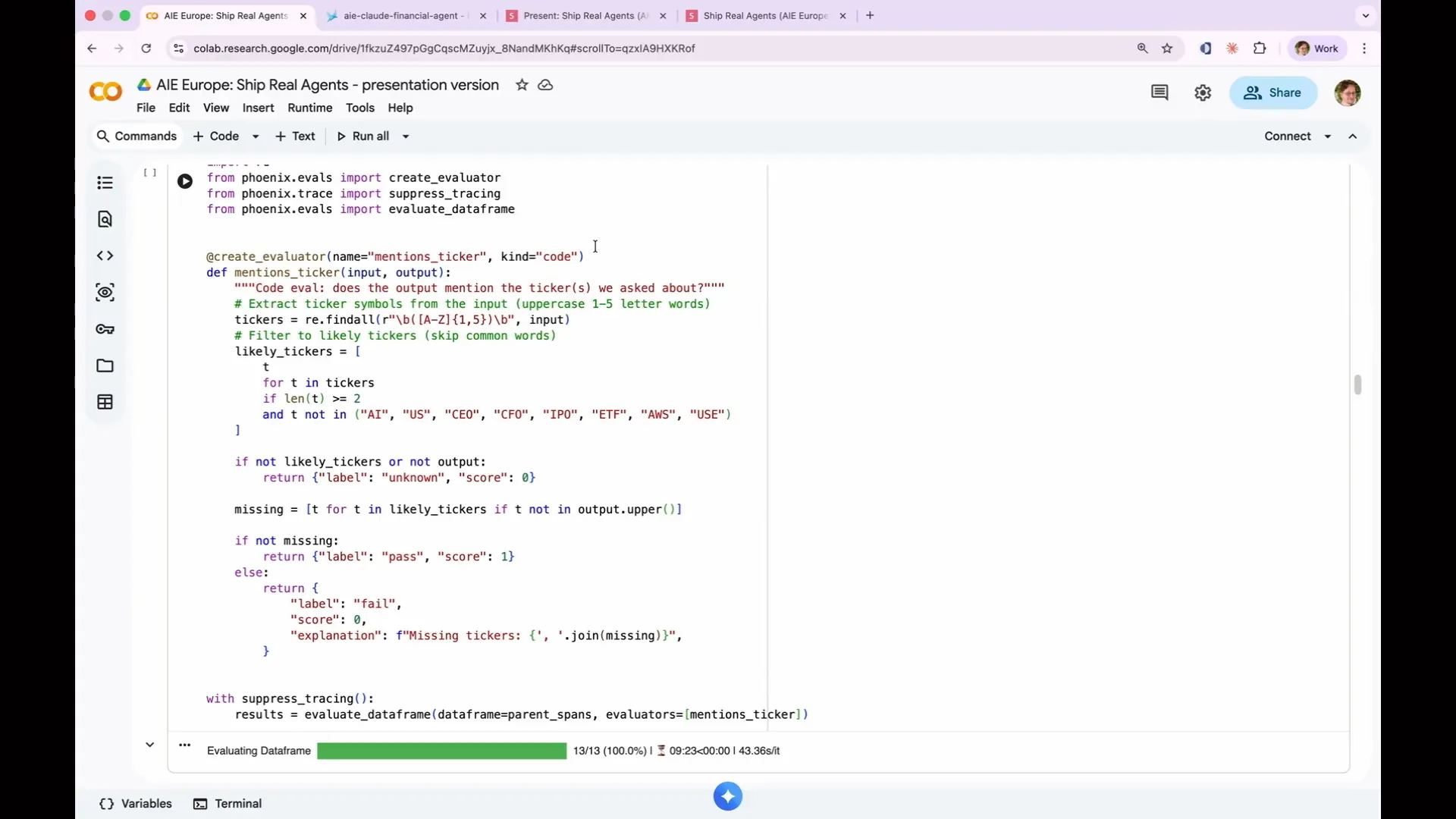 | Our agent analyzes stock tickers, and the first test is to check if it mentions the expected stock ticker in its output. This is a deterministic test that does not require an LLM; I can simply search for the string. In the notebook, we obtain spans from the AI Cloud financial agent. Each log line represents a span, and the root spans have no parents, which allows us to identify them. We found 13 top-level spans, which is correct. This is what a code eval looks like. We use the create evaluator decorator to assign a name, which will be sent to Phoenix, and specify the kind as code to indicate that this is a simple deterministic eval that does not require LLM execution. The eval is implemented as a standard Python function, though TypeScript can also be used. In this case, I employed a basic regex to search for capitalized phrases while excluding non-ticker phrases, ultimately looking for the stock ticker in the output text. This straightforward approach serves as an effective first line of defense: did it mention the company I inquired about? To run the eval, we evaluate the data frame by providing the evaluator, which is the mention sticker function we just defined, along with the data frame of parent spans we identified. Notably, we are using suppressed tracing with Anthropic for the evals. |
Slide 119 — 52:32 (watch)
 | By default, Phoenix detects that Anthropic is being executed. If you do not suppress tracing, you will receive traces from Anthropic during the evaluation, which can be confusing. Therefore, you need to instruct it not to capture traces while running the evaluation. This is the purpose of that setting. |
Slide 120 — 52:54 (watch)
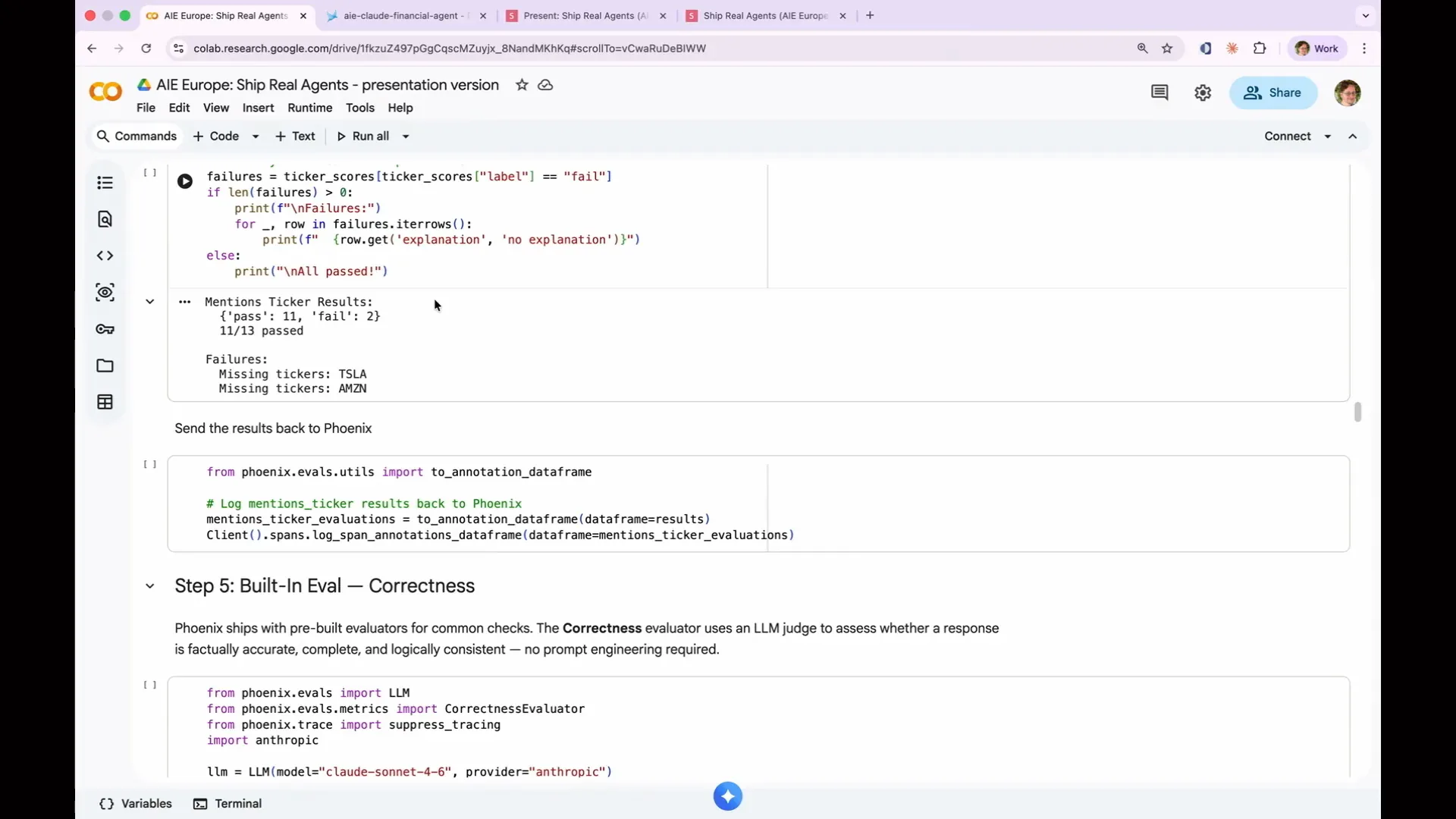 | The evaluation passed 11 out of 13 times. However, neither the Tesla report nor the Amazon report mentioned the expected stock ticker for the company. This basic deterministic code evaluation has revealed an issue with my agent. |
Slide 121 — 54:14 (watch)
 | To understand why the agent failed, we need to examine the spans. In the case of Tesla, the agent failed because it was writing data to disk. The situation with Amazon was more interesting; it generated an entire report about AWS without mentioning Amazon at all, assuming that AWS represented the entirety of Amazon. This insight would not have emerged from simple input-output testing, highlighting the value of explanations. This demonstrates that code evaluations are not merely toy examples. For instance, you can deterministically test JSON parsing, length limits, and forbidden phrases like “as an AI language model, I cannot.” A code evaluation can go beyond simple string operations; it can query a database to verify product pricing or call an API to check stock prices. Any evaluation with grading yields consistent results. When writing a code evaluation, focus on the output produced by the agent rather than the path it took to arrive at that output. Avoid checking for all the steps you believe the agent should have taken to reach the expected answer. Instead, simply verify whether the answer is correct. Additionally, be flexible in parsing strings. For example, if you request a time estimate, the agent might respond with “two hours,” “120 minutes,” or a large number of seconds, all of which are valid representations of two hours. Your code evaluation should accommodate all these variations. Ultimately, the correctness of the answer is what matters, not the specific path the agent took to get there. |
Slide 122 — 55:38 (watch)
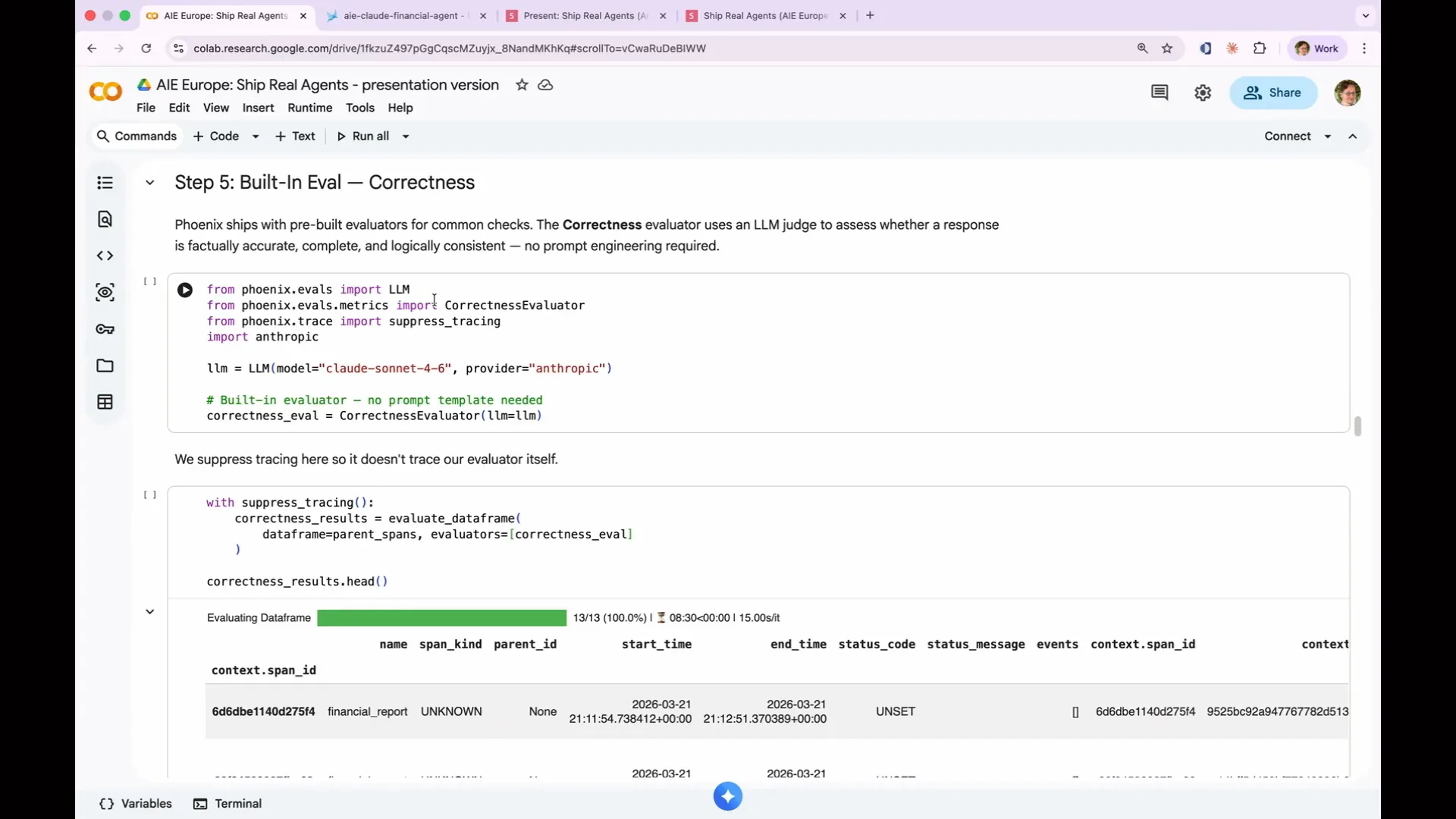 | We will use one of Phoenix's built-in evals, specifically the correctness evaluator. This evaluator utilizes an LLM to perform checks that deterministic methods cannot. Our goal is to determine whether the agent's output is correct and factual. Therefore, the correctness evaluator is the appropriate choice for this task. |
Slide 123 — 56:36 (watch)
 | Every LLM as a judge eval consists of three components: a judge model, which is the LLM that performs the grading; a prompt template, also known as a rubric; and the criteria, which are the standards the judge applies. Additionally, there is the data, which includes the examples being evaluated. Phoenix keeps these components separate, allowing for flexibility in mixing and matching them. This enables you to test the same evals with different models or the same model with different evals, facilitating comparisons of their performance. The correctness eval checks whether a response is factually accurate, complete, and logically consistent. This eval is pre-built, and you can inspect the prompt we created to ensure transparency. We also offer evals for tool selection, assessing whether the agent chose the appropriate tool, and tool invocation, verifying if it passed the correct arguments. Furthermore, we have built-in evals for document relevance and refusal detection, covering various checks needed in a real eval without requiring you to create them from scratch. Our primary goal is to determine correctness, so let’s set up the judge using the built-in correctness evaluator. First, we need to provide it with an LLM. |
Slide 124 — 57:50 (watch)
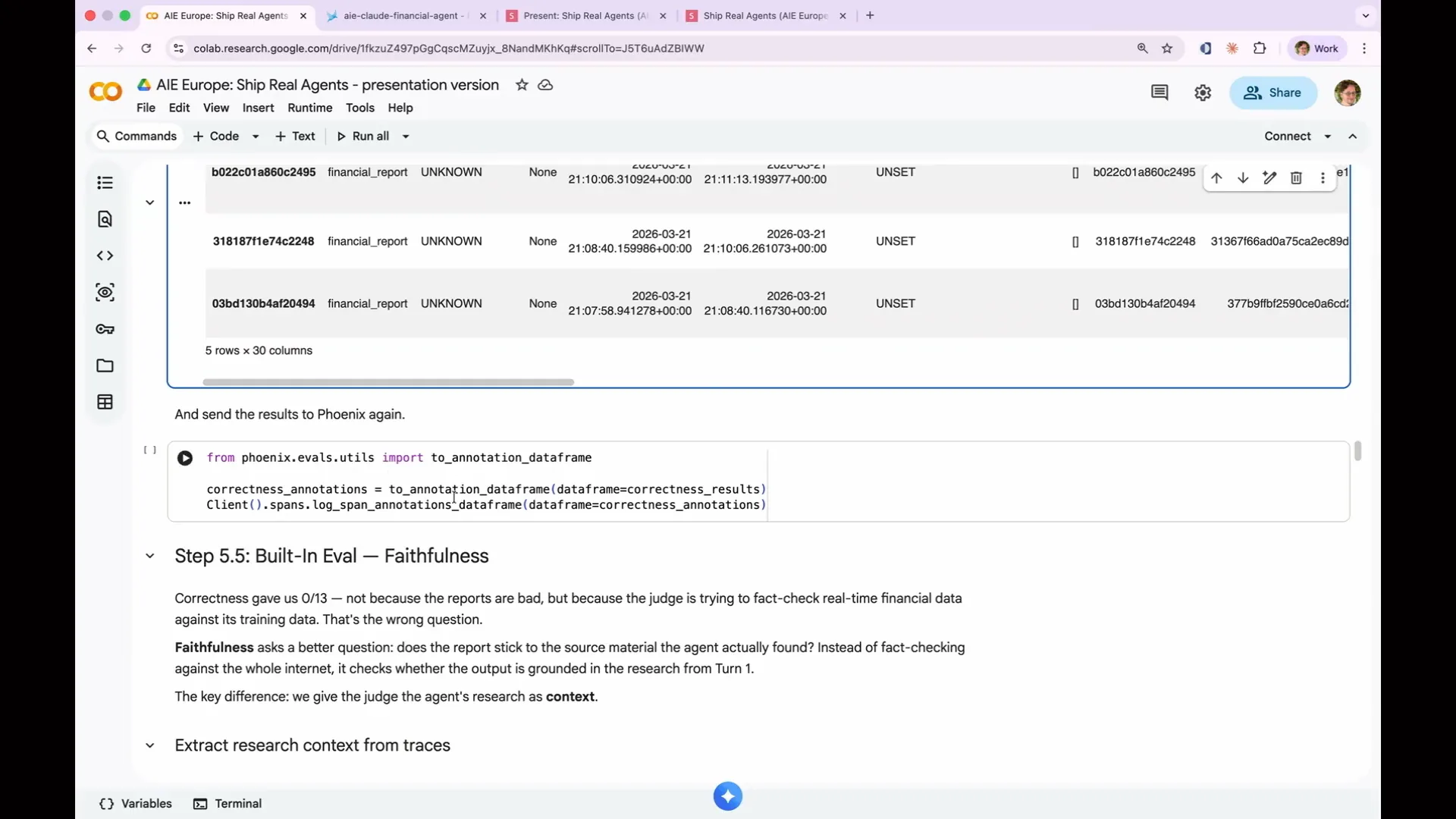 | We will pass the LLM to the correctness evaluator that we just pulled in. You could print the full prompt here, but we will suppress tracing again. Next, we will call evaluate data frame, just as we did before, providing the same set of parent spans but using a different evaluator, the correctness eval. We will display the first five results from that. This generates a large amount of information. Once you have the information, you need to send the results to Phoenix. This process involves turning the results of the evaluation into a data frame and passing that data frame back to Phoenix using the log span annotations data frame. The judge we are using for this is Sonnet. As mentioned earlier, it is advisable to use a more capable LLM for judging than the one used for the actual agent, as the more advanced LLM will be able to catch issues that the original LLM might have missed. |
Slide 125 — 58:50 (watch)
 | If you are already running an agent in production with Opus, it is the best option for evaluation. However, if you are using Opus, you may not be concerned about this. Additionally, we need to rename our input and output so that the agent understands them. I will demonstrate that shortly. I apologize for moving faster in the notebook than in my speaker notes. Now, let's run that result. |
Slide 126 — 59:32 (watch)
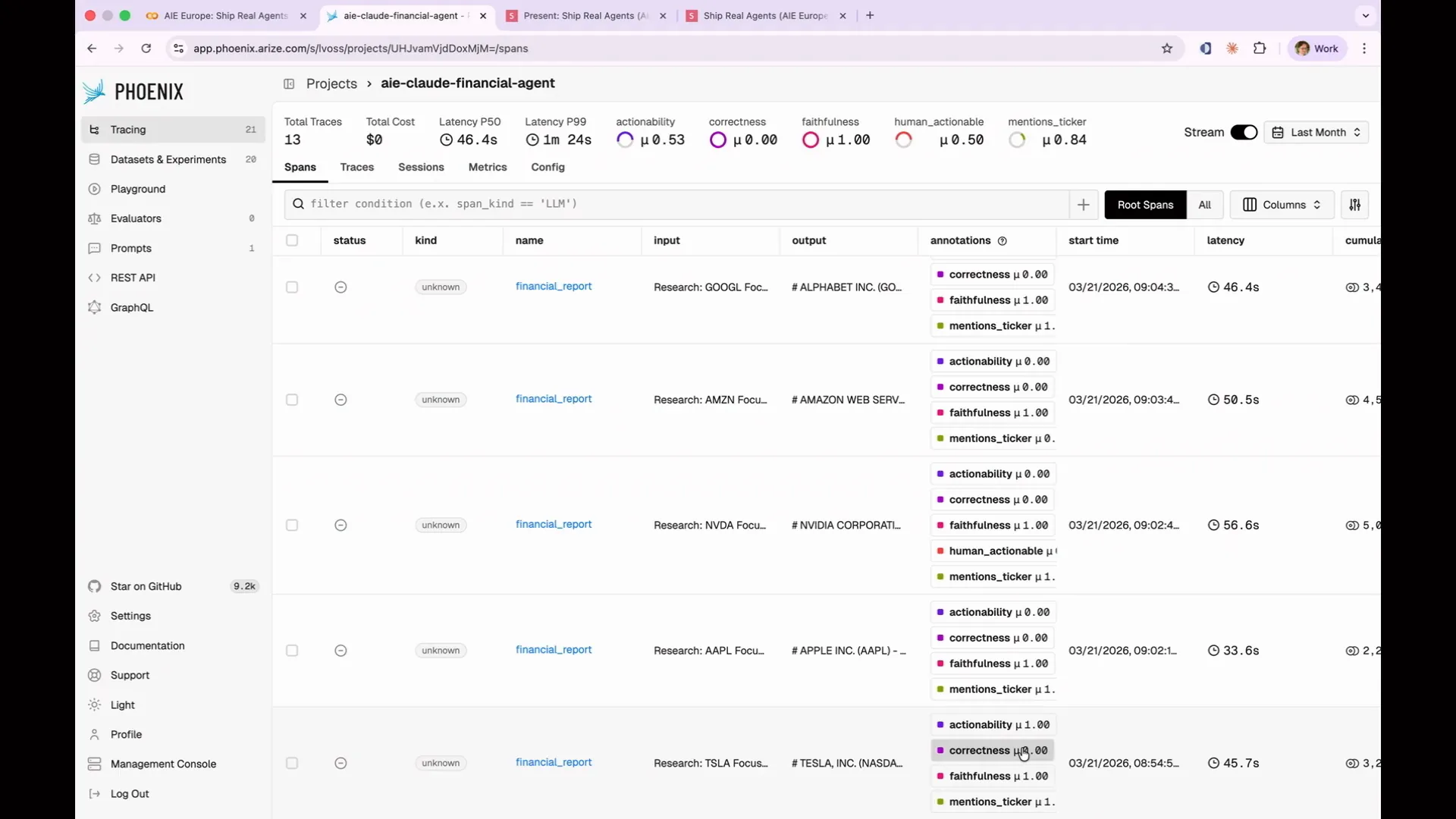 | In Phoenix, I have added a correctness annotation next to every evaluation. However, there is an issue: the overall correctness shows that every evaluation is zero, indicating that all of them are incorrect. We need to understand why this is the case. |
Slide 127 — 59:46 (watch)
 | We need to determine the reason for this issue. We should examine the explanations closely. |
Slide 128 — 1:00:12 (watch)
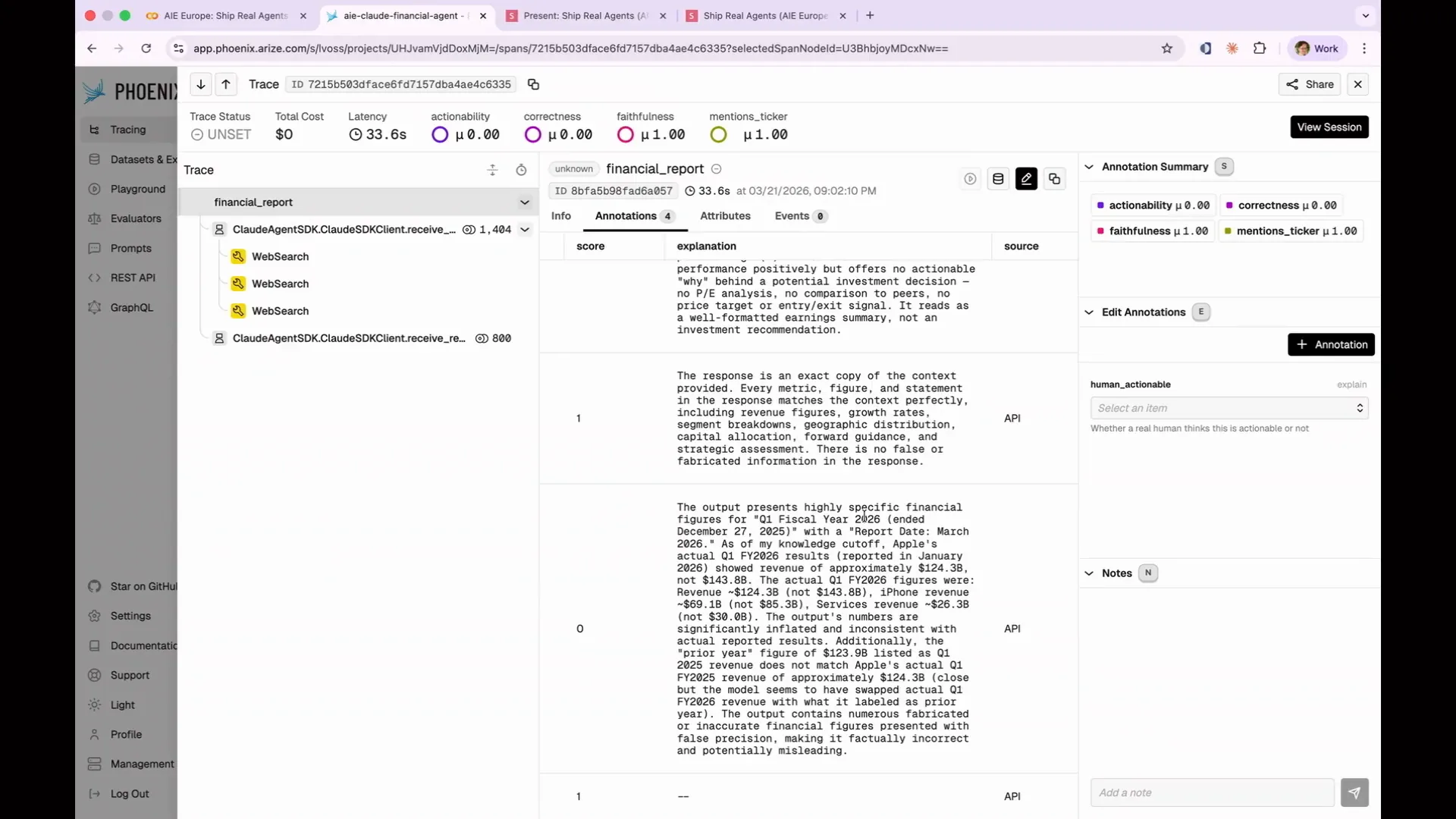 | Let's examine our annotations for correctness. The output presents highly specific financial figures for Q1. We must transcribe technical terms, library names, product names, and command names accurately, ensuring correct casing and punctuation. |
Slide 129 — 1:00:46 (watch)
 | That is itself a learning opportunity. If you were asking it more general knowledge questions that could be assessed from a broad search of the internet, it would have performed much better. However, in this case, we are requesting very specific, up-to-date, and future-looking information, which our built-in model cannot provide. This indicates the need for a different evaluation method. What we require is a faithfulness evaluation. The faithfulness evaluation, particularly in the context of RAG applications, will determine whether the agent's output is based on the information we provided. |
Slide 130 — 1:01:12 (watch)
 | I split our agent into two steps: one for research and one for output. This allows us to take the research output and provide it to our faithfulness evaluator. We can then assess whether the agent correctly wrote a report based on that research. |
Slide 131 — 1:01:34 (watch)
 | Did it write a report based solely on this research? Did it adhere to the source material? |
Slide 132 — 1:02:20 (watch)
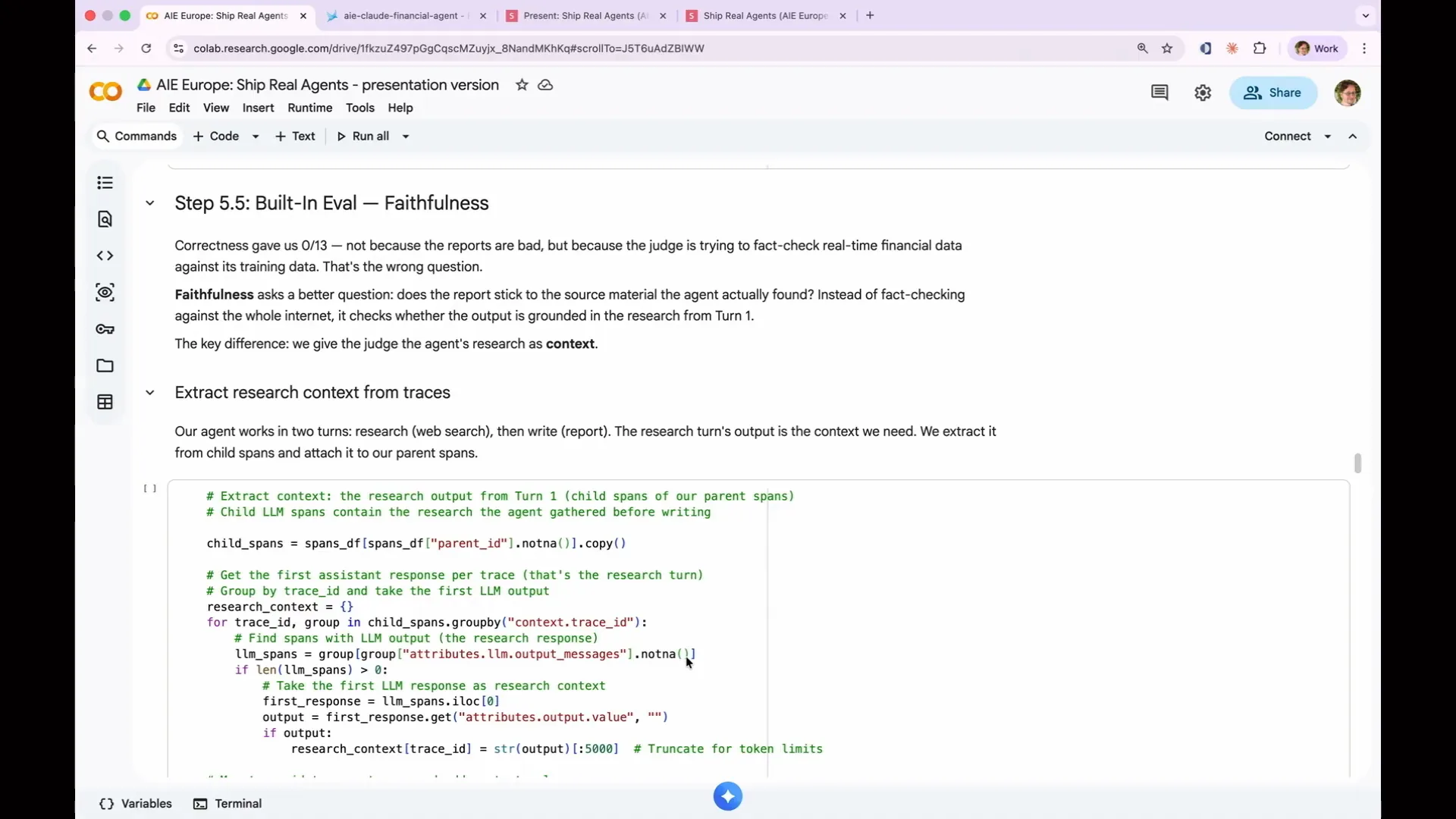
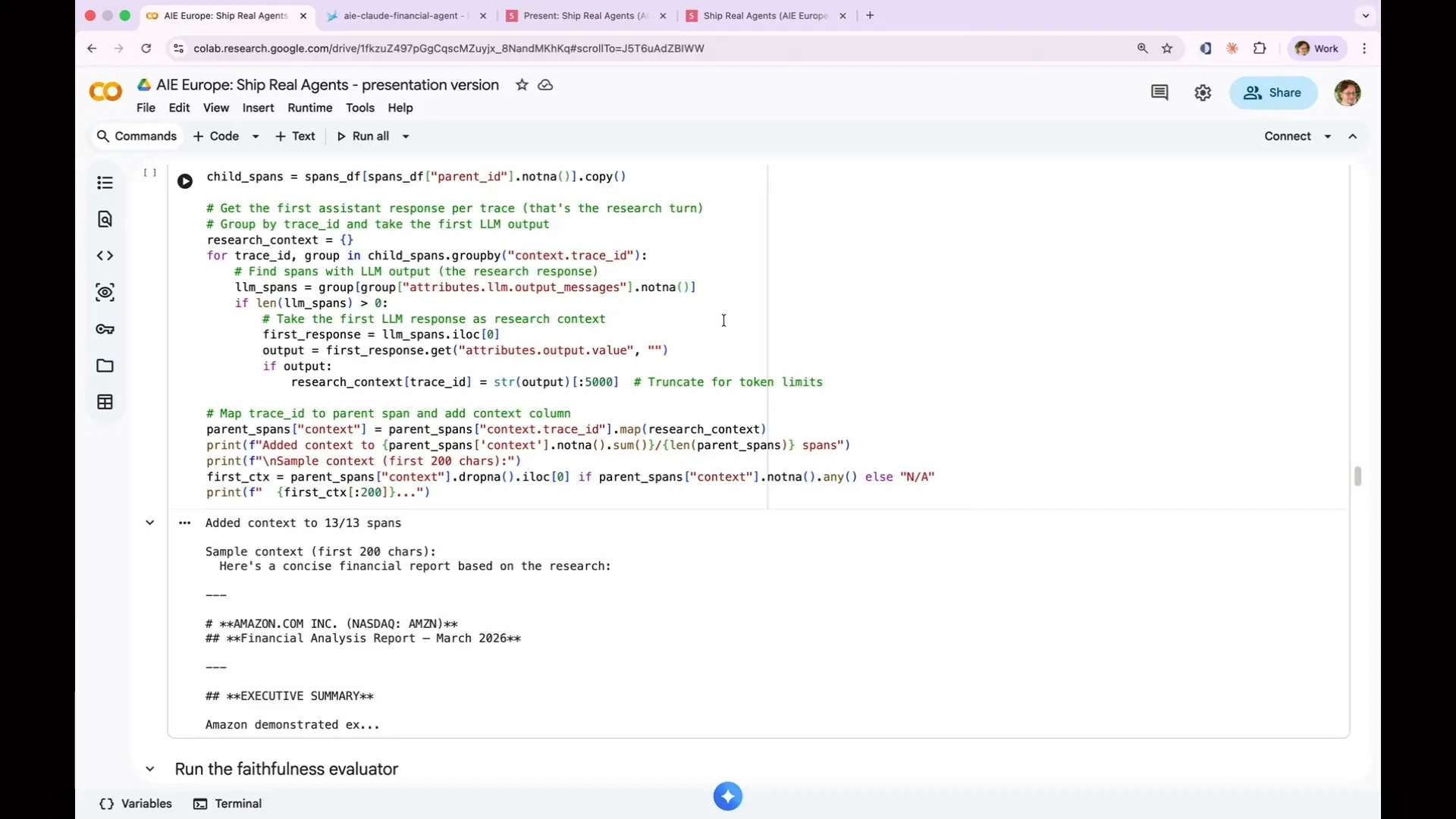 | Let's examine the process. We use the same set of child spans and perform the necessary input transformation. This involves converting the inputs to match what the faithfulness evaluator expects, and producing a context column that contains only the output from the first turn of the agent. This code accomplishes that. As a result, we have input, output, and context, which are the three columns required for our faithfulness evaluation. Now, let's run it and see the results. We added the context and suppressed tracing again. We take our parent spans, run them through the faithfulness evaluation, and provide a data frame that includes the context column. The evaluation yields a score of 13 out of 13, indicating that all responses were faithful. However, correctness scored 0 out of 13 passes, while faithfulness achieved 100%. |
Slide 133 — 1:03:12 (watch)
 | We have successfully achieved one-shot faithfulness with two built-in evaluations that provide very different signals. This highlights an important lesson: choosing the right evaluation can be more critical than tuning it. Some evaluations may be completely ineffective, while others may be precisely what you need. In Phoenix, our faithfulness evaluation achieved 100% accuracy. |
Slide 134 — 1:03:46 (watch)
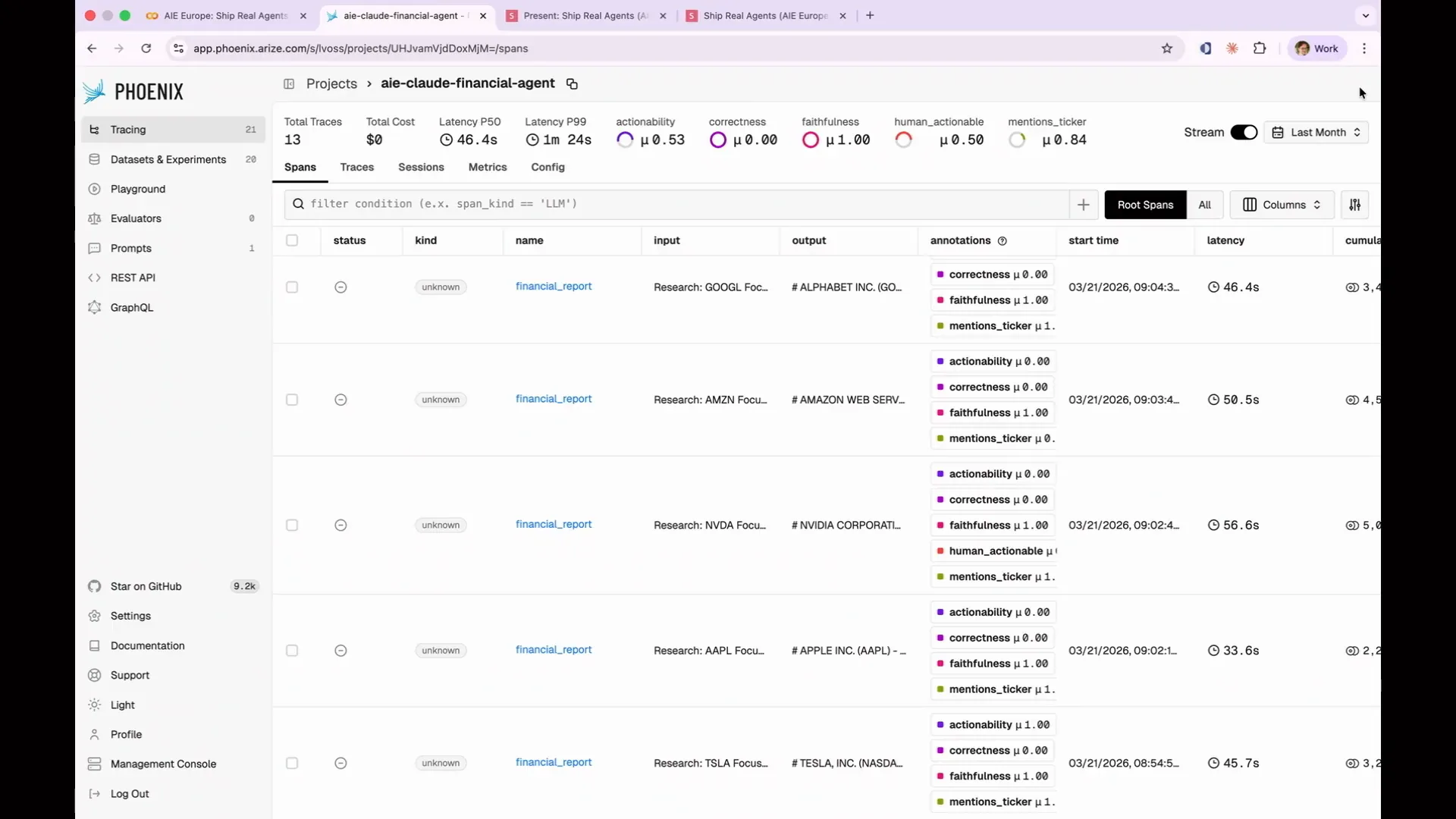 | You can sort by score to identify your best or worst performing evaluations. However, in this case, sorting won't be useful since we only have binary scores of 1 and 0. You can apply filters to display only failures. For this example, I will focus on my actionability evaluations. |
Slide 135 — 1:04:04 (watch)
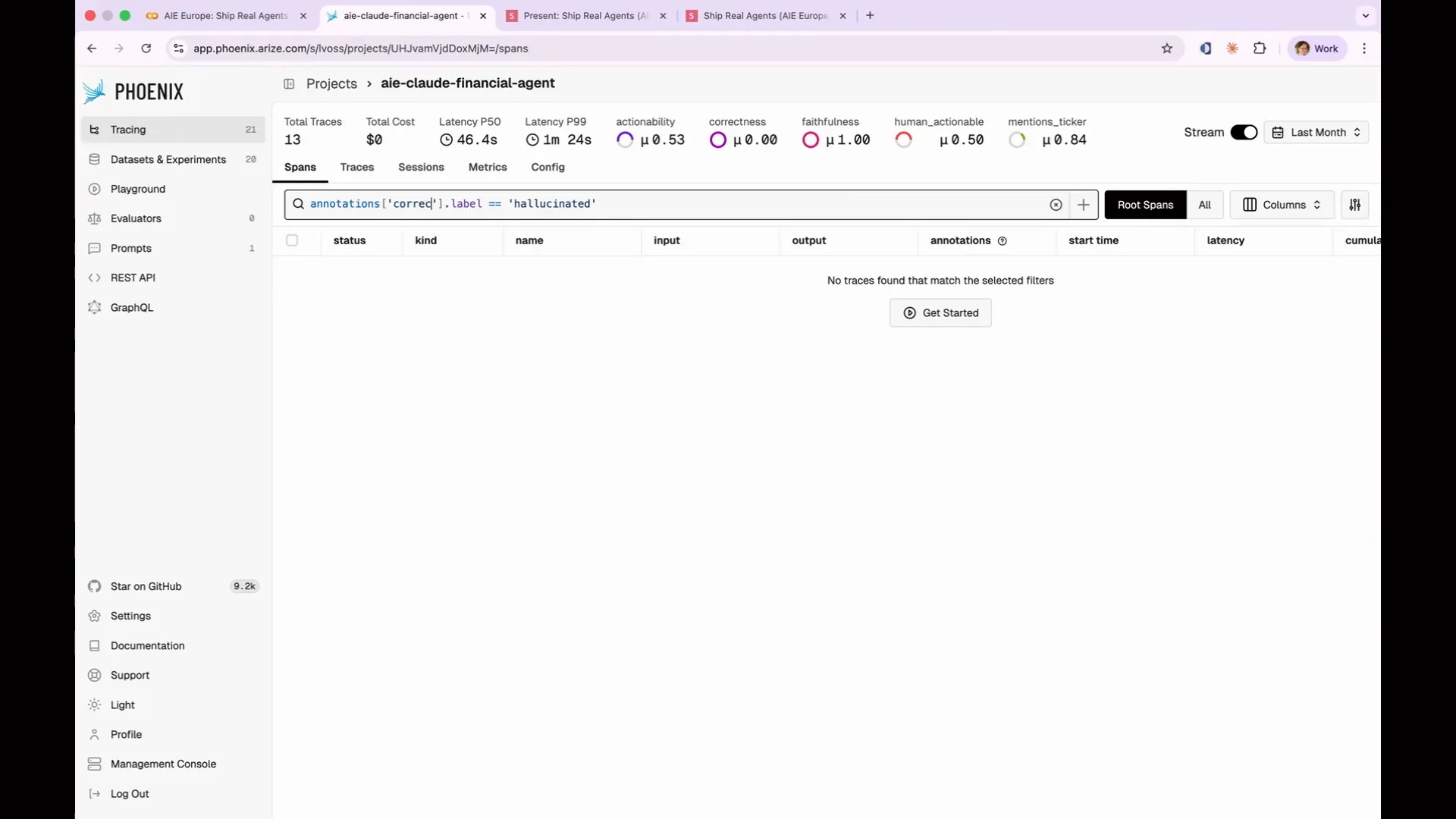 | I'm going to use my correctness scores. Let's focus on the incorrect ones. |
Slide 136 — 1:04:28 (watch)
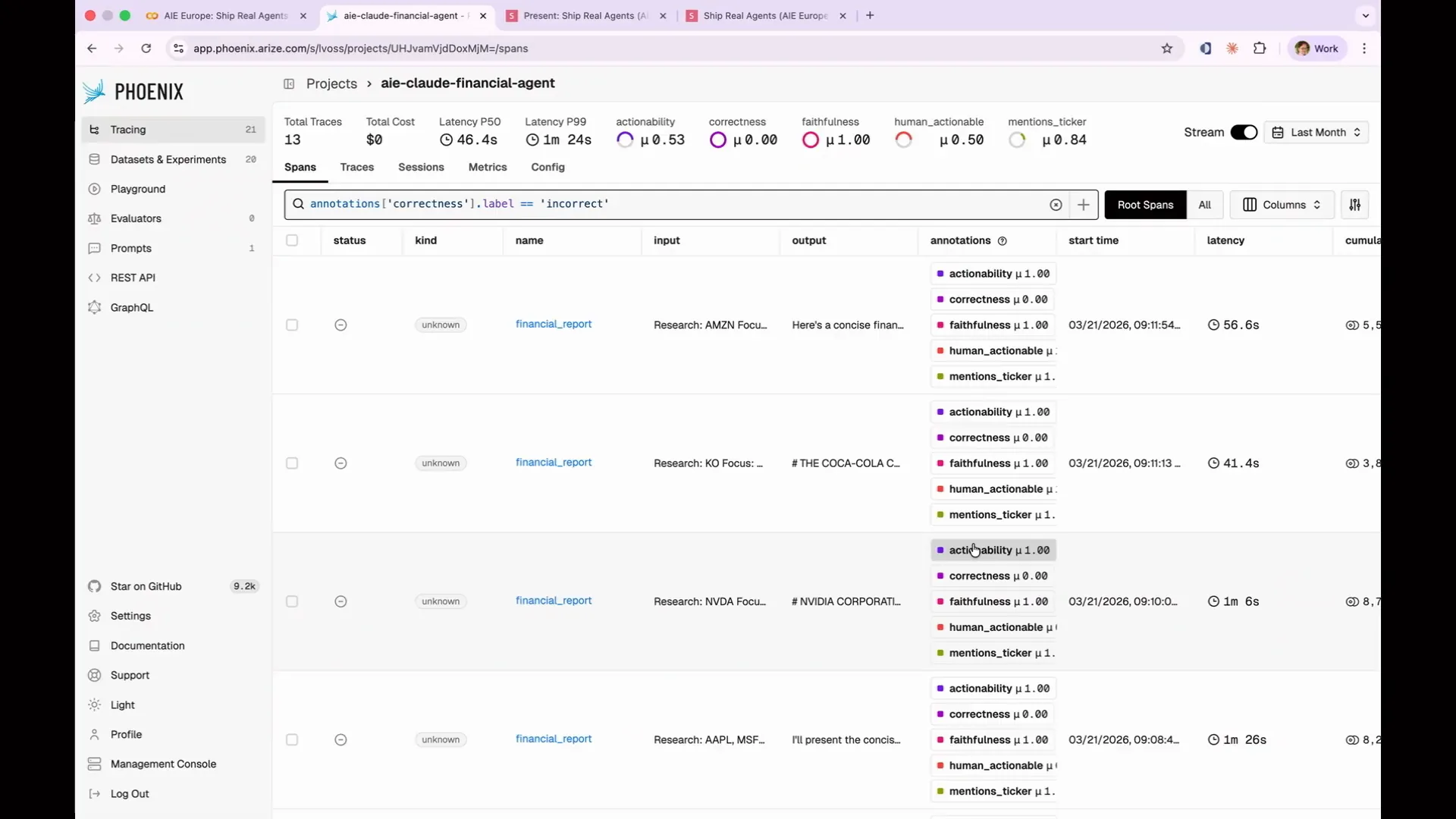 | This allows us to filter down to only those cases with a correctness of 0. You can click into any of those failing traces to see the full execution and exactly what went wrong. When there are only 13 of them, that’s not very useful. However, if you had 1,000, it would be much more beneficial because you could focus solely on the failing cases. Built-in evaluations serve as your starting point, providing immediate signals without any prompt engineering. The real depth of evaluation comes from custom code evaluations, specifically custom LLM as a judge evaluations. |
Slide 137 — 1:05:00 (watch)
 | One of the goals for our agent is to provide actionable results, specifically to inform us whether we should make a purchase. However, there is no built-in evaluation in Phoenix for determining if a financial report is actionable, so we will need to create that ourselves. This leads us to step six: writing a custom evaluation rubric. Before we proceed, it's important to discuss how to construct a good evaluation rubric. Every effective evaluation prompt I've encountered includes five key components. |
Slide 138 — 1:05:40 (watch)
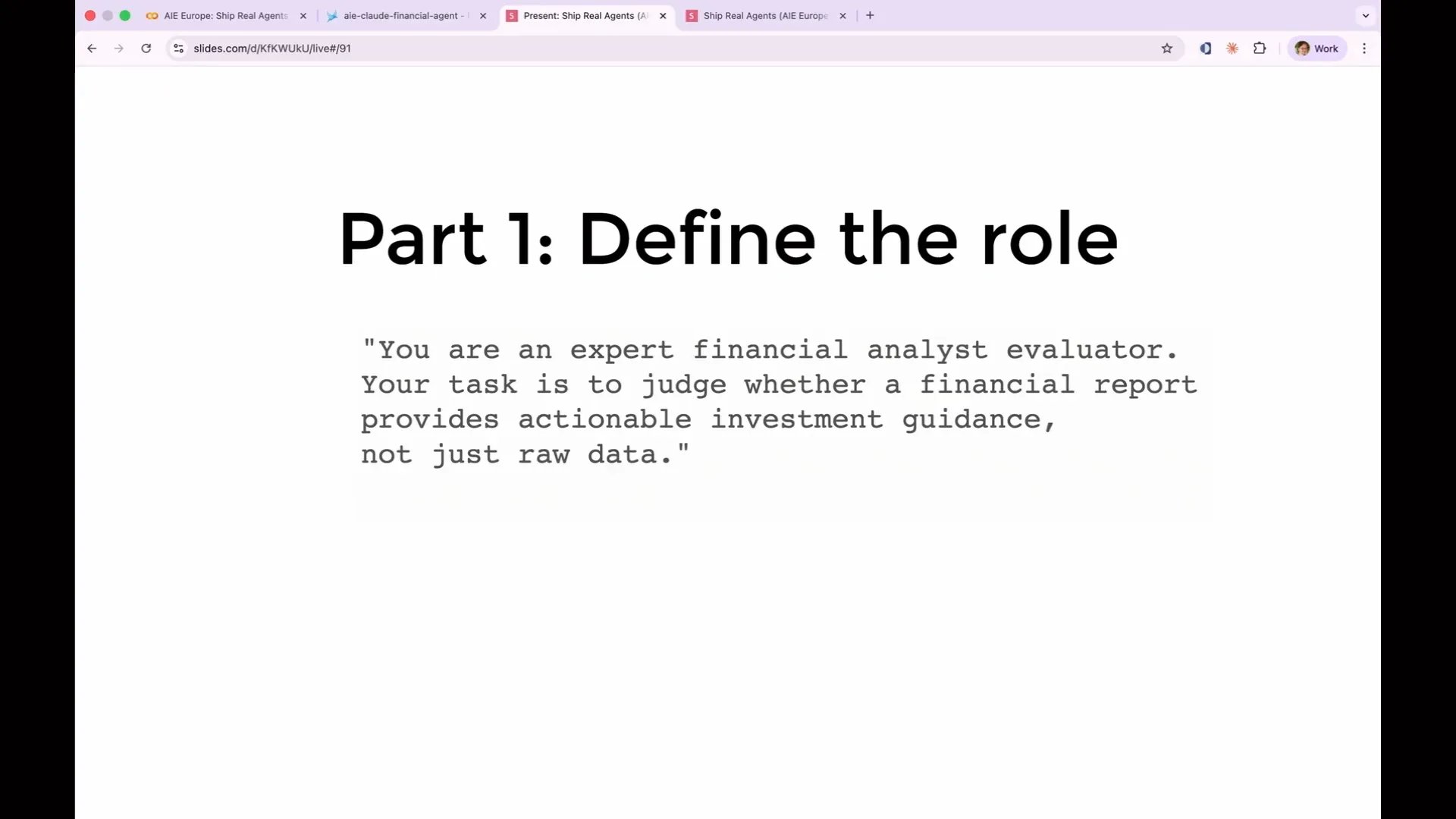 | I will go through each of the five parts of a good eval rubric. The first part is defining the judge's role. You need to provide the judge with domain context, specifying the type of output being evaluated and its intended purpose. For example, stating "You are an expert financial analyst evaluator" is common practice. While tests indicate this may not have a significant impact, it does make some difference, so it is worth including. The real difference comes from the instructions and the rest of the prompt. |
Slide 139 — 1:06:14 (watch)
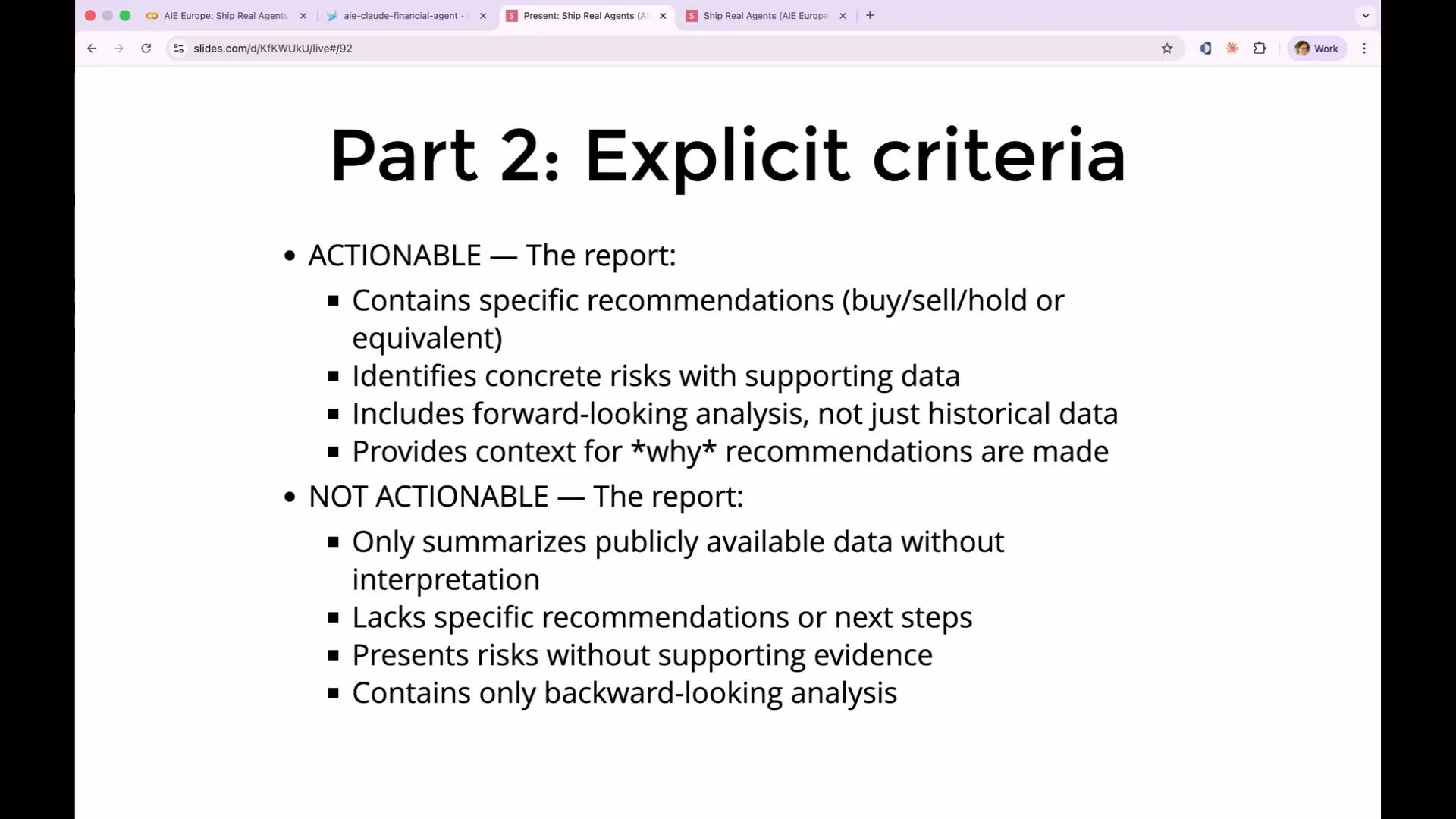 | Part two is your criteria, and you should be as explicit as possible. Many people underinvest in this area. Avoid vague terms like "a good response," as they do not define what constitutes good or bad. Instead, specify what makes a report actionable and what makes it not actionable. Terms like "helpful" and "accurate" are also vague and lack clarity. |
Slide 140 — 1:06:48 (watch)
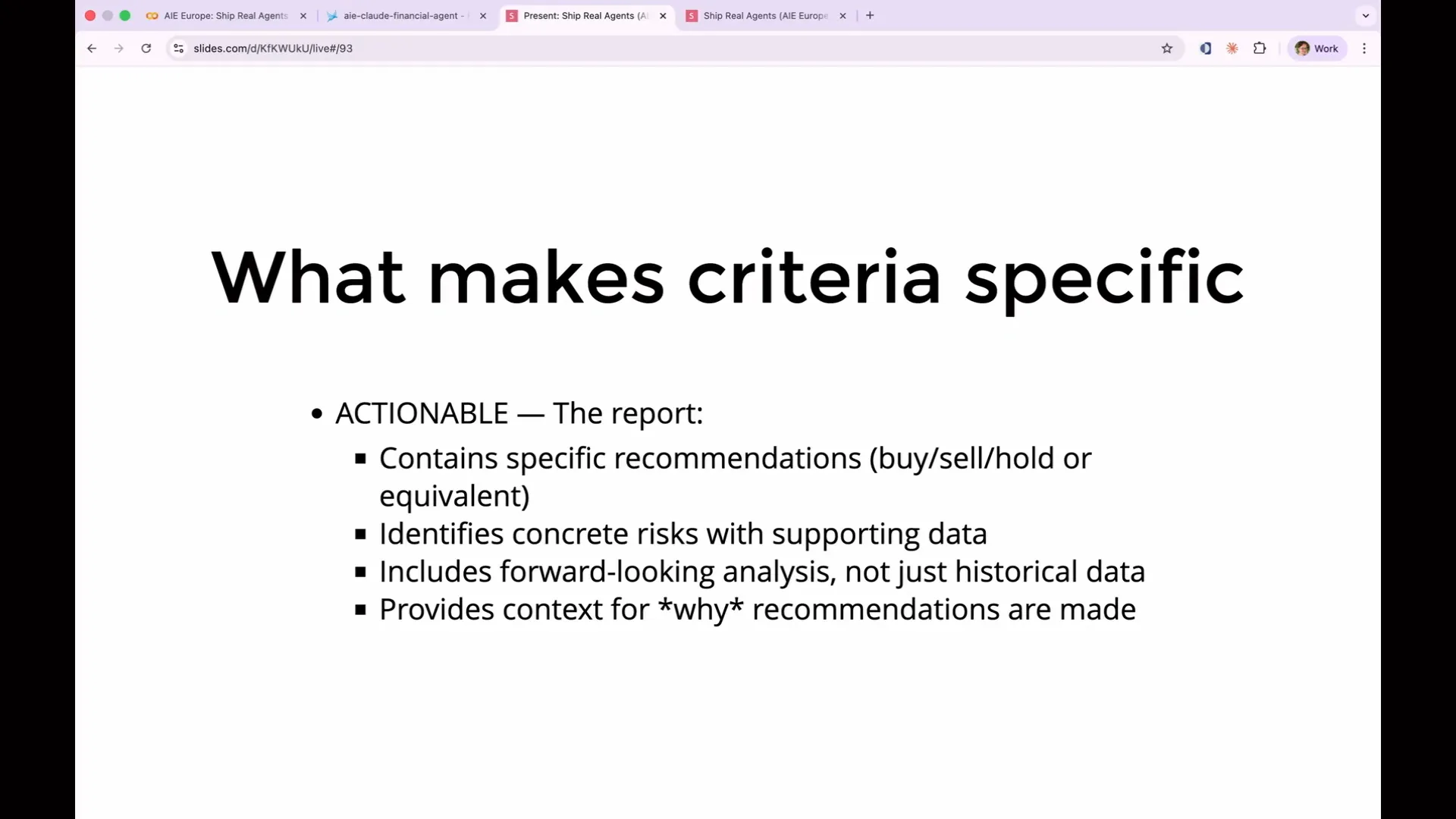 | What makes these criteria specific enough to be effective? They are specific and observable, containing clear recommendations that the judge can verify. They include forward-looking analysis rather than just historical data, which is an important distinction. On the other hand, reports that are not actionable only summarize publicly available data without interpretation. This describes a failure mode we encountered while analyzing our traces, where the response was overly general, such as stating that "Apple is good," which was not the level of detail we needed. |
Slide 141 — 1:07:12 (watch)
 | Each criterion corresponds to observations from our earlier traces. It's important not to write rules based solely on assumptions about what might be effective. Instead, rules should be grounded in the actual traces and failures you have observed. |
Slide 142 — 1:07:28 (watch)
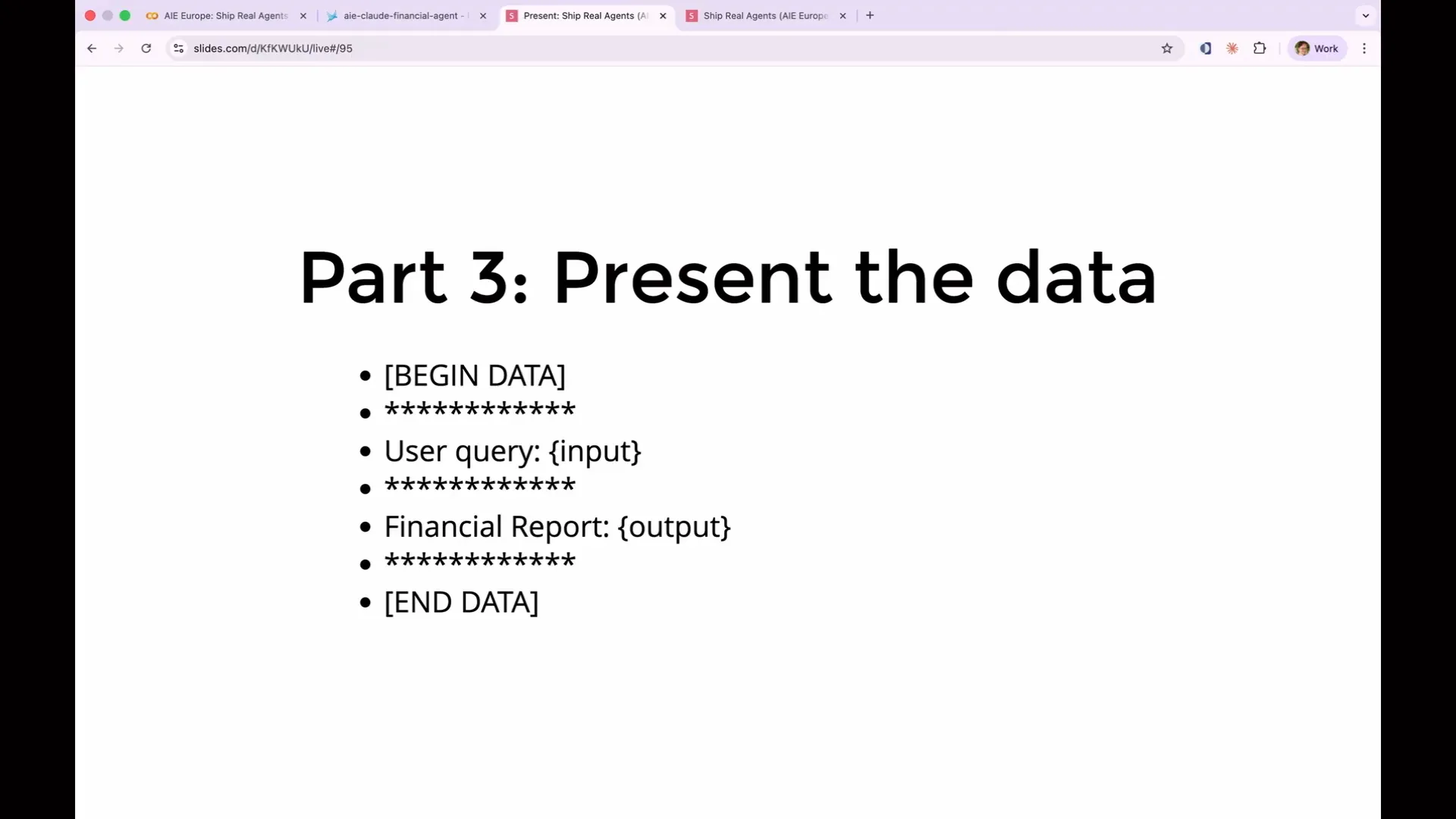 | Part three of a good rubric is to present the data clearly. We use begin data and end data in our Phoenix built-in evaluations. If you're using Cloud, it prefers XML, so you can utilize XML tags to indicate the start and end, which helps in accurately identifying these boundaries. |
Slide 143 — 1:07:44 (watch)
 | You are labeling each piece of data clearly to differentiate between them. For example, you can establish clear boundaries between a user query and a financial report, which reduces the chance of confusing one with the other. |
Slide 144 — 1:07:54 (watch)
 | Part four involves adding labeled examples, which is often overlooked but is the most beneficial addition you can make. |
Slide 145 — 1:08:12 (watch)
 | The key takeaway from this section on custom rubrics is the importance of adding examples. LLMs excel at analyzing examples, identifying patterns, and replicating those patterns. They perform significantly better when provided with examples rather than just a list of instructions. Their strength lies in their ability to learn from examples and follow them effectively. |
Slide 146 — 1:08:34 (watch)
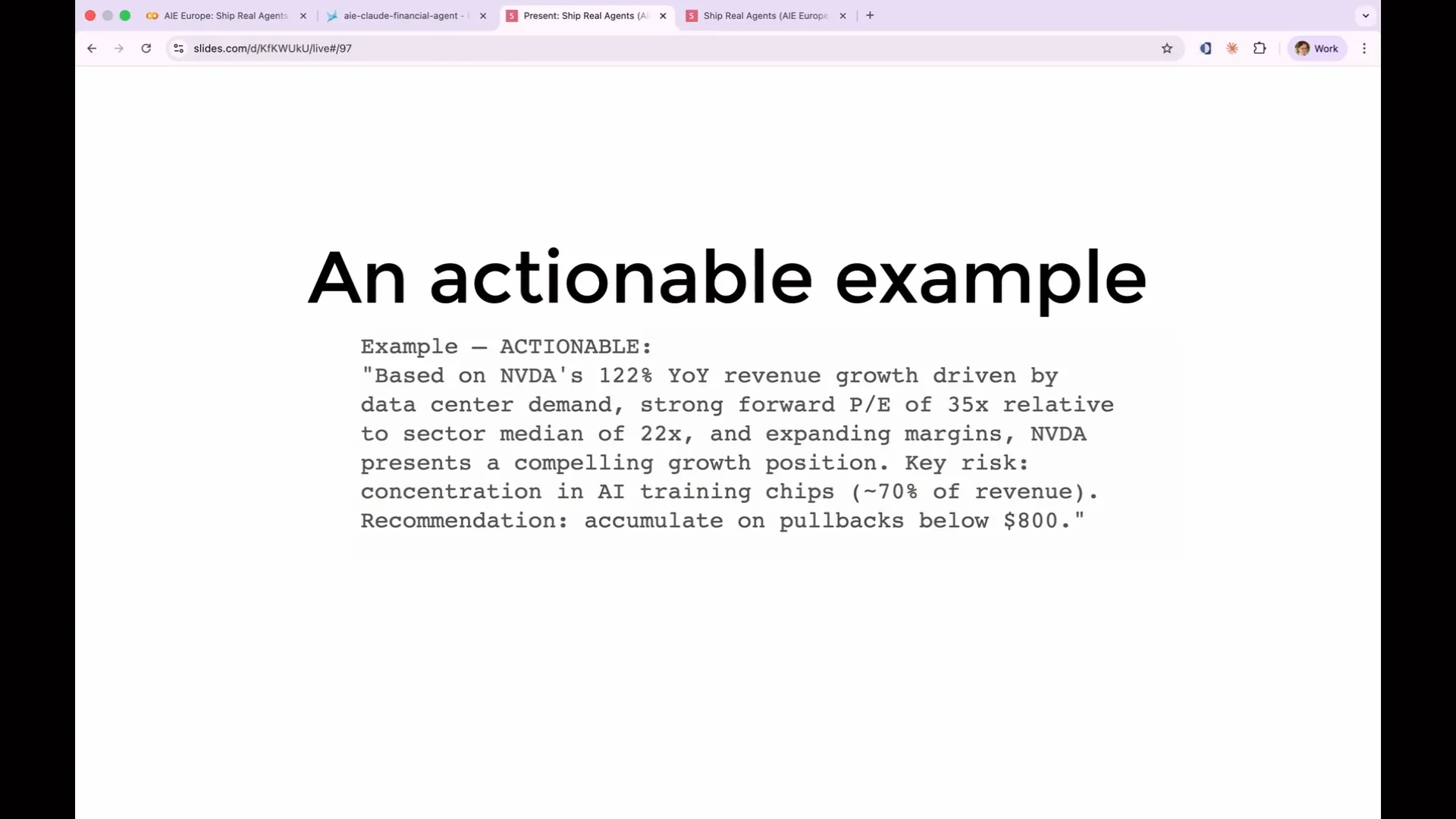 | An actionable example includes specific data, identifies a concrete risk with supporting numbers, and provides clear recommendations, such as accumulating below a certain price. This is the definition of actionable. In contrast, a non-actionable example lacks these elements. |
Slide 147 — 1:08:50 (watch)
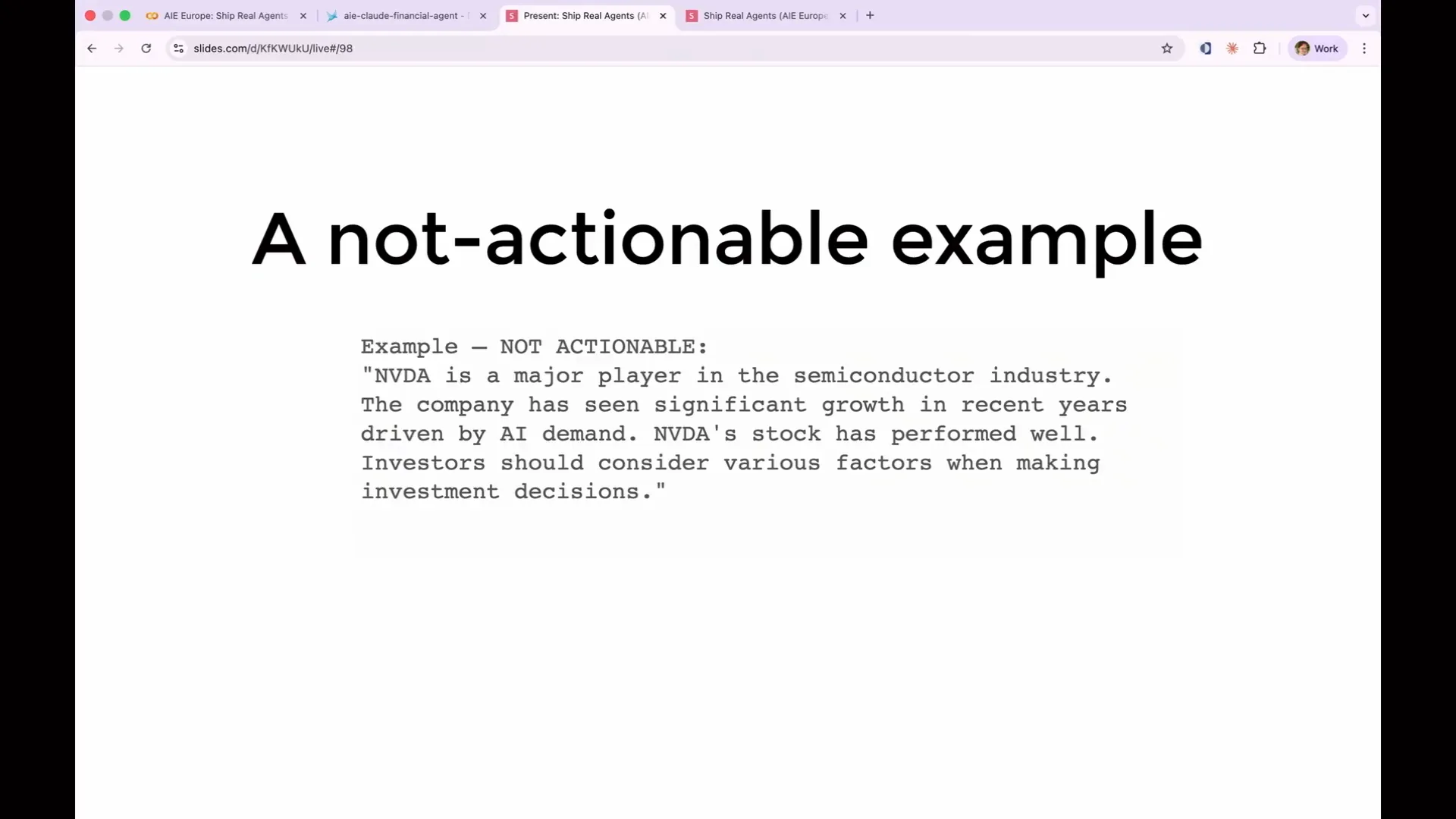 | NVIDIA is a significant player in the semiconductor industry, but this information does not indicate whether we should buy the stock. It serves merely as a description rather than a demonstration. |
Slide 148 — 1:09:32 (watch)
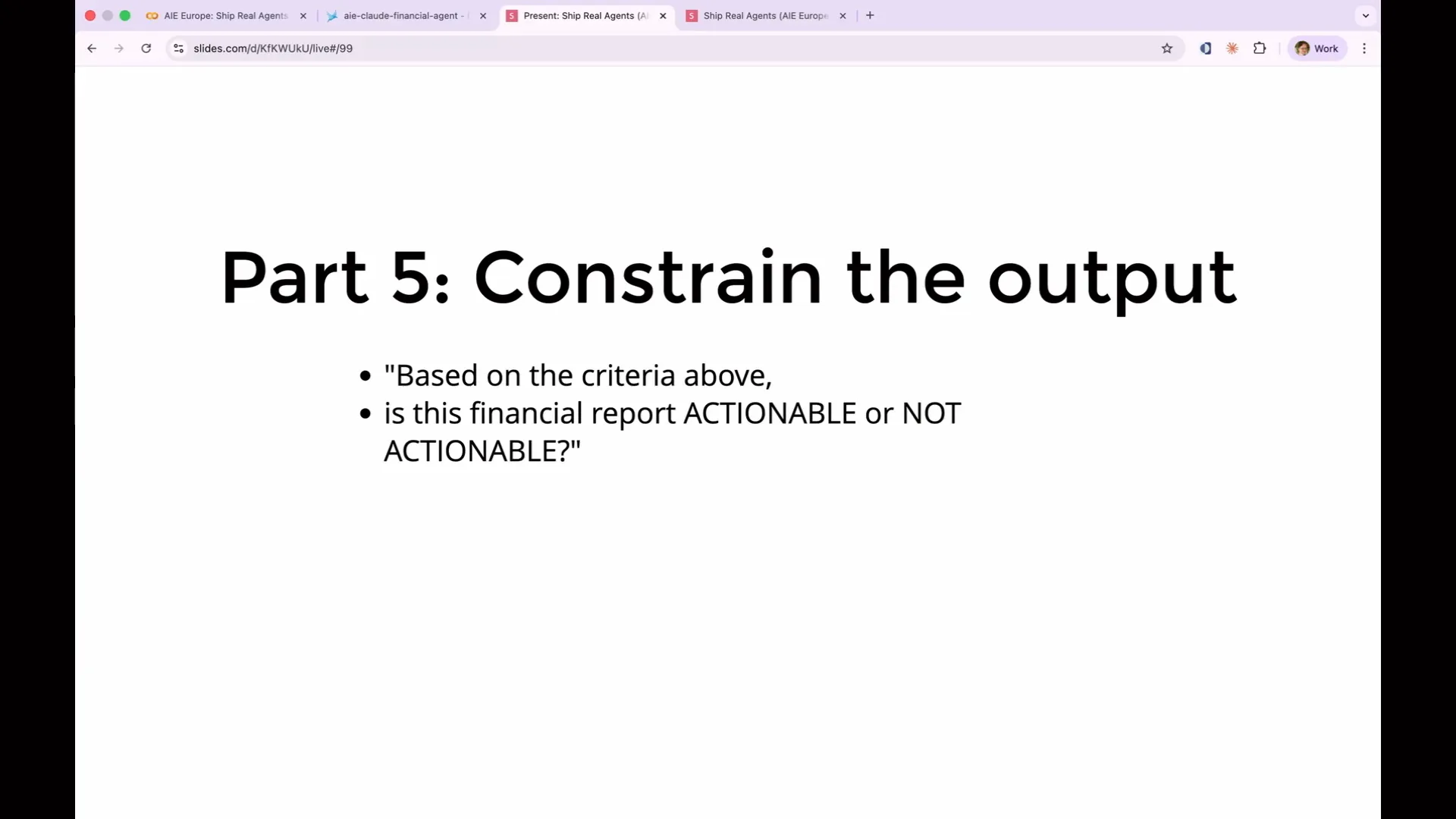 | The fifth recommendation is to constrain the output. We want to determine whether a financial report is actionable or not actionable. Your rubric should include a simple one-word output indicating this. Avoid lengthy explanations, JSON blocks, or markdown diagrams. A binary response is clear, and if more nuance is necessary, you can categorize it into three options: incorrect, partially correct, or completely correct. Many people mistakenly believe that providing a rating, such as a percentage or a score from 1 to 10, is useful. However, these ratings can be problematic. For example, what distinguishes a score of 6 from a score of 7? Unless you define this in the rubric, the agent cannot make that distinction, which introduces noise into your ratings. Therefore, stick to yes or no, and if needed, a maybe. While there is more to consider, keep it straightforward. |
Slide 149 — 1:10:10 (watch)
 | Another practical tip when writing an evaluation is to have the agent articulate its thought process. Encouraging a chain of thought for judges significantly enhances their performance. |
Slide 150 — 1:10:28 (watch)
 | Instruct the model to explain its reasoning before it generates a label. This approach enhances the quality of the output, as it allows for extensive token generation before determining the adequacy of the response. If you are coding along, now is the time to see if you can create a better evaluation than I can. |
Slide 151 — 1:11:10 (watch)
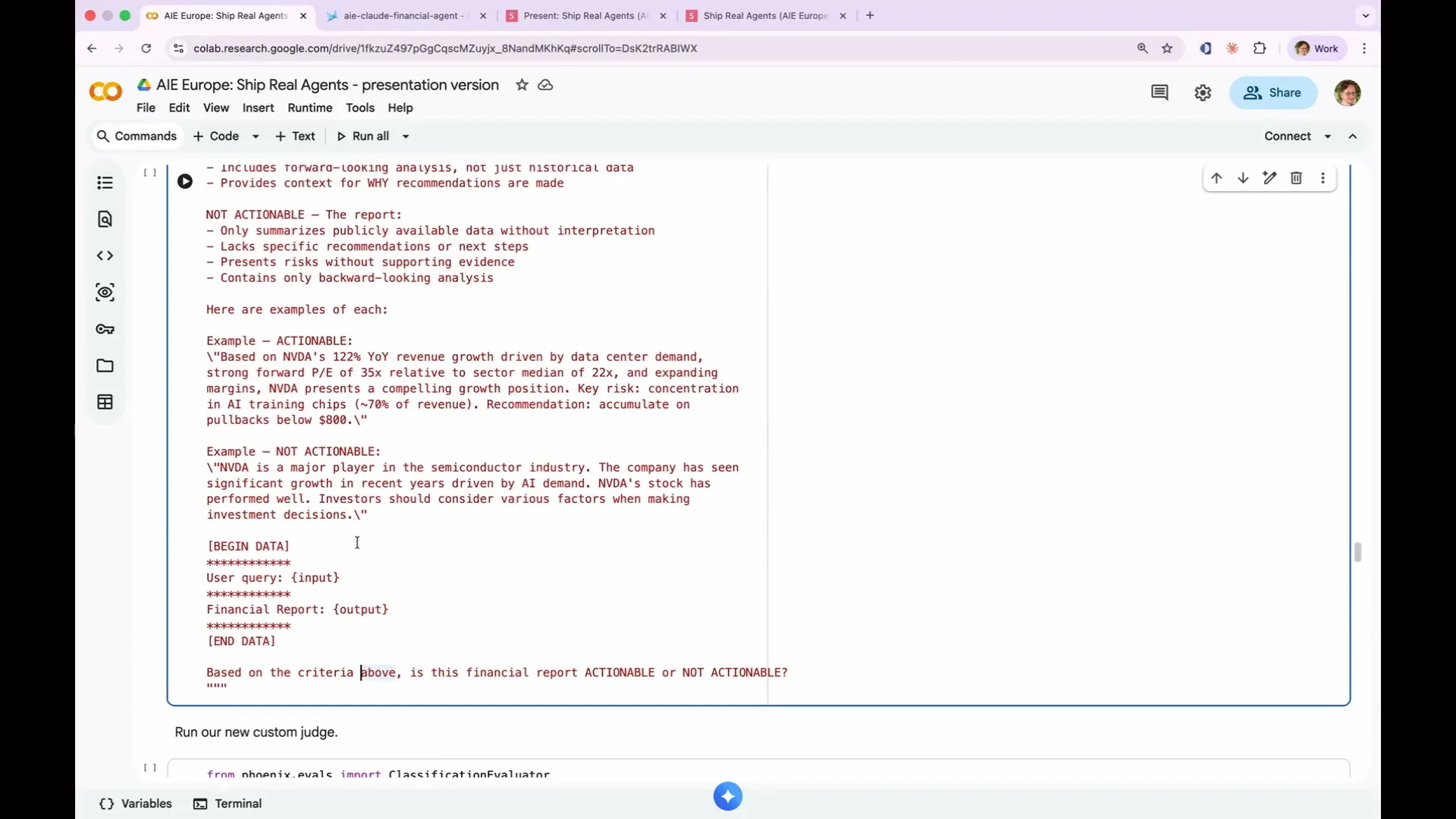 | This is what a custom LLM-as-a-judge looks like. It consists of a comprehensive prompt that includes various elements I've mentioned. You are designated as an expert financial analyst, and the prompt outlines actionable and non-actionable criteria, provides an example, and includes a begin data and end data block with the input and output. Based on the specified criteria, the prompt evaluates whether the financial report is actionable or not. It may be challenging to create a better prompt on the spot, as I have refined this one through multiple iterations. However, it's a valuable exercise, so feel free to input your examples of what an actionable report should look like, and we will document it. |
Slide 152 — 1:11:52 (watch)
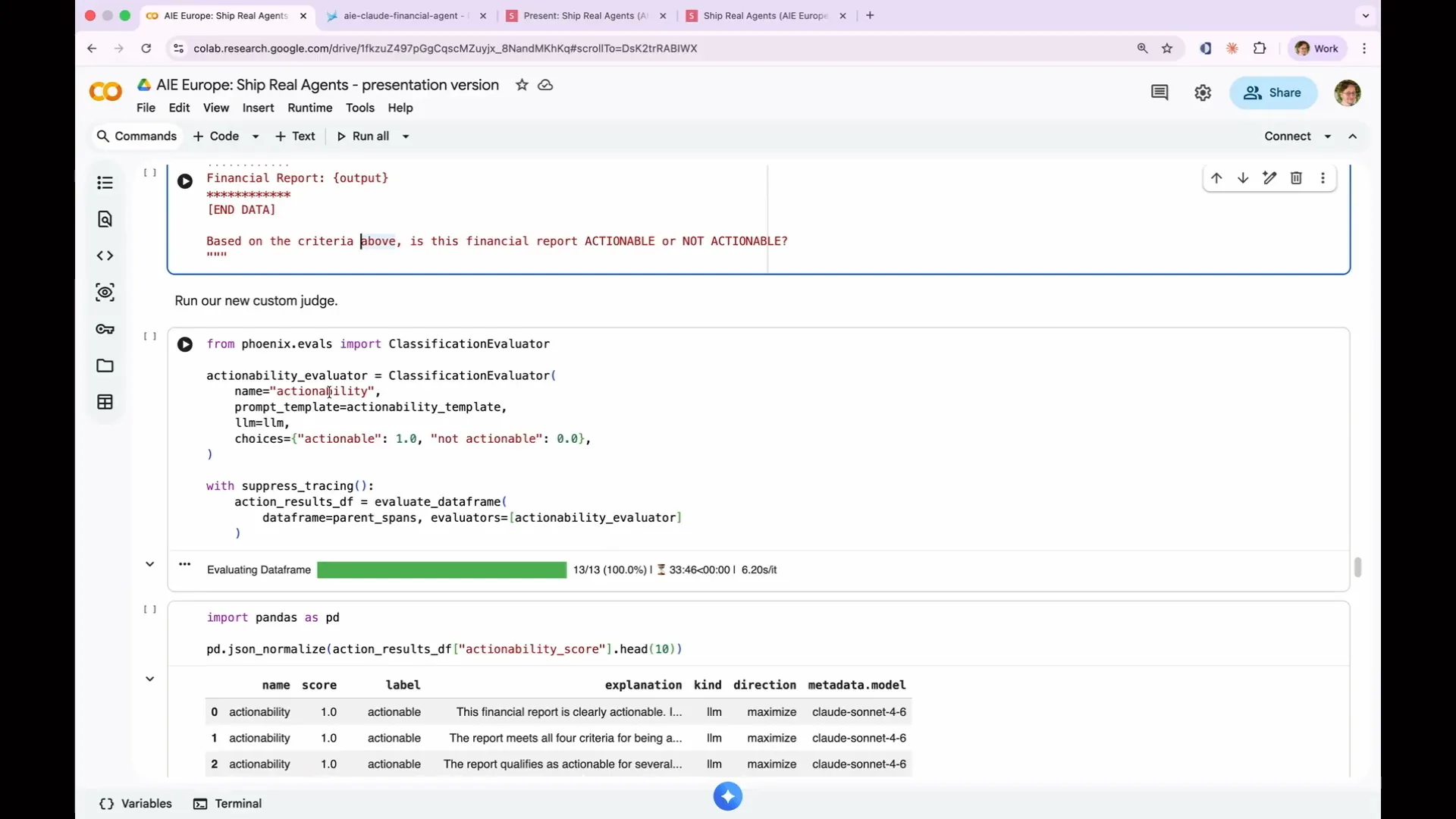 | To use this, once we've written our prompt, we will utilize a helper called the classification evaluator. This creates an LLM as a judge for Phoenix, and we need to provide four things: a name, actionability (the label it will display in Phoenix), the prompt template I just showed you, and an LLM to perform the judging. Additionally, we provide choices, which are labels with scores. The options are either actionable, which we assign a score of 1.0, or not actionable, which we assign a score of 0. Once again, we suppress tracing. |
Slide 153 — 1:12:22 (watch)
 | Let's start by writing down your reasoning. I realize I mentioned it but didn't include it in the discussion. Thank you for pointing that out; it's great to see someone engaged. Now, let's examine the scores to determine which items were deemed actionable and which were not. This is a capability evaluation. |
Slide 154 — 1:12:48 (watch)
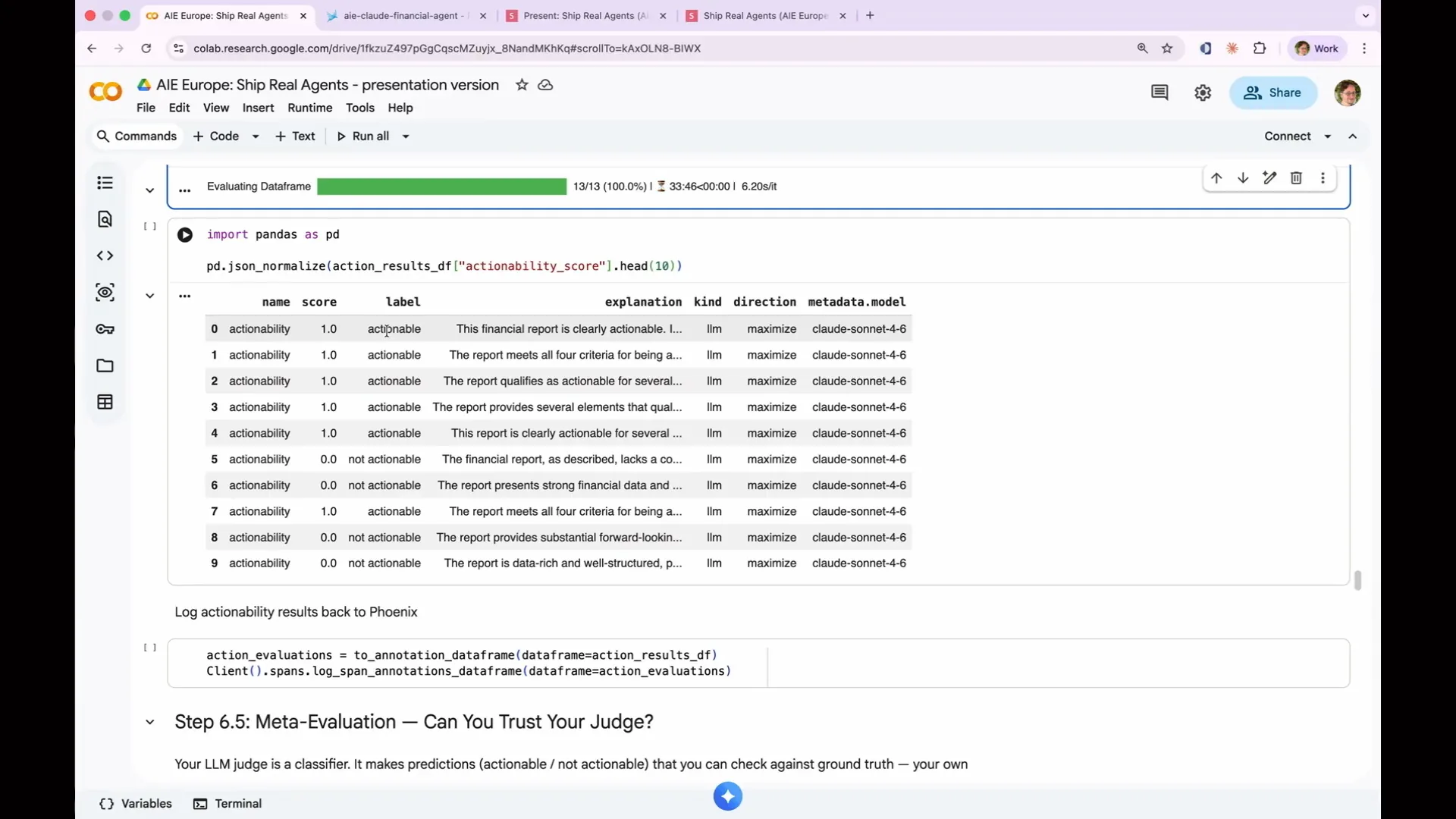 | I was discussing regression evaluations versus capability evaluations. This is a perfect example of a capability evaluation because it is not performing very well. In six cases, it produced actionable results, while in the remaining cases, it generated non-actionable results. This indicates that there is significant room for improvement. |
Slide 155 — 1:13:06 (watch)
 | This indicates that we can instruct the agent to improve, and it has the potential for significant enhancement. |
Slide 156 — 1:13:20 (watch)
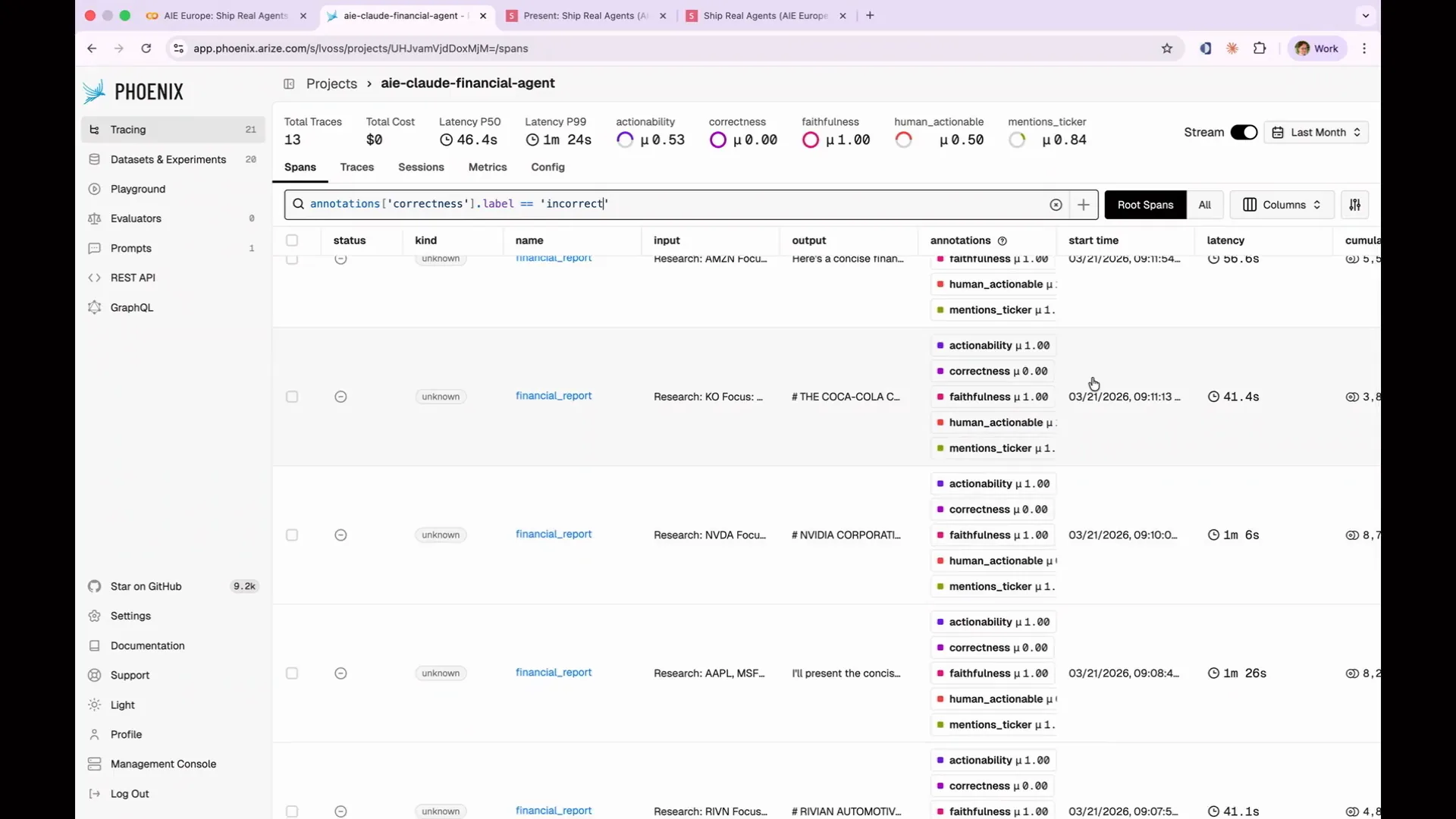 | We log the annotations back to Phoenix, allowing us to view the actionability scores within the platform. We can apply the same filtering methods as before. |
Slide 157 — 1:13:40 (watch)
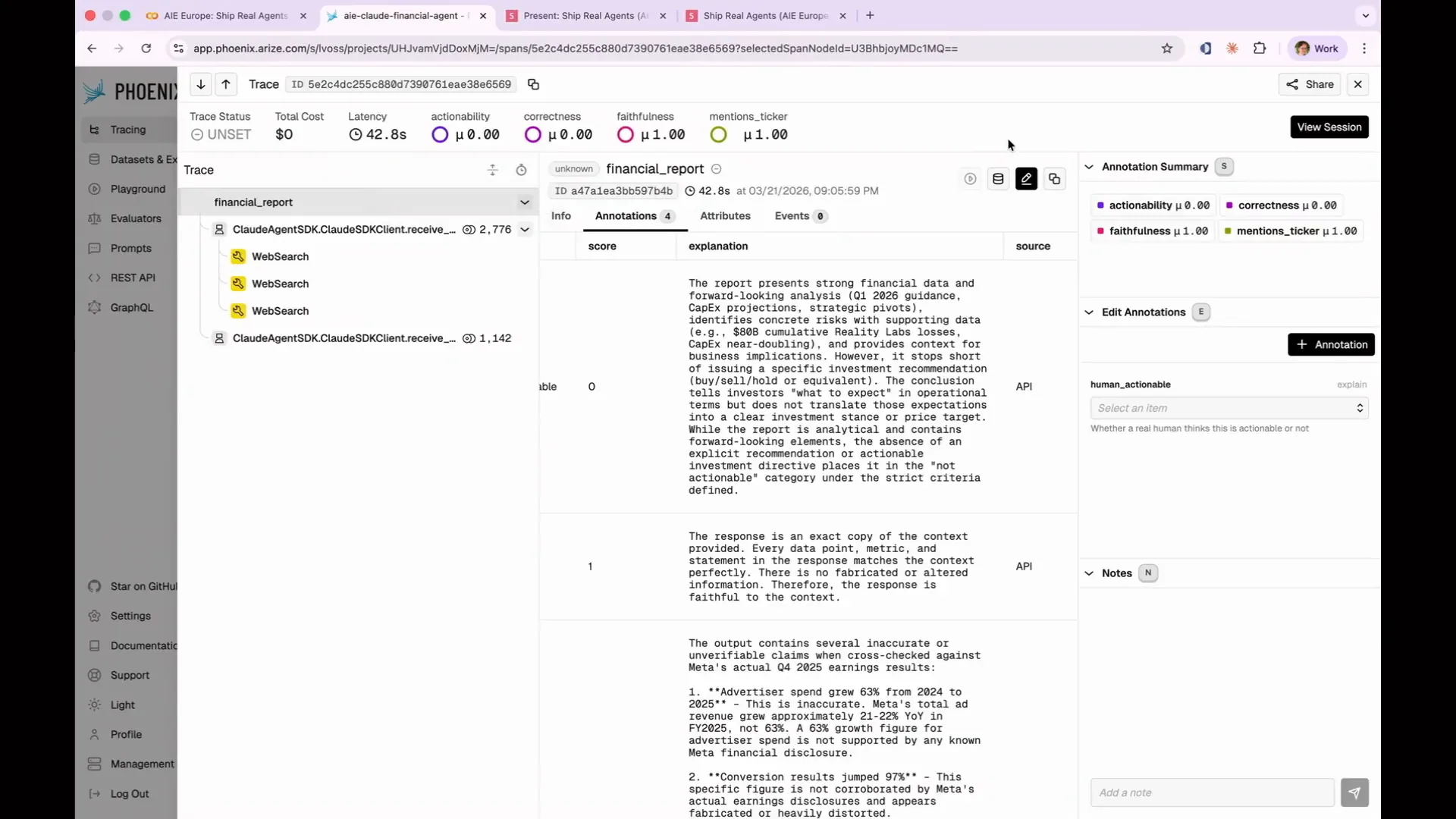
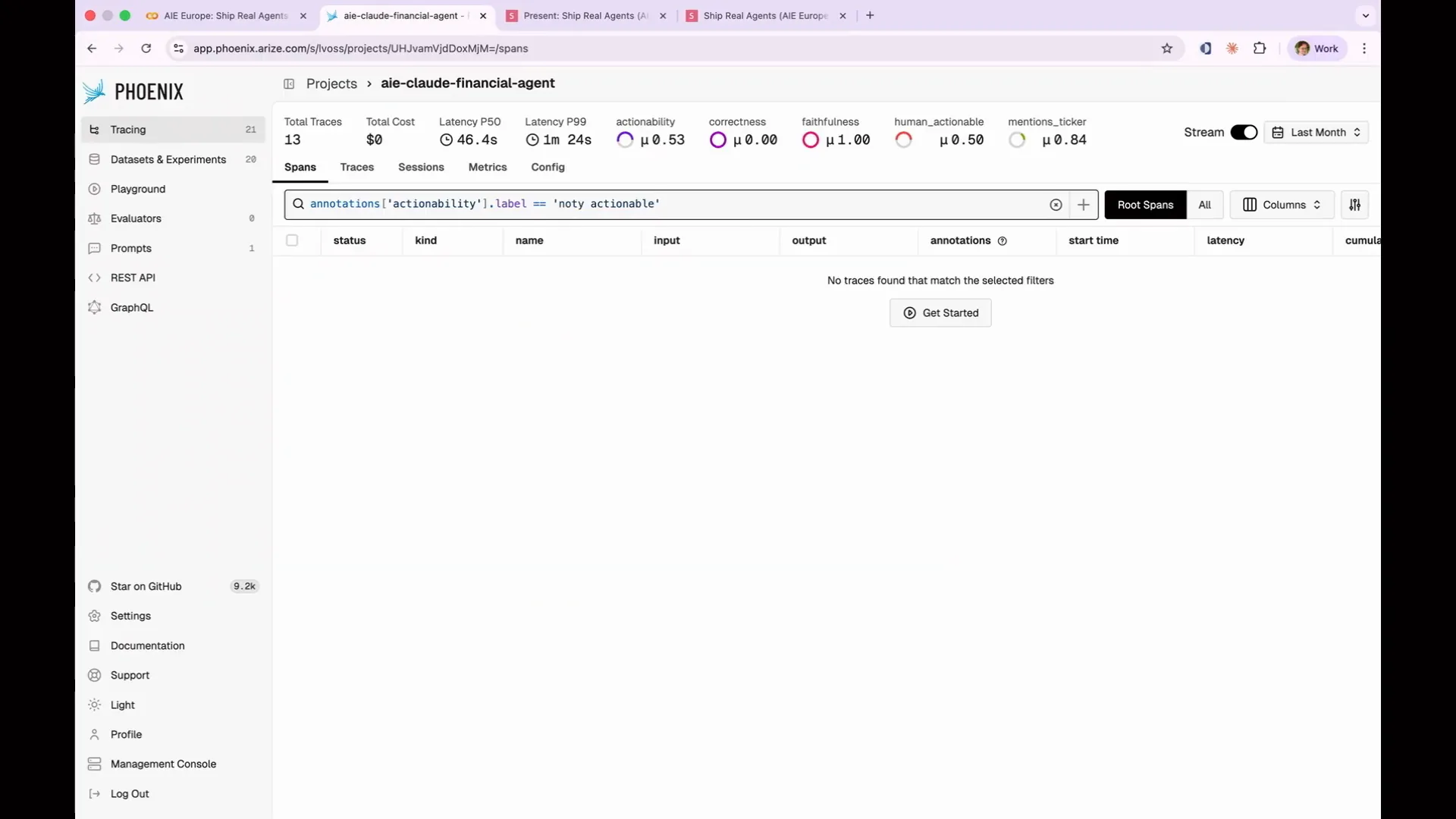 | Actionability is an important aspect to consider. I didn't anticipate that I would be typing with one hand, so I would have chosen shorter labels. We can categorize items as actionable or not actionable and identify those that failed. As with previous examples, we can click through to our annotations, assess actionability, and obtain explanations. For instance, we might find that a financial report lacks a concrete buy-sell-hold recommendation. |
Slide 158 — 1:14:32 (watch)
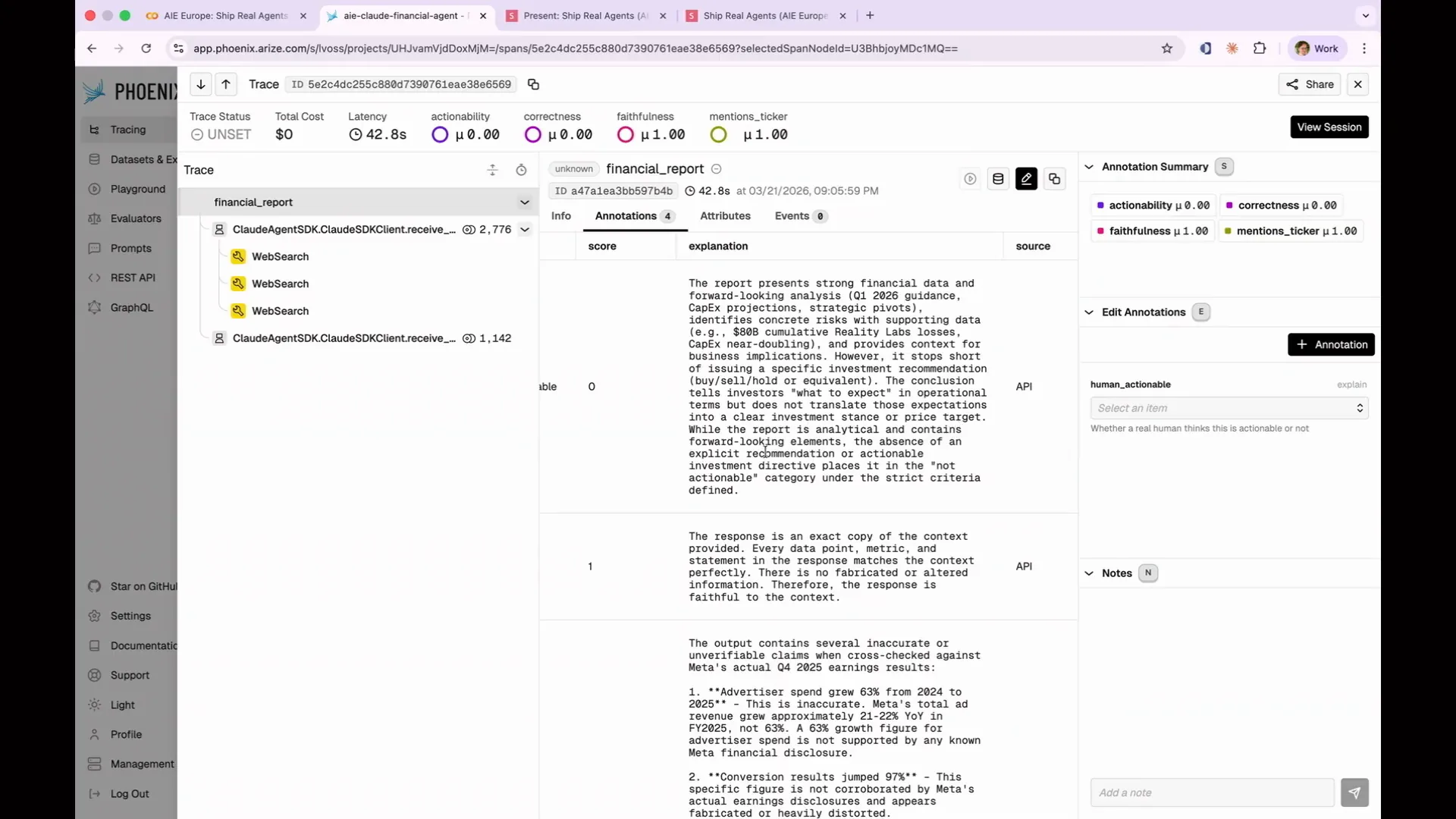
 | Haiku is making errors, which is why we chose it; we expected it to fail in certain areas. You can filter and sort by various criteria, including latency, number of tokens, and cost, not just by your labels. For example, if you have an agent that arrives at the correct answer but does so inefficiently—like performing 100 web searches—this is not ideal for production. You can identify these costly operations and adjust your prompts to achieve results more economically. Phoenix provides additional information beyond your inputs, allowing you to filter for actionable insights. For instance, one report indicated it lacked a concrete buy-sell-hold recommendation. By filtering through other reports, we can uncover various actionable explanations, such as one that highlights strong financial data and forward-looking analysis but notes the absence of an explicit recommendation, categorizing it as not actionable. |
Slide 159 — 1:15:08 (watch)
 | Great. That is the outcome we aimed for. |
Slide 160 — 1:15:32 (watch)
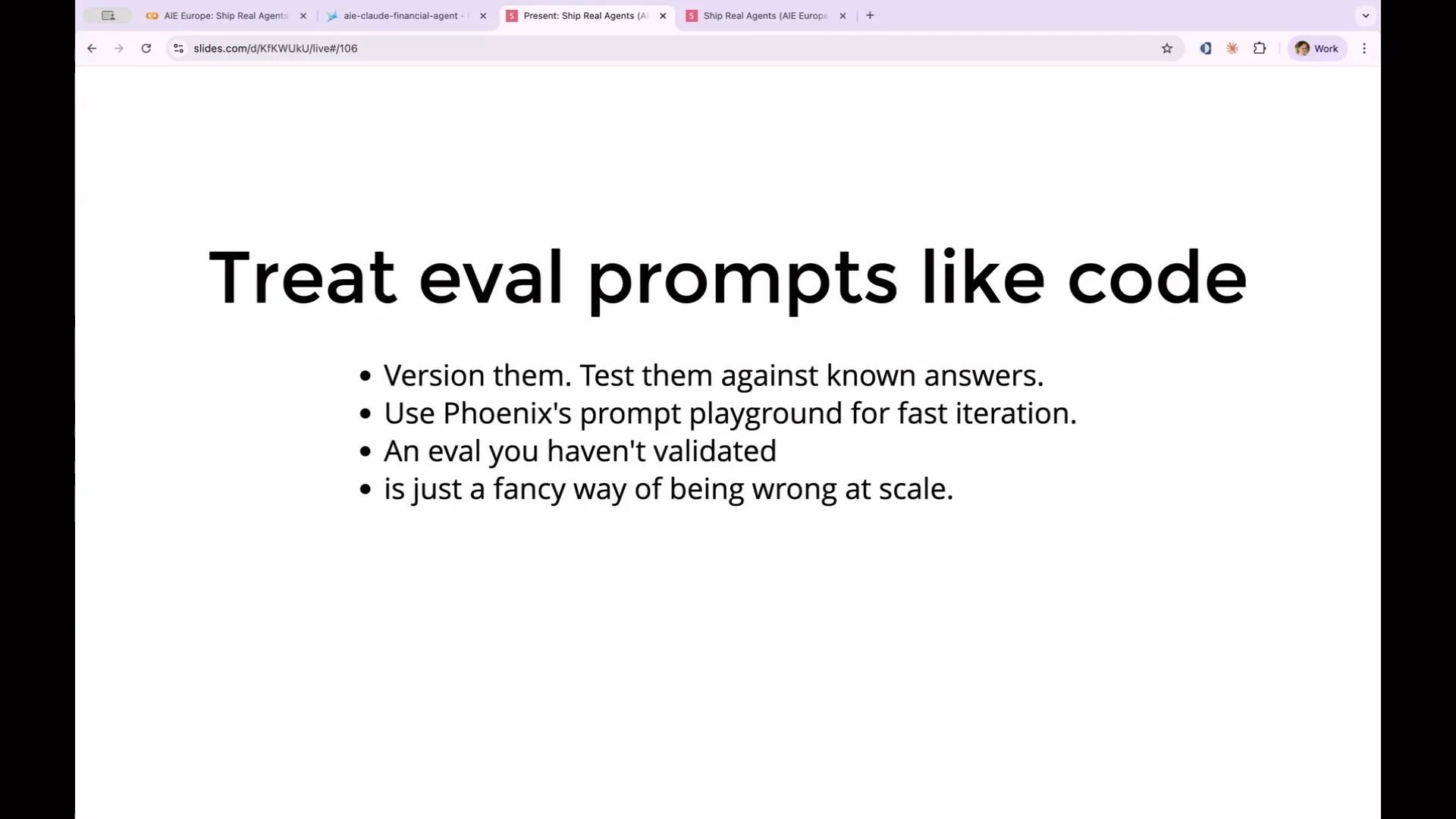 | You should treat your evaluations like code. The wording of the prompt we just created and the criteria for measuring your agent's performance will vary significantly with each word, due to the non-deterministic nature of LLMs. Version your prompts and store them so you can reference previous versions if things go awry. Test your prompts on examples where you know the correct answers. If the judge disagrees with your human labels on 40 percent of the examples, it indicates that the prompt you wrote is not effective. You can iterate on rubrics without modifying the code. An evaluation that hasn't been validated is simply a sophisticated way of being incorrect at scale. |
Slide 161 — 1:16:30 (watch)
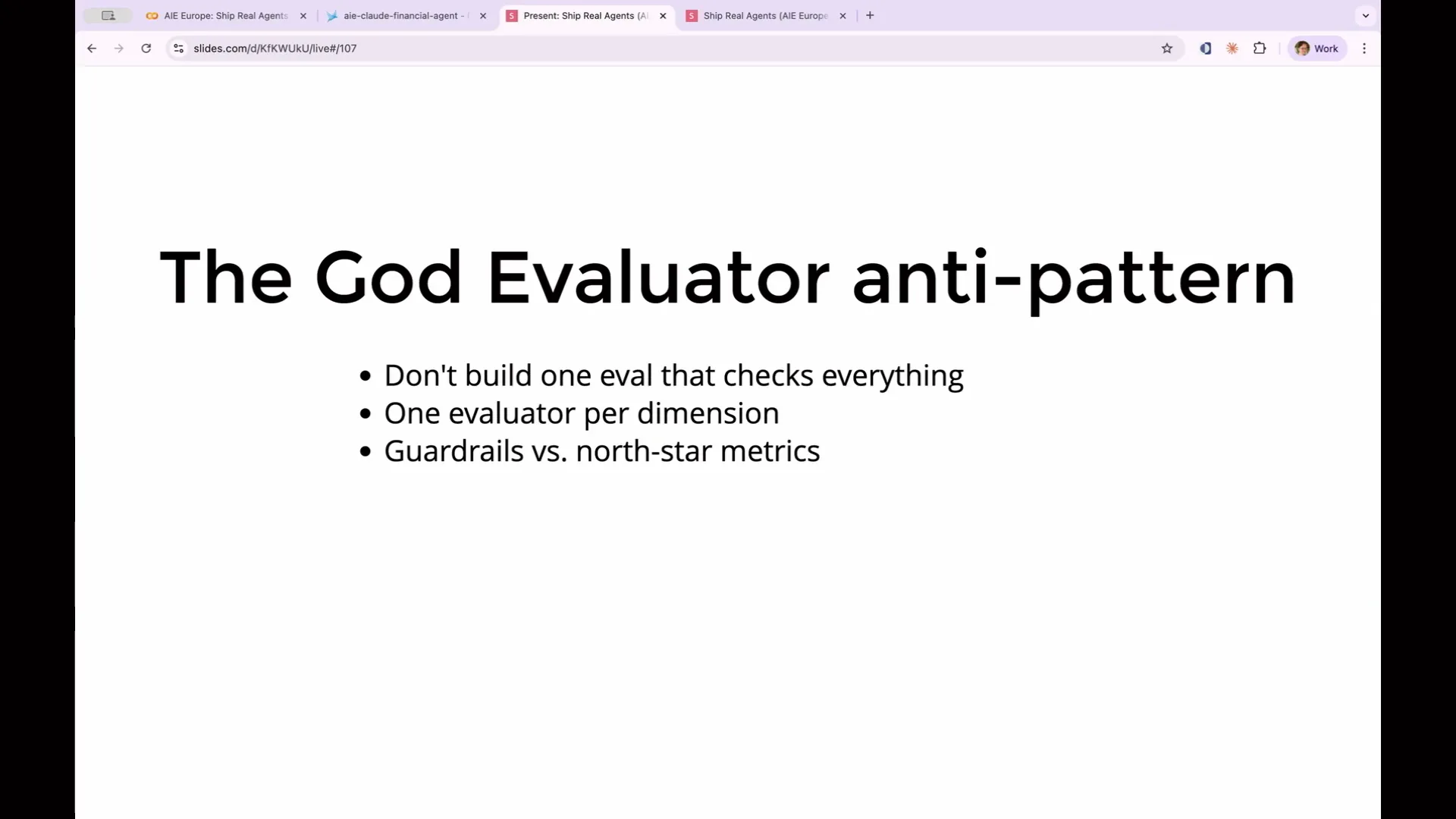 | One important point to consider when writing custom evaluations for LLMs is the concept of the "God evaluator." It may be tempting to create a single LLM evaluation that attempts to assess everything, including accuracy, tone, completeness, policy compliance, and formatting. However, this approach is problematic because it becomes difficult to calibrate. If the evaluation fails, you won't know the reason for the failure. To address this, you would need to modify it to output an additional word indicating which of the multiple criteria it was testing. |
Slide 162 — 1:17:04 (watch)
 | Instead, split your evaluator into distinct dimensions. Test for accuracy, completeness, and tone, but conduct each evaluation with a separate LLM evaluation. I want to discuss guardrails versus north star metrics. Some evaluations serve as guardrails and are considered ship blockers; for example, if the agent hallucinates a stock price, that would be a hard fail. We don't want it to say "bye" when it should say "sell." However, if we state that the agent should always recommend complementary investments, that is a nice-to-have and not a deal-breaker. |
Slide 163 — 1:17:20 (watch)
 | You need to identify which of your evaluations are critical ship blockers and which are merely informative. |
Slide 164 — 1:18:00 (watch)
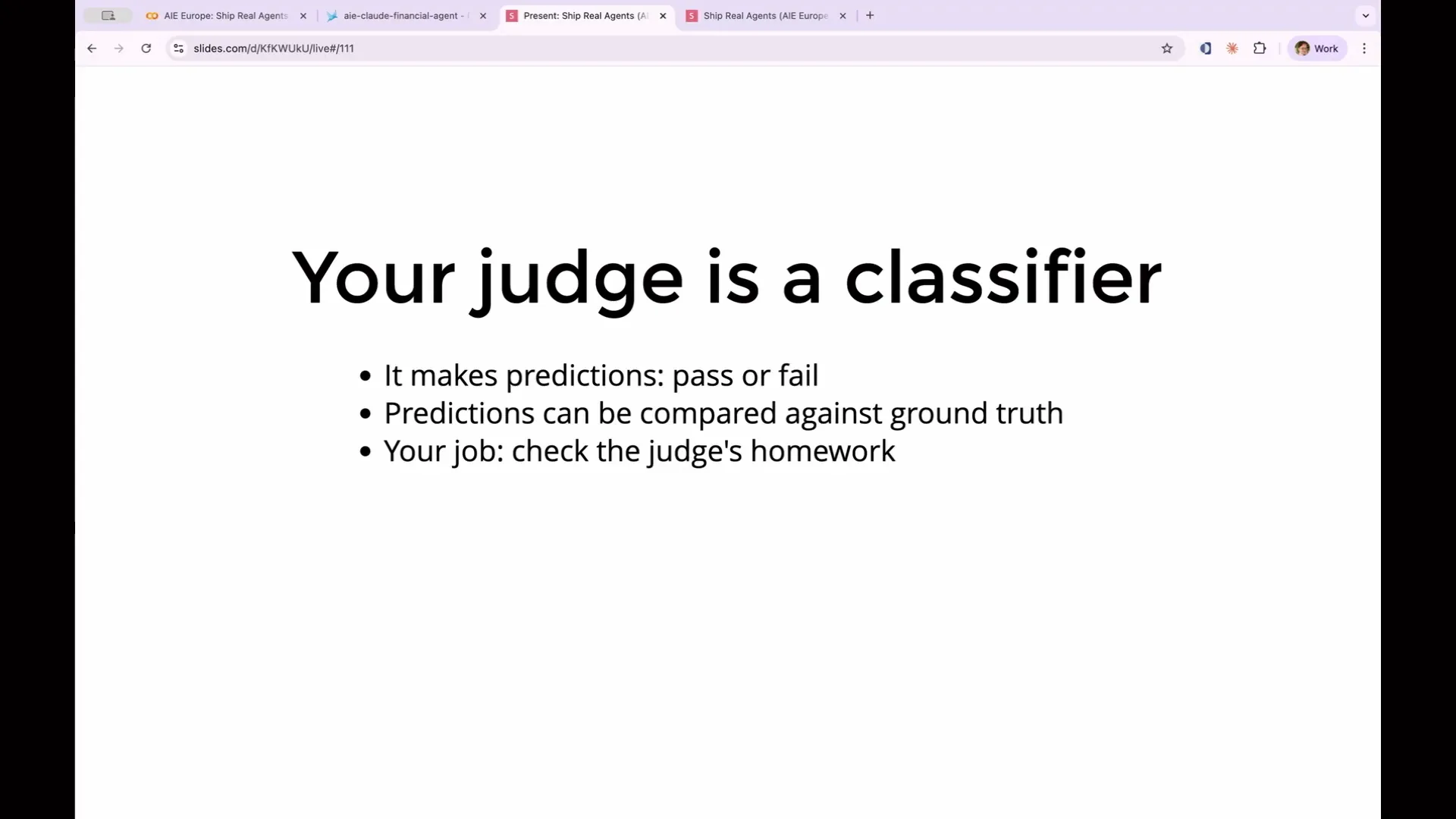 | Meta-evaluation is a crucial concept we've been discussing. It involves assessing whether your custom rubric is effective and if the code you've written for determining whether something is actionable is reliable. You can think of your judge as a classifier, specifically an ML classifier. It takes an input and makes a prediction, and like any classifier, you can evaluate its performance by comparing its predictions to the ground truth. In this case, you can use your own human judgment to verify the LLM's output. However, relying on human judgment requires significant effort. |
Slide 165 — 1:18:26 (watch)
 | You need to review the results of your evaluations and compare them manually, asking yourself whether you agree with the model's predictions in each instance. For example, if I access a span in Phoenix, I can add an annotation. |
Slide 166 — 1:19:38 (watch)
 | In this section, I can create a new annotation to assess human trust, indicating yes or no. This can be done programmatically or through the UI, allowing me to compile a list of human evaluations regarding the actionability of my assessments. I can then compare the LLM's judgments against my human annotations. I won't delve into the specifics of this process, as it can be tedious, but the goal is to build a golden dataset. Golden datasets are invaluable, as I mentioned earlier; they serve as a benchmark for evaluating the effectiveness of your evaluator. To achieve this, establish clear, concrete criteria for determining success or failure. Avoid subjective judgments like simply saying it worked or it didn't, as this leads to the same arbitrary issues faced by the LLM. Instead, refer to the same prompt provided to the LLM and evaluate whether it meets the actionable criteria you've set. Provide examples to eliminate ambiguity. |
Slide 167 — 1:21:02 (watch)
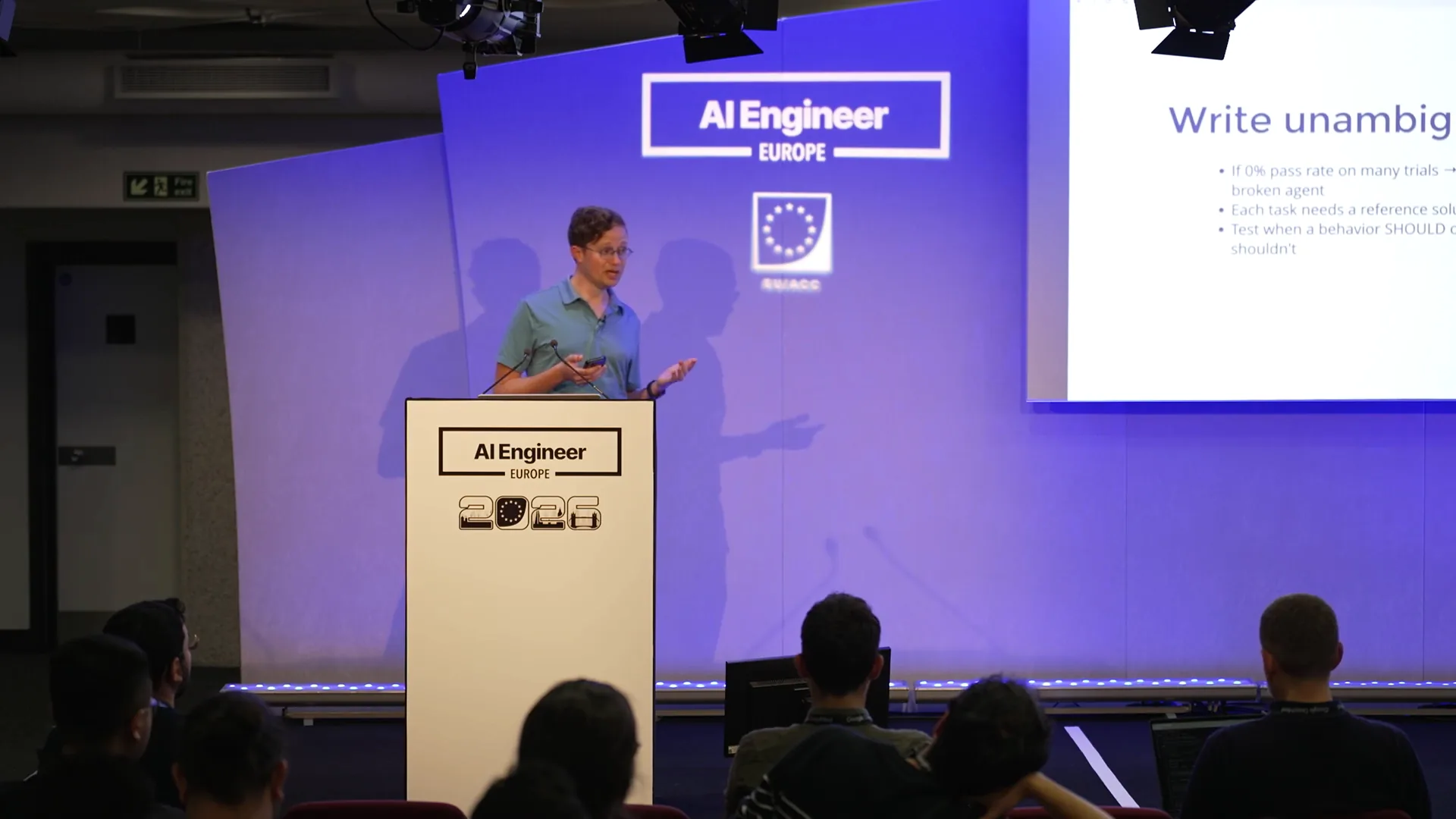 | As you proceed, ensure your tasks remain unambiguous. If your agent consistently scores 0 percent, it indicates a broken task, meaning the agent is failing to perform. This situation often arises when the evaluation task is designed for human capabilities that the agent cannot manage. To prevent this, create a reference solution for each task. Determine in advance the expected output from the LLM in that scenario, allowing you to assess how closely the LLM approaches that output. Additionally, test in both directions: include cases where the desired behavior should occur and cases where it should not. For example, if you have a test asking whether the agent can search the web, this is a valid task for a financial agent. However, be cautious of creating an agent that always searches the web, regardless of necessity. Therefore, include test cases in your evaluation set that specify when the agent should not search the web and verify that it behaves accordingly. Your golden set should not only consist of test data but also reflect the encoded judgments of domain experts. This set will expand as you identify more test cases, with today's production failures evolving into tomorrow's test cases. |
Slide 168 — 1:23:36 (watch)
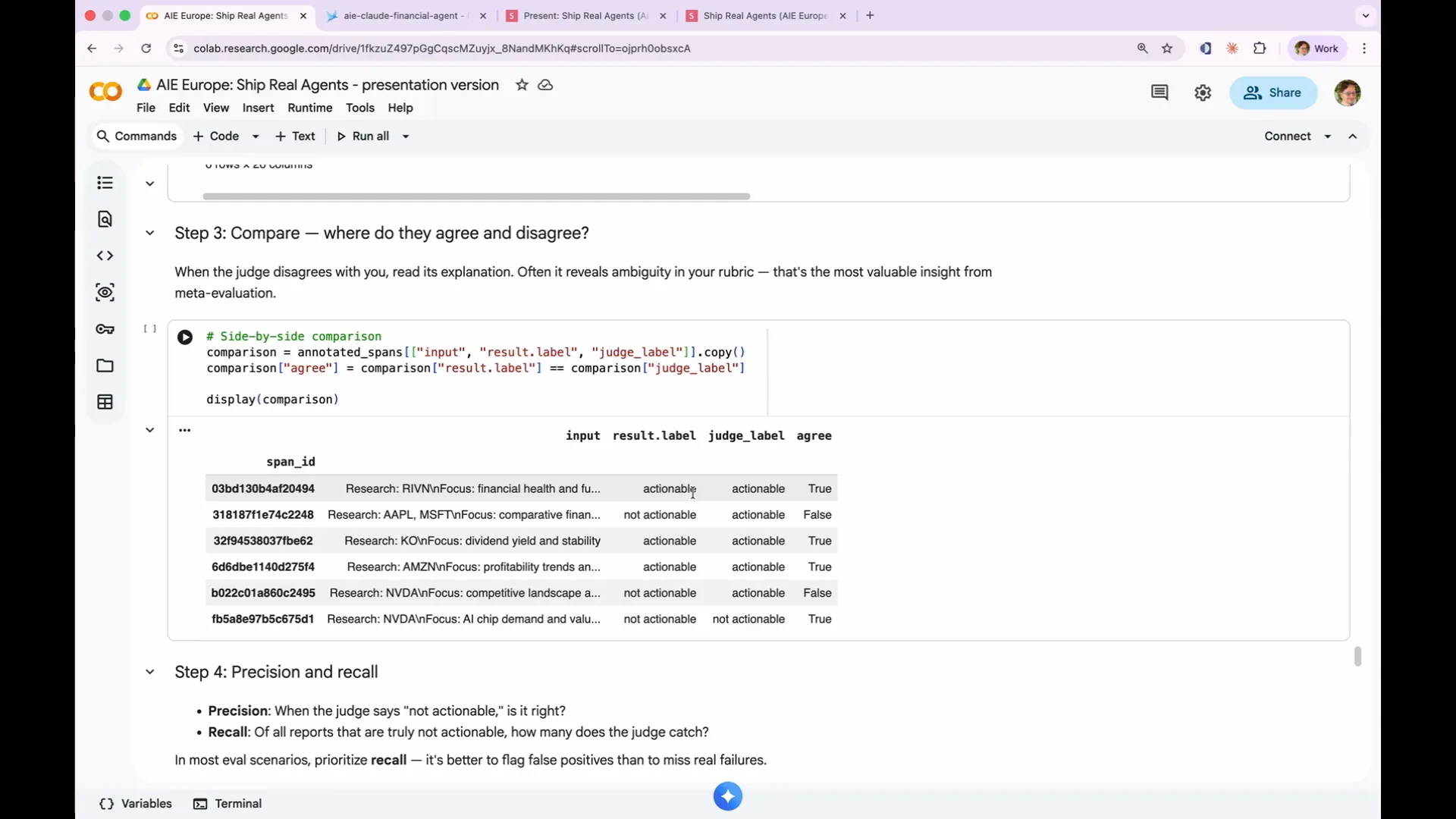 | If you're implementing this process, it's important to split your golden data set. An evaluation can become overfit to your golden data set, meaning it may pass the tests without properly generalizing; it simply memorizes the examples in your golden data set. Therefore, you should divide your golden data set into 75% for training and 25% for testing. Each time you modify your prompt, you can evaluate it against the 25% that it hasn't encountered before to assess its performance. For our actionability judge, I’ve used a span query to filter the same examples as before, focusing only on the human actionable ones. I transformed the complicated attributes that input the value into input and attributes that output the value into output, as this aligns with what our evaluation expects. Now, we can determine whether our agents agree or disagree with the annotations regarding human actionable items. In this case, there were disagreements in two out of six instances between my human actionable label and the actionable label. I must admit that I randomly assigned human actionable versus not actionable labels to generate real data, as I only had six examples, which is insufficient for a robust analysis. Ideally, a real set would contain 20, 50, 100, or even 200 examples. However, this exercise provides insight into how my human judgment aligns with the judgment of the LLM. This is a test of my golden data set against the LLM as a judge, allowing us to identify discrepancies. This leads us to rubric iteration. Just as we can enhance our agent by refining the prompt, we can also improve the LLM as a judge through iteration. To achieve this, we need to consider precision and recall, which are terms often used in machine learning. They are straightforward concepts. For instance, consider a spam predictor that determines whether an item is spam. You can compare its predictions against the actual spam status. There are four possible outcomes: it can correctly identify spam (true positive), incorrectly label something as spam (false positive), correctly identify non-spam (true negative), or fail to identify spam (false negative). |
Slide 169 — 1:25:46 (watch)
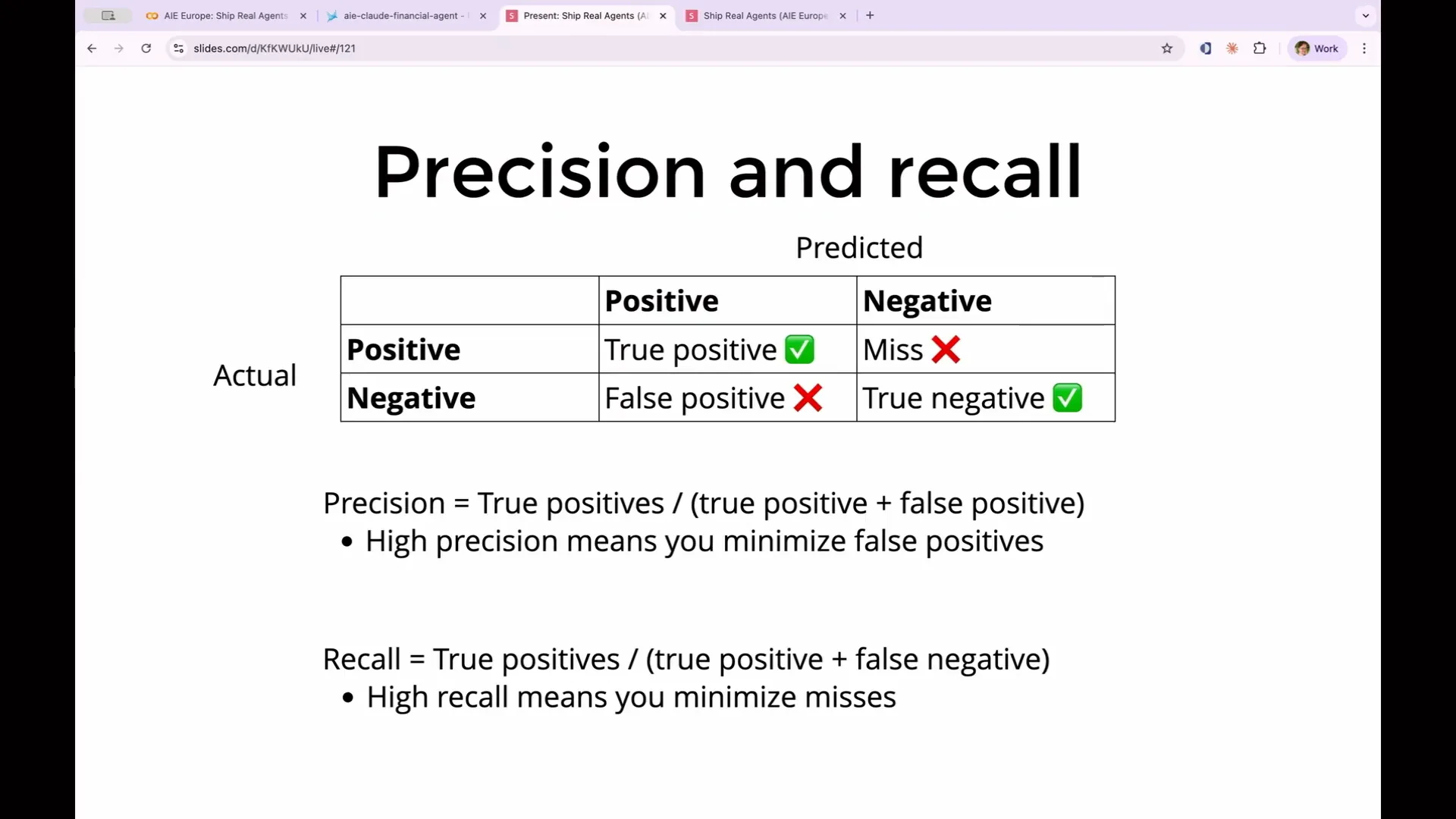 | Machine learning engineers have two ways of measuring data that conflict with each other, so you must decide which to optimize for based on your use case. The first measure is precision, which is the number of true positives divided by the total number of positives. High precision indicates a small number of false positives, minimizing them. This is crucial in scenarios where false positives are dangerous, such as spam detection, where you want to avoid misclassifying legitimate emails as spam, even if it means accepting some actual spam. The second measure is recall, defined as the percentage of true positives out of the total real positives and misses. To increase recall, you need to minimize false negatives. A relevant example is cancer screening, where it is vital to have as few misses as possible. In this case, you may tolerate a higher number of false positives to ensure that you do not overlook someone who actually has cancer. These two measures will typically move in opposite directions when optimized, so you must choose one to focus on. |
Slide 170 — 1:27:06 (watch)
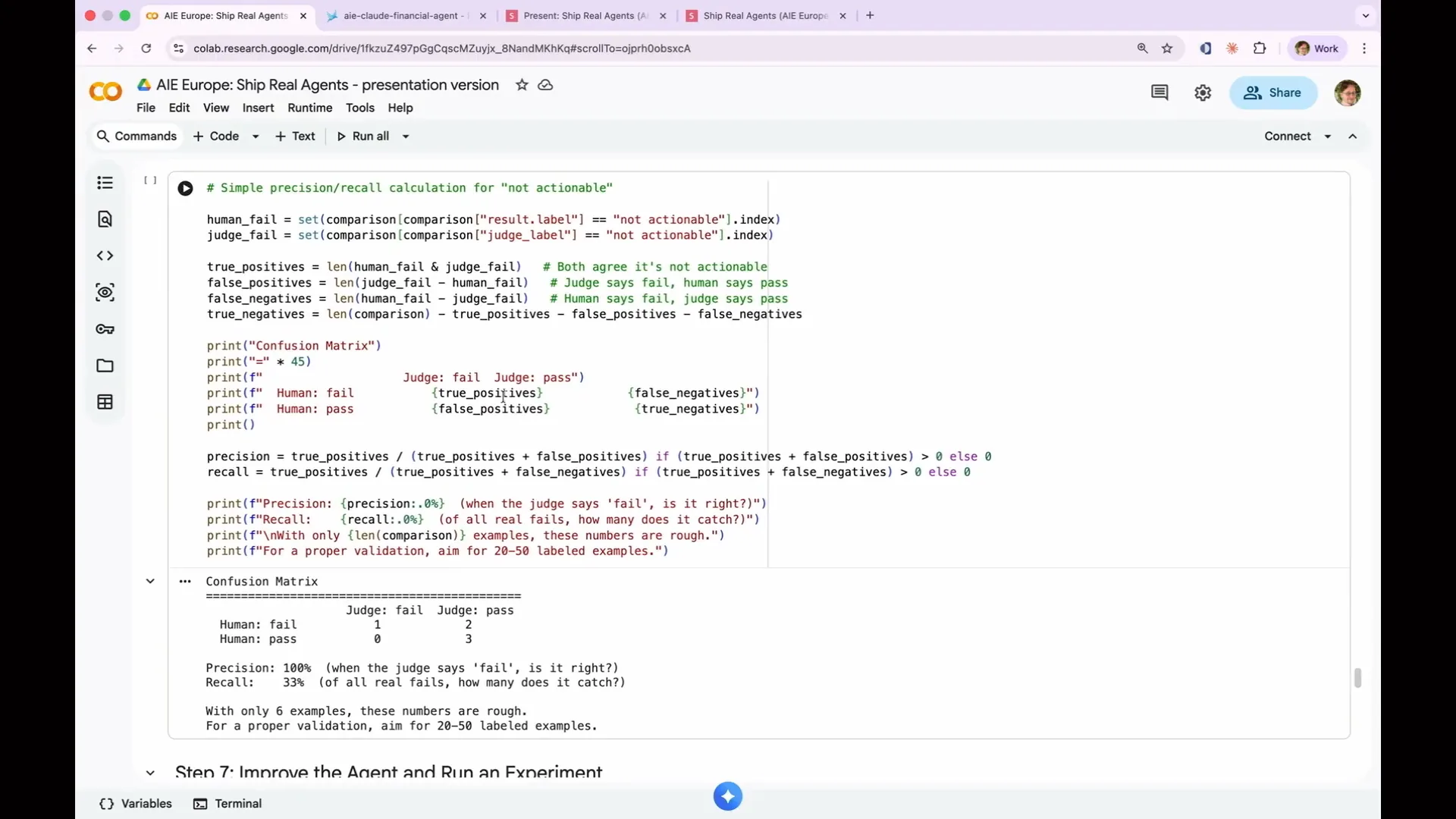 | In cancer screening, you can tolerate a high number of false positives as long as you do not miss anyone who actually has cancer. These two measures—precision and recall—will move in opposite directions when optimized. You need to choose one based on your use case and decide how to optimize it. I wrote code that calculates these metrics, resulting in precision and recall for my judge. The precision is excellent; when the judge indicates a fail, it is correct 100% of the time. However, the recall is poor, indicating that it catches only a small percentage of actual fails. This outcome is expected. |
Slide 171 — 1:27:28 (watch)
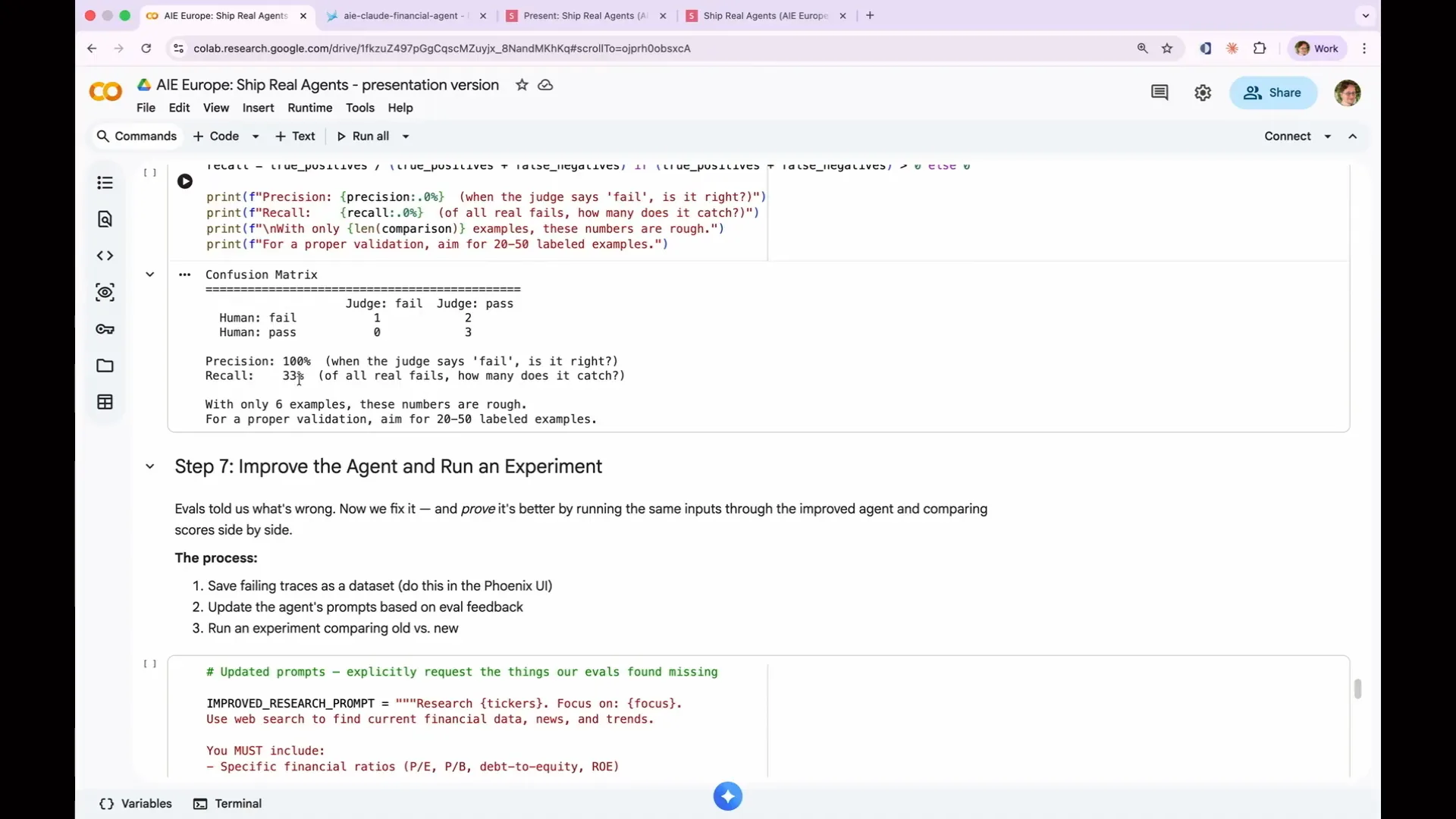 | You would not expect to achieve 100 percent accuracy on one of these evaluations. I have developed a model that excels in precision and effectively avoids false positives. However, with such a small sample size, these numbers are essentially meaningless. A robust dataset of 50, 100, or 200 examples is necessary to obtain reliable metrics for precision and recall. |
Slide 172 — 1:28:06 (watch)
 | This is a toy example. In most evaluation scenarios, you will likely want to prioritize recall, as it is better to flag a few false positives than to miss real failures. A false positive means you need to review something that is actually fine, while a missed failure allows bad output to reach your users. However, there are specific use cases, such as in medical contexts, where you might want to prioritize the opposite. It's also important to be aware of some known pitfalls when using LLM judges. |
Slide 173 — 1:28:50 (watch)
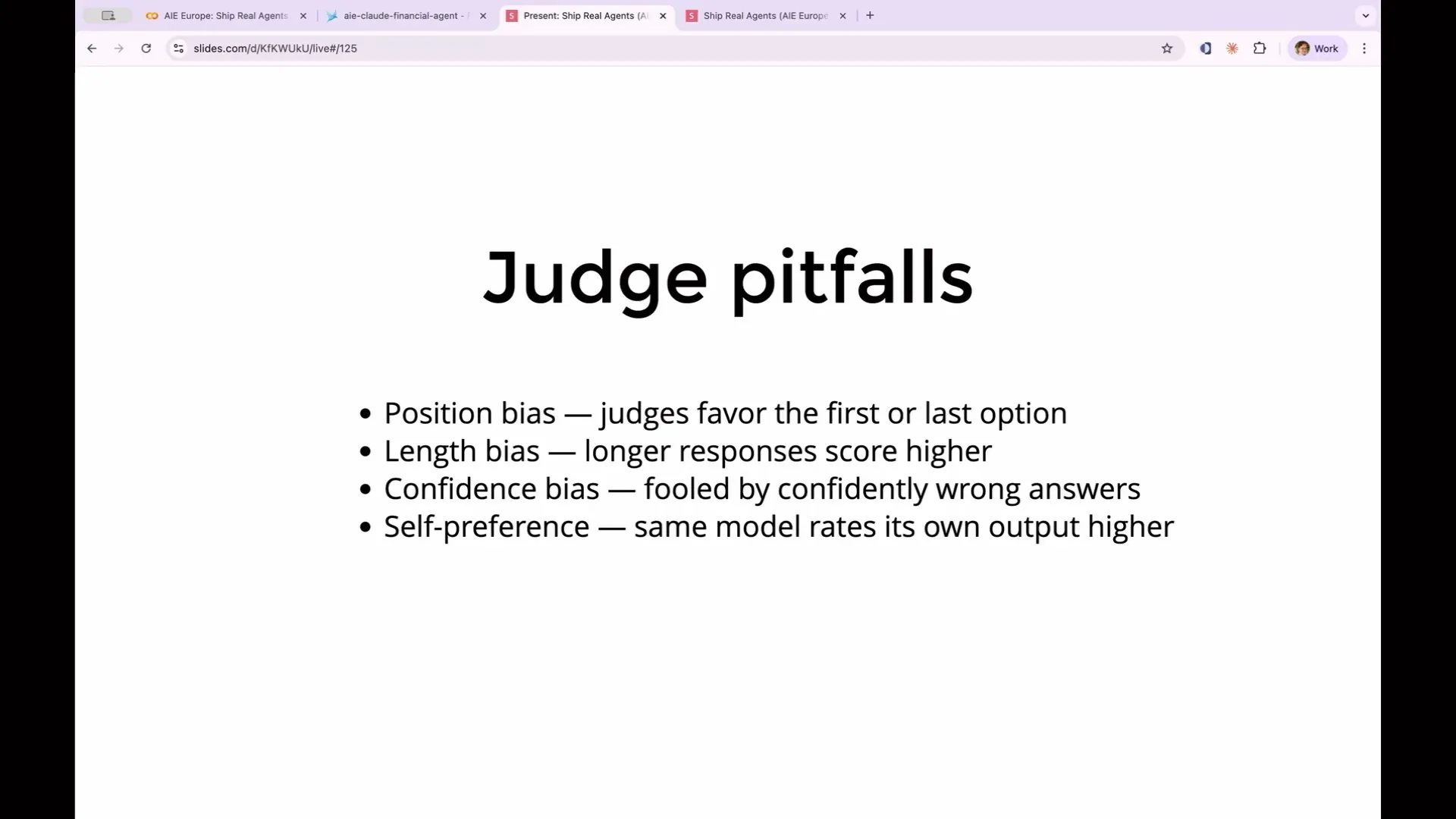 | One pitfall is position bias. When presenting two options, the judge may favor either the first or the last option, depending on the model. Another issue is length bias, where LLMs generally prefer longer responses over shorter ones. There's also confidence bias, where a judge can be misled by a response that sounds confident, similar to human behavior. Additionally, self-preference bias occurs when the same model is used for both generating output and judging it; such models tend to favor their own outputs. This is one reason to use a different model for judging than the one running the agent. You might also consider using a completely different provider for evaluations. For example, using Cloud for your agent and OpenAI for evaluations can yield more reliable results than using Cloud for both. How can you determine if these biases are affecting your results? |
Slide 174 — 1:29:40 (watch)
 | You must track judge accuracy across various input categories. If the judge consistently approves long responses but fails short ones, it indicates a long bias problem. |
Slide 175 — 1:30:06 (watch)
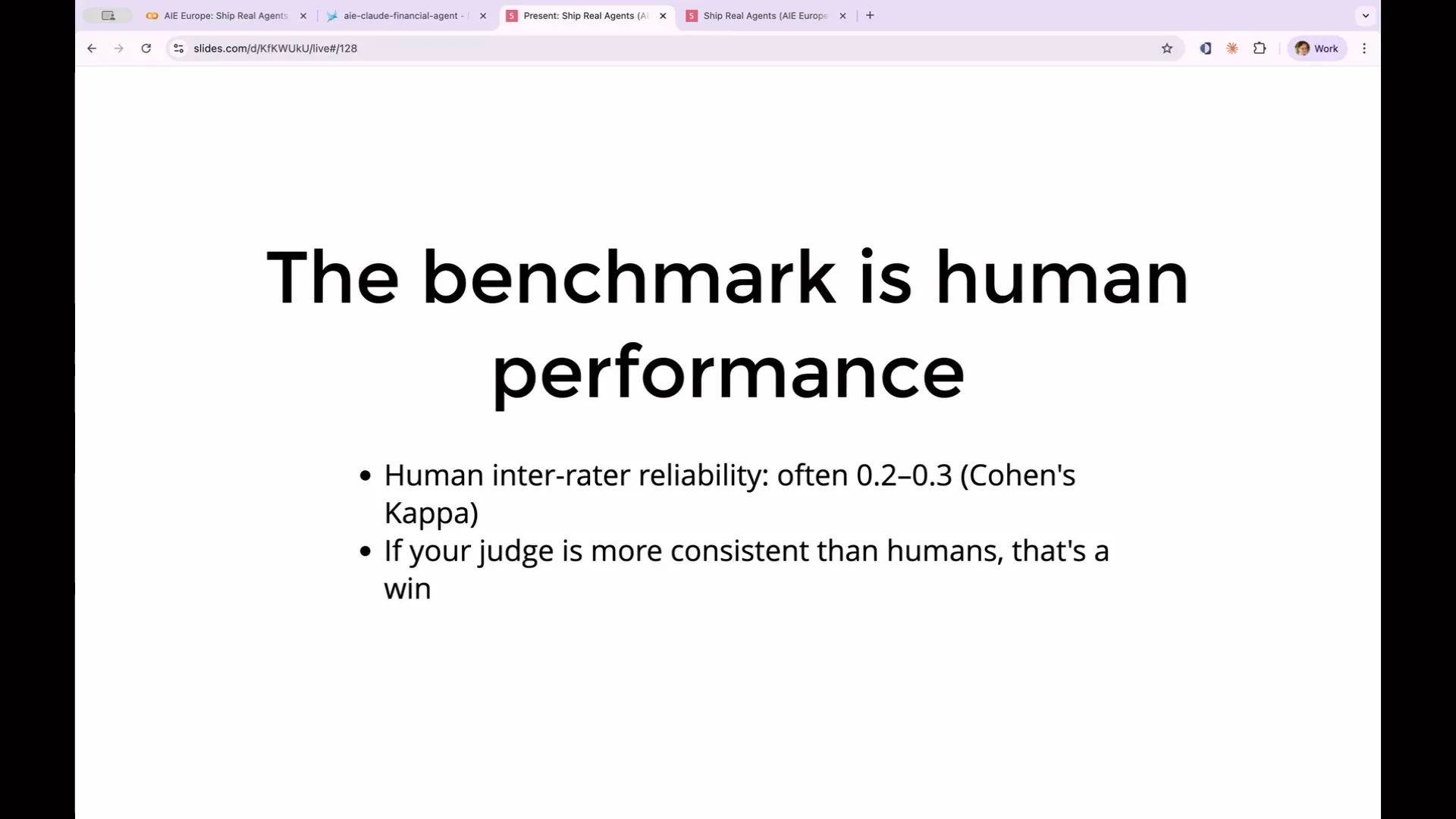
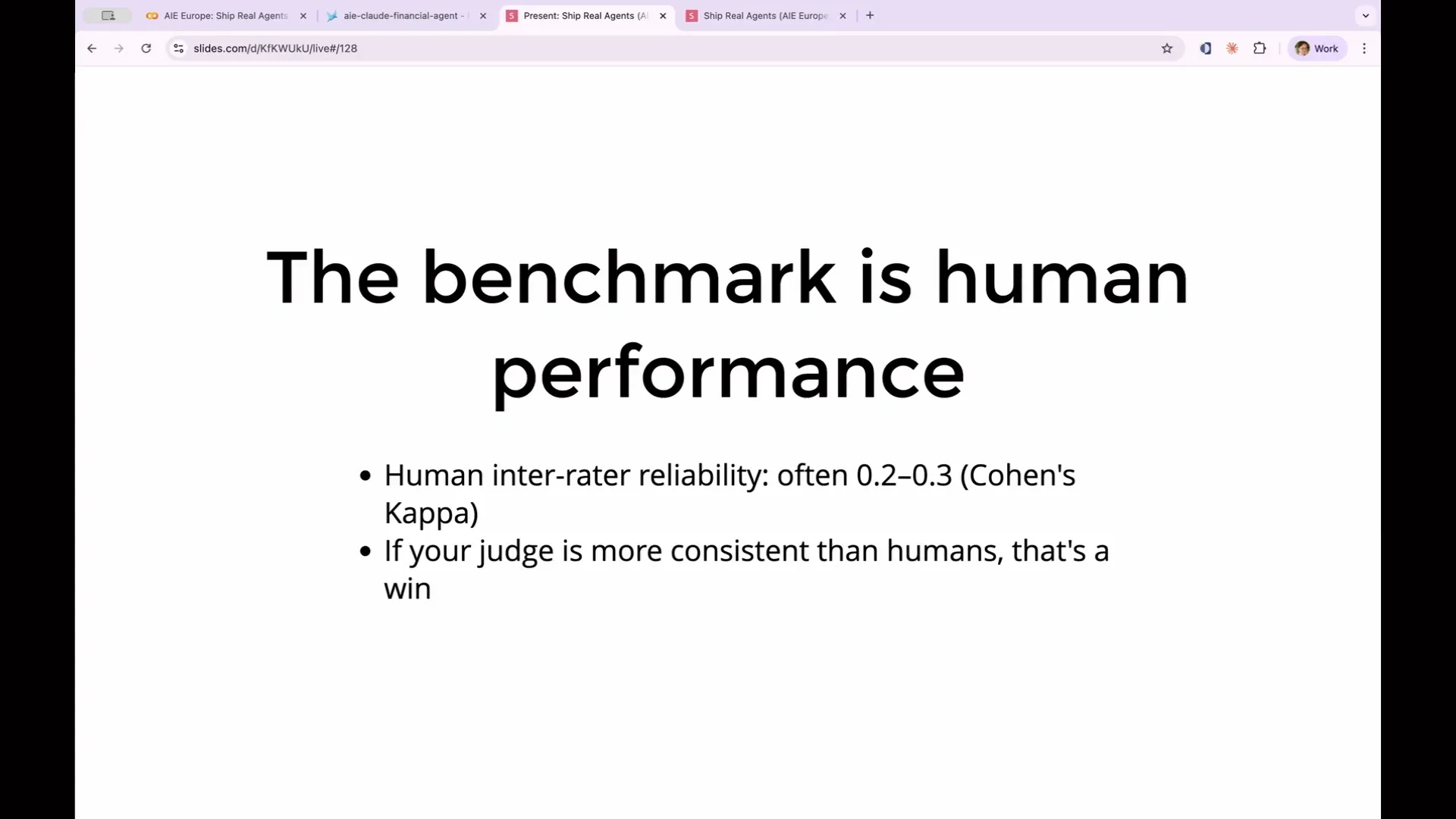 | If the judge passes all queries from one category and fails all from another, you need to investigate the reasons behind this. Your benchmark should be human performance, not perfection. When you ask two humans to evaluate your golden dataset, such as determining whether a report is actionable, they will not always agree. In fact, their disagreement can be quite significant, with inter-rater reliability often as low as 0.2 or 0.3. Even when two experts use the same output and rubric, they can still disagree. |
Slide 176 — 1:30:26 (watch)
 | If your LLM judge achieves a consistency score of 0.4 or higher, it is performing exceptionally well. |
Slide 177 — 1:30:34 (watch)
 | The judge disagreeing with you is not a reason to discard your evaluation. The key factor is whether the judge disagrees with you more frequently than a human would. |
Slide 178 — 1:30:54 (watch)
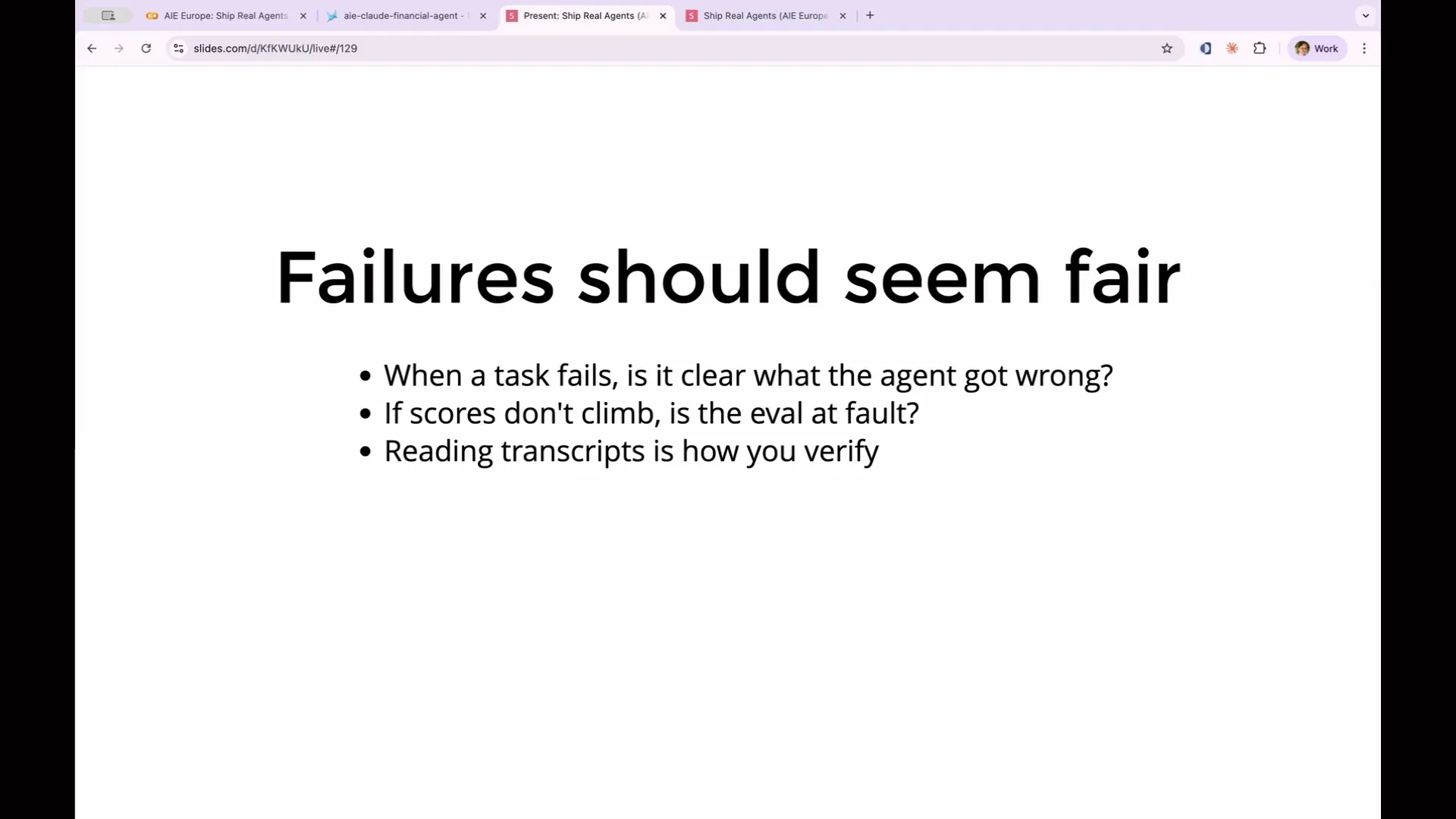 | Your failures should appear fair. This principle was highlighted by Anthropic during their discussion on meta-evaluations. When a task fails, it should be clear what the agent did wrong and why. If you review a failing trace and believe the answer seems acceptable, the issue likely lies with the evaluation, not the agent. This occurred at Anthropic when Claude Opus initially scored 42% on a benchmark called CoreBench. This score seemed low, prompting them to investigate the actual workings of CoreBench. They discovered multiple issues, not with the model, but with the evaluation itself. |
Slide 179 — 1:31:16 (watch)
 | The evaluation was checking for an answer of 96.12, but Claude provided 96.124991. As a result, the eval incorrectly marked it as wrong because it did not match the expected value. |
Slide 180 — 1:31:34 (watch)
 | After fixing the eval, Opus' score increased to 95%. Your evals can incorrectly mark answers as wrong if they are too strict or if they assess something other than what you intended to evaluate. |
Slide 181 — 1:31:52 (watch)
 | The lesson here is that you should not take evaluations at face value. Always examine the explanations and outputs of your evaluations, and check them against the golden dataset to ensure that you are genuinely improving the agent. |
Slide 182 — 1:32:04 (watch)
 | The seventh and final step involves data sets and experiments. |
Slide 183 — 1:32:14 (watch)
 | This process transitions from merely identifying issues to actively enhancing your agent. |
Slide 184 — 1:32:32 (watch)
 | After identifying failures and understanding the necessary improvements, you change the prompt. But how can you confirm that your fix was effective? How do you ensure that your agent has improved and that you haven't inadvertently disrupted something that was previously functioning? Simply running the agent on a few examples and making subjective judgments is insufficient. You need a systematic approach to test whether your modifications have genuinely enhanced your evaluations, and that is the purpose of experiments. |
Slide 185 — 1:32:52 (watch)
 | For this, we navigate to a different part of the Phoenix UI. |
Slide 186 — 1:33:02 (watch)
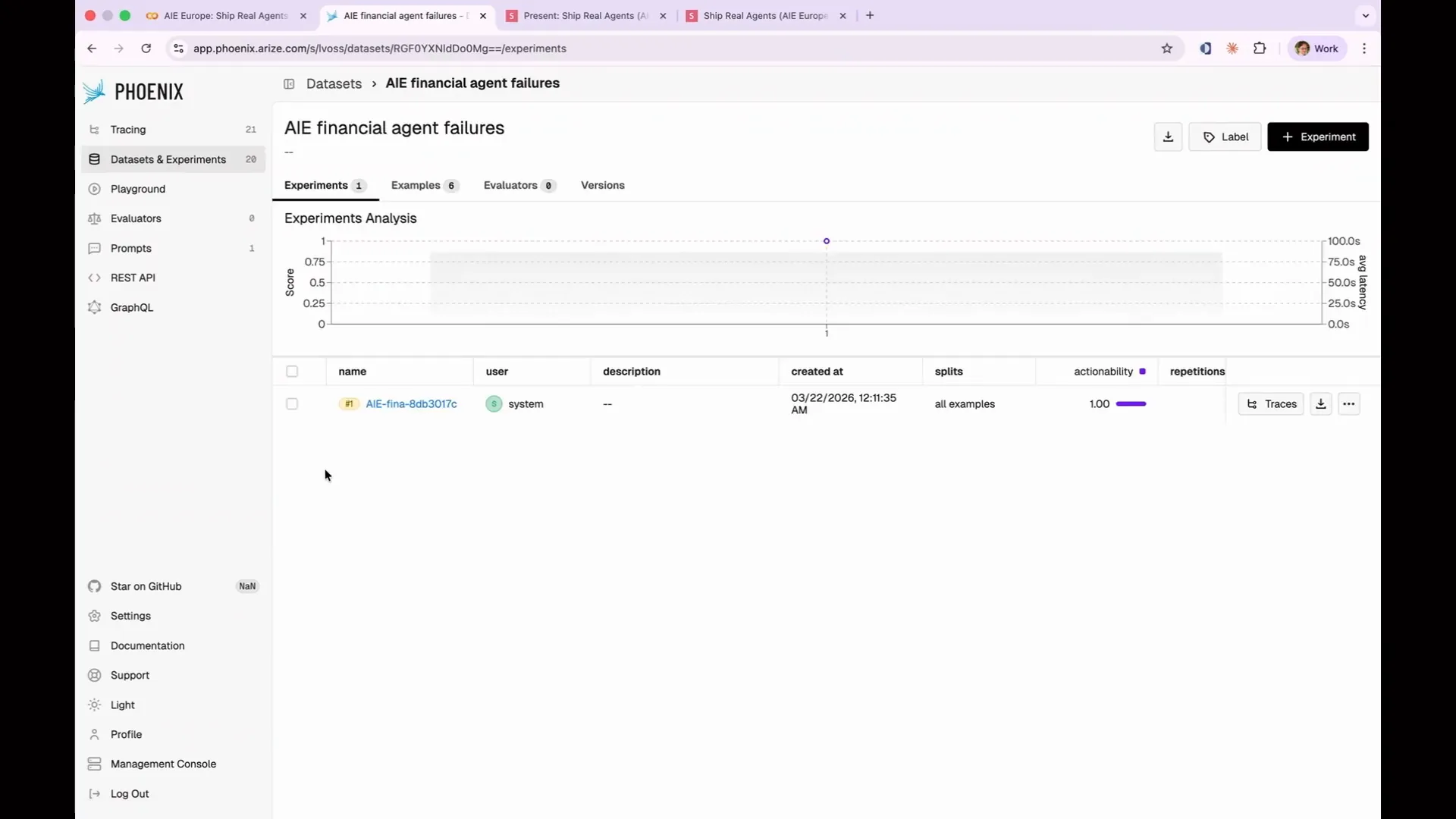 | We go to our experiments evaluation. |
Slide 187 — 1:33:16 (watch)
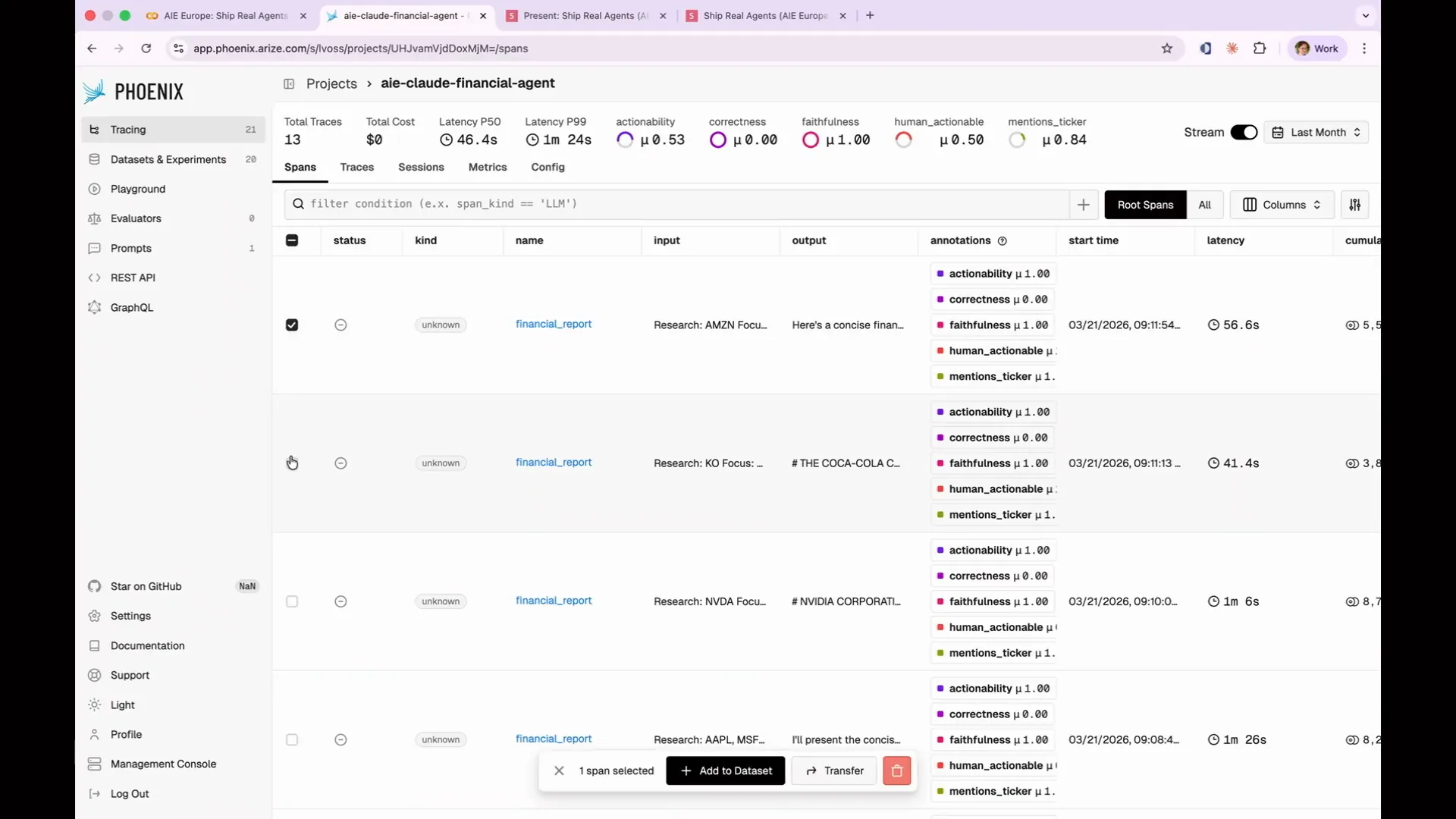 | To produce your data set, access your traces and select a group of failing traces. Then, click "Add to Data Set." |
Slide 188 — 1:33:24 (watch)
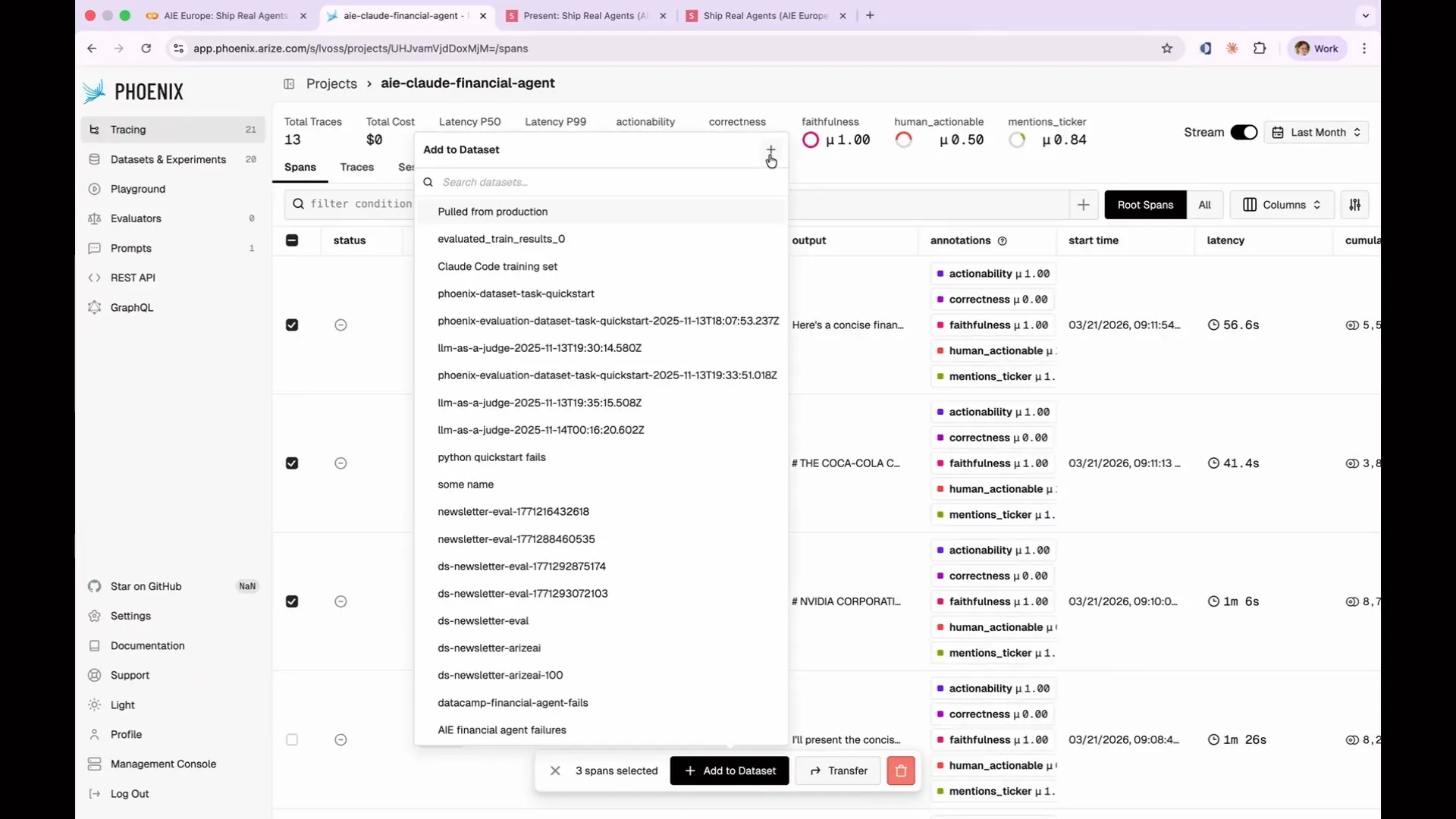 | You can create a new data set using the plus icon, or you can add to an existing data set. In this case, this allows you to capture AI agent financial failures. |
Slide 189 — 1:33:44 (watch)
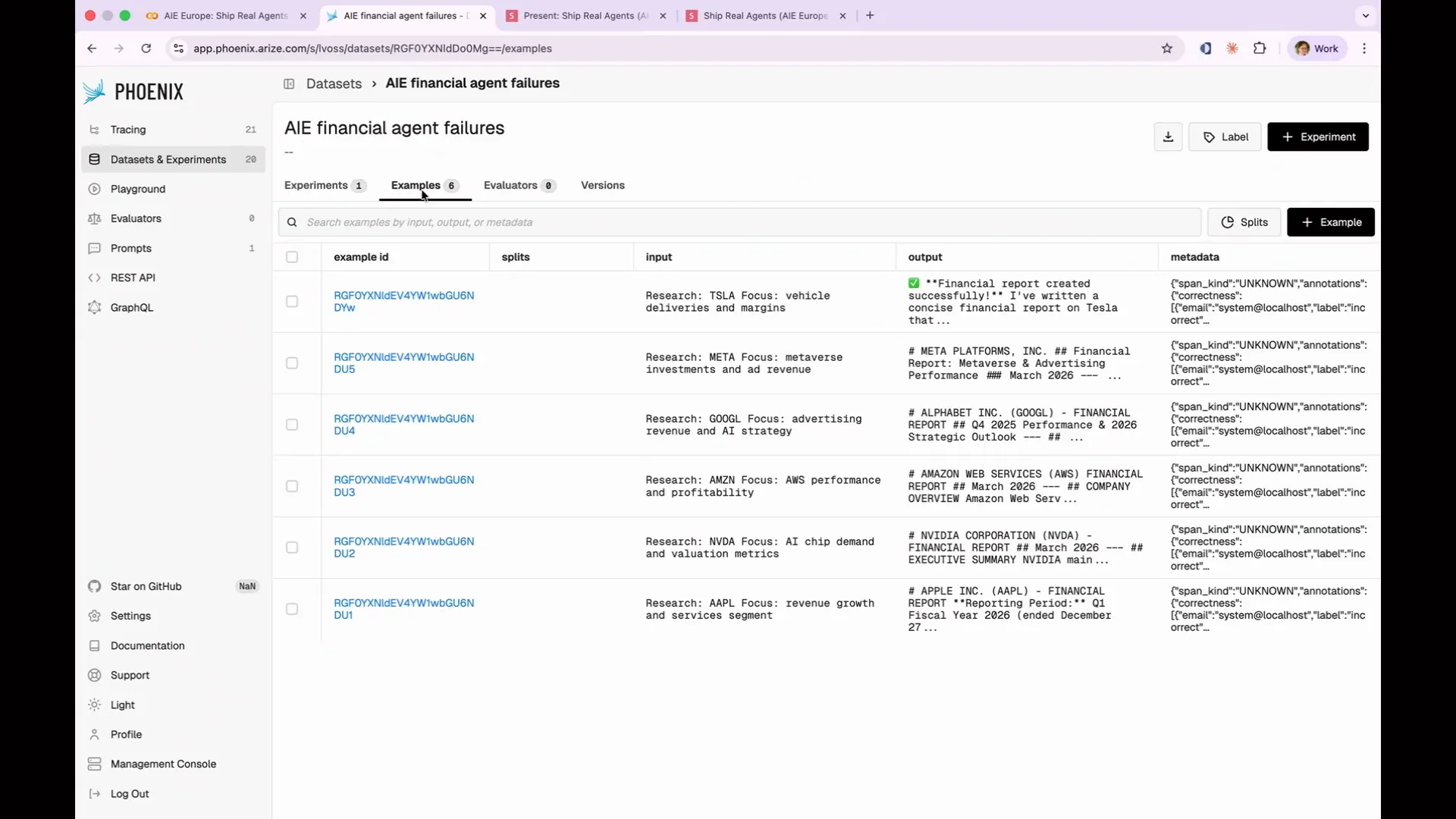 | You can click through to examples where I've compiled the six instances of our actionability eval failures into a data set. My goal is to avoid running all 13 evaluations each time, or all 1,000 in production. Instead, I want to test my new prompt only against the instances that failed to see if there is any improvement. |
Slide 190 — 1:34:14 (watch)
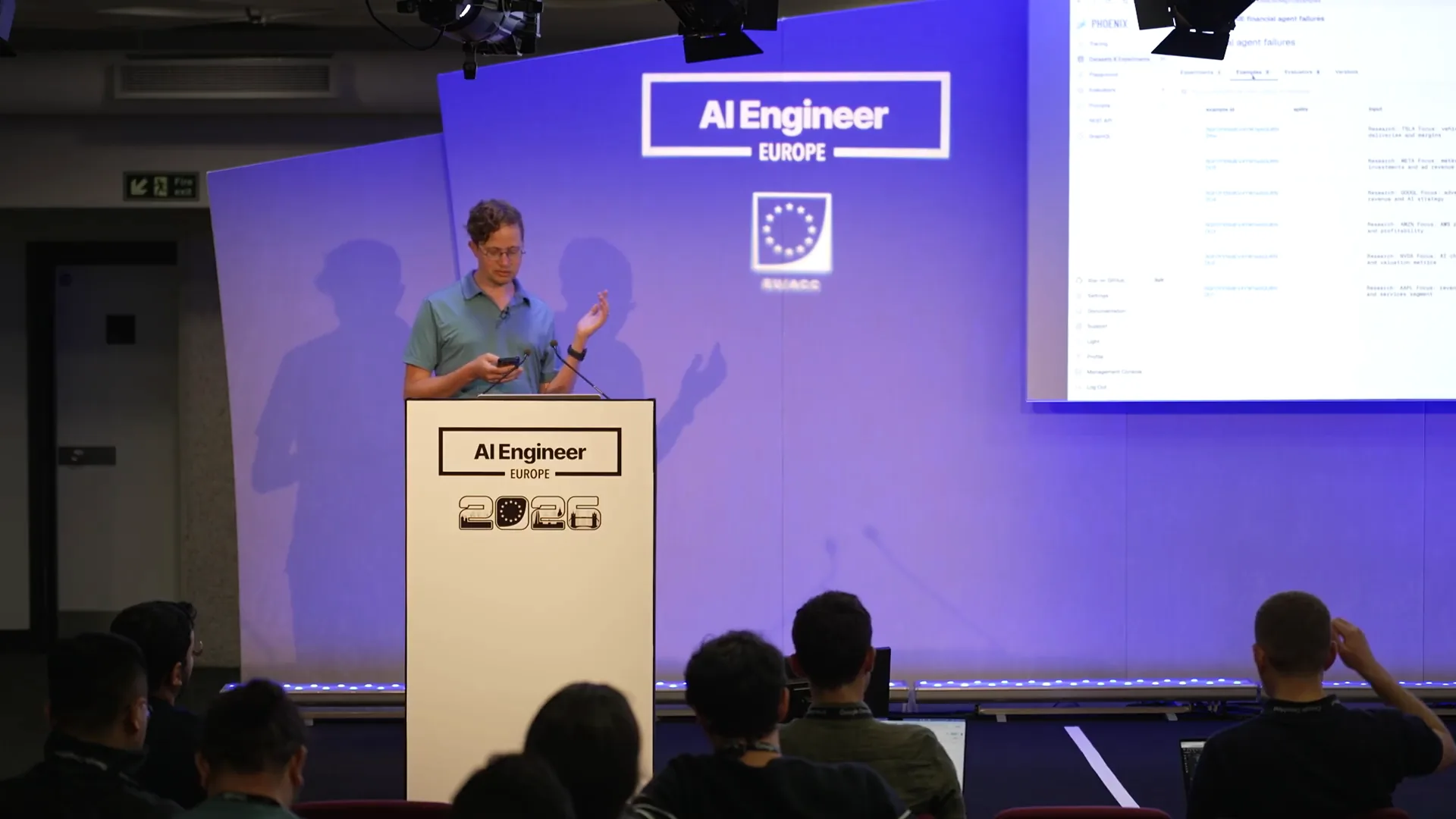 | Now we improve the agent based on the insights from the evaluations. The actionability evaluation indicated that some reports were not actionable because they summarized data without providing explicit recommendations. To address this, we updated both prompts. The research prompt now explicitly requires specific financial ratios, recent news, and current price data. Similarly, the writing prompt now demands a buy-sell-hold recommendation. |
Slide 191 — 1:34:46 (watch)
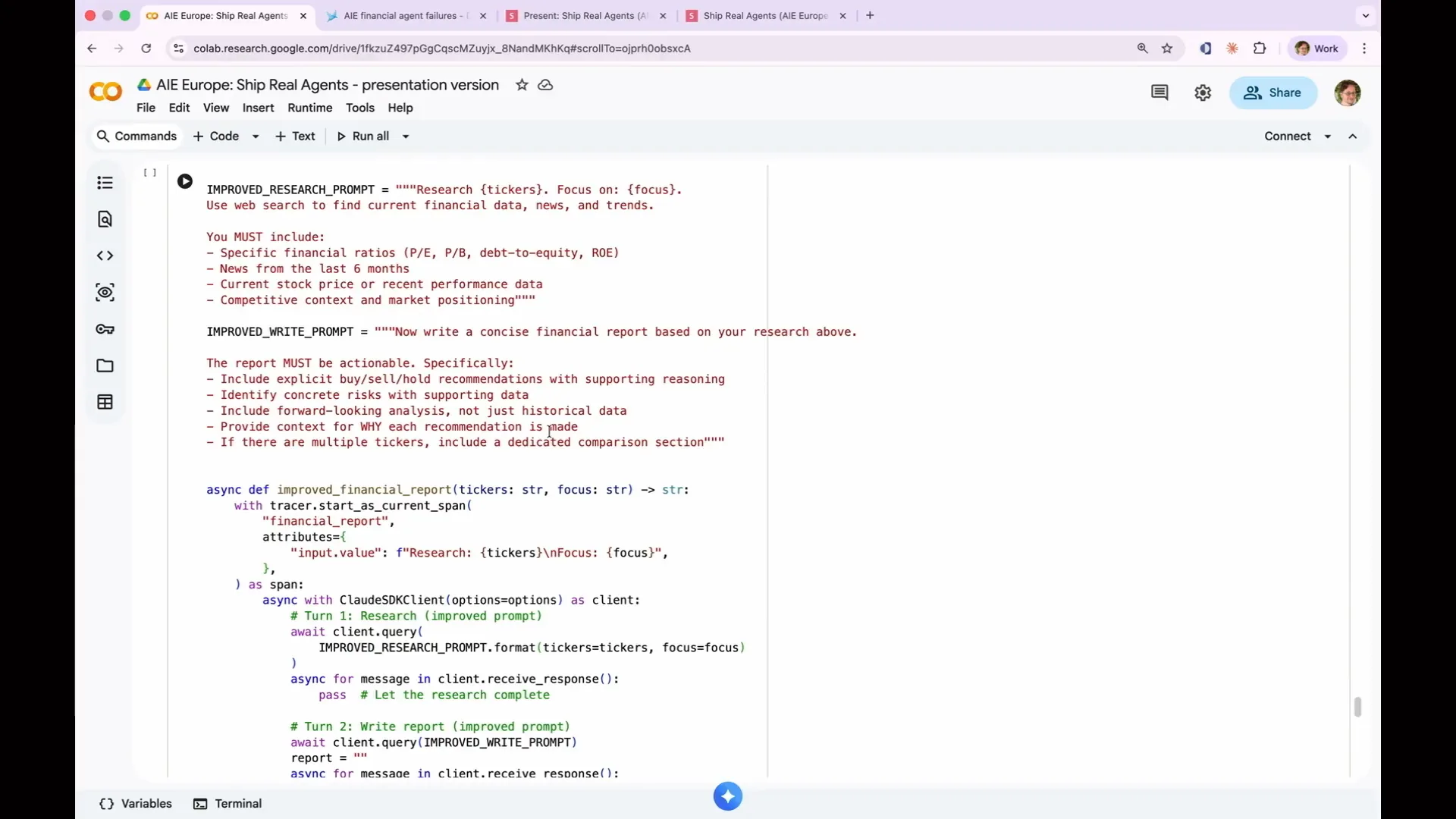 | If you are still coding along, that's great. This is your opportunity to improve the agent. You can enhance the research prompt and the writing prompt. Each change I made to the prompts corresponds to specific issues we identified in the evaluations. I am not making random adjustments; I am modifying the agent prompts based on the feedback we received from the evaluations. |
Slide 192 — 1:35:26 (watch)
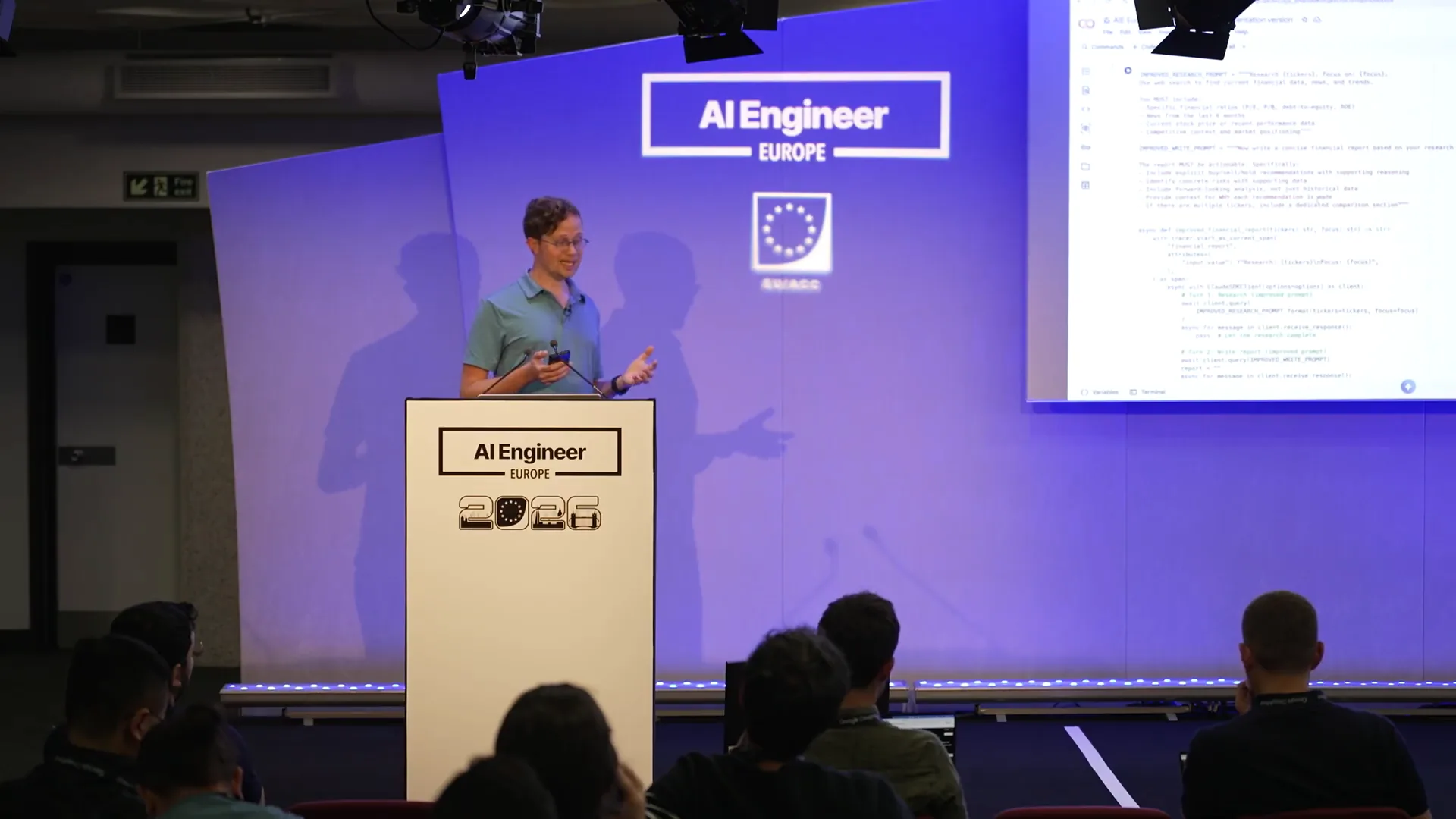 | Financial ratios, news from the last six months, and a buy-sell-hold recommendation were identified as missing elements in the explanations from our previous LLM as a Judge. In response, we decided to include those elements. We are not merely receiving feedback that we are wrong; we are gaining specific direction from our evaluations on how to improve. We are incorporating this feedback directly into our agent, enhancing its performance. This approach exemplifies data-driven prompt engineering, which is central to what Arize is about. We analyze the insights provided by LLMs regarding failures and successes, transforming them into tangible improvements for our agent. Now, let's run an actual experiment. |
Slide 193 — 1:36:00 (watch)
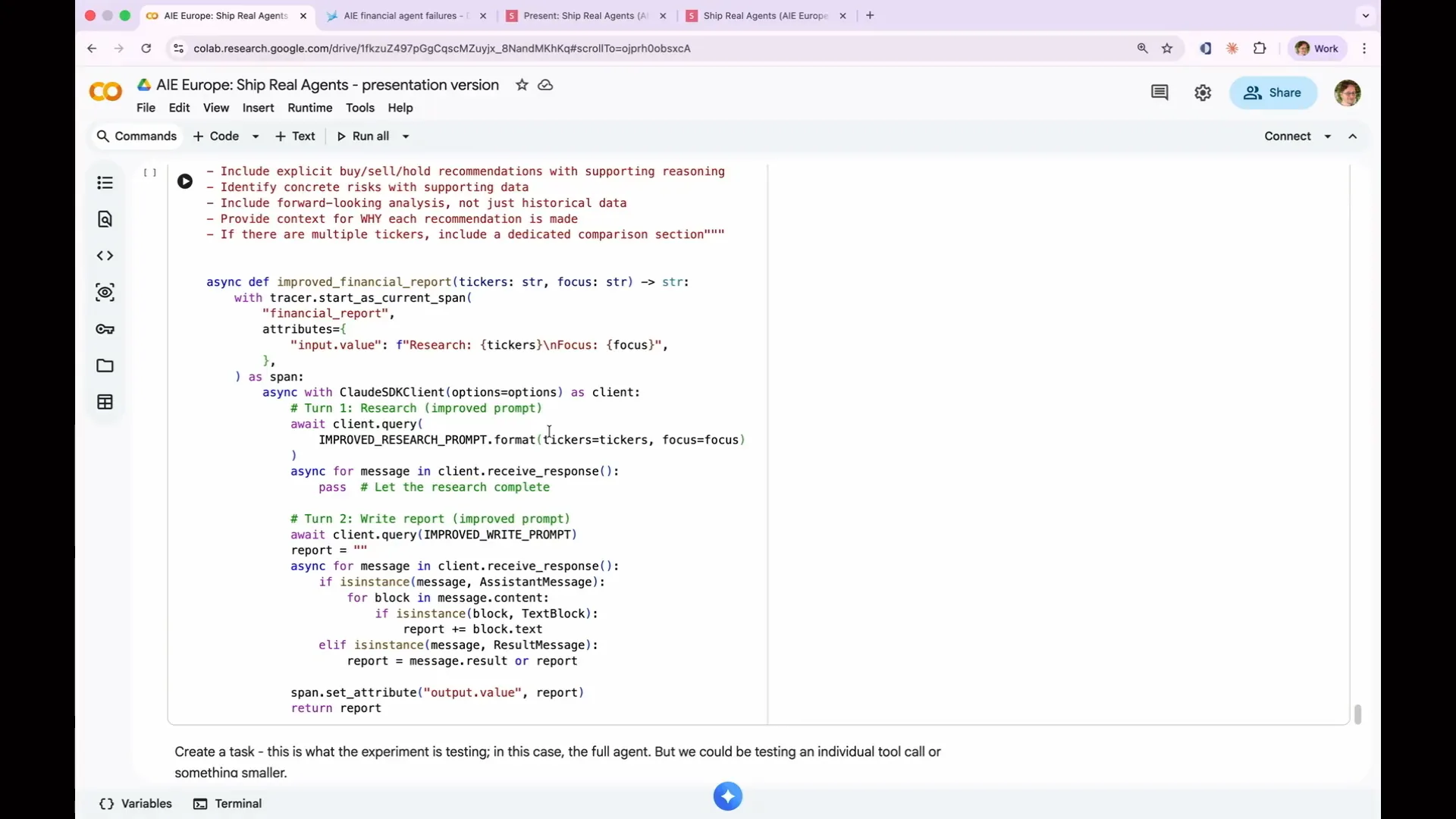 | To conduct the experiment, you need a task for it to run. In this case, we are using our improved financial report. The agent remains the same, but we have integrated it into a task function that executes the agent with the expected input and output. |
Slide 194 — 1:36:14 (watch)
 | We have created a new classification evaluator with the label "Actionability." |
Slide 195 — 1:36:44 (watch)
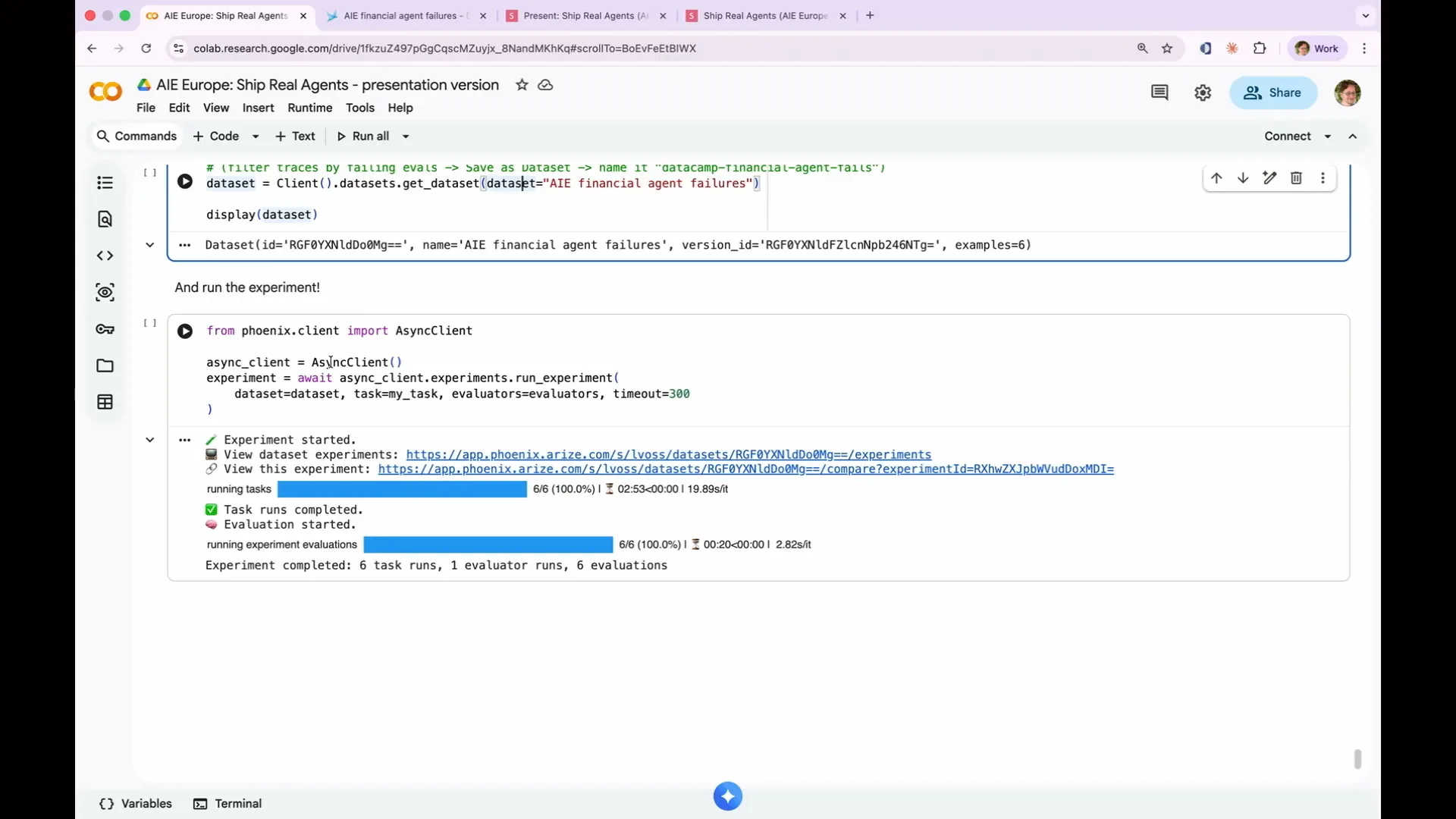 | We applied the same Actionability template to create a new evaluator. Now, we are fetching our dataset of failures and running our asynchronous client against this set. As a result, my improvements to the agent have increased its performance, allowing it to classify all six previously failing tests correctly, compared to just five out of thirteen responses being actionable before. |
Slide 196 — 1:37:28 (watch)
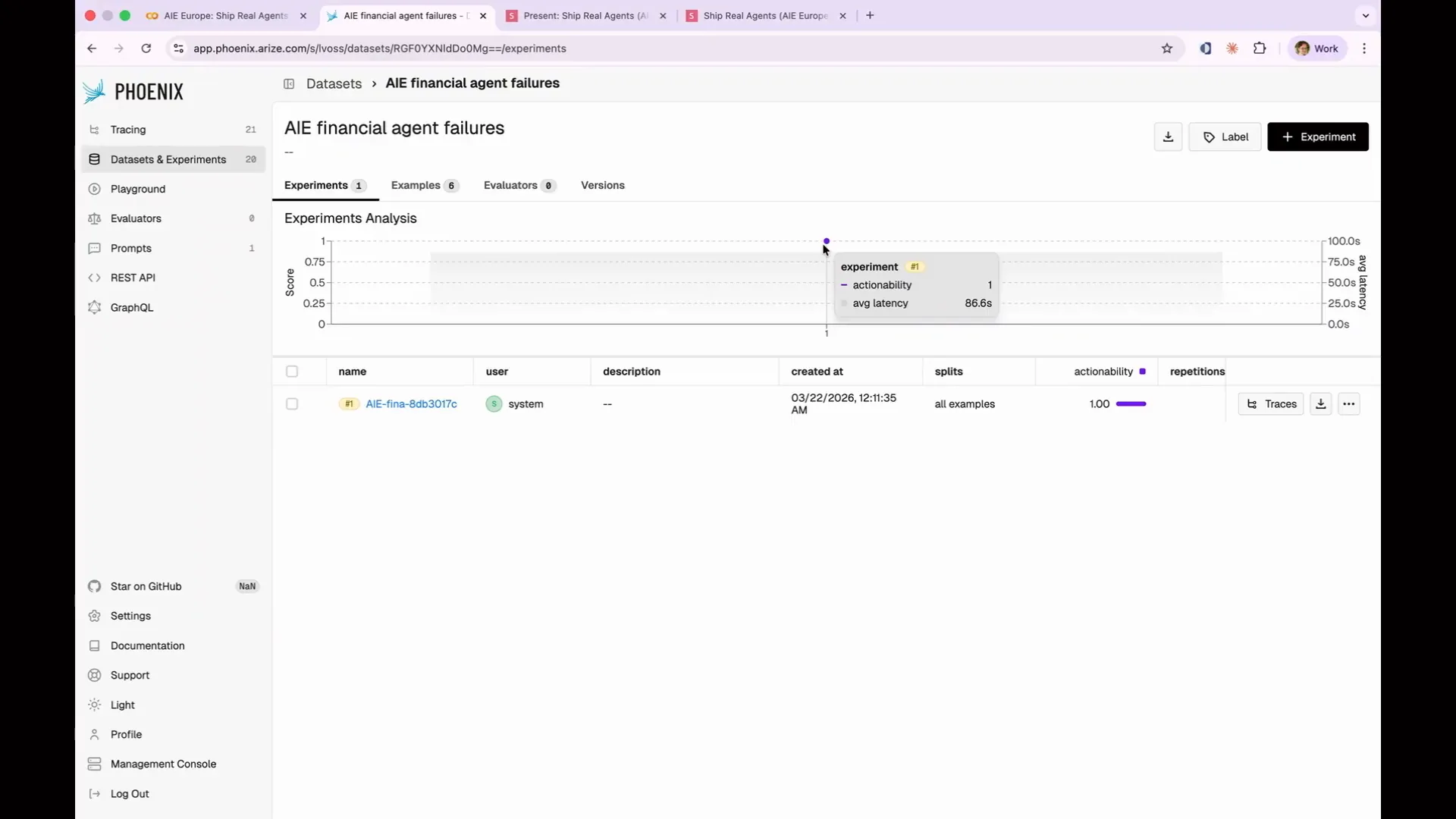 | You can see the results in this graph. This representation does not reflect how it would look in production. In a production environment, you would make small changes to your prompt, resulting in marginal improvements across 1,000 sets, leading to a gradual enhancement of your agent's performance. I achieved a significant improvement here because we've only had 90 minutes, and we need to move on. However, this illustrates the challenge you face. |
Slide 197 — 1:38:20 (watch)
 | To achieve a perfect score, you need to measure the impact of your experiments. Assess whether your prompt changes resulted in higher or lower scores in subsequent trials. Sometimes, a change may lead to a worse score, requiring you to revert to a previous version of your prompt and try a different modification. This is why you should treat your experiments like code. Importantly, a Phoenix experiment is indifferent to the specific task at hand. For example, I tasked my experiment with running the full agent against a new dataset. However, if our evaluation indicated that the tool calling was ineffective, I could have conducted an evaluation focused solely on the tool calling, which would be significantly cheaper and faster than evaluating the entire agent. This approach allows you to experiment with a specific aspect of your agent's functionality, improving that component without the expense of running the entire agent each time. |
Slide 198 — 1:39:06 (watch)
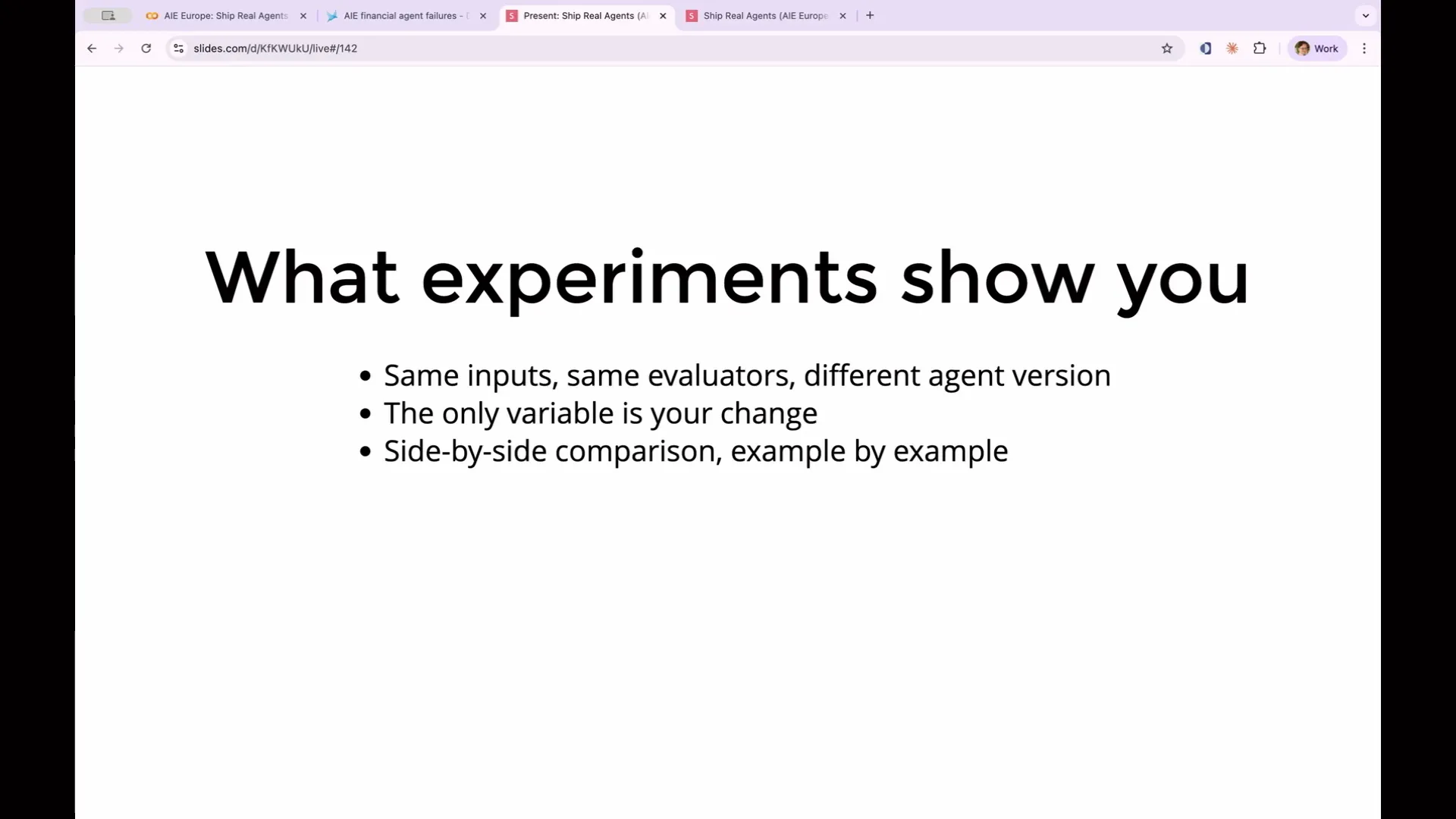 | The power of experiments lies in controlled comparison. By using the same inputs and evaluators while only changing the agent's prompts, any difference in scores can be attributed directly to your modification. This approach eliminates uncertainty about whether a higher score is due to your prompt change or simply better results from the web search. You effectively reduce a major source of variation. |
Slide 199 — 1:39:22 (watch)
 | Ideally, you should run each of these multiple times to account for the non-determinism of your output. |
Slide 200 — 1:39:30 (watch)
 | The pass-at-k concept will be discussed later, but for now, a single run provides a sufficient signal to determine whether the outcomes were correct or incorrect. |
Slide 201 — 1:39:44 (watch)
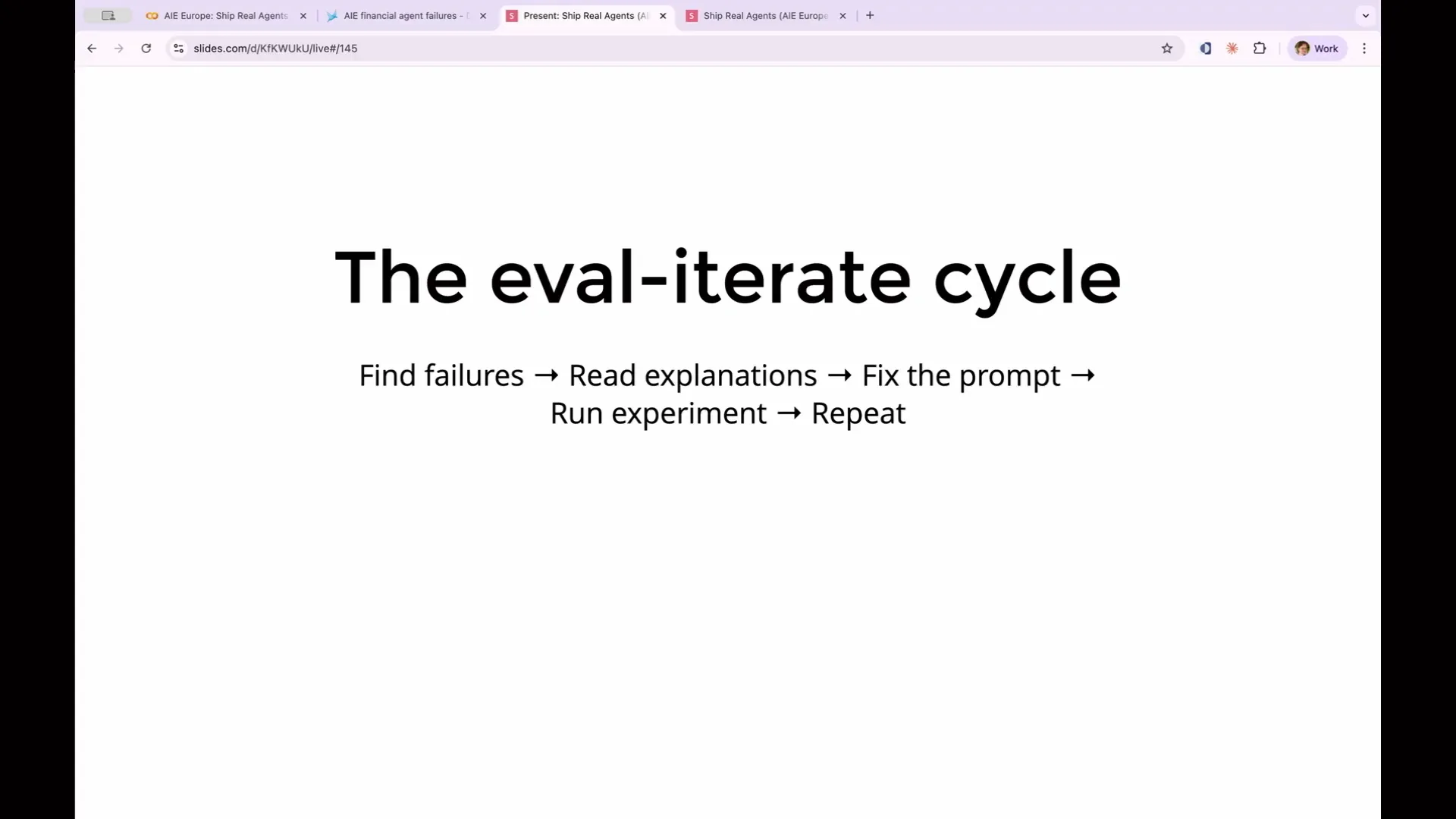 | The evaluation-iteration cycle is where the true value of evaluation lies. You obtain your results, enhance them, and continue to improve your application gradually. |
Slide 202 — 1:40:06 (watch)
 | At this point, you might ask why a human is involved in this process at all. What if we took the output of the evaluation and provided it to Cloud Code? |
Slide 203 — 1:40:54 (watch)
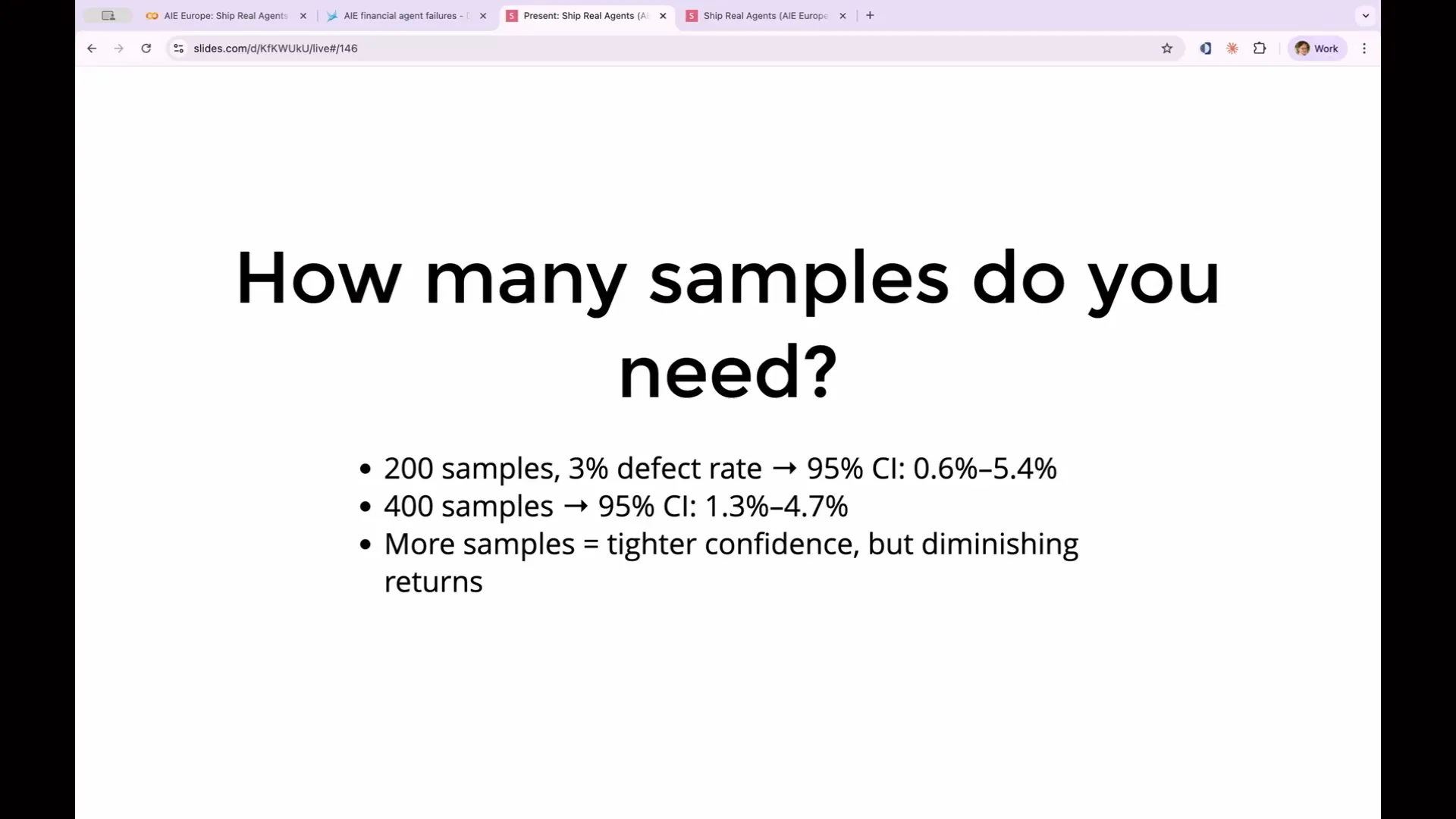 | I will provide some background on today's topic. I will discuss closed-loop evaluation, which emerged from Cloud Code. This process involves instructing Cloud Code to return to your app and improve it. We find this concept exciting and believe it will become more prevalent as models advance. In this scenario, you write the initial version of an app and then use evaluations as feedback for your coding agent, allowing it to automatically enhance your app without requiring further input from you. A common question is how many samples are needed. I’ve mentioned numbers like 50, 100, 200, and 400 samples. You don’t need to estimate this subjectively; you can apply mathematical principles. If you aim for an agent that fails only 5% or 3% of the time, using 200 samples with a 3% defect rate will yield a 95% confidence interval, which could range from 0.6% to 5.4%. |
Slide 204 — 1:42:08 (watch)
 | A 3% failure rate sounds good, as it is less than the 5% target. However, due to the confidence interval, the actual failure rate could range from 0.6% to 5.4%. By doubling your sample size to 400, you can reduce the confidence interval to 1.3% to 4.7%, ensuring you remain below the 5% threshold, allowing you to ship. This requires doubling your effort, including the size of your golden dataset. At some point, you need to conduct a cost-benefit analysis regarding the accuracy of your agent and the effort required to improve it by 2%. For workshop-scale experiments, 12 to 20 examples provide a directional signal, while 200 to 400 examples are ideal for shipping decisions. To make the cycle systematic, consider where to invest your efforts, as not every change has the same impact. The impact hierarchy indicates where to focus first. Data quality fixes have the highest impact. If your agent is using incorrect sources or your knowledge base contains stale data, no amount of prompt engineering will resolve these issues. Therefore, prioritize fixing the data. Once you ensure high-quality data, the next step is to improve prompting. Incorporating few-shot examples, explicit instructions, and constraints on the agent's actions often yields the highest return on investment. Model selection ranks third in the impact hierarchy; a more capable model may address issues that prompting cannot, but it also incurs higher costs, necessitating a trade-off evaluation. |
Slide 205 — 1:43:48 (watch)
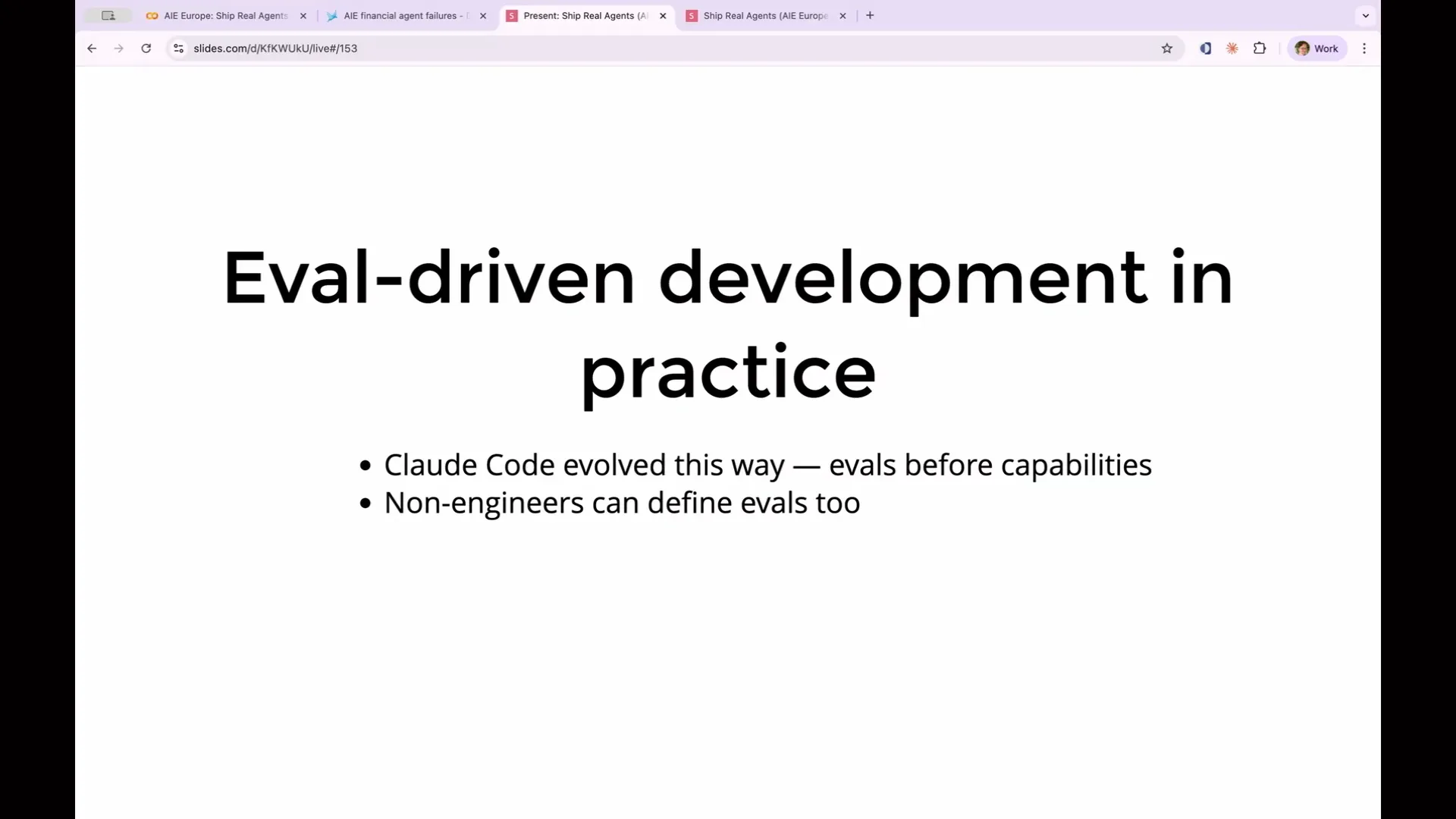 | Hyperparameter tuning, including factors like temperature and top P, ranks low in terms of impact on evaluation outcomes. It rarely makes a significant difference. One approach to consider is writing your evaluations before developing a feature. For example, if you want your agent to verify customer identity before processing a refund, you can create an evaluation that checks for this requirement first. This provides a capability evaluation and sets a benchmark for improvement. This concept aligns with test-driven development, which is widely regarded as beneficial but often underutilized. Eval-driven development has influenced the evolution of tools like Cloud Code. Anthropic developed capability evaluations and established benchmarks for Cloud Code. When a new model was released, they would run their evaluation suite to quickly identify which changes had improved performance and which had not. So, who should write these evaluations? As mentioned earlier, involving non-technical stakeholders is crucial, as they have a clearer understanding of what constitutes good and bad outcomes for evaluation purposes. Product managers, customer success representatives, and salespeople can all contribute to evaluation tasks, enhancing the quality of your evaluations. |
Slide 206 — 1:45:00 (watch)
 | Absolutely, they can provide insights such as identifying a simple test that should be present in every answer, which can then be transformed into a code evaluation. Primarily, they will be working with prompts. Another important concept is the data flywheel: the more expert judgment you incorporate, the larger your golden dataset becomes, which enhances your evaluation suite. Each iteration compounds this improvement. As your evaluation suite grows more comprehensive, your agents improve, and your understanding of failure modes deepens. This process creates a unique dataset that serves as a competitive advantage. Your evaluations are exclusive to you, and you possess a detailed list of production data and evaluations that outline all the ways an agent can fail. This forms a protective barrier that differentiates your agent from others in the marketplace. Additionally, a practical benefit of evaluations is the model adoption advantage. New models are released frequently. |
Slide 207 — 1:45:48 (watch)
 | With a comprehensive set of regression evaluations, you can quickly determine within a few minutes whether a new model improves or degrades your agent's performance, and whether you can proceed with shipping the new model. |
Slide 208 — 1:46:32 (watch)
 | We are nearly at the end of this workshop, and I appreciate your participation. I will now provide a brief overview of topics we didn't cover, which you can explore further. One important area is production monitoring, a key focus of our enterprise products, unlike Phoenix. After deploying an agent to production, you can route a portion of your traffic to an evaluation suite, allowing for continuous assessment of your agent's performance. This monitoring can detect drops in model quality, which may occur independently of any model changes. |
Slide 209 — 1:46:54 (watch)
 | Continuous evaluation can reveal adversarial attacks where users exploit vulnerabilities in your agent, helping to mitigate these issues. It can also identify agent and model drift. As your use case and product evolve, features that once worked may cease to function, and ongoing production evaluations can detect these changes. |
Slide 210 — 1:48:18 (watch)
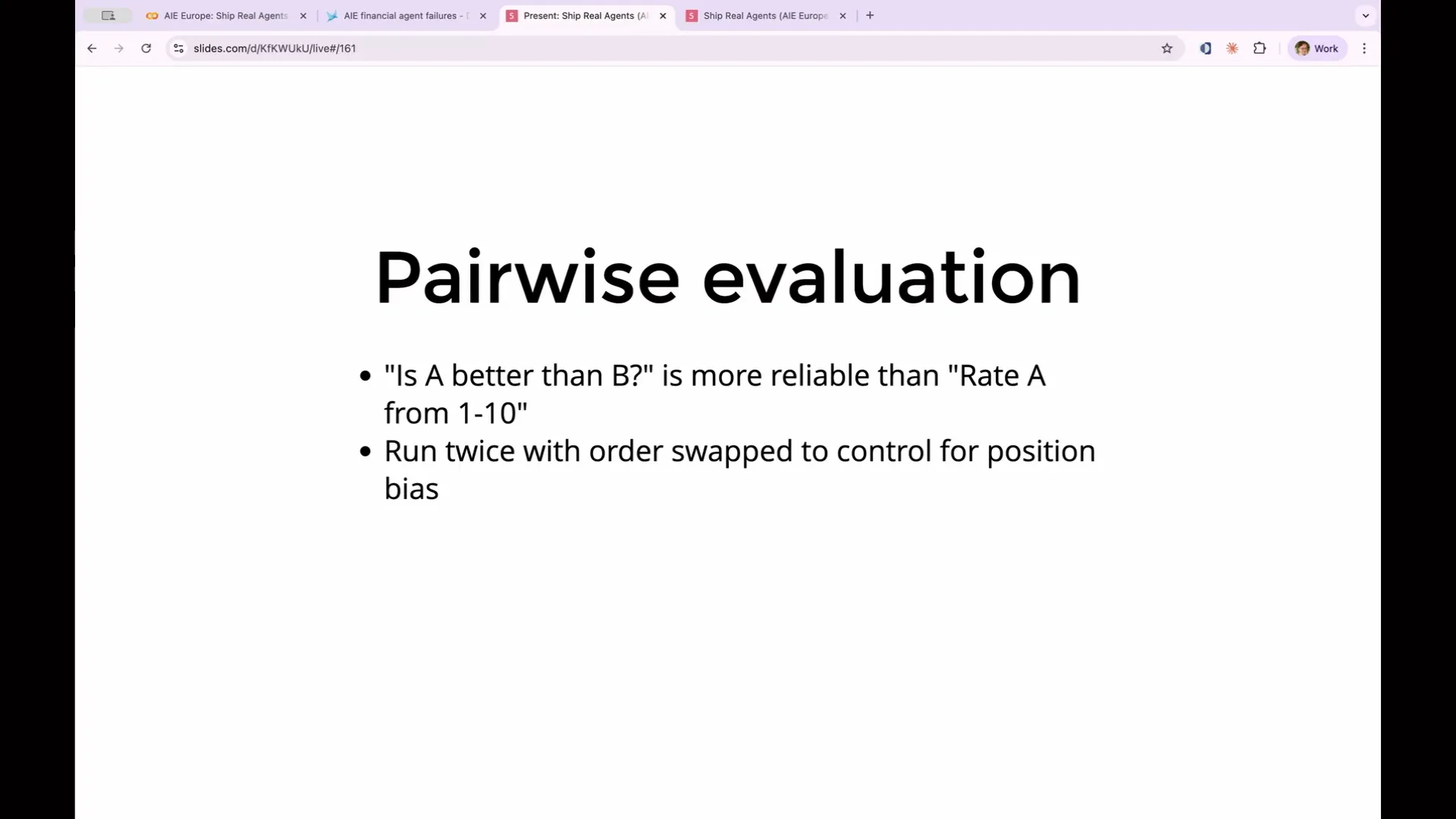 | You can also perform cost-aware evaluation. We used Haiku for our agent and Sonnet for our judge because they are cost-effective and fast. In production, you can optimize further by using different models for various types of queries. For example, a simple query like "What are your hours?" does not require the same computational resources as a complex query like "Analyze the comparative PE ratios of these five semiconductor companies." This allows for tiered model selection, using inexpensive models for simple queries and more powerful models for complex ones. One approach to making these trade-offs concrete is cost-normalized accuracy, a term from Google. It is calculated as accuracy divided by cost. For instance, an agent that is 92% accurate at two cents per query may provide better value than one that is 95% accurate at 15 cents per query. Evaluations will help determine whether that trade-off is worthwhile. Next is pairwise evaluation. Instead of asking the agent to rate something from one to ten, which it struggles with, you can present two examples and ask it to compare them. This method is more effective because it provides two concrete examples for comparison. It is particularly useful for A/B testing prompt versions or model upgrades. Finally, there is reliability scoring. I mentioned pass at K, which assesses whether the agent can succeed at least once in K tries. In contrast, pass to the power of K evaluates whether it can succeed every time in K tries. As K increases, these two reliability measures diverge significantly: pass at K approaches 100%, while pass to the power of K approaches zero. The choice between them depends on your use case. For instance, a coding assistant that eventually produces a correct result is suitable for pass at K, as you can keep trying until it works. |
Slide 211 — 1:49:50 (watch)
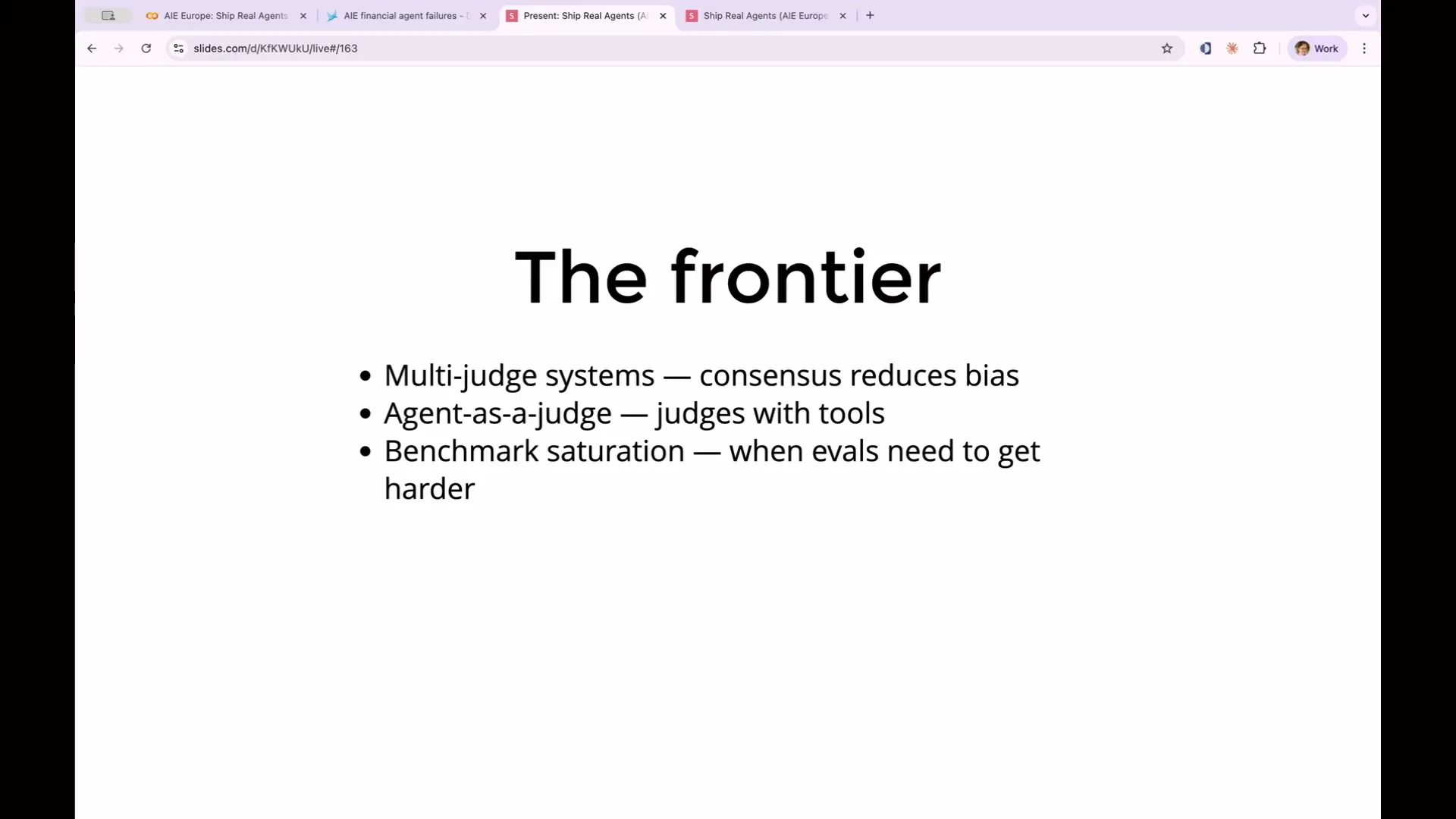 | A customer support assistant that fails after every fifth attempt is considered a failure from the customer's perspective. Therefore, pass to the power of K is a suitable measure for a customer service bot. Additionally, there are multi-judge systems where your LLM can utilize multiple judges simultaneously to obtain different opinions and verify claims. |
Slide 212 — 1:50:08 (watch)
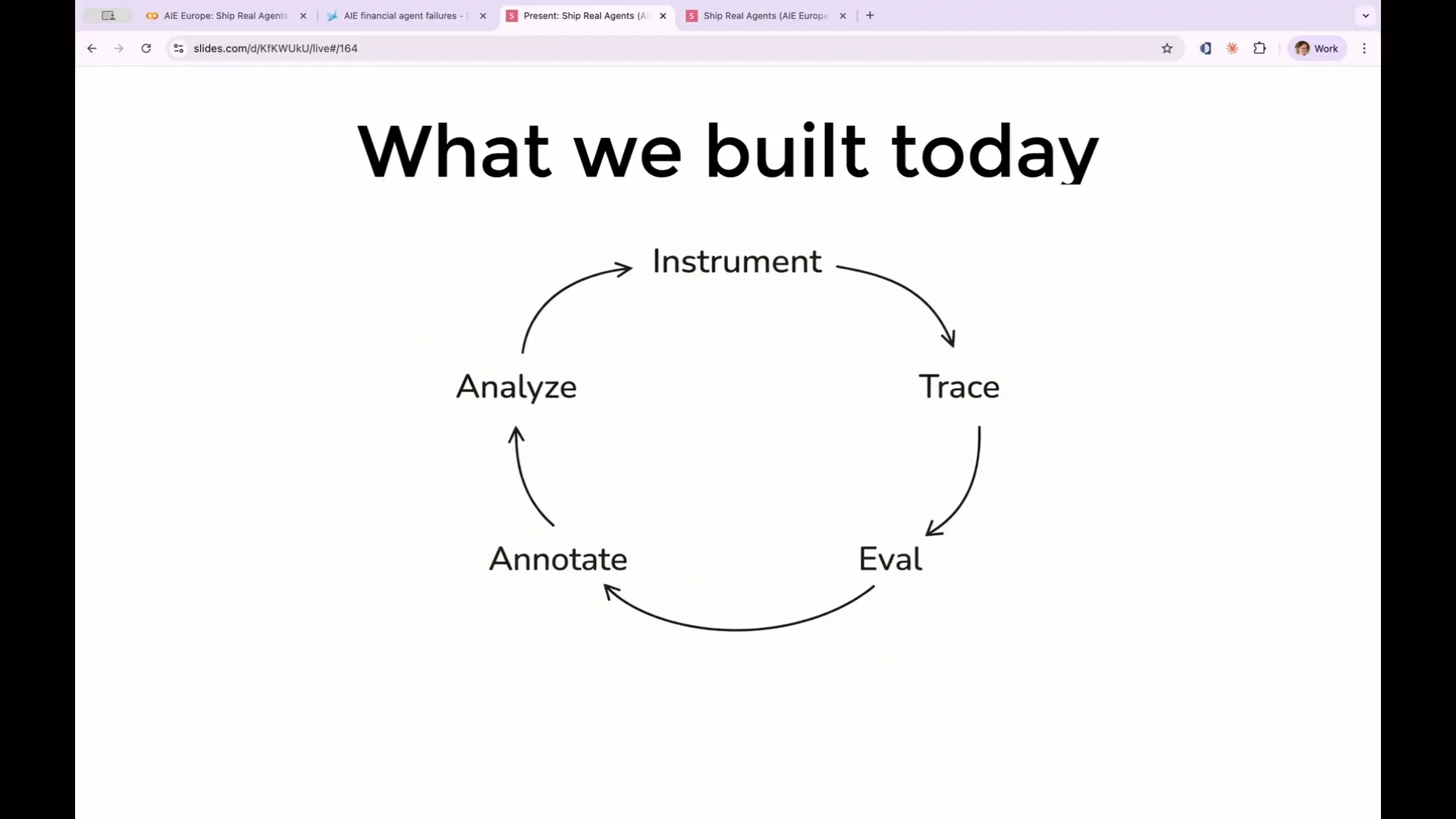 | This concludes our coverage for today. The process is a loop: you instrument, trace, evaluate, human annotate, analyze those annotations, improve your agent, and then repeat the cycle. |
Slide 213 — 1:50:20 (watch)
 | Some final tips: start small. You don't have to implement everything at once. Begin by reading your traces. |
Slide 214 — 1:50:32 (watch)
 | Fifteen minutes of reading real outputs will be more beneficial than hours spent adjusting your prompt without reviewing the traces and explanations. Start with one code evaluation as your first evaluation and ensure it is in the expected format. |
Slide 215 — 1:50:48 (watch)
 | Verify that the expected string is present. Gradually expand your evaluation suite from this point. Start by creating capability evaluations, and once they pass, convert them into regression evaluations. Evaluations serve as essential infrastructure. |
Slide 216 — 1:51:08 (watch)
 | Some teams create evals at the beginning of development, while others add them once they reach scale. However, the need for evals arises when vibe checking becomes a bottleneck to improvement. When you realize that changing one aspect has inadvertently broken three others, that is the moment you need evals. The first time a regression is detected before reaching your users, rather than after, you will have justified the investment in building your evals. |
Slide 217 — 1:51:24 (watch)
 | Now is the time to implement this in practice. |
Slide 218 — 1:51:32 (watch)
 | You already have a Phoenix Cloud account linked to the Phoenix documentation. Phoenix is open source, so contributions to the project are welcome. |
Slide 219 — 1:52:08 (watch)
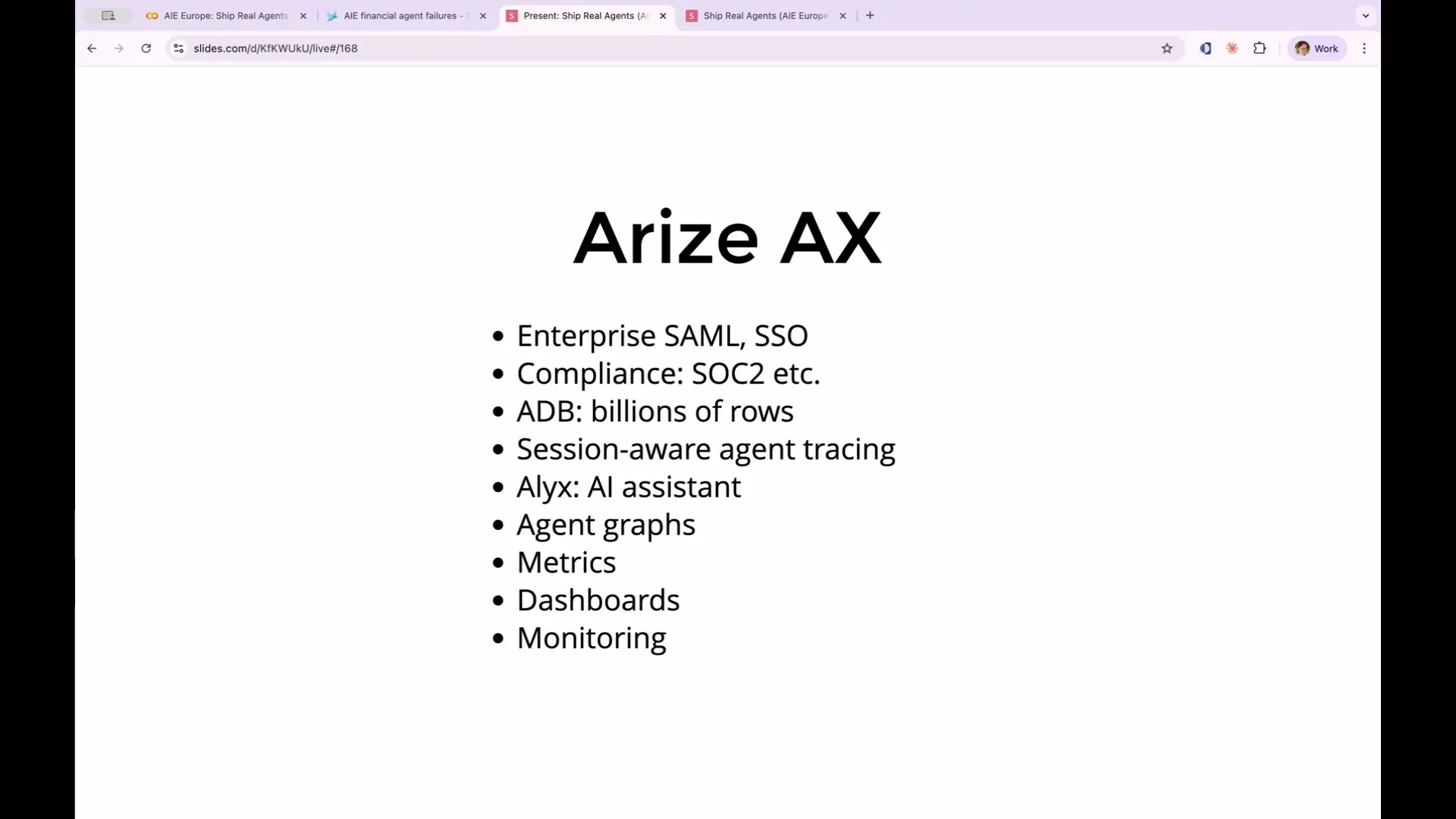 | As a final note, I want to highlight Arize AX. It offers all the capabilities of Phoenix, along with additional enterprise features. If your company is sensitive about data, AX provides compliance measures such as SOC 2. For organizations needing multiple teams to collaborate, AX supports SAML and SSO. For production agents handling billions of rows and traces, we have a technology called Arize DB. AX also enables session-aware agent tracing, capturing a user's entire session from login to logout, rather than just individual agent interactions. Additionally, we have an AI assistant named Alex, along with visually appealing graphical representations of agent activity, metrics, dashboards, and monitoring tools. |
Slide 220 — 1:52:46 (watch)
 | This represents a significant upgrade in terms of capabilities. Thank you all for staying until the end. I now have time for any questions you may have. |
Slide 221 — 1:53:02 (watch)
 | If you think of any questions later, you can find me on BlueSky at seldo.com. You can also access these slides from that URL. Thank you for your time and attention. Are there any questions now, or is everyone eager to head home? |
Slide 222 — 1:53:24 (watch)
 | For code evaluations and LLM evaluations, can these be defined on the platform itself so that they run on the platform rather than through individual scripts? I may have missed that information earlier. |
Slide 223 — 1:58:48 (watch)
 | Code evaluations and LLM evaluations in Phoenix are executed on the client side and relayed back to the server. In AX, these evaluations can run directly on the platform. There is potential to use the Anthropic Batch APIs, which offer a more cost-effective way to parse large volumes of data. Regarding your question, I understand you work with a construction AI company focused on architectural checks and compliance. You face challenges with numerous checks from architects and are trying to scope them to determine what needs to be built, especially given the lack of labeled data. You’ve started using Cloud Code to automate this scoping and assess consistency by checking if the same solution is produced multiple times. This consistency serves as an evaluation for the complexity of the problem. You refer to these as meta evaluations, which help in addressing ongoing problems. Yes, we previously discussed meta evaluations. Using an LLM to evaluate another LLM’s output is a classic example of this. You can leverage an LLM to determine which of several agent configurations is superior. This approach allows for a closed-loop system where an agent generates multiple prompt variations and tests them simultaneously against the evaluation to identify which variation yields the best results without human intervention. Does that answer your question? |