43 slides extracted.
Slide 1 — 1:10 (watch)
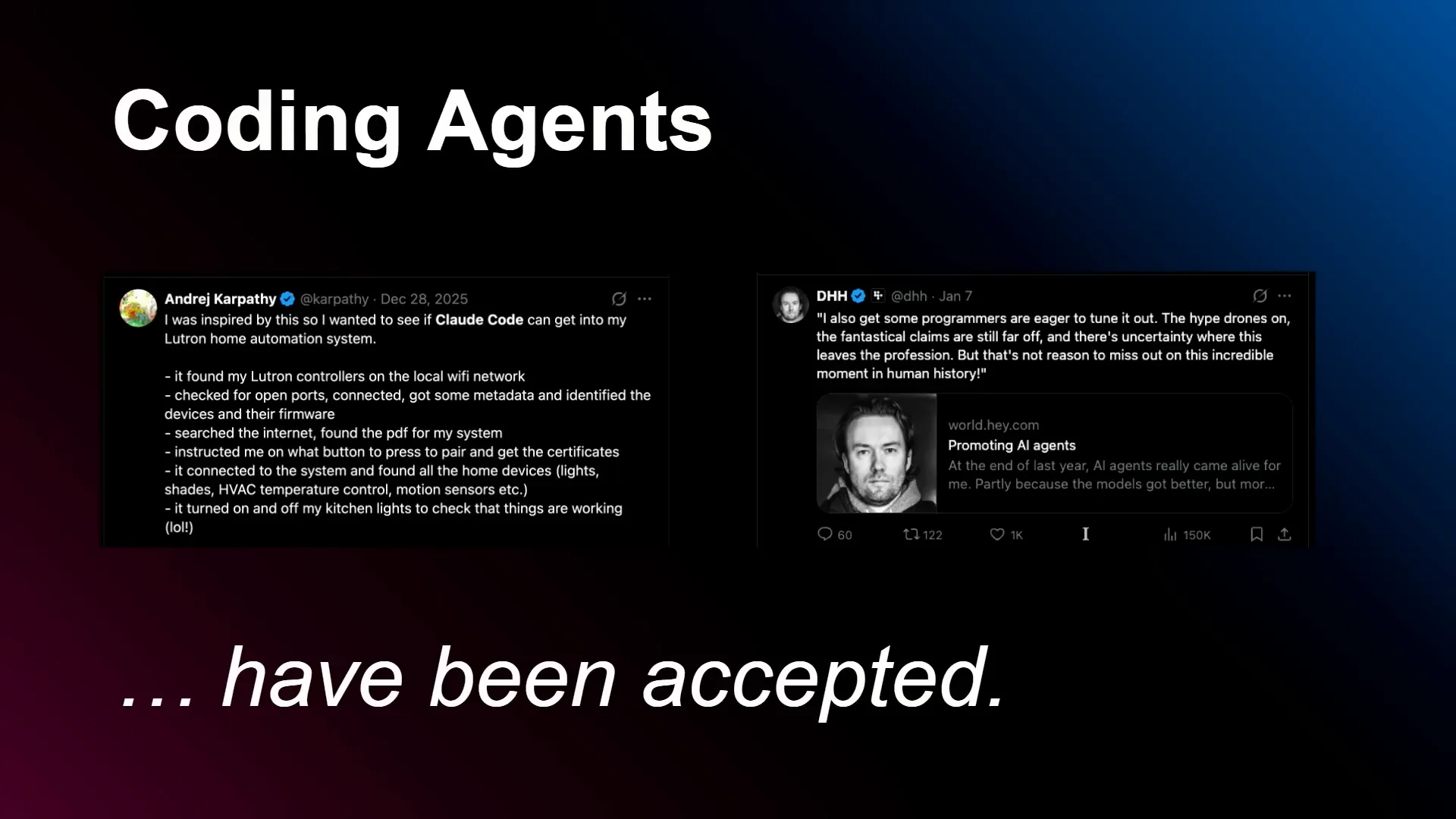 | Hello, everyone. I'm Ben from Hugging Face, and today I will present "Your Coding Agent Should Do AI Systems Engineering." There are two main takeaways I want you to remember. First, we can use coding agents to address the most challenging engineering problems in AI, specifically in systems engineering and machine learning engineering. The second takeaway is that to achieve this, we need standard repositories on the hub, many of which we already have. Coding agents have gained acceptance over the past few years, and recently, their use has expanded to a broader audience. With this in mind, how do we keep our engineering skills current and continue to challenge ourselves? I propose that we need to engage more closely with the underlying technology and tackle more difficult problems, which is where AI systems engineering comes into play. I've structured this talk into three progressively more complex and autonomous steps, likening them to bosses in a game. The first step involves a hybrid approach where you interactively use an agent to write a CUDA kernel. The second step is a zero-shot task where an agent takes a prompt and trains an LLM on Hugging Face. The third step is a multi-agent auto-research setup, akin to an automated AI lab. Let's begin with the first step: writing CUDA kernels. For a long time, writing custom kernels was viewed as an unattainable goal for coding agents due to the complexity of domain-specific languages and the need for integration with relevant hardware for benchmarking and testing. However, this perception is largely incorrect. Events like kernel hackathons, such as those on GPU mode and the recent AMD hackathon, along with research like KernelBench, demonstrate that agents can indeed write valid and optimized CUDA kernels. This is an exciting development that truly inspires me. |
Slide 2 — 2:48 (watch)
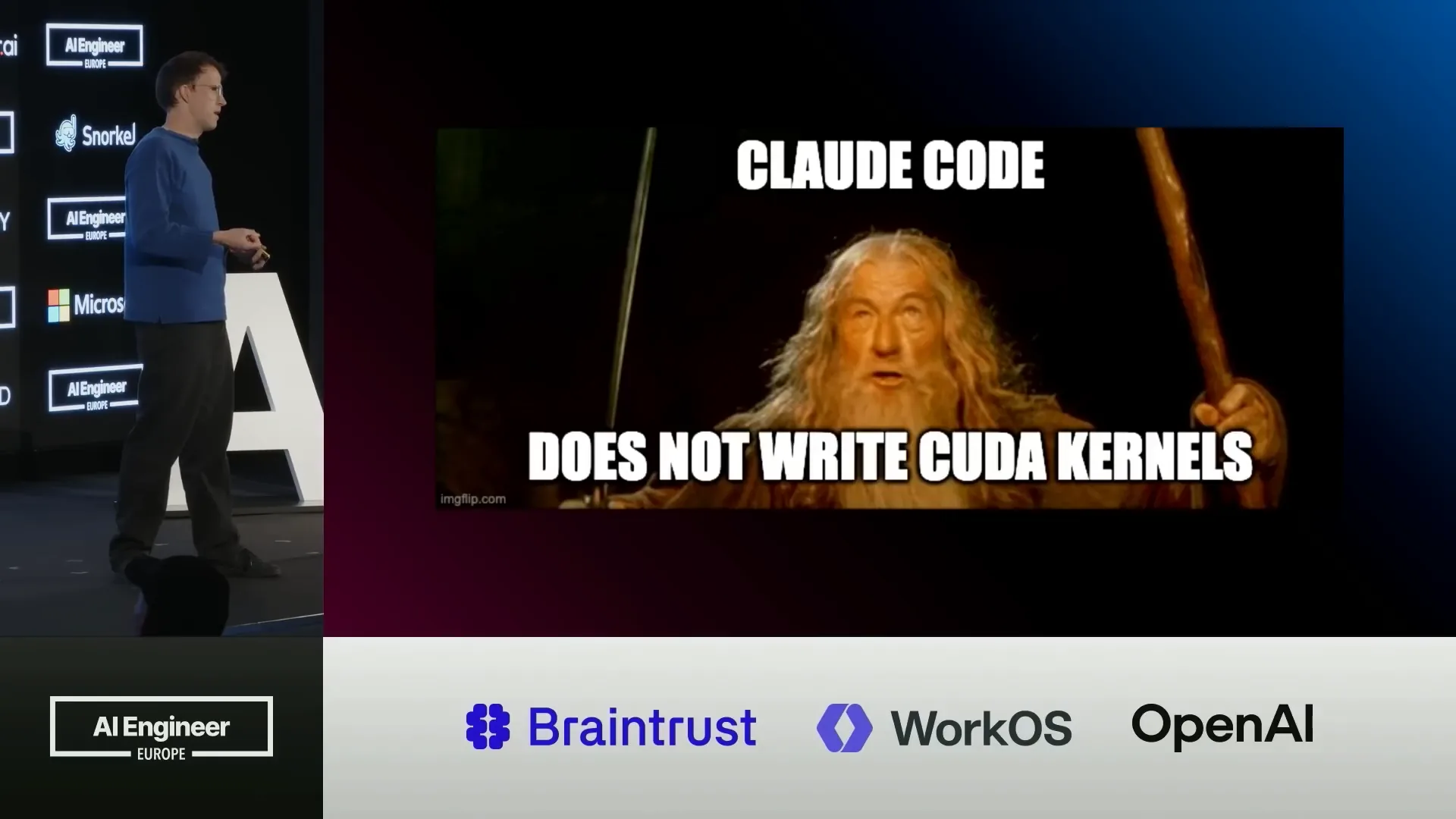 | I contribute to GPU mode, which I believe everyone should engage with. However, we need to consider how to distribute these optimised kernels and integrate them into our inference engine to effectively utilize them. |
Slide 3 — 4:58 (watch)
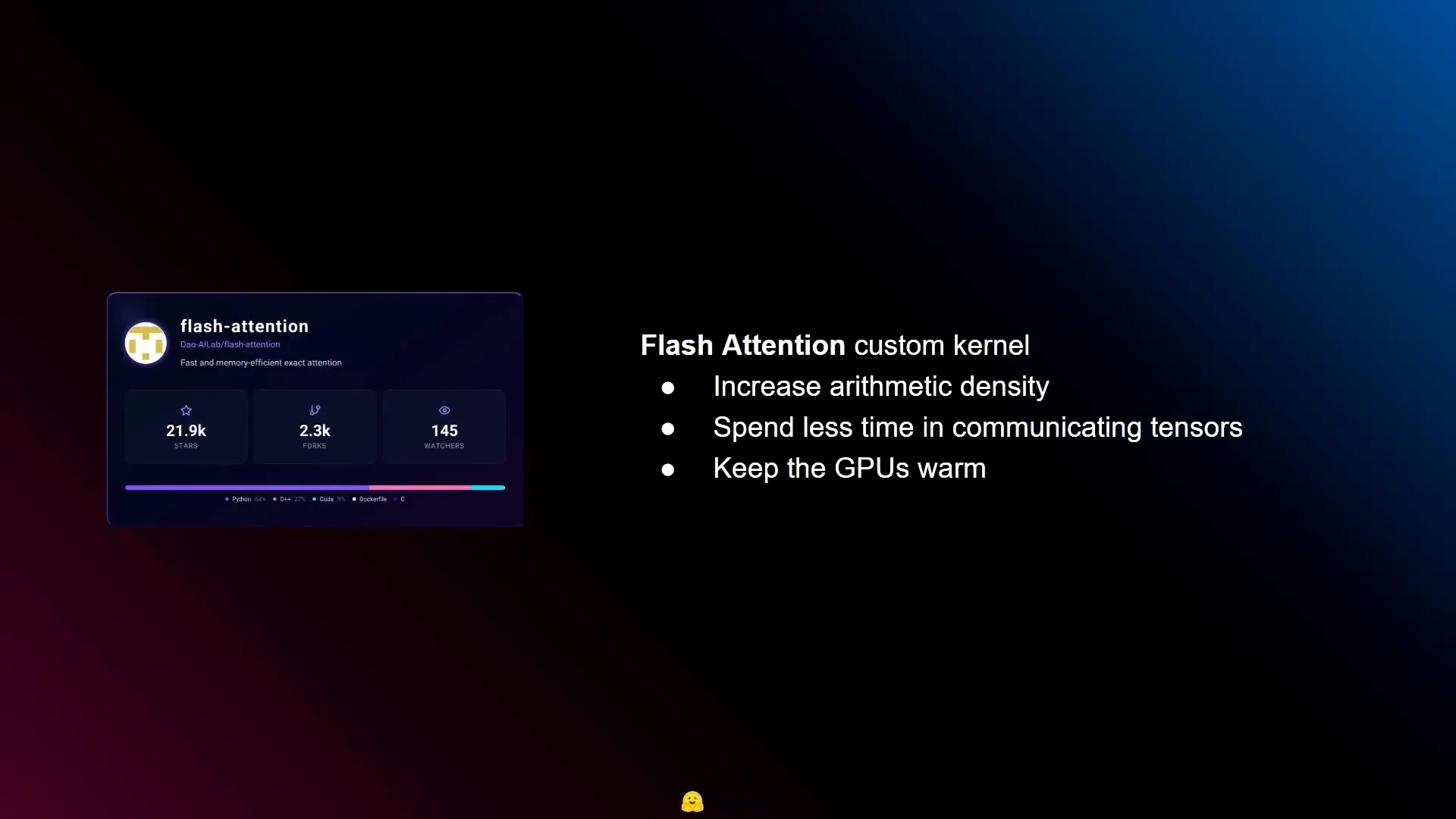 | This section addresses the concept of kernels in AI model execution on GPUs. A kernel is the component that performs the actual computations, defined in a language suitable for the specific hardware and utilizing features unique to that hardware. Custom kernels can be developed to optimize performance for specific mathematical operations, enhancing inference speed. However, writing CUDA kernels requires significant expertise and can involve complex installation processes due to the variety of hardware and software configurations. Efficiency in deep learning kernels can be categorized into three main areas: compute, memory, and overhead. Compute refers to floating-point operations per second (FLOPS), which involve matrix multiplications and the core mathematics of the process. Memory pertains to the time taken to transfer data or tensors, typically from slower to faster memory. Overhead includes all other factors, such as the Python environment and PyTorch’s kernel dispatching. While one might assume that compute is the primary bottleneck due to its mathematical workload, memory often proves to be the limiting factor. For instance, a modern GPU like the H100 can perform a petaflop of computations per second but has a memory bandwidth of only three terabytes, leading to idle GPU time while waiting for tensors. Custom optimized kernels, such as FlashAttention, aim to increase arithmetic intensity by allowing the GPU to perform more calculations per read and write cycle. This approach maximizes the use of the GPU’s capabilities, keeping it “warm” by minimizing idle time. Hugging Face has developed a library called Kernels, maintained by kernel writers, which facilitates the distribution of these kernels. It includes a TOML file that specifies compatible hardware and required software versions, and it is hosted on the hub similar to models. This enables kernel writers, both experienced and aspiring, to publish their work, creating opportunities for AI engineers to advance their careers. The repository provides compatibility information for various hardware configurations, allowing users to determine suitability for their specific systems. |
Slide 4 — 8:12 (watch)
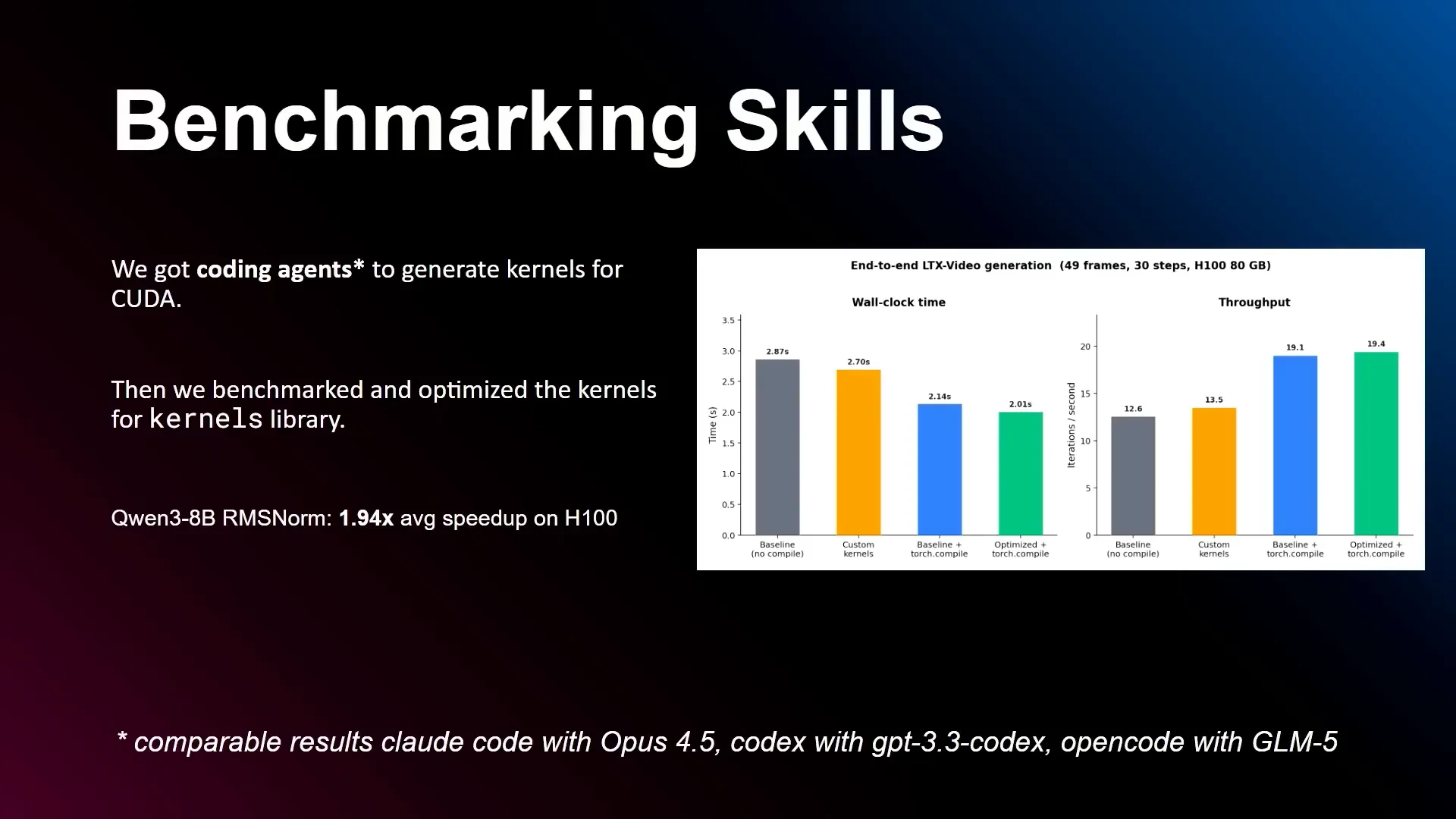 | At Hugging Face, we focus on integrating skills into our projects. Each project manages its own skills, which we believe is the best approach because it ensures that the maintainers are responsible for maintaining those skills. This means that the skills are typically well-maintained and robust, rather than experimental. For more experimental skills, we have a separate repository called Hugging Face Skills, which you can explore for examples. In kernels, the skill is designed for benchmarking and includes scripts that allow you to test the kernel’s performance, along with references and examples. We benchmarked this skill using a kernel for QEM38B on H100 and achieved a 94% speed-up. While this isn’t a state-of-the-art improvement for this model, it highlights the importance of compatibility. Often, models and their kernels are not optimized for the specific hardware or generation of hardware you intend to use, presenting opportunities for optimization. If your hardware is cost-effective on your cloud provider but not ideal for the model, you can find easy speed-ups here. It’s essential to evaluate the effectiveness of these skills to determine their value and encourage others to use them. |
Slide 5 — 9:00 (watch)
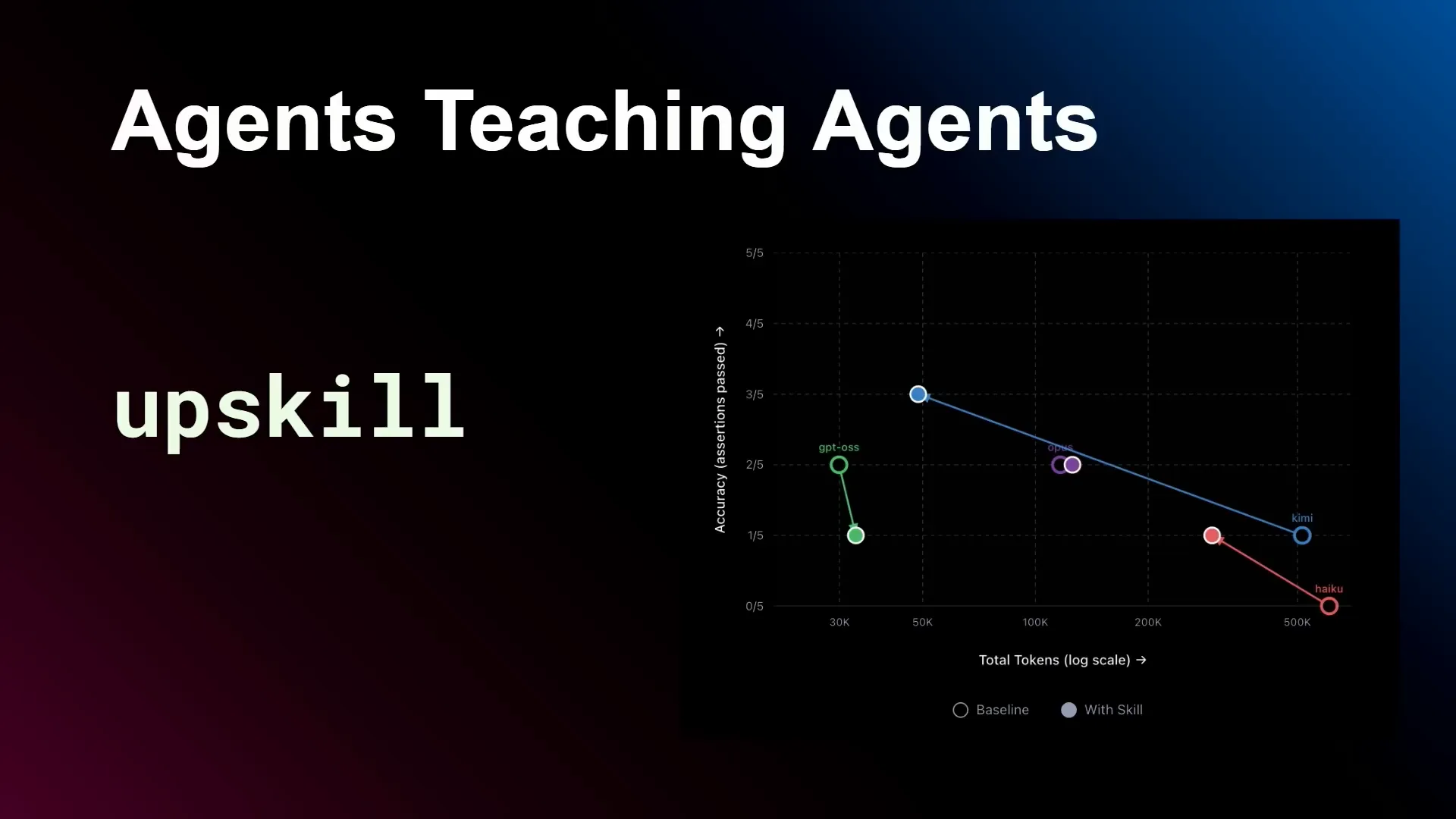 | We maintain an open-source library called Upskill, which serves as a gateway to using more cost-effective and open models with skills. It generates skills and evaluations for those skills, allowing you to compare different models based on the same skill. For example, you might find that GPT-OSS is slightly less accurate with the same tokens, while Kimi is more accurate using fewer tokens, and Haiku shows similar improvements. If you have a skill that you use regularly and want to save costs while exploring different models, try Upskill. It will help you iterate on and enhance your skill. |
Slide 6 — 9:26 (watch)
 | Let's move on to BOSS2. I will cover this one quickly. |
Slide 7 — 9:36 (watch)
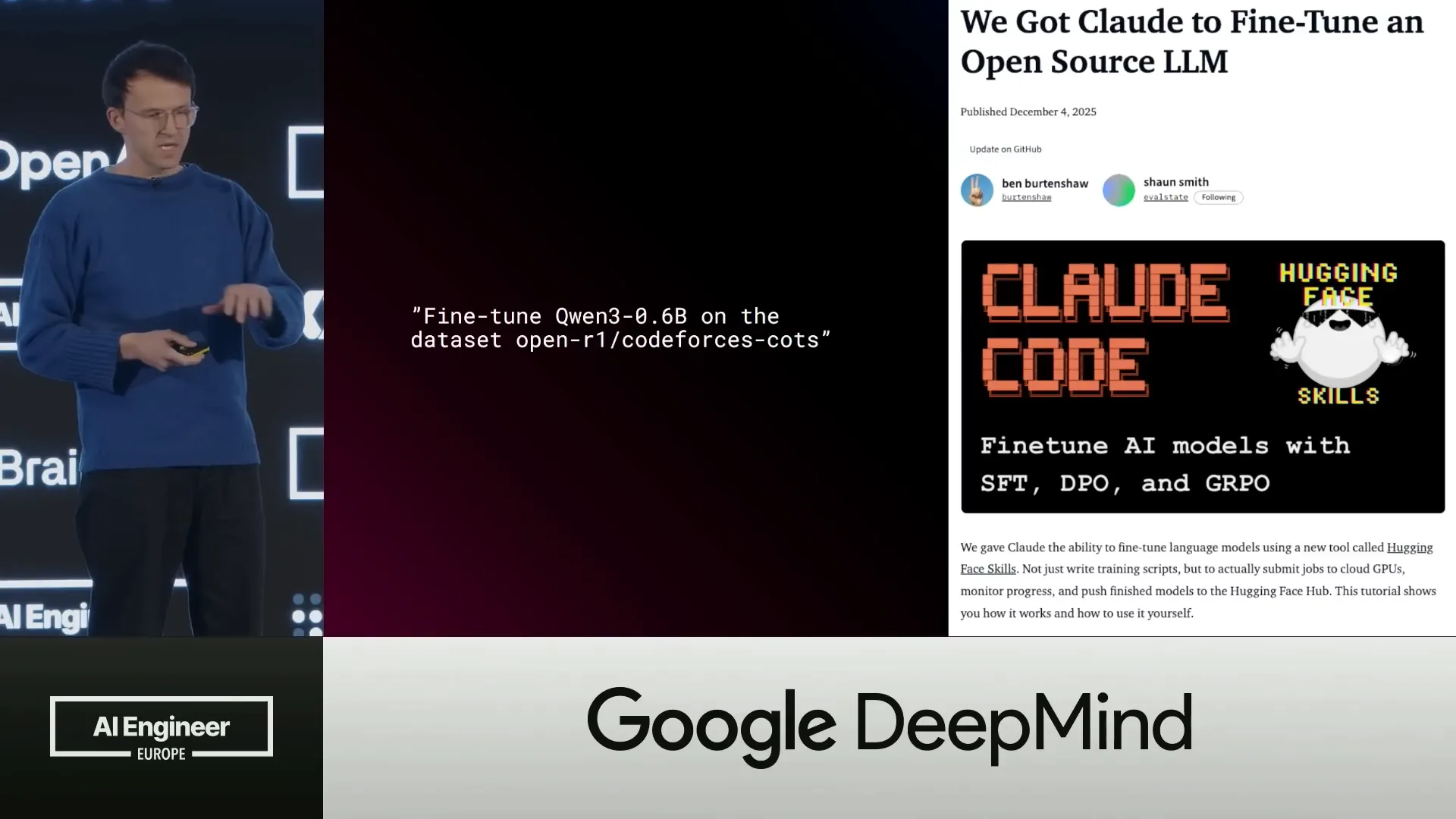 | This slide focuses on fine-tuning models. If you're interested, my colleague Merve gave a detailed talk on this yesterday, and there's also a blog post where we demonstrated this with Claude. This was published around November or December. |
Slide 8 — 9:52 (watch)
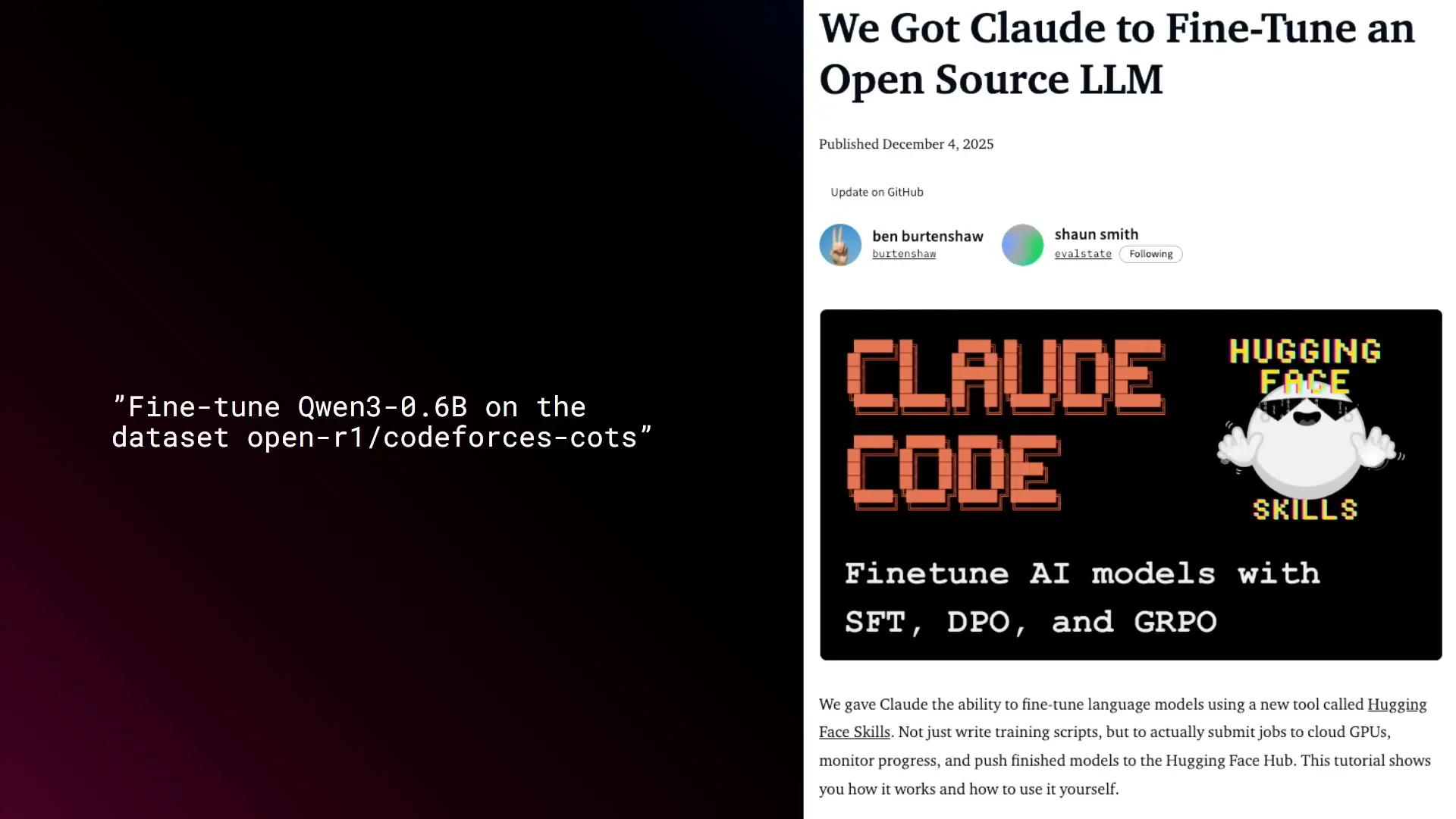 | You can fine-tune Quen36B on this dataset, which is a chain of thoughts dataset, to improve the model's reasoning capabilities. This functionality is fully integrated into the hub, allowing you to run the GPUs there. It utilizes HFCLI skills, making it easily accessible. |
Slide 9 — 10:08 (watch)
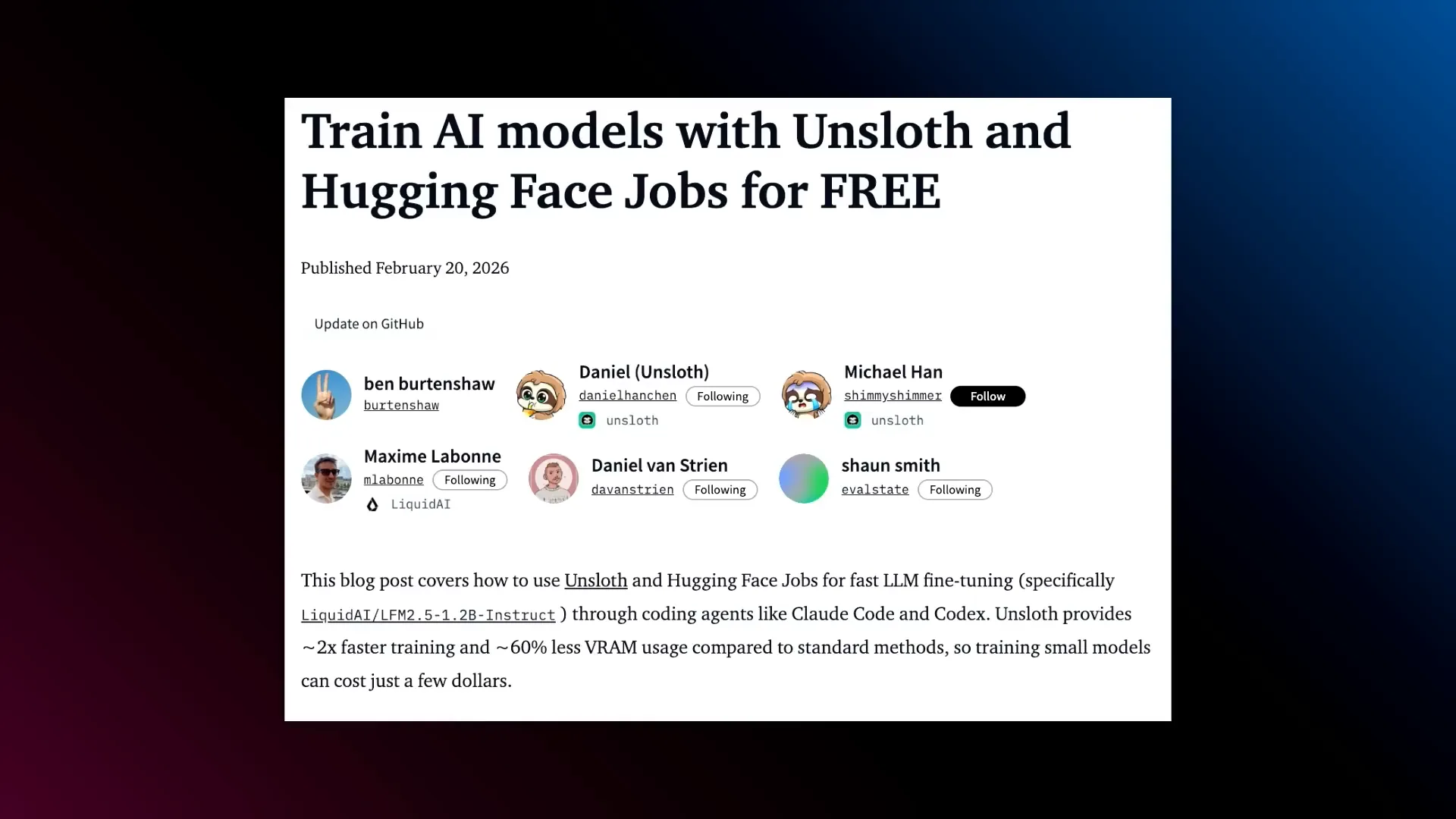 | You can try this option as well. It uses Unsloth, making it more cost-effective. This runs optimized models and is maintained by both Unsloth and our team. Additionally, there are often free credits available associated with these blog posts, so I recommend checking them out. |
Slide 10 — 10:18 (watch)
 | Let's move on to the main topic. |
Slide 11 — 10:26 (watch)
 | This is Autolab Multi-Agent Research, a project that keeps me up at night. |
Slide 12 — 10:56 (watch)
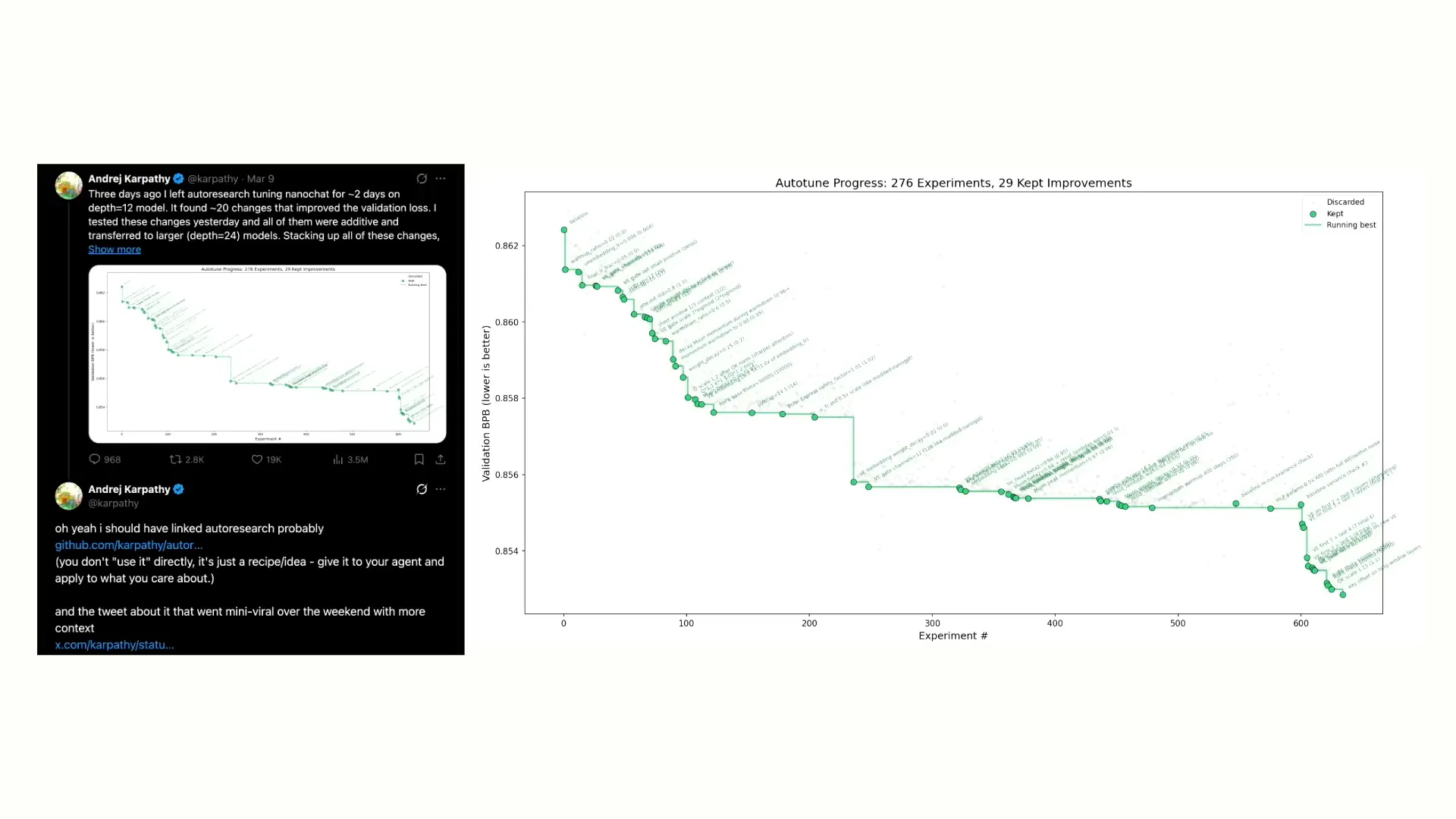 | Andrej Karpathy recently released a project called Autoresearch, which builds on his previous projects, NanoGPT and NanoChat. It utilizes the NanoGPT architecture and incorporates Claude code to enhance the training script, thereby improving the training process. The experiments show changes in the training script that increase efficiency, measured in bits per byte, with the best efficiency achieved at the end of the process. I found this concept fascinating and immediately began implementing it. However, I noticed it was unusual to have a single agent working in isolation to identify and implement improvements. It seemed more logical to distribute this task, so that’s what I did. |
Slide 13 — 11:30 (watch)
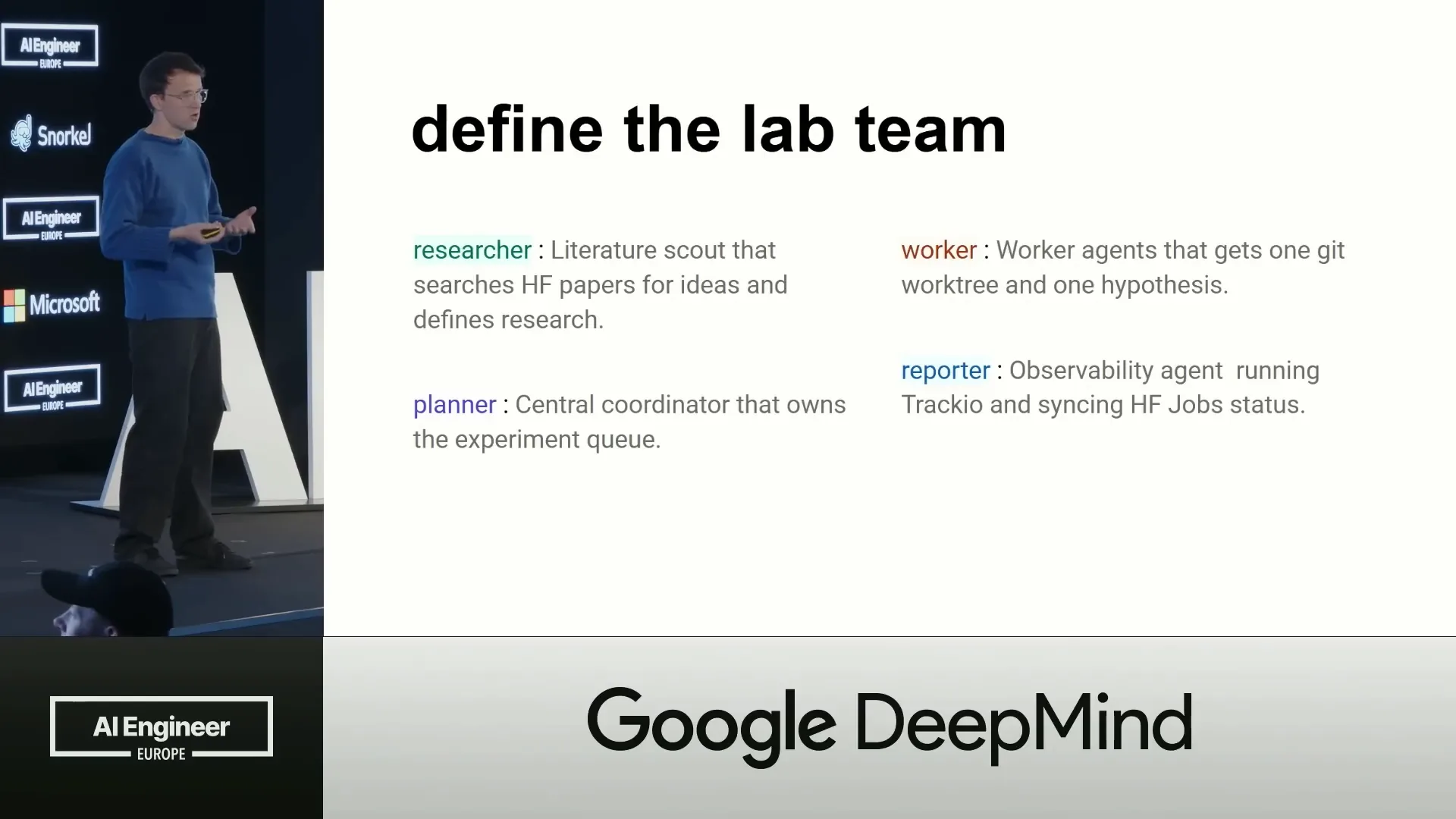 | I distributed the task among the research team into four roles. One role is a researcher who looks up papers. For this, we use Hugging Face papers, but we can also utilize arXiv papers. Hugging Face papers is advantageous because it has a command-line interface, allowing us to pull and search for papers from the hub. This role acts as a literature scout, identifying papers with ideas and formulating them into hypotheses. |
Slide 14 — 11:50 (watch)
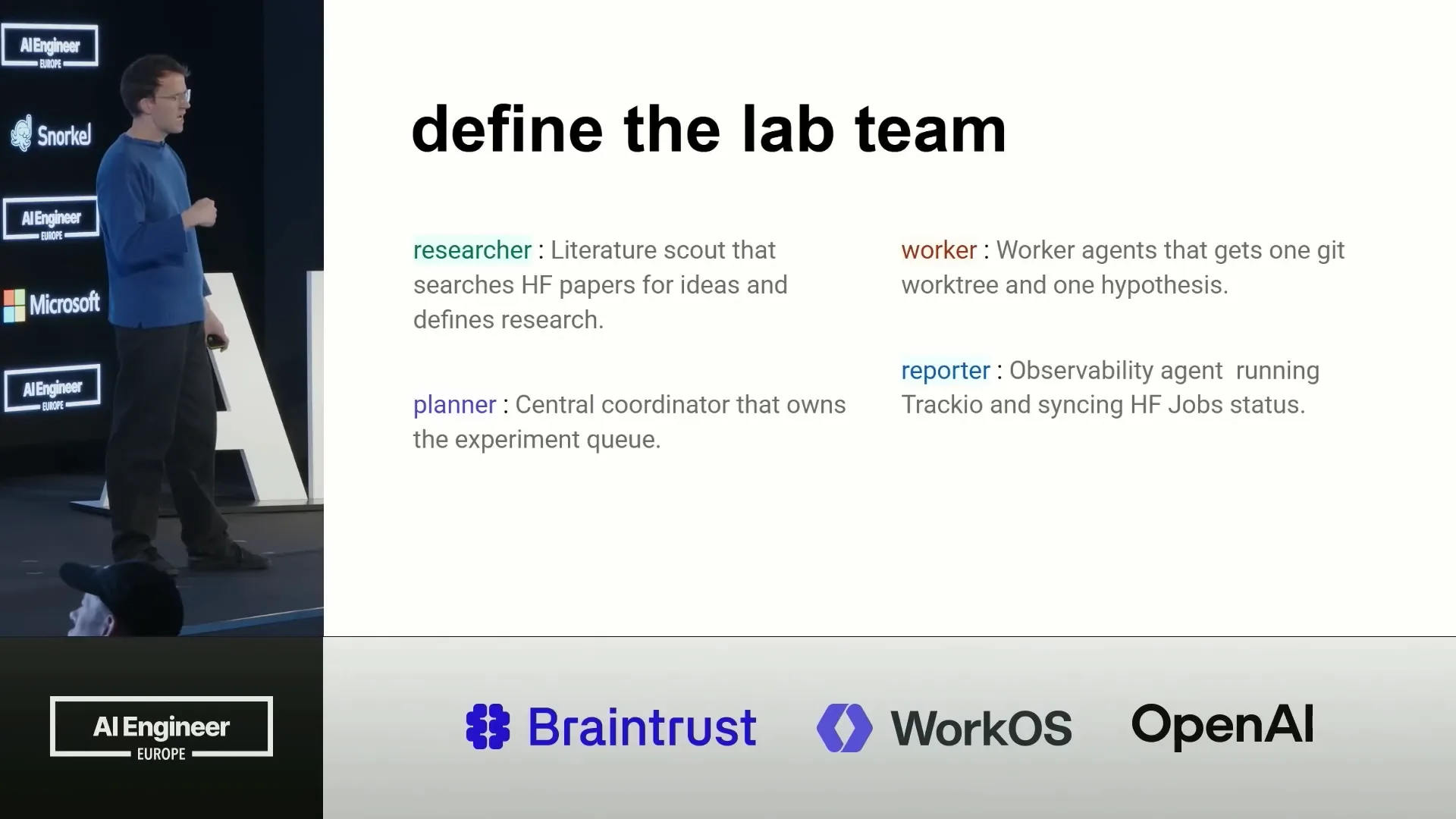 | We have a planner that takes the hypotheses and maintains a queue of jobs. A set of workers then picks up these hypotheses, with the task of implementing them as training scripts. This often involves changing the architecture or adjusting parameters. |
Slide 15 — 12:04 (watch)
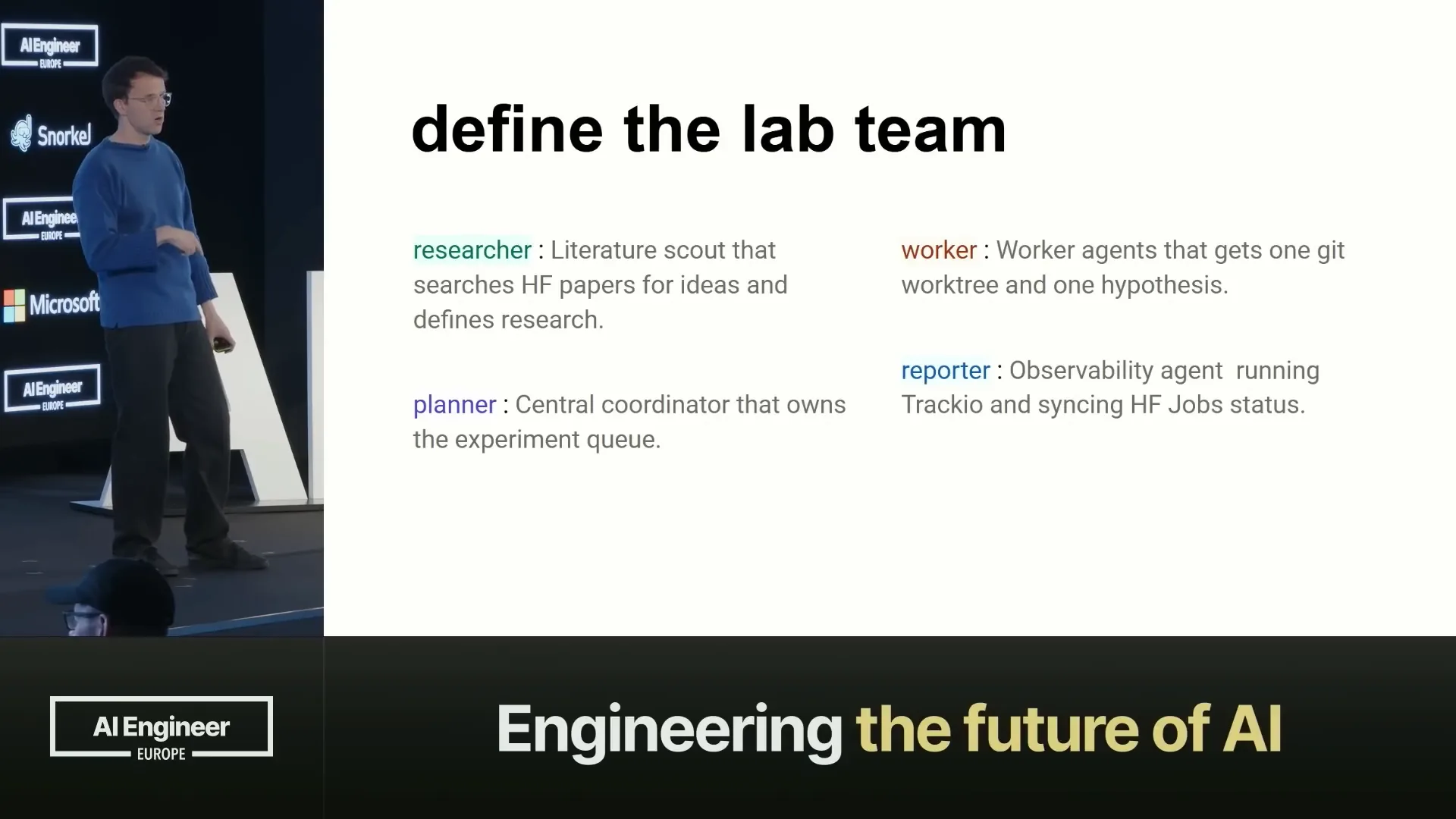 | We have a reporter agent that monitors all the jobs and maintains a dashboard for our use. |
Slide 16 — 12:12 (watch)
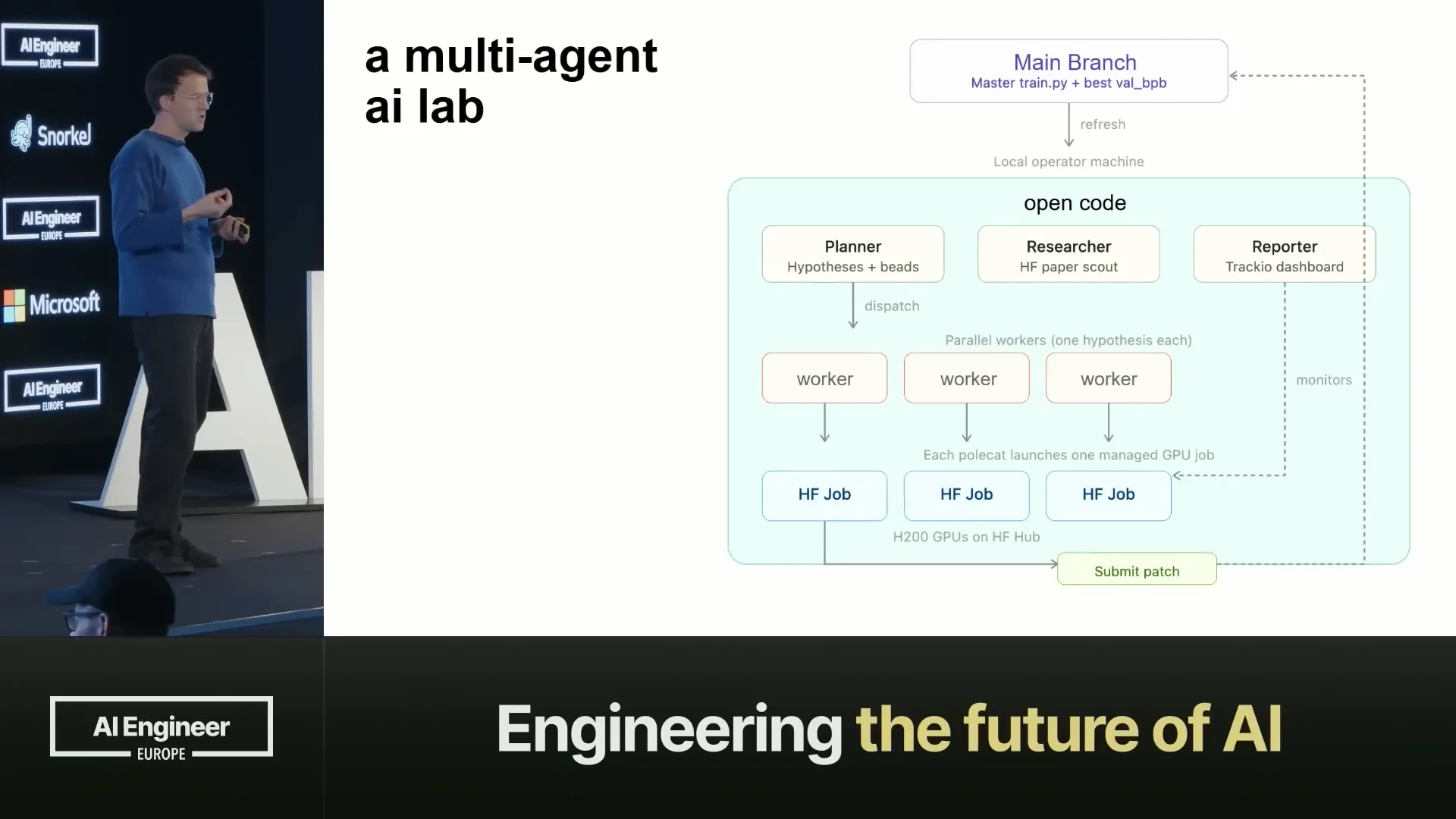 | This is what it looks like. Here, we are working in a GitHub project. |
Slide 17 — 12:24 (watch)
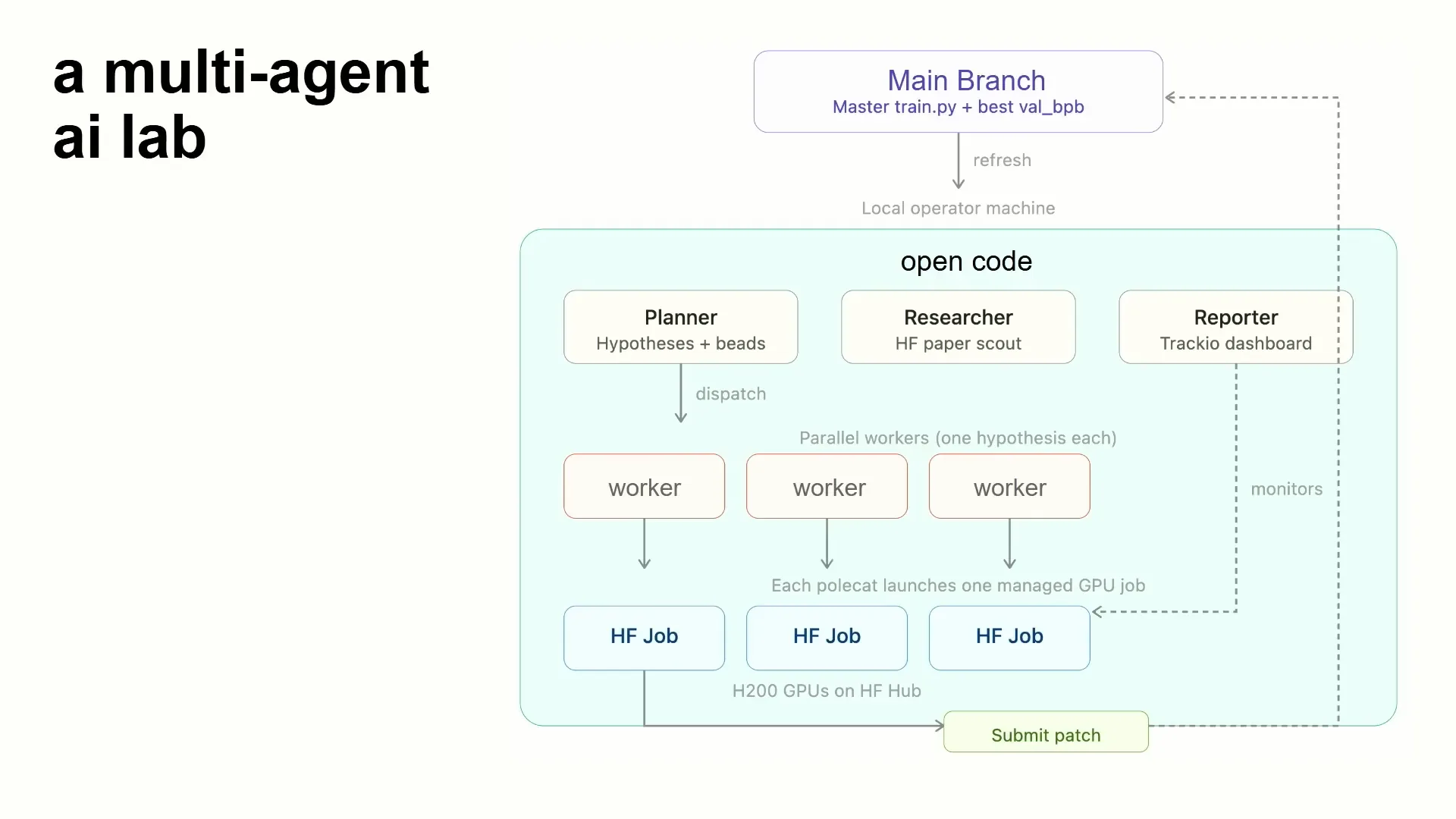 | In our Git project, we maintain a main branch with our training scripts, which we update in each branch. We also keep a training original and have a data structure on the main branch to track scores. For this example, we implemented it in OpenCode, but in the repository, it's also available in Codex and Claude for you to try. |
Slide 18 — 12:50 (watch)
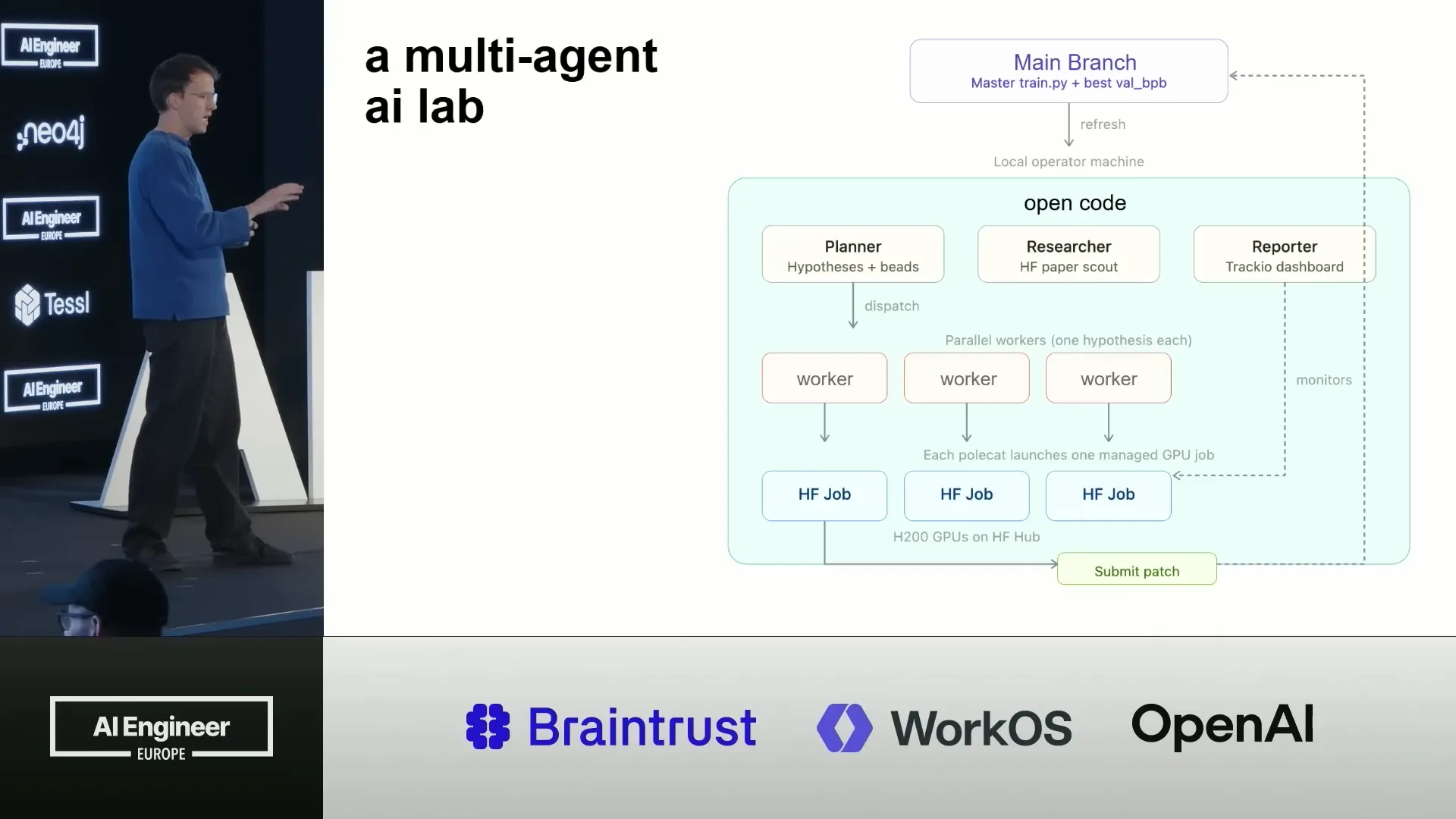 | I also implemented it in Gastown as a separate project since it has a more experimental nature. However, it works effectively in various environments because it is primarily a conceptual implementation. The process involves a planner creating hypotheses, researchers reviewing papers, and a reporter compiling this information and assigning tasks to workers. |
Slide 19 — 13:10 (watch)
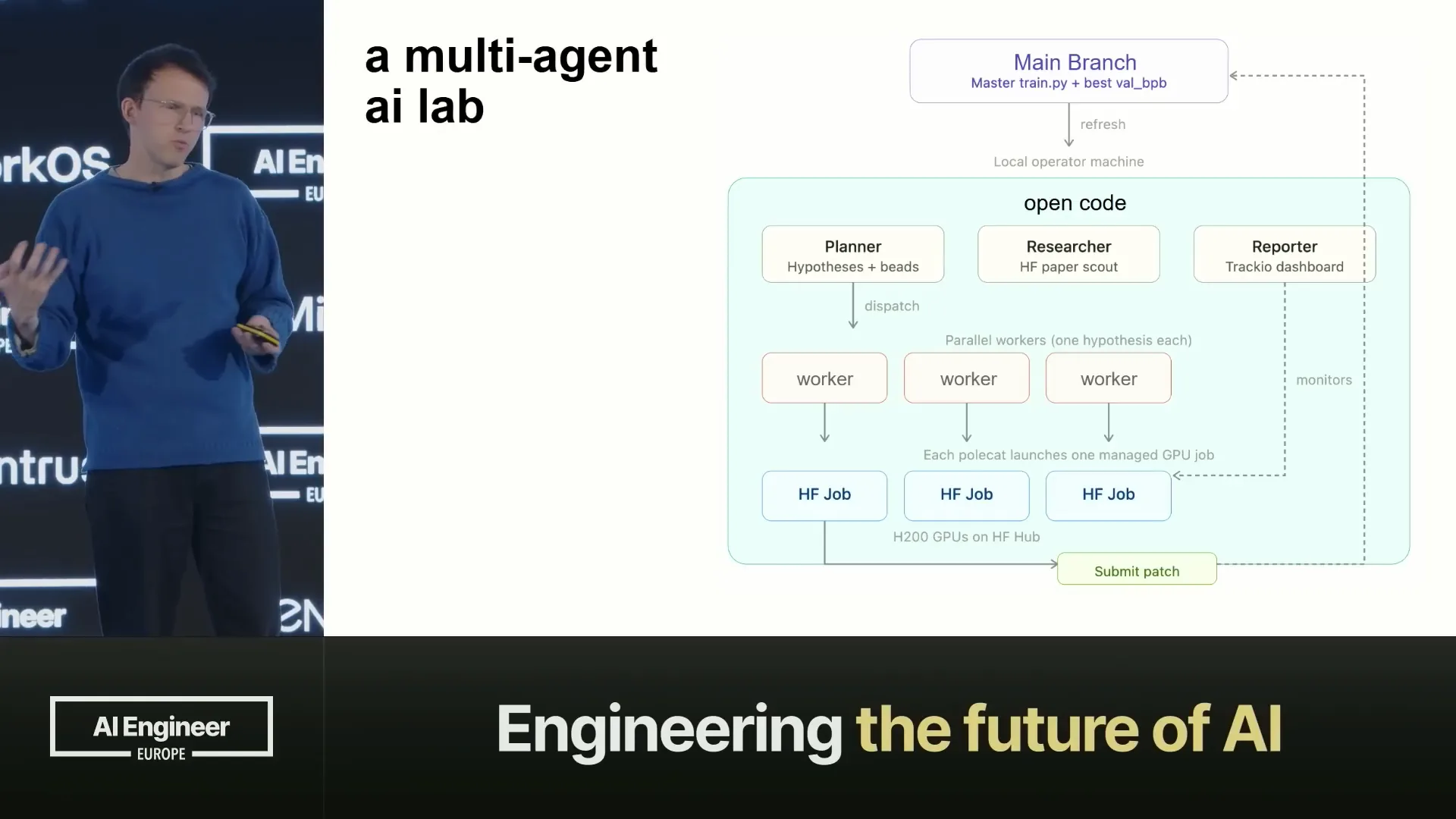 | The workers integrate with Hugging Face jobs, initiating these jobs on the hub with the necessary hardware, and then they submit patches in return. The reporter operates in Traccio, an open-source dashboard used for all metrics. Traccio is beneficial for agents because it utilizes a completely open data layer, specifically Parquet. If the dashboard is not needed, the agent can access the Parquet data directly and perform any desired operations. |
Slide 20 — 13:28 (watch)
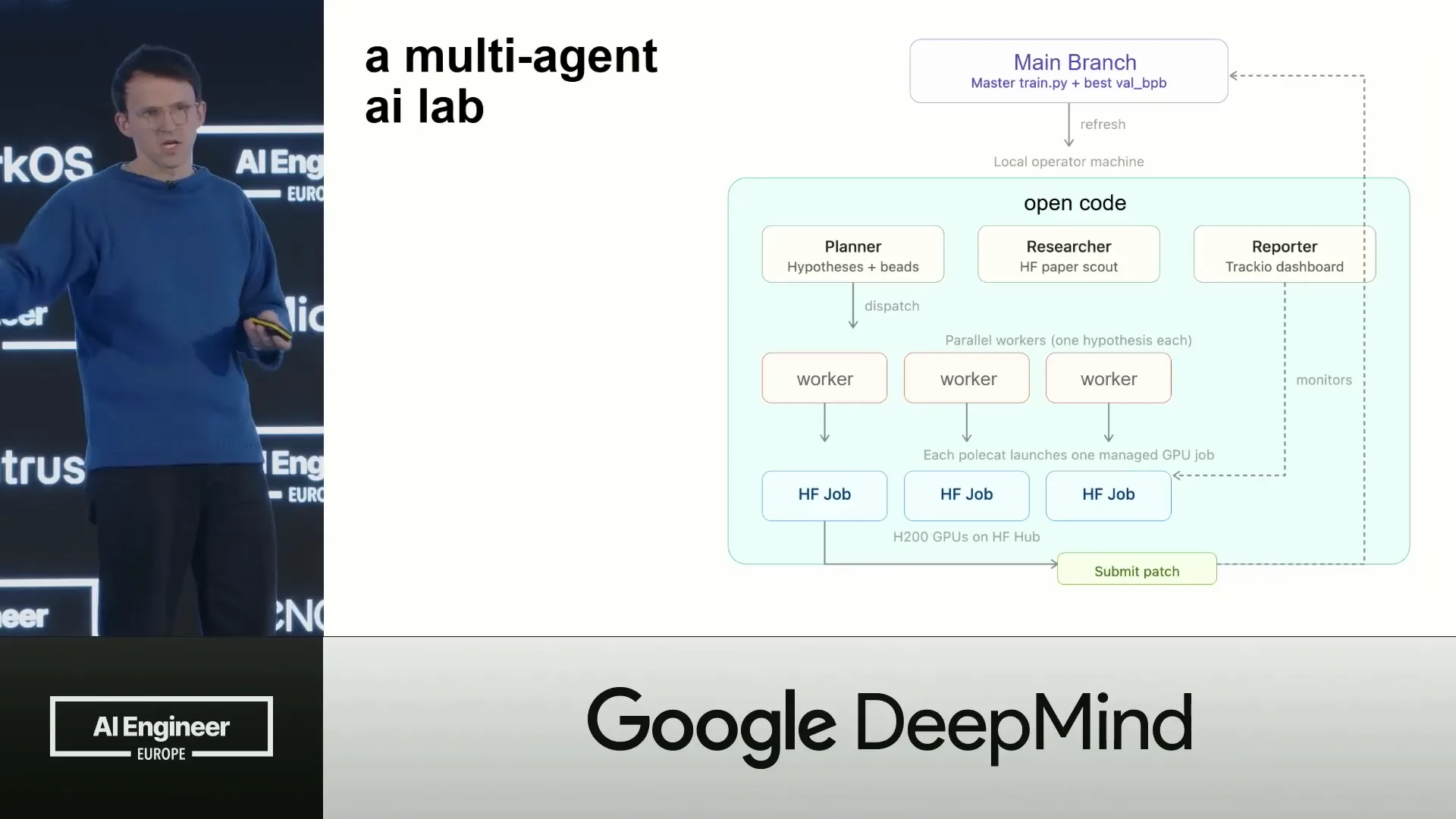 | If you need a Gantt chart or another visualization, the agent can generate that. I would consider it the best agent dashboard tool because it functions primarily as a data store. |
Slide 21 — 13:36 (watch)
 | It's essentially a data structure. Let's walk through this. This is implemented in OpenCode, which allows for agent configurations. |
Slide 22 — 13:58 (watch)
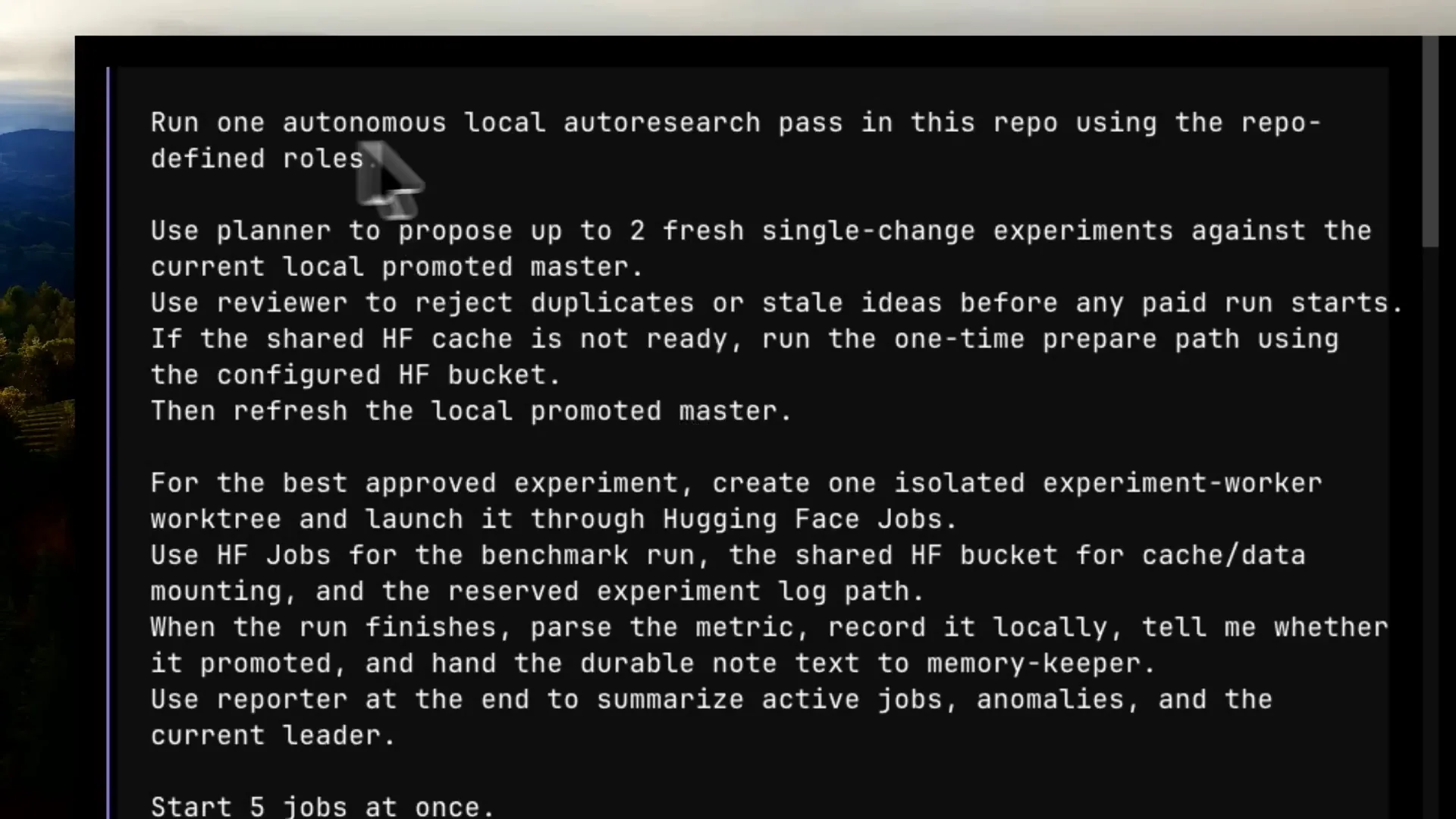 | In this example, I set up Autolab, which is the name of my agent configuration. It includes specific skills. The prompt instructs it to run one autonomous local research pass in the repository using defined roles. I direct it to use the planner to propose fresh single change experiments and the reviewer to reject duplicates or stale ideas. |
Slide 23 — 14:14 (watch)
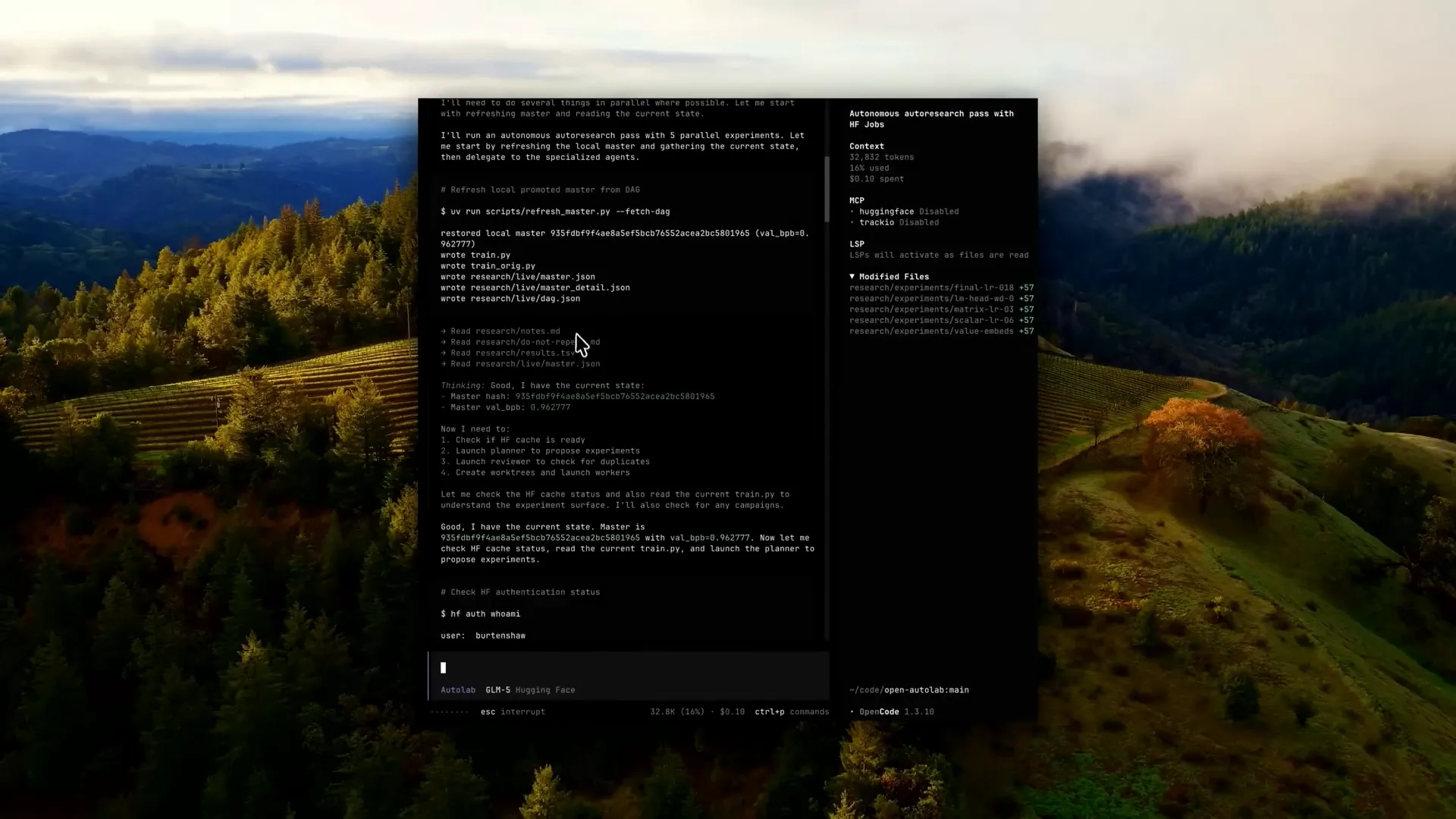 | I also instruct it to use a Hugging Face bucket to consolidate all storage in one location, eliminating the need to upload or download the training scripts each time. We then select one of the sub-agents as an ISO interface in OpenCode, which is similar in other tools. |
Slide 24 — 14:32 (watch)
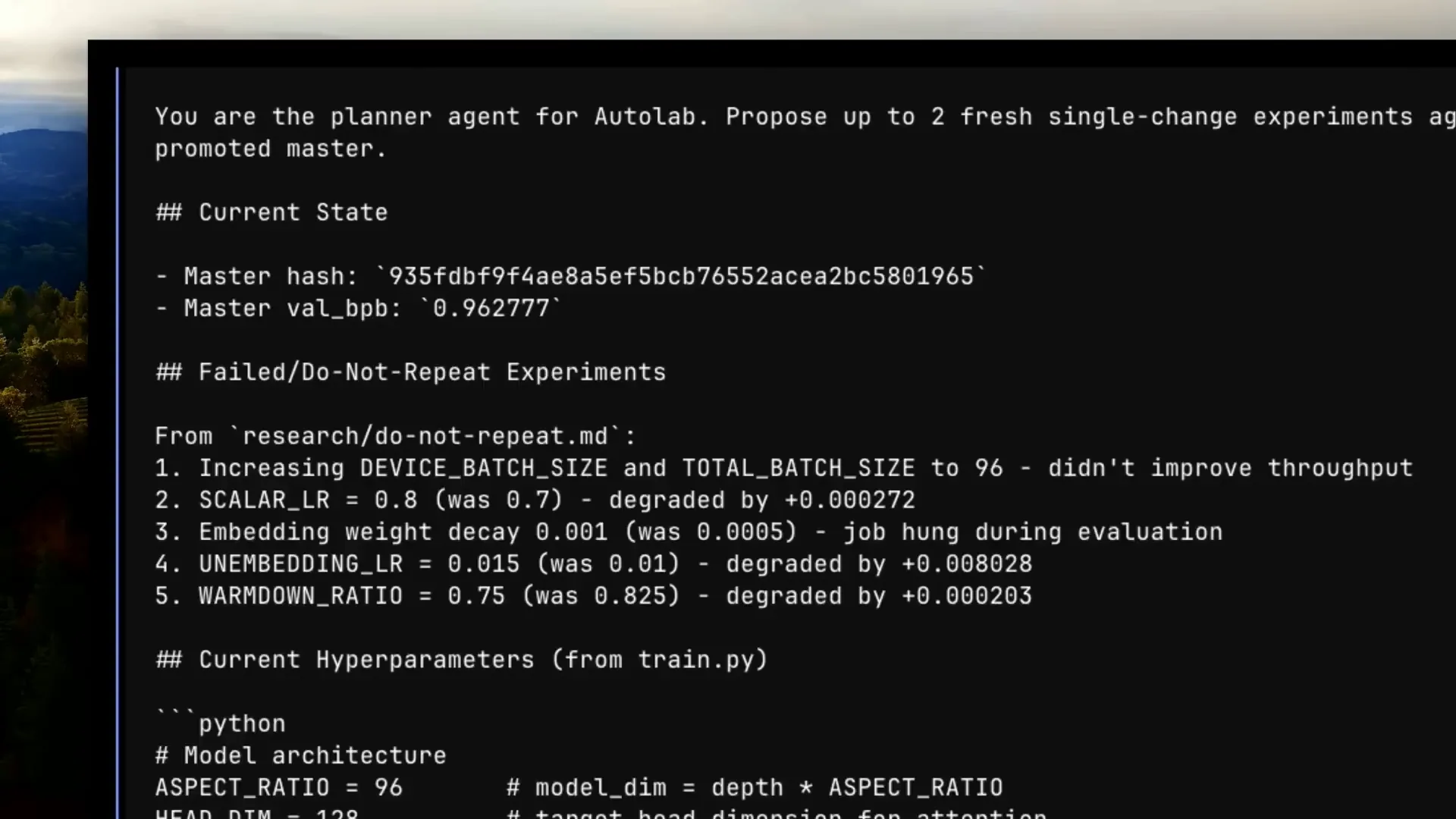 | I select the planner, which receives the prompt and uses a specific template defined in my configuration. This template includes the current state, a list of completed jobs, successful outcomes identified by the reviewer, and the current hyperparameters that can be adjusted. Essentially, it defines the jobs that will be added to the job list. |
Slide 25 — 14:46 (watch)
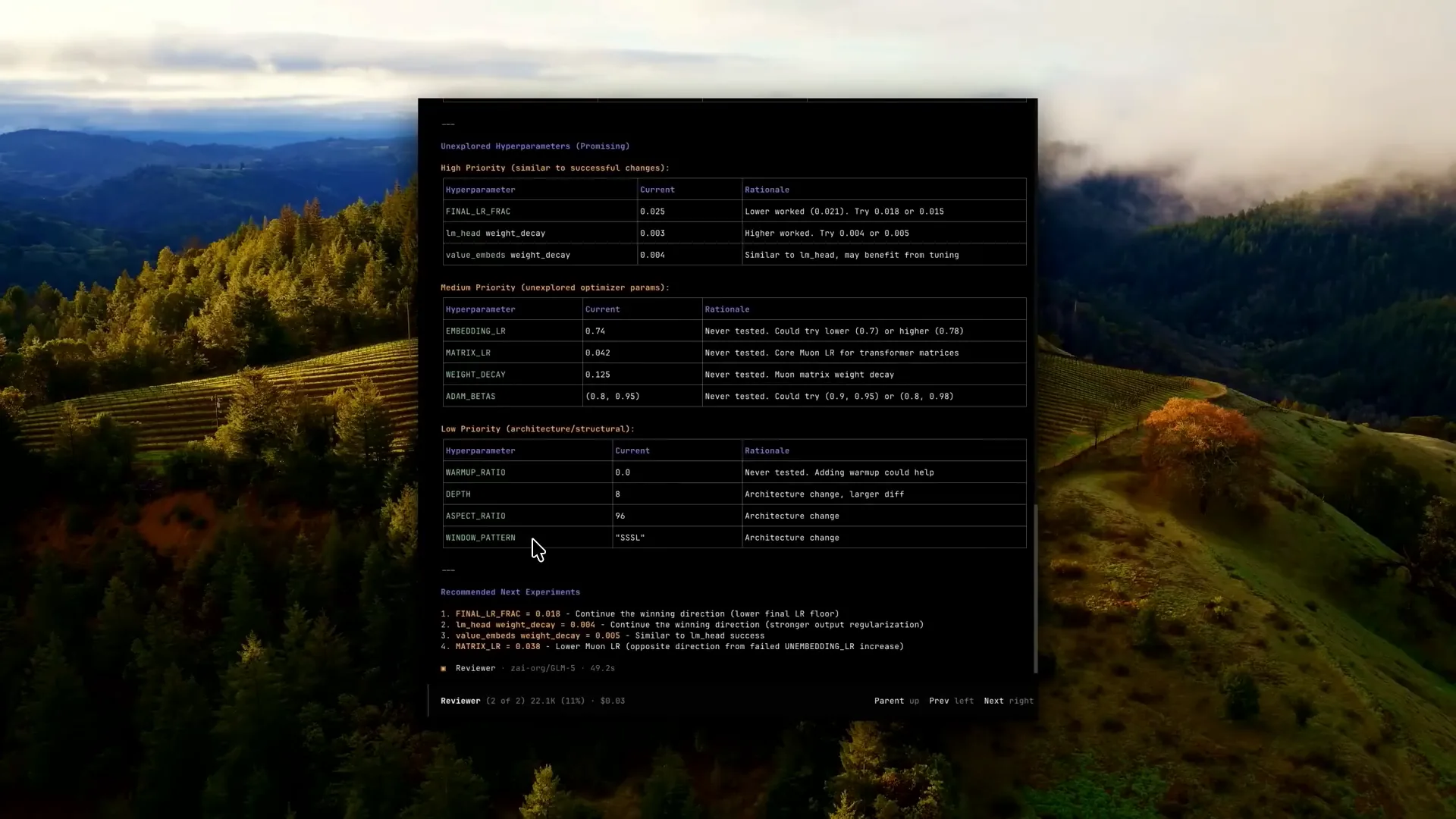 | We then switch to a reviewer agent that will receive all of these jobs. |
Slide 26 — 14:52 (watch)
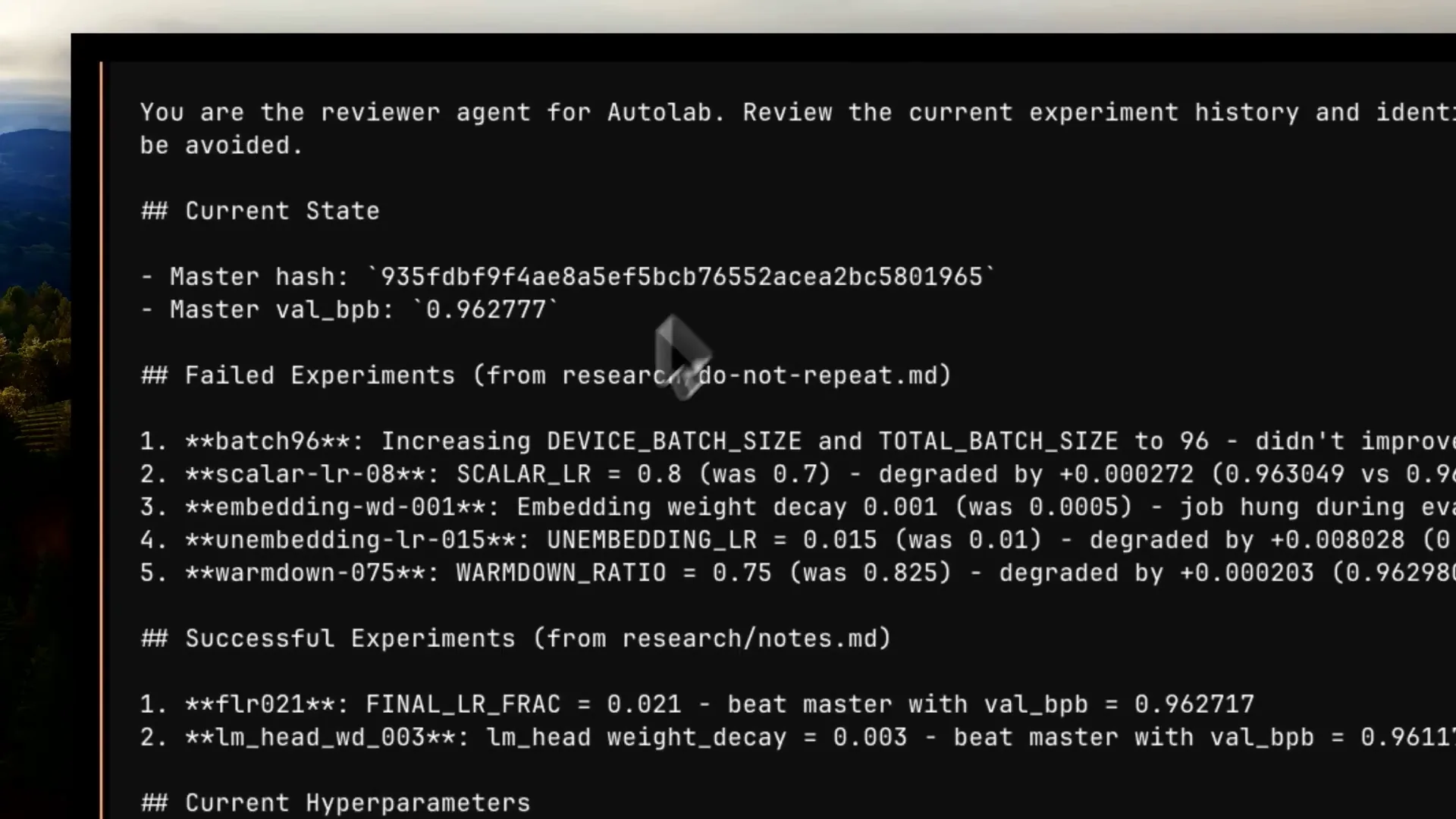 | The reviewer agent has a structure based on a template, referencing where it should operate and the latest score it should utilize. |
Slide 27 — 14:58 (watch)
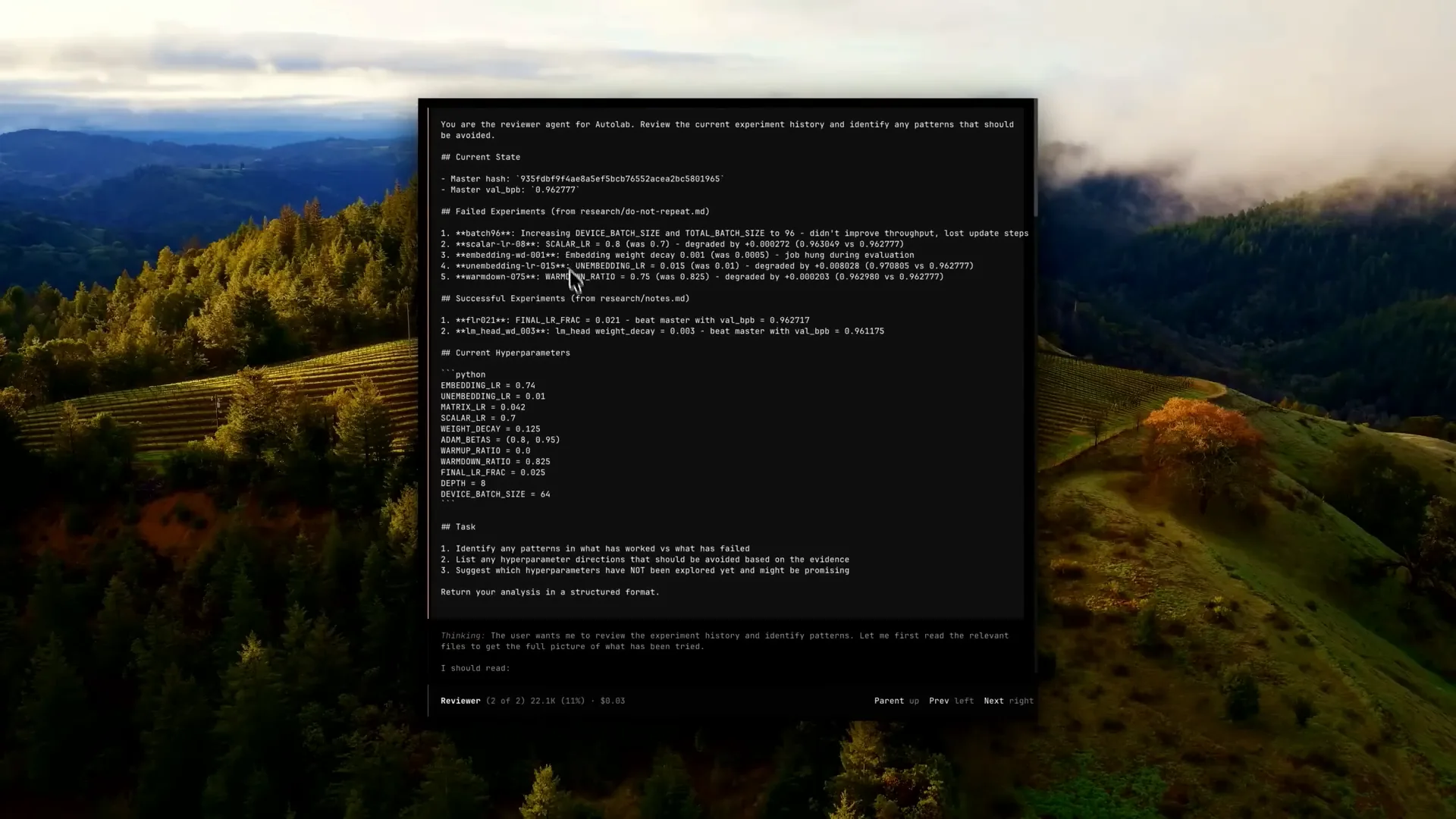 | It provides an overview of all the failed and successful experiments, which will inform its decisions for the next Q1. |
Slide 28 — 15:14 (watch)
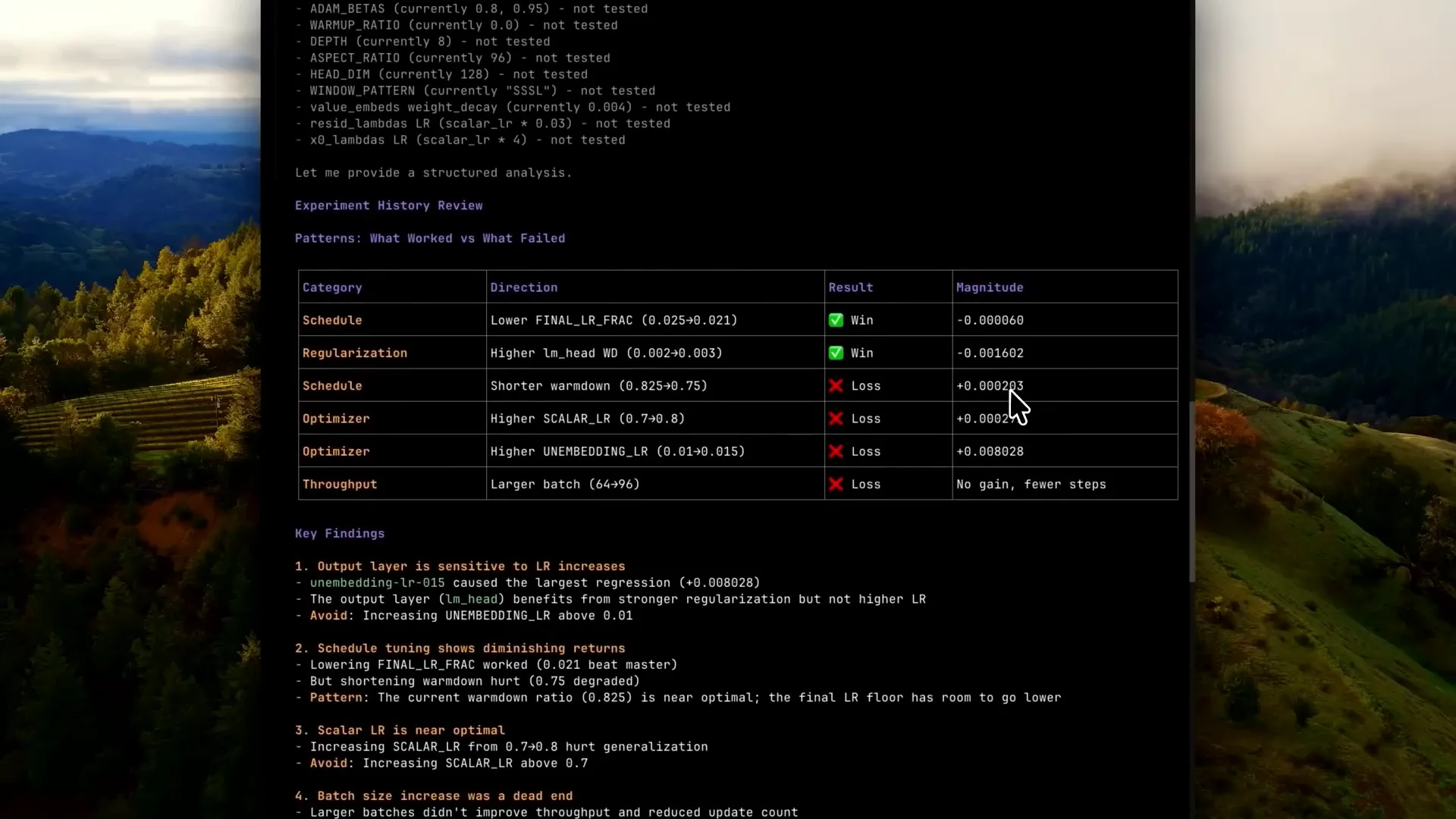 | It creates a table primarily for the agents to interact with each other and retrieve information. This example may be overly verbose, and we could likely reduce the number of tables used. |
Slide 29 — 15:28 (watch)
 | In general, if you find this interesting, I recommend trying it out in the repository. This agent runs in parallel, sometimes for hours, and we use the Trackeo dashboard to monitor its performance. |
Slide 30 — 15:36 (watch)
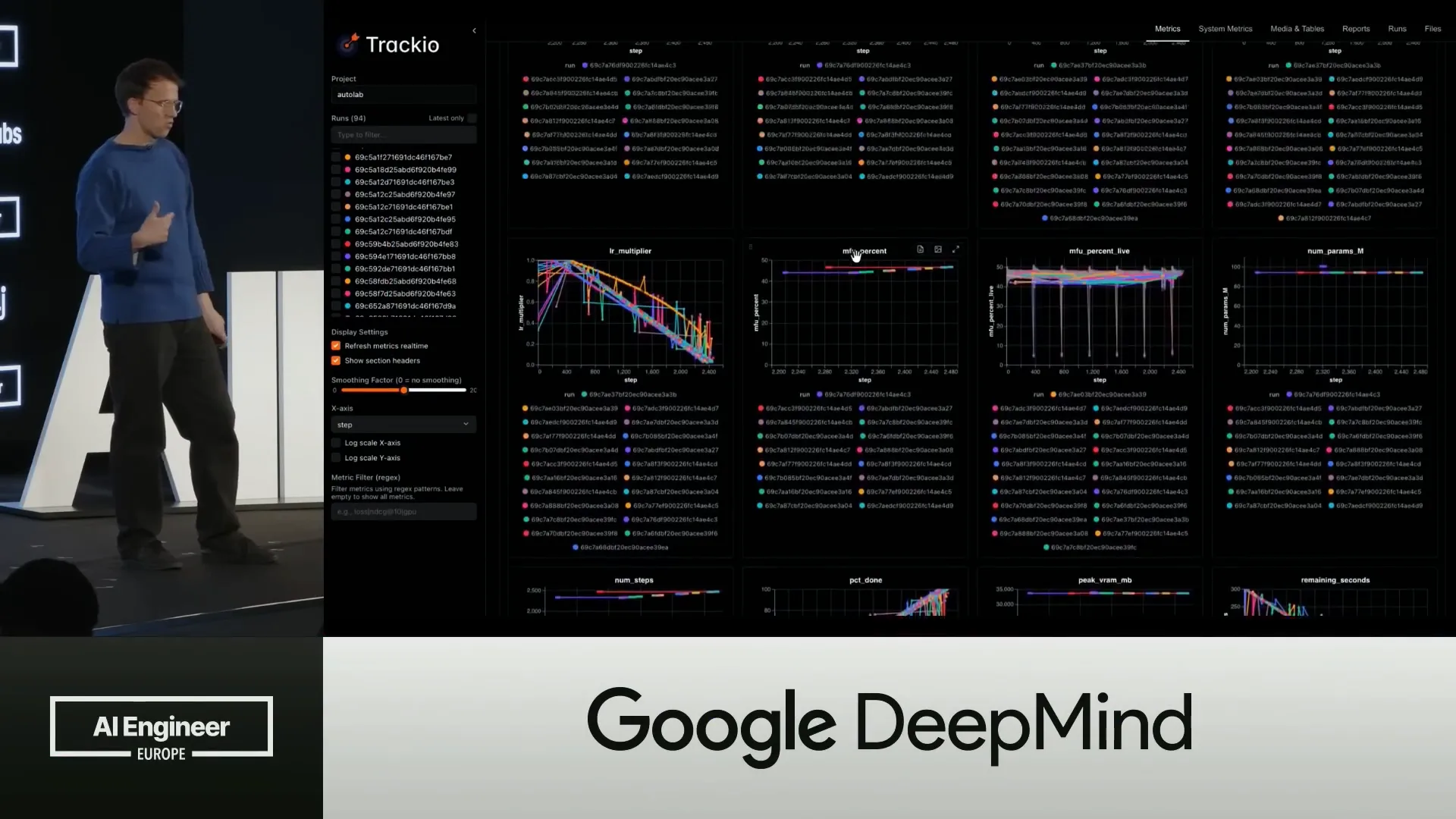 | These are all the runs that are pushed to Trackeo. The main advantage is that it is fully open source and serves as a data layer. |
Slide 31 — 15:52 (watch)
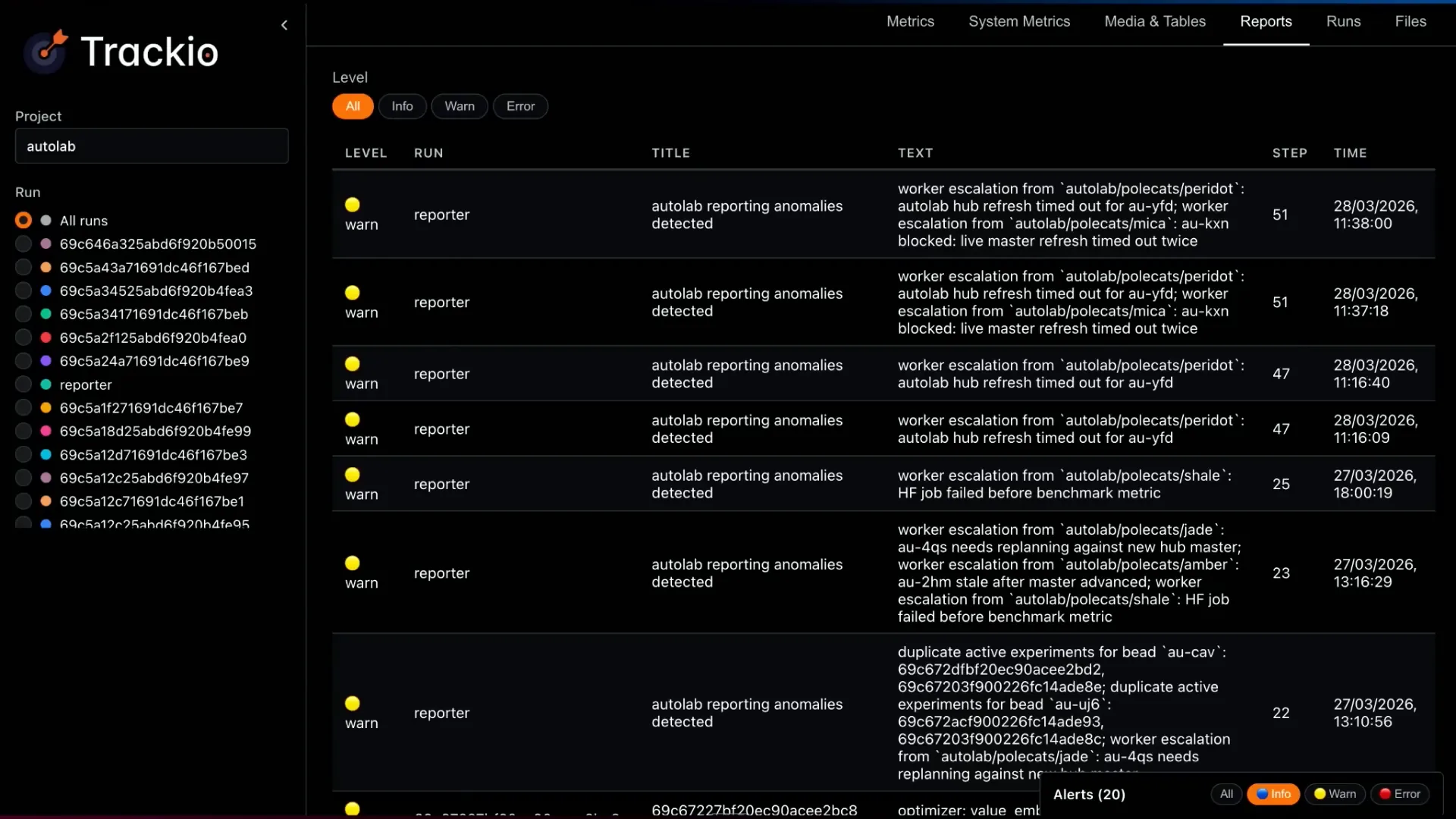 | Trackeo provides various visualizations and supports events and warnings reported by different agents, allowing for filtering of these events. Additionally, it can be configured to send notifications via email if your agents exhibit unexpected behavior and require attention. |
Slide 32 — 16:06 (watch)
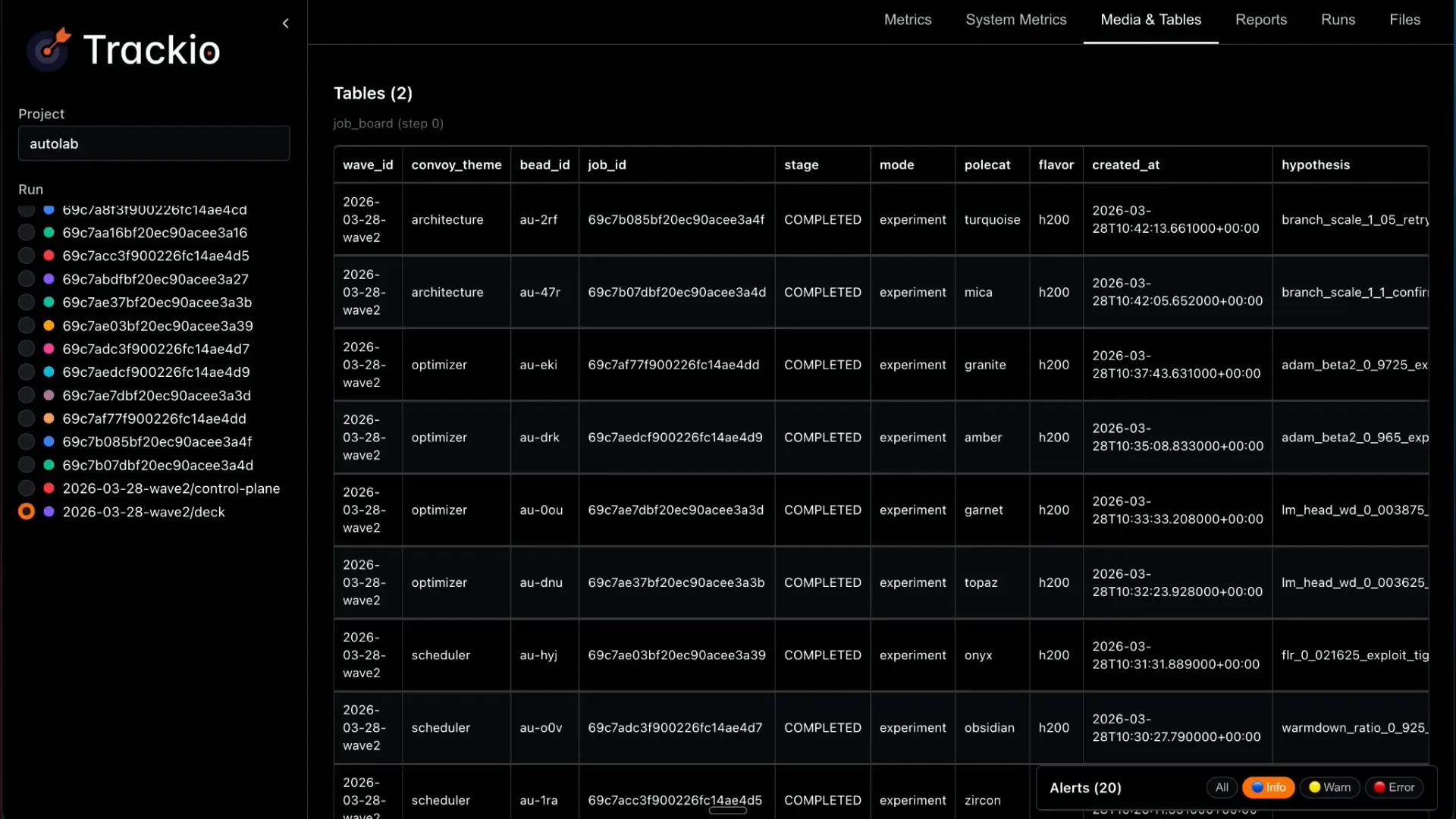 | Trackeo features a free-form structure that allows you to add tables without needing to conform to any specific format. |
Slide 33 — 16:16 (watch)
 | On the hub side, all of these jobs run inside Hugging Face, allowing you to explore them. |
Slide 34 — 16:20 (watch)
 | In most cases, you can instruct the agents to use labels, allowing you to sort and review their activities. |
Slide 35 — 16:32 (watch)
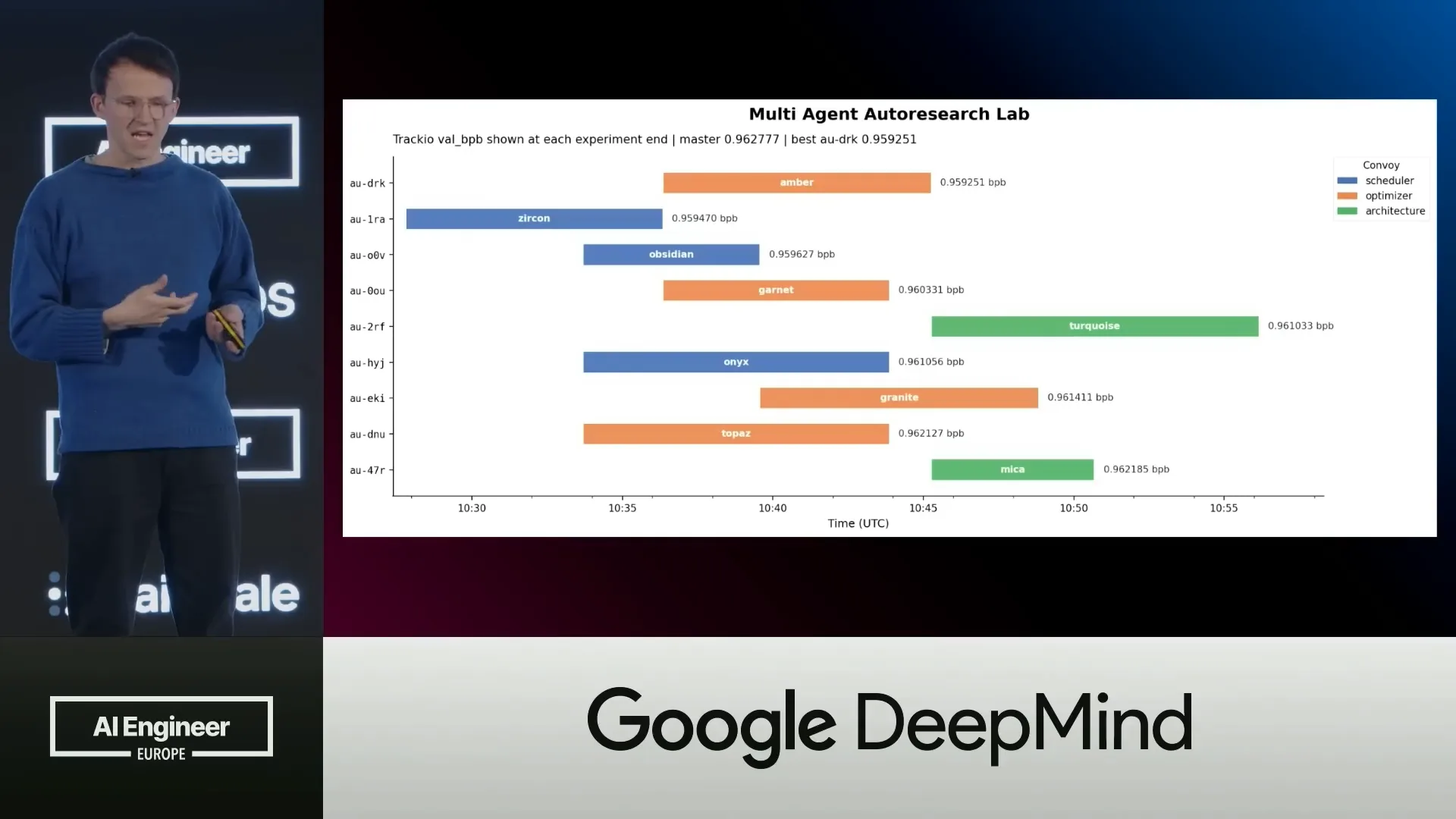 | You can access the underlying data layer to create a Gantt chart, which provides a convenient way to visualize the agents' activities over time. For example, you can see that the amber agent performed a task and received a specific score. |
Slide 36 — 16:42 (watch)
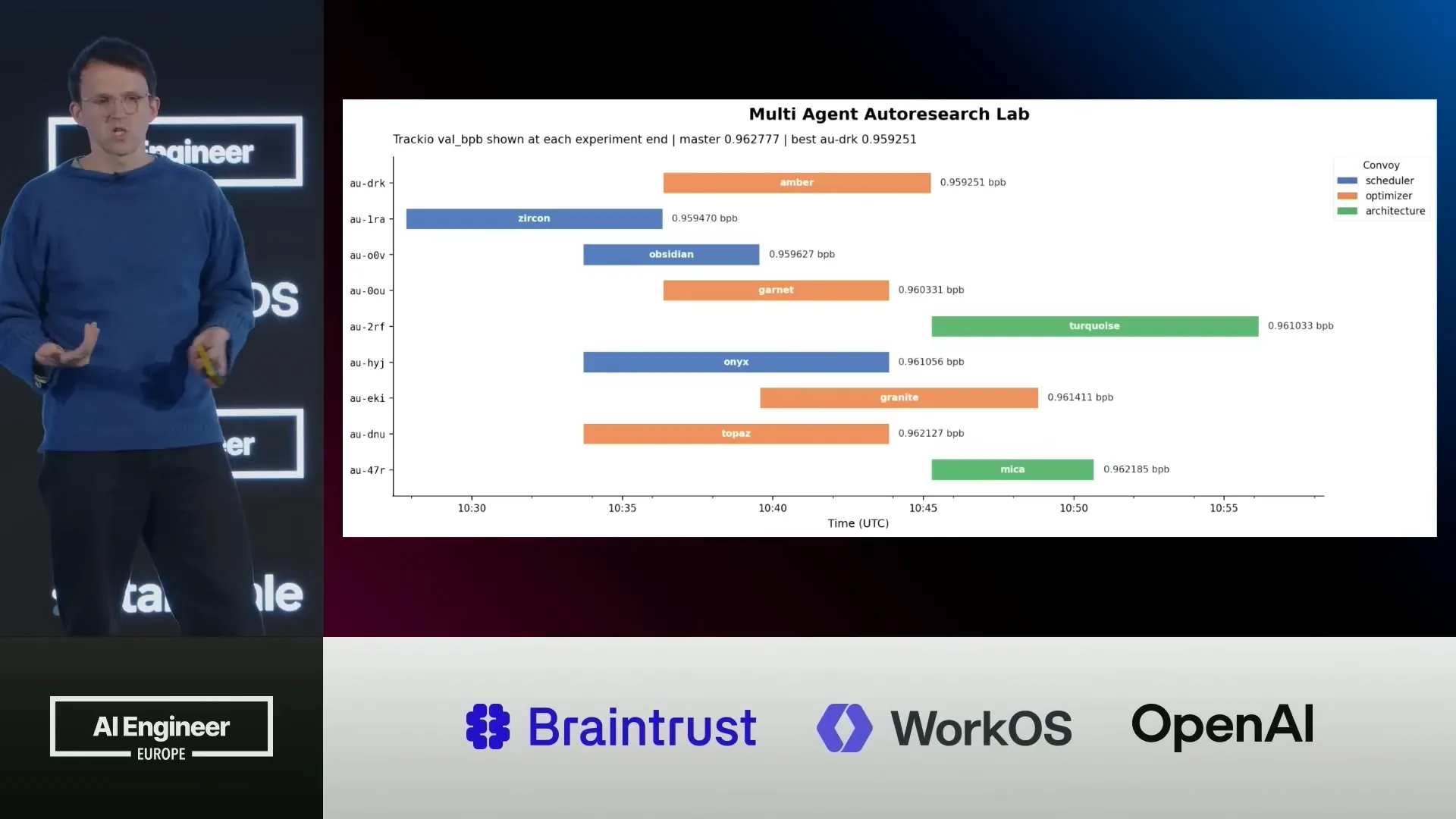 | You can visualize this data in any way you prefer since you have access to the underlying data layer. |
Slide 37 — 16:48 (watch)
 | In summary, you can create your own AI lab and experiment with it. |
Slide 38 — 16:56 (watch)
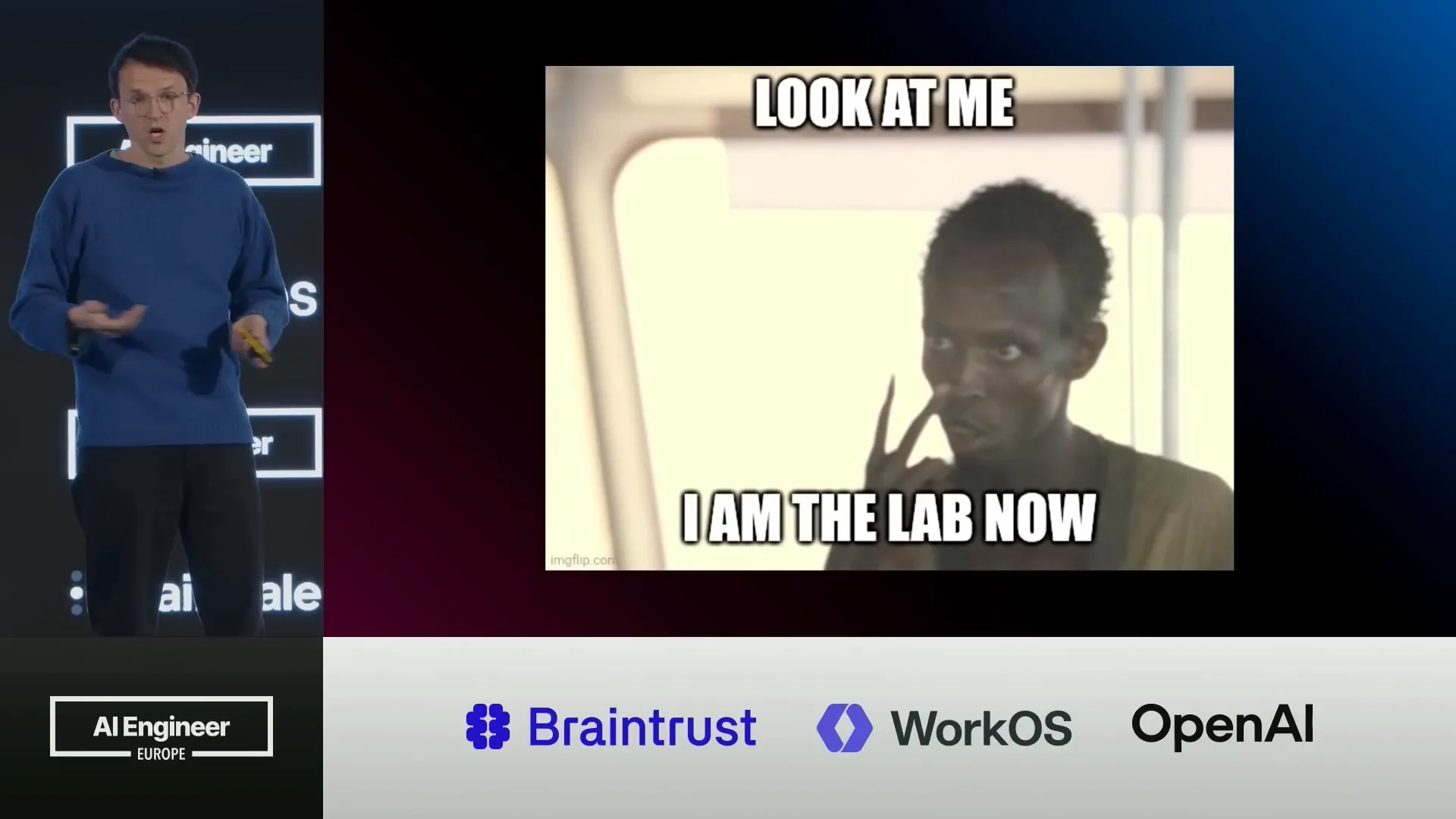 | If you have a verifiable experiment, such as training a model or writing CUDA kernels, it's straightforward to implement a setup and gain insights. |
Slide 39 — 17:10 (watch)
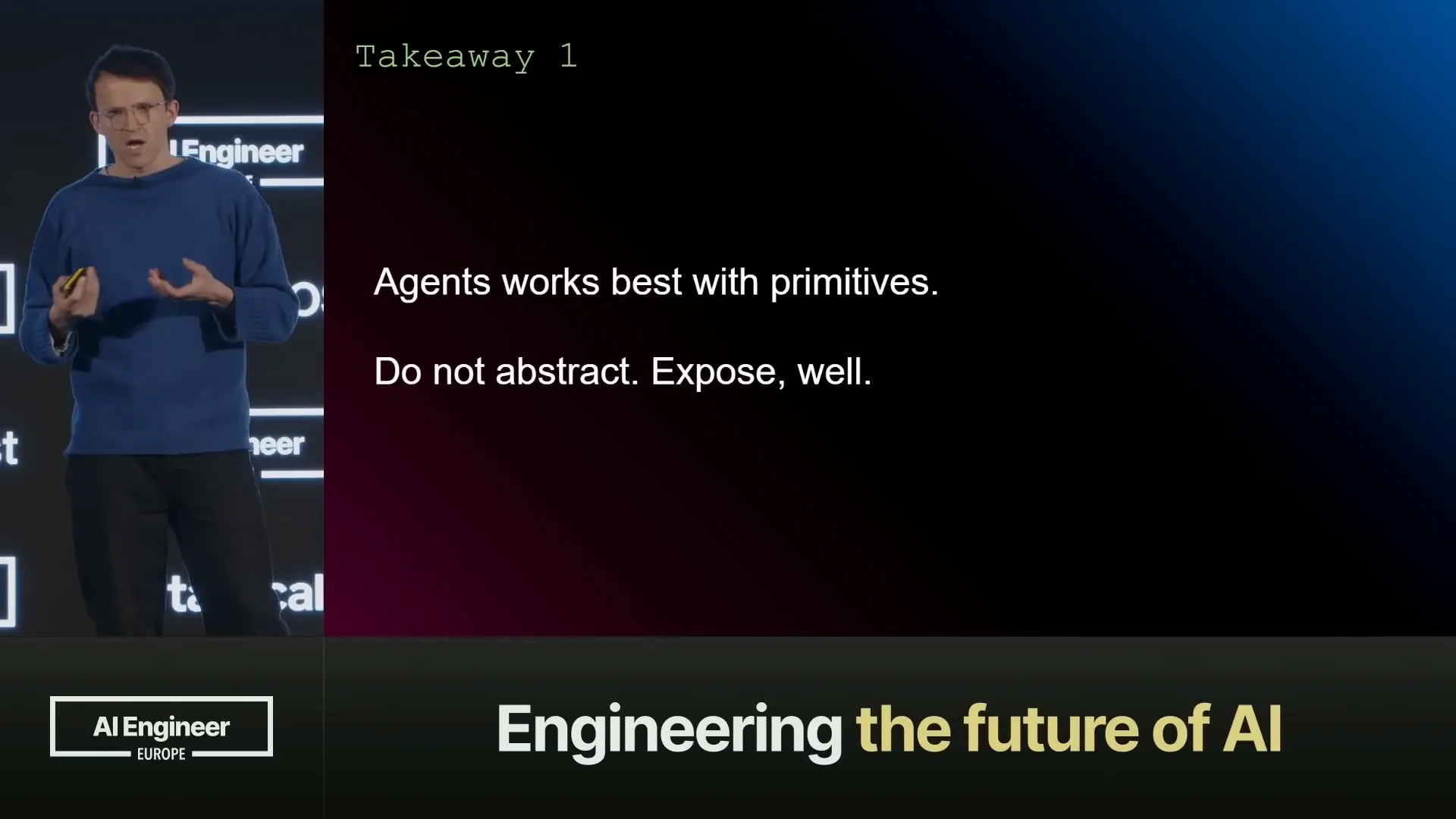 | Now, let's discuss the takeaways. Agents perform effectively with primitives and open primitives. We need tools that are fully open, such as Trackeo and kernels, which we can expose to agents so they can control them in their own way. |
Slide 40 — 17:22 (watch)
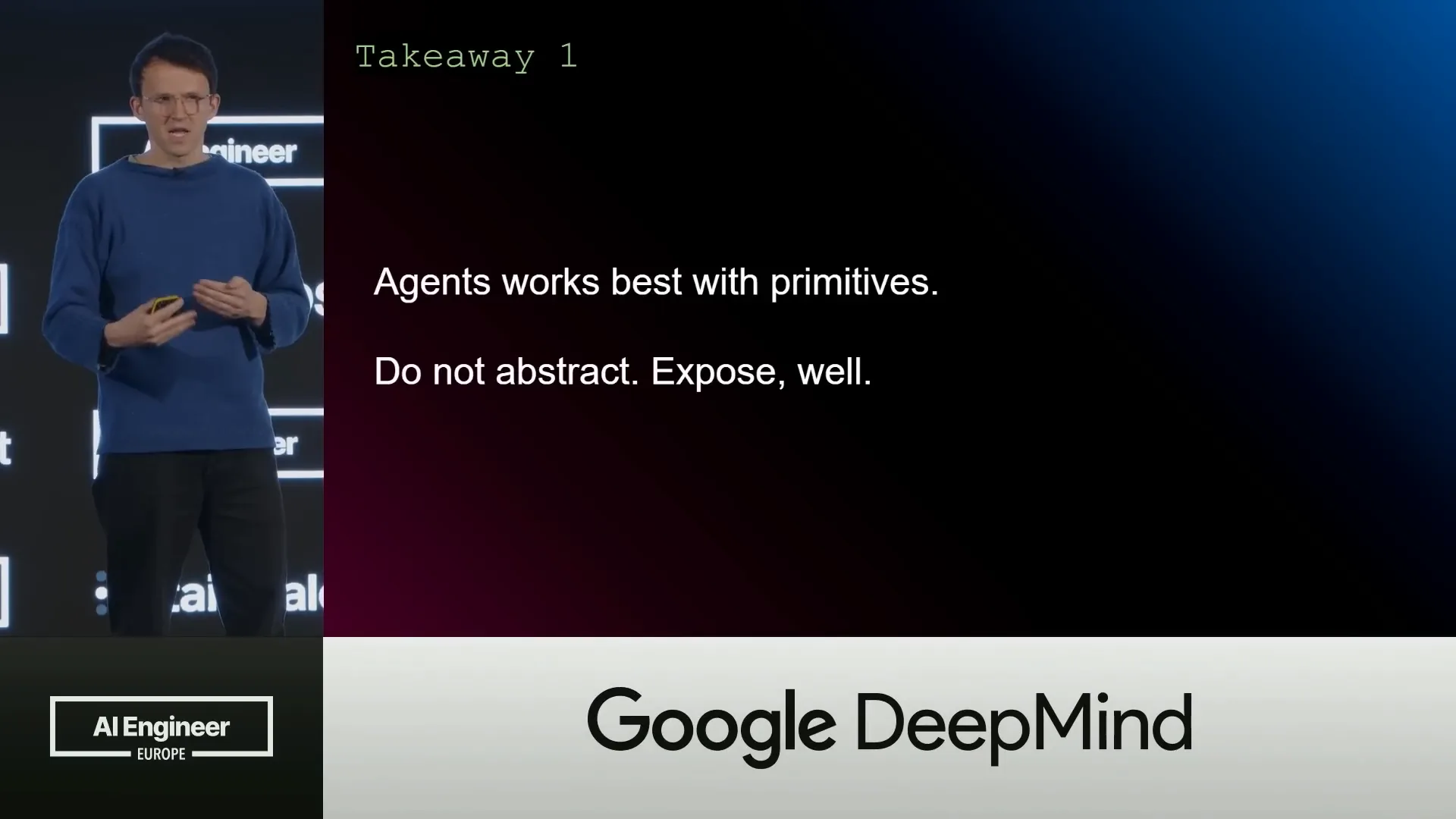 | While abstracted APIs are useful, having a layer that acts as a ceiling can limit our ability to extract information. Instead, the focus should be on effectively exposing capabilities. |
Slide 41 — 17:34 (watch)
 | The Hugging Face Hub is prepared for these types of workloads. We have established the fundamentals, including storage, tracking, and compute, which will enable us to scale our engineering efforts to new levels. |
Slide 42 — 17:52 (watch)
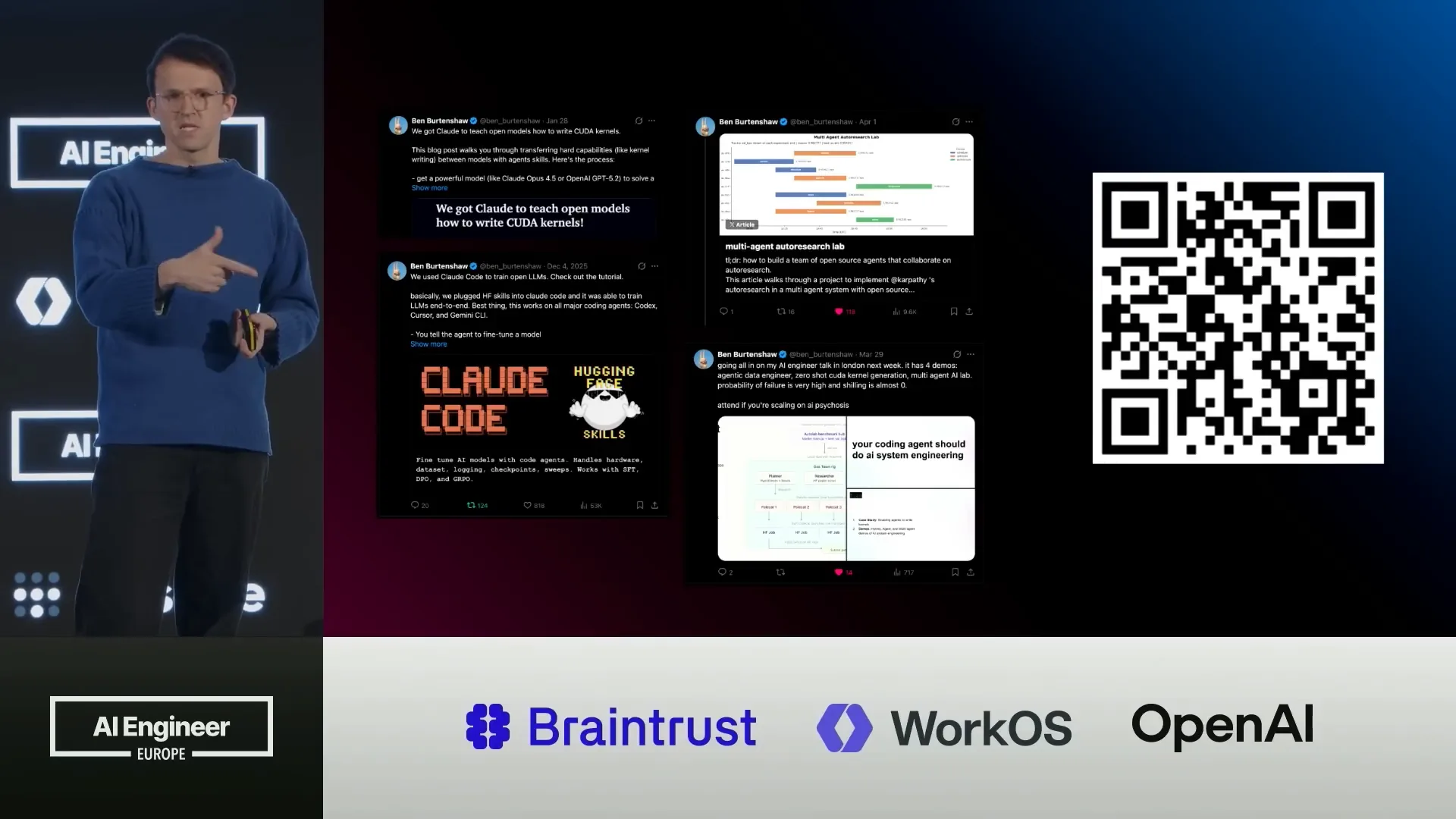 | If you found any of this interesting, I've shared everything on X and Hugging Face. There is a blog post for each example I presented, and each has a repository attached so you can try them out yourself. If you encounter any issues, please let me know. |
Slide 43 — 18:04 (watch)
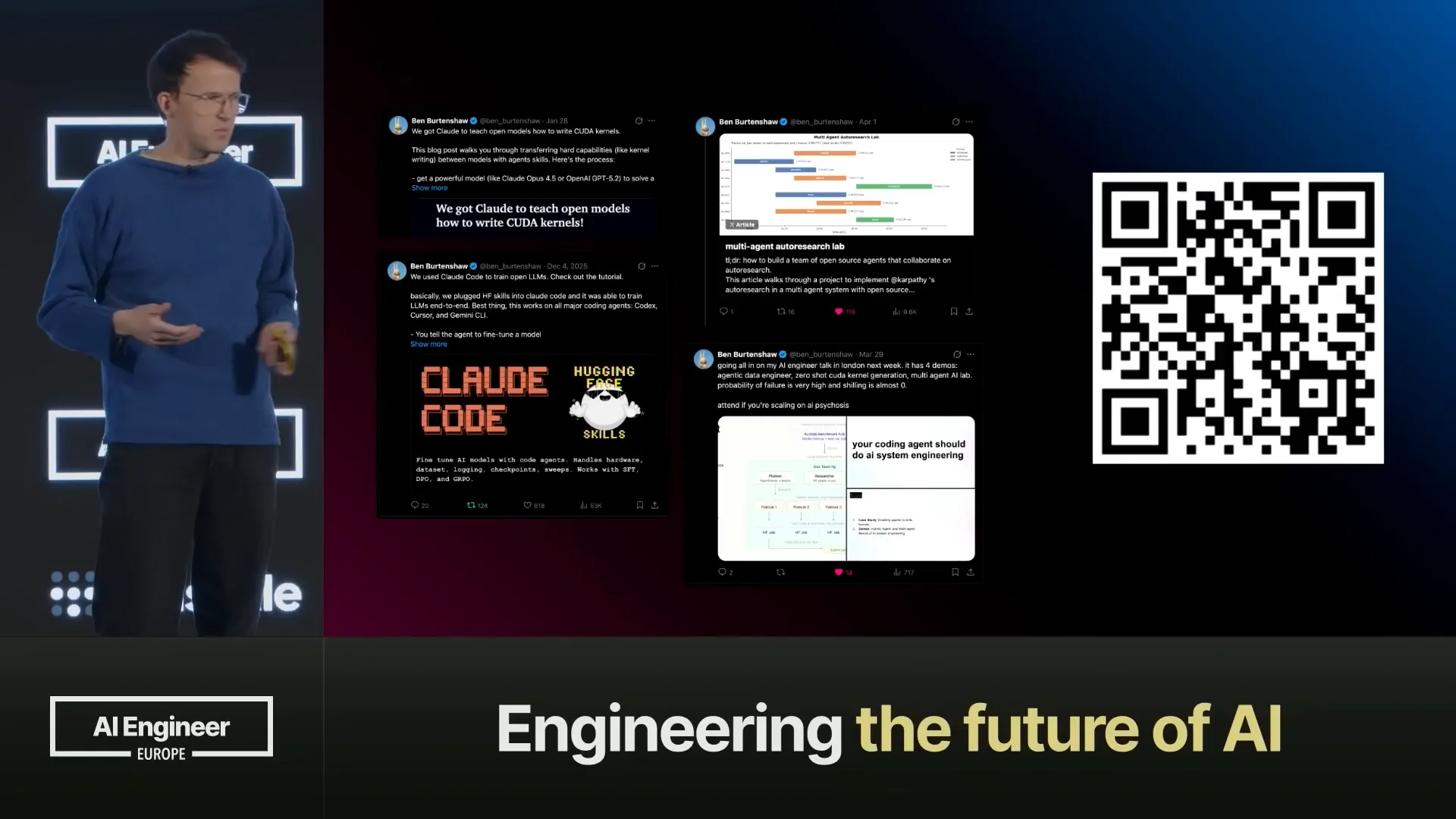 | If you believe there were any inaccuracies, please feel free to approach me afterwards. Thank you all for your attention. |